↩ Accueil

Vue lecture

Apple Just Made Its Second-Biggest Acquisition Ever After Beats

Apple today confirmed to Reuters that it has acquired Q.ai, an Israeli startup that is working on artificial intelligence technology for audio.


Apple paid close to $2 billion for Q.ai, according to sources cited by the Financial Times. That would make this Apple's second-biggest acquisition ever, after it paid $3 billion for the popular headphone and audio brand Beats in 2014.

Q.ai has developed technology that can "analyze facial expressions" to understand "silent speech," according to the Financial Times.

"Patents filed by Q.Ai show its technology being used in headphones or glasses, using 'facial skin micro movements' to communicate without talking," the report said, adding that this could pave the way for "non-verbal discussions" with Siri.

Q.ai CEO Aviad Maizels previously founded another Israeli startup, PrimeSense, which was also acquired by Apple in 2013. Apple used PrimeSense's technology to develop Face ID, which debuted on the iPhone X in 2017.

Q.ai's founding team will join Apple, including Maizels, Yonatan Wexler, and Avi Barliya.

Apple's chipmaking chief Johny Srouji described Q.ai as "a remarkable company that is pioneering new and creative ways to use imaging and machine learning," in a statement shared with Reuters. "We're thrilled to acquire the company, with Aviad at the helm, and are even more excited for what's to come."

This acquisition comes as Apple's former design chief Jony Ive has been working with OpenAI on a new AI device, and as other companies like Meta have released AI-powered devices such as the Meta Ray-Ban glasses with an in-lens display.
This article, "Apple Just Made Its Second-Biggest Acquisition Ever After Beats" first appeared on MacRumors.com

Discuss this article in our forums

  •  

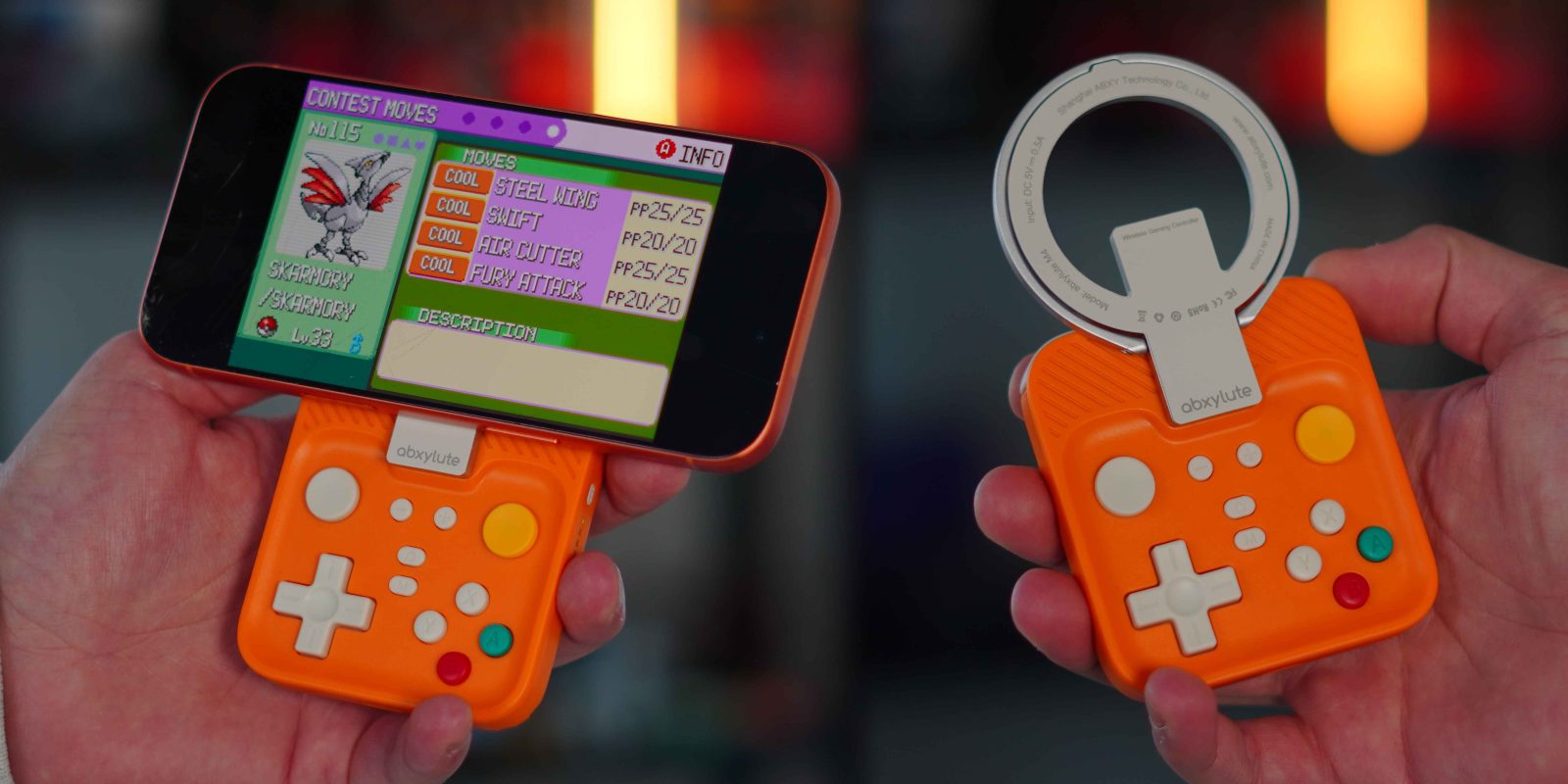
Hands-on: This tiny MagSafe controller brings real buttons and a retro feel to your iPhone

Some of my earliest memories go back to the late 90s when the Game Boy Color launched. I remember being six or seven years old, walking into a store with my dad to pick up a Game Boy Color and a copy of Pokémon Blue. I spent countless hours playing that Game Boy, and looking back, it played a major role in sparking the tech interest I still carry today. Fast forward to 2026, and mobile gaming has evolved in ways we could not have imagined back then. Touchscreens are incredibly capable, but nothing truly replaces the tactility of real buttons, and most controllers are not portable enough to justify carrying everywhere. So when I saw just how tiny and lightweight the abxylute M4 Snap-On Mobile Controller was, I knew I had to test it for myself. Here is what you should know.

more…
  •  

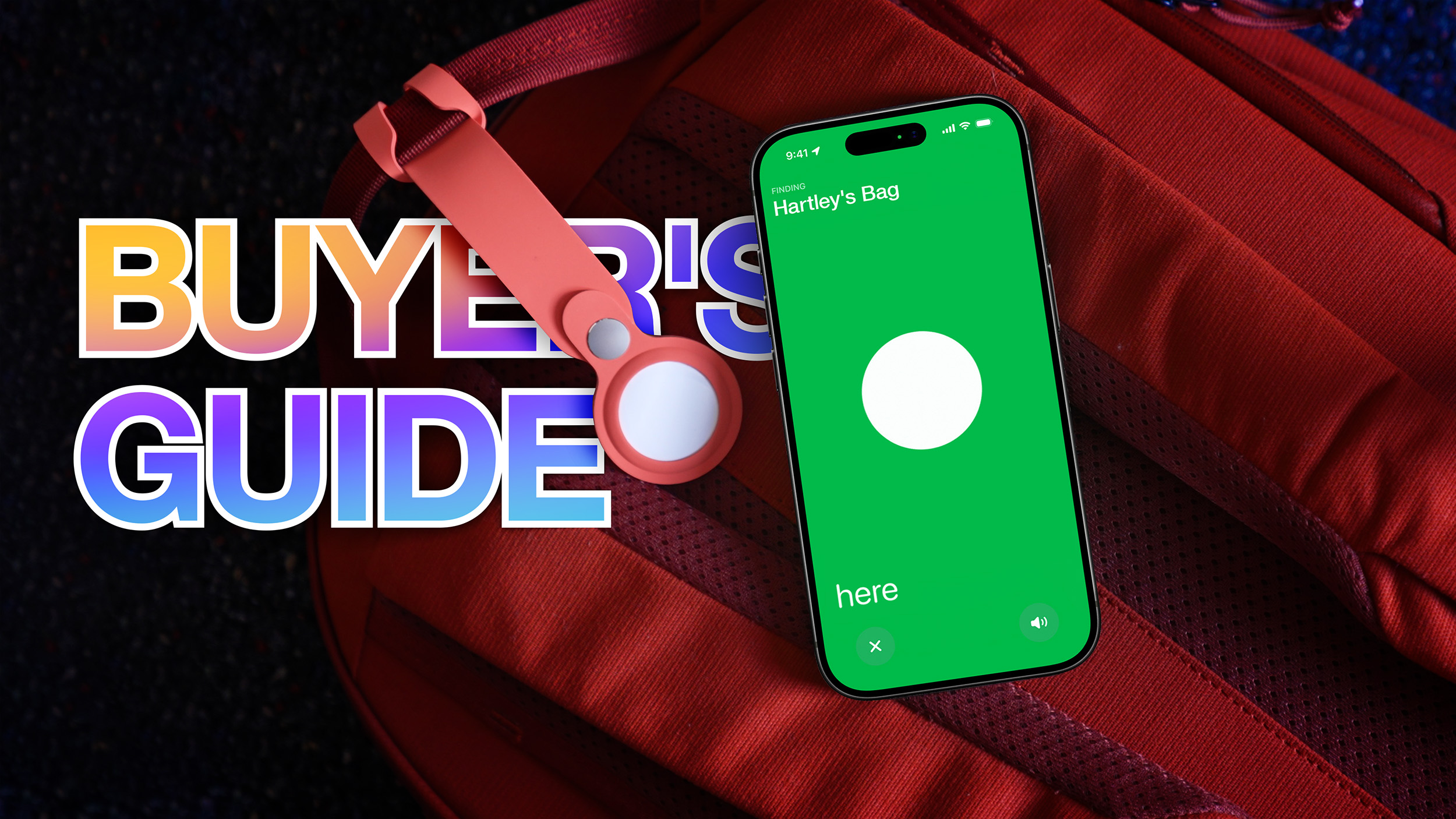
AirTag 1 vs. AirTag 2 Buyer's Guide: All 15+ Differences Compared

Apple's new AirTag introduces a series of small improvements, so how does it compare to the original model from 2021?


The second-generation ‌AirTag‌ arrives five years after the original, bringing improvements to tracking range, speaker output, and internal design while retaining the same outward design and accessory compatibility. At the same time, first-generation AirTags remain available from some retailers at reduced prices, raising the question of whether the newer model is worth choosing over the original, or whether the earlier ‌AirTag‌ still makes sense as a lower-cost option.

The comparison below outlines every difference between the two generations, including Apple-announced feature upgrades and hardware changes identified through teardowns. While both models perform the same core function of tracking items through the Find My network, there are some small differences worth noting:


‌AirTag‌ (first-generation, 2021) ‌AirTag‌ (second-generation, 2026)
First-generation Ultra Wideband chip Second-generation Ultra Wideband chip
Shorter Precision Finding range Up to 50% farther Precision Finding range
Precision Finding on iPhone only Precision Finding on ‌iPhone‌ and Apple Watch (Series 9 and later and Ultra 2)
Earlier Bluetooth implementation Upgraded Bluetooth with increased range
Bluetooth identifiers rotate at standard intervals Bluetooth identifiers rotate more frequently
Standard speaker volume Up to 50% louder speaker
Chime note in F Chime note in G
Works on earlier supported iOS versions Requires iOS 26.2.1 or later
Reset without a required wait between battery removals Reset requires battery out for at least five seconds each cycle
11g weight 11.8g weight (around 7% heavier)
Back text listing "Assembled in China" and "Designed by Apple" Back text listing IP67, NFC, and ‌Find My‌
Thicker main PCB Thinner main PCB with revised battery connectors, and additional test pads and markings
Smaller speaker coil Slightly larger speaker coil
Speaker magnet more easily removable Speaker magnet more firmly secured and harder to remove
Wider box with flat printed text and plastic pull tabs Redesigned narrower box with updated artwork, raised UV printed text, and paper pull tabs
Folio-style inner tray holding up to two rows of two AirTags Redesigned inner tray with simpler design holding up to four AirTags


For buyers choosing between the two ‌AirTag‌ models, the decision depends less on basic tracking and more on how and where an ‌AirTag‌ is typically used. Both generations rely on the same ‌Find My‌ network for long-distance location updates, offer similar battery life, and work with the same accessories, so neither model is considerably better for general item tracking.

The second-generation ‌AirTag‌ is likely to benefit users who frequently rely on Precision Finding rather than approximate location. The extended Ultra Wideband range makes it easier to determine the specific location of items, while the louder speaker improves audibility in noisy spaces or when an ‌AirTag‌ is buried inside a bag or suitcase. Support for Precision Finding on compatible Apple Watch models also makes the newer ‌AirTag‌ more convenient for users who often leave their ‌iPhone‌ behind.

The first-generation ‌AirTag‌ remains a practical option for the overwhelming majority of use cases, such as tracking keys, backpacks, or household items that are usually misplaced within short distances. If available at a meaningful discount, it may offer better value for users who do not need Precision Finding at extended range, do not use an Apple Watch for item location, or simply want basic ‌Find My‌ functionality at the lowest cost.

For existing ‌AirTag‌ owners, there is certainly no pressing need to upgrade. For new buyers, the second-generation ‌AirTag‌ simply offers the most complete feature set and greater flexibility going forward, acting as a moderate specification bump over the previous model.
Tag: AirTag

This article, "AirTag 1 vs. AirTag 2 Buyer's Guide: All 15+ Differences Compared" first appeared on MacRumors.com

Discuss this article in our forums

  •  

Deals: AirTag 2 – buy 4, get 1 for $1, most affordable M5 iPad Pro up to $213 off, Trail Loop, Crossbody Strap 55% off, more

While the new AirTag is up for grabs now at $29, today’s 9to5Toys Lunch Break is kicking off with the first chance to save on the new Apple tracker – you can now AirPods 4 with ANC at 35% off, but we also spotted one of the best prices yet on the most affordable M5 iPad Pro at up to $213 off the list price. Those offers join new all-time lows on the blue and green Apple Trail Loop, up to 55% off the Apple Crossbody Strap, and a rare $500 off the Apple Pro Pro Display XDR. Head below for a closer look at everything. 

more…
  •  

Here's Everything Apple Released This Week

Following a quiet start to 2026, the final week of January has been a busy one for Apple so far. There are new versions of the AirTag and the Black Unity band for the Apple Watch, and the Apple Creator Studio bundle is now available.


Apple also released iOS 26.2.1 and watchOS 26.2.1 updates, and iOS 26.3 beta testing continues.

While the launch of Apple Creator Studio would have been a fitting opportunity for Apple to unveil new MacBook Pro models with M5 Pro and M5 Max chips, unfortunately it looks like that proved to be nothing more than wishful thinking.

We have recapped our coverage of everything new below.

New AirTag


New Black Unity Band


Apple Creator Studio


Software Updates


This article, "Here's Everything Apple Released This Week" first appeared on MacRumors.com

Discuss this article in our forums

  •  

Amazon Discounts Anker's Most Popular MagSafe-Compatible Chargers, Power Stations, and More

Amazon this week has a few notable sales from popular brands like Anker, Ecovacs, and Jackery. These include discounts on everything from MagSafe-compatible chargers to portable power stations and robot vacuums.

Note: MacRumors is an affiliate partner with Amazon. When you click a link and make a purchase, we may receive a small payment, which helps us keep the site running.

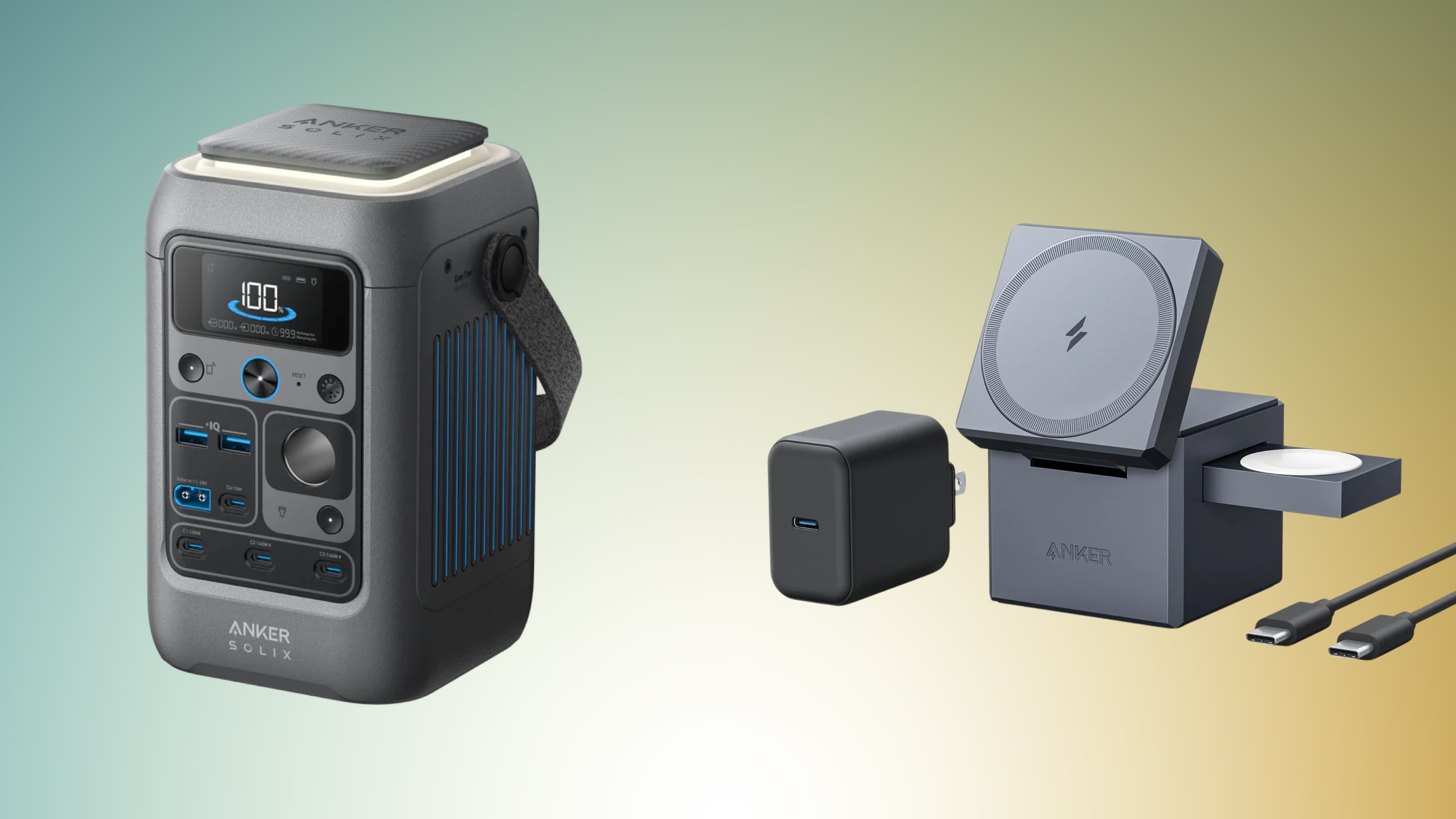
Amazon has discounts on multiple Anker charging accessories, including products like the 3-in-1 MagSafe-Compatible Charging Cube for $99.98, down from $149.95 and the SOLIX C300 Power Station with Lantern for $169.99, down from $249.00. You can find these deals and more in the lists below, and this time around none require any coupon codes.


Anker


Jackery


Ecovacs


If you're on the hunt for more discounts, be sure to visit our Apple Deals roundup where we recap the best Apple-related bargains of the past week.


Deals Newsletter


Interested in hearing more about the best deals you can find in 2026? Sign up for our Deals Newsletter and we'll keep you updated so you don't miss the biggest deals of the season!


Related Roundup: Apple Deals

This article, "Amazon Discounts Anker's Most Popular MagSafe-Compatible Chargers, Power Stations, and More" first appeared on MacRumors.com

Discuss this article in our forums

  •  

Apple Stops Selling $200 'Pro Apps' Bundle With Final Cut Pro and More

Following the launch of Apple Creator Studio this week, Apple has quietly stopped selling its valuable "Pro Apps Bundle for Education" (archived link).


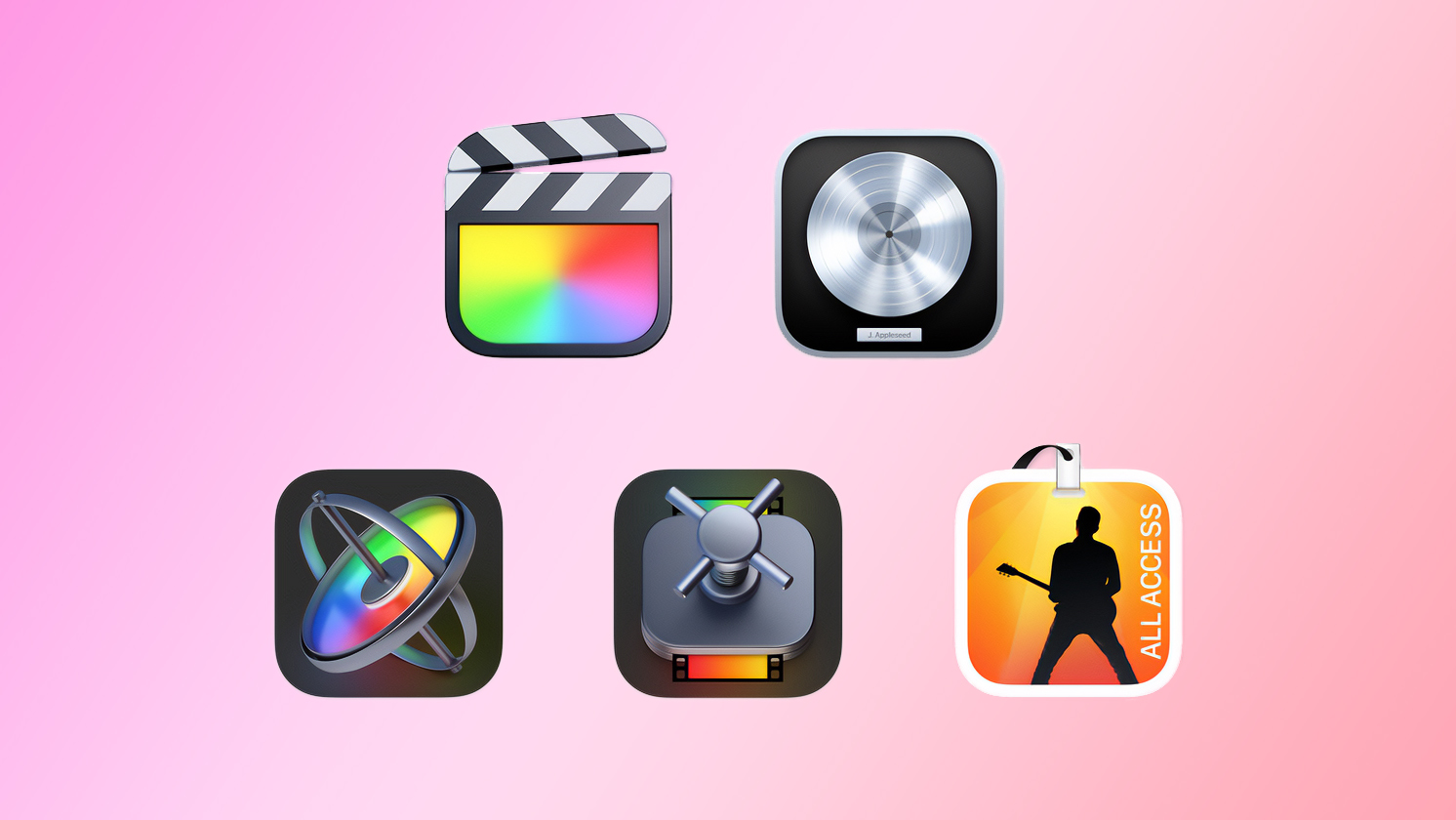
"Pro Apps Bundle for Education" included one-time-purchase versions of Apple's Final Cut Pro, Logic Pro, Motion, Compressor, and MainStage apps at a steep discount, with U.S. pricing set at $199.99. Purchasing each of the included apps separately costs $629.95, so the bundle provided more than $400 in savings.

While the bundle was sold through Apple's online education store since its launch in 2017, there was no student or teacher verification system in the U.S. and certain other countries, so most customers were able to purchase it.

Anyone who already purchased the bundle can continue to use the apps.

Apple also appears to be cracking down on sharing the apps included in the bundle. According to a MacRumors tipster, sharing the apps with others as a ZIP file no longer works, as the recipient will receive an error when opening the apps.

Apple Creator Studio is a new subscription bundle that provides access to Final Cut Pro, Logic Pro, Pixelmator Pro, Motion, Compressor, and MainStage on the Mac and/or iPad, with U.S. pricing set at $12.99 per month or $129 per year. One-time-purchase versions of all six apps remain available on the Mac for now.

A subscription to Apple Creator Studio also unlocks "intelligent features" and "premium content" in apps like Pixelmator Pro, Numbers, Pages, Keynote, and later Freeform.

For college students, Apple Creator Studio costs only $2.99 per month or $29.99 per year.
This article, "Apple Stops Selling $200 'Pro Apps' Bundle With Final Cut Pro and More" first appeared on MacRumors.com

Discuss this article in our forums

  •  

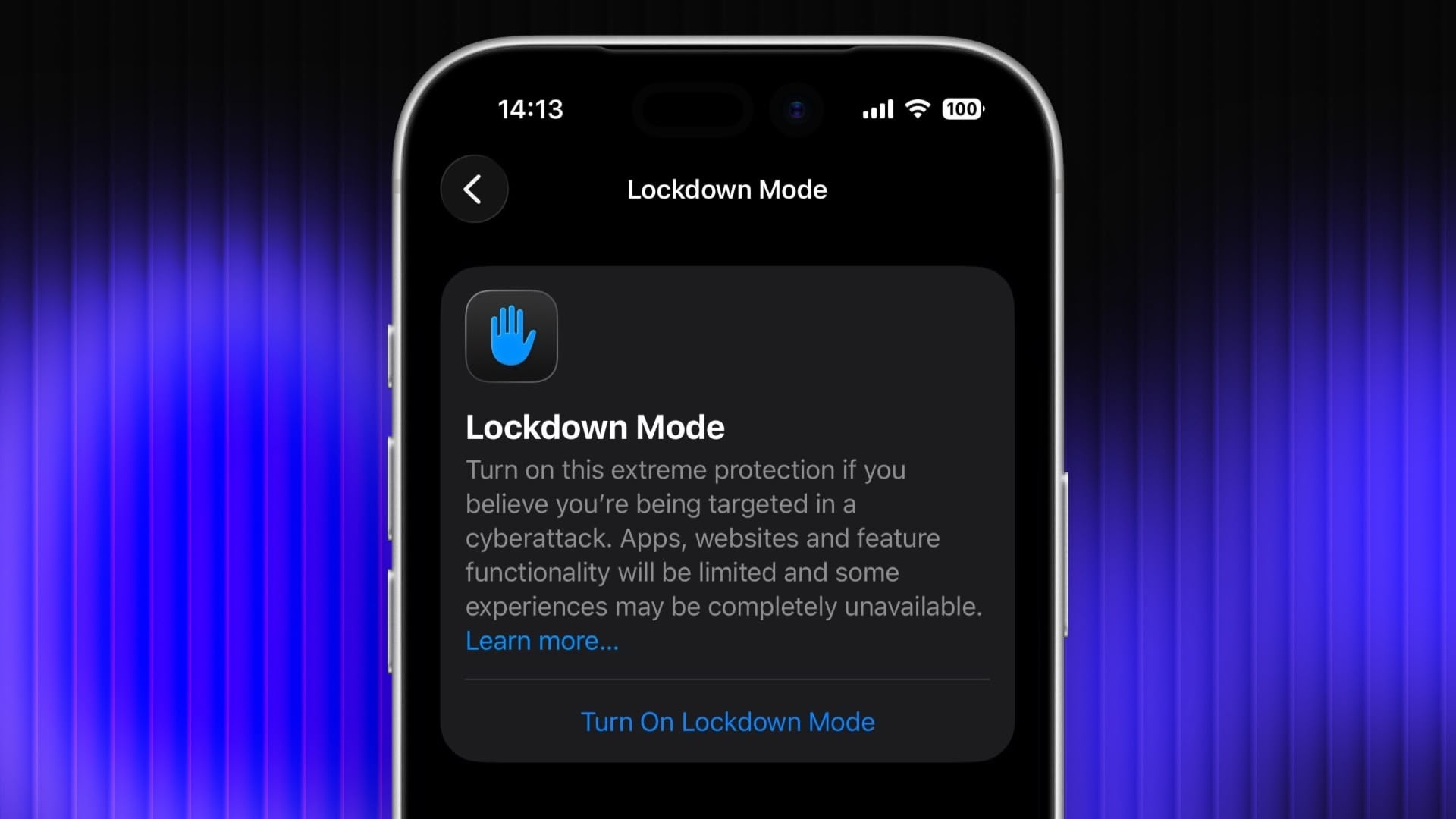
Enable Lockdown Mode on iPhone, iPad, and Mac

Lockdown Mode is an optional security feature designed by Apple to provide maximum protection against highly sophisticated digital threats. When enabled on your Apple device, it greatly reduces exposure to complex attacks by restricting certain features and network connections. Keep reading to learn how to use it across iPhone, iPad, and Mac.
lockdown
For most users of Apple devices, the standard iOS, iPadOS, and macOS security protections should be sufficient, whereas Lockdown Mode is aimed at users who could be targets of cyberattacks, such as journalists, activists, and government employees. That said, any user can enable it on their device for what Apple calls an "extreme" level of security.

Lockdown Mode Protections


When enabled, Lockdown Mode strictly limits or disables the functionality of features, apps, and websites. Lockdown Mode protections include the following:

  • In the Messages app, most message attachment types other than images are blocked, and some features like link previews are unavailable.

  • Incoming FaceTime calls from people you have not previously called are blocked. Incoming invitations for other Apple services from people you have not previously invited are also blocked.

  • Some complex web technologies and browsing features, including just-in-time (JIT) JavaScript compilation, are disabled unless the user excludes a trusted site from Lockdown Mode. This protection applies to Safari and all other web browsers using WebKit across the ‌iPhone‌, ‌iPad‌, and Mac.

  • Shared albums will be removed from the Photos app, and new shared album invitations will be blocked.

  • When a device is locked, wired connections with other devices/accessories are blocked.

  • Configuration profiles cannot be installed, and the device cannot enroll into mobile device management (MDM), while Lockdown Mode is turned on.

  • Certain network protocols and services are restricted.


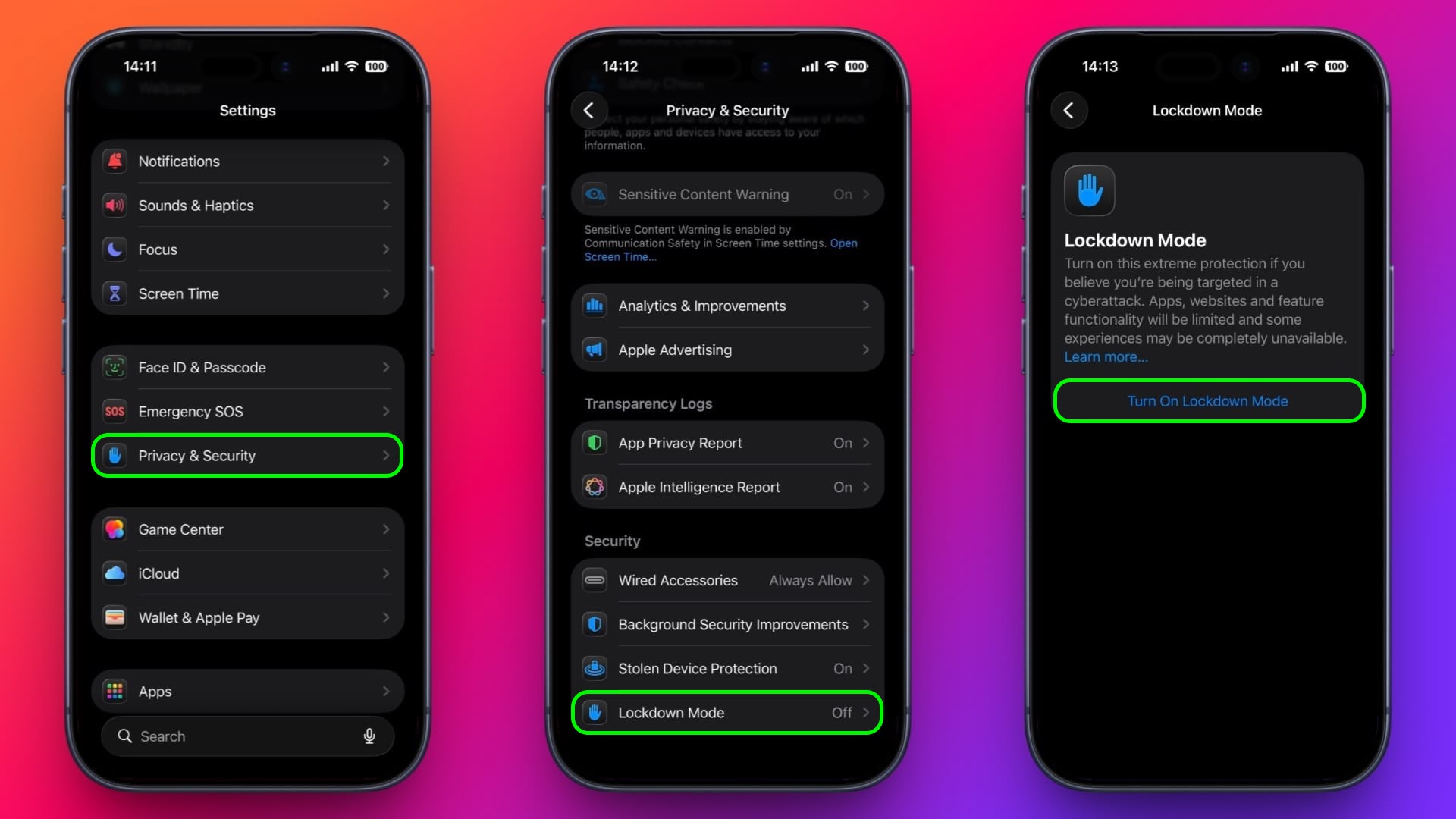
How to Enable Lockdown Mode on iPhone and iPad


Lockdown Mode is turned off by default on ‌iPhone‌ and ‌iPad‌, but you can enable it by following these steps.

  1. Open the Settings app.

  2. Scroll down and tap Privacy & Security.

  3. Scroll to the bottom and tap Lockdown Mode.

  4. Tap Turn On Lockdown Mode.

  5. Review the information about what features are restricted, then tap Turn On & Restart.
settings

After the restart, Lockdown Mode will be active. You can confirm this by returning to Settings ➝ Privacy & Security ➝ Lockdown Mode, where a toggle will show that it's on.

How to Enable Lockdown Mode on Mac


  1. Open System Settings.

  2. Click Privacy & Security in the sidebar.

  3. Under the "Security" section at the bottom, click Lockdown Mode.

  4. Click Turn On Lockdown Mode.

  5. Review the protections and click Turn On & Restart.
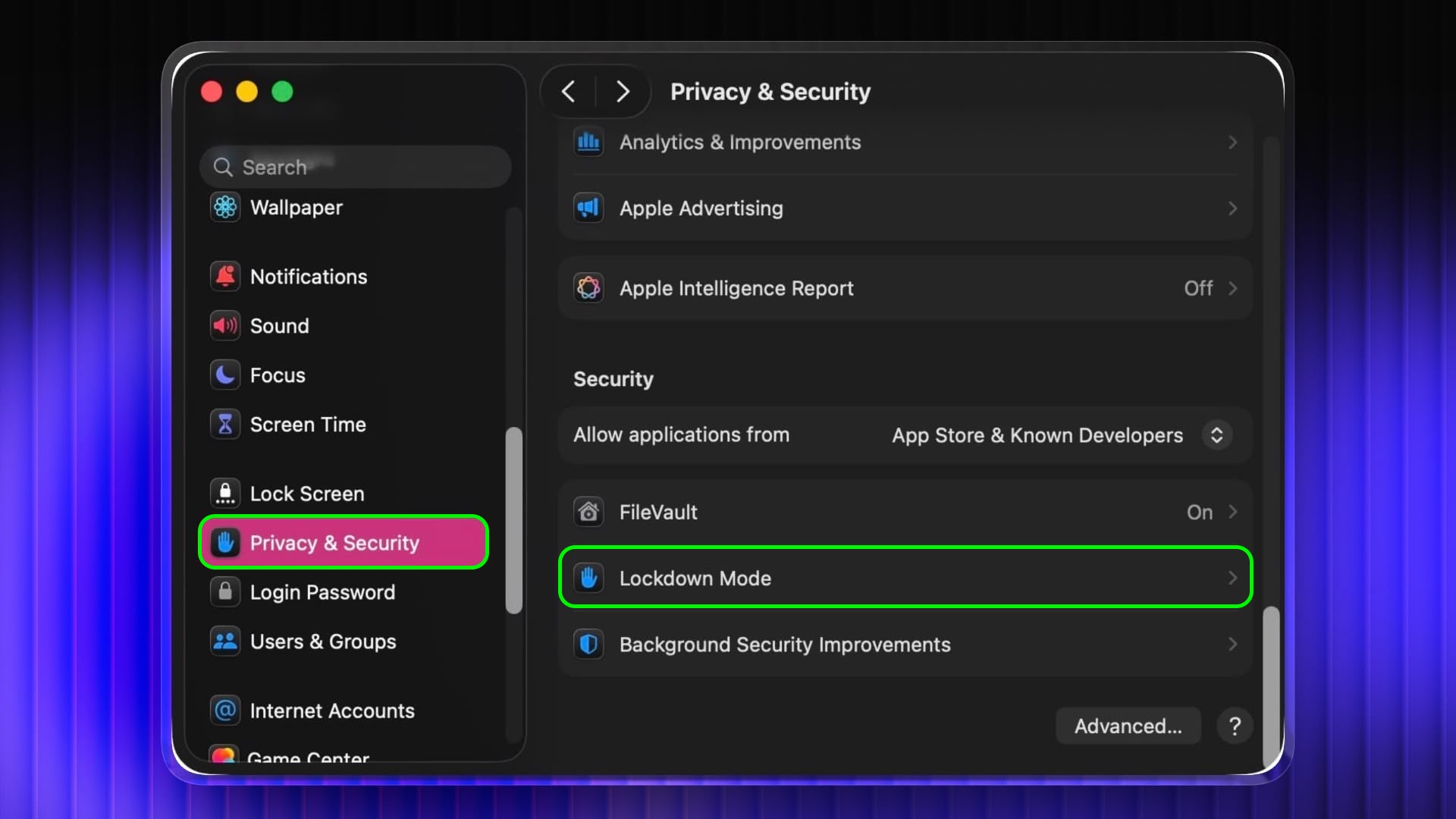
settings

Your Mac will restart and Lockdown Mode will be enabled when it boots up.

How to Turn Off Lockdown Mode


Whether you're on iPhone, iPad, or Mac, these are the steps to follow:

  1. In Settings on iPhone/iPad (or System Settings on Mac) go to Privacy & Security ➝ Lockdown Mode.

  2. Tap or click the Lockdown Mode toggle to turn it off.

  3. Confirm that you want to turn it off. Your device will restart to leave Lockdown Mode.


Configuring Allowed Websites and App Exceptions


While Lockdown Mode is active, some websites and certain app features may be blocked for security. Apple allows you to add exceptions in some areas.

For example, in Safari, if a site is blocked by Lockdown Mode, you may be offered an option to allow website exceptions. This lets specific sites load normally while Lockdown Mode remains enabled.

Some third-party apps may also appear in a list in Settings ➝ Privacy & Security ➝ Lockdown Mode ➝ Configure Web Browsing, and you can turn off Lockdown Mode for those apps individually. This lets an app continue to function normally if it was being restricted by Lockdown Mode's web content limitations.
This article, "Enable Lockdown Mode on iPhone, iPad, and Mac" first appeared on MacRumors.com

Discuss this article in our forums

  •  

Apple's Fifth Avenue Store is Closing Overnight Next Week, Here's Why

Apple's iconic Fifth Avenue store in New York City is normally open 24/7, but it will be closed overnight on some days next week.


According to Apple's website, the store will be closing at 10 p.m. local time each night on Monday, February 2 through Wednesday, February 4. The store will re-open each morning at 8 a.m. local time during this period.

Apple is closing the store to complete maintenance on the signature glass cube entrance, according to a source familiar with the matter.

Apple's explanation internally is "preservation work."

Opened in 2006, Apple Fifth Avenue features a street-level glass cube entrance, leading to an underground store. Apple's CEO Tim Cook and other company executives often attend the store for major new product launches.

The store's cube has been outfitted with everything from a giant Apple Vision Pro headset outline to colorful Siri glow in recent years.
This article, "Apple's Fifth Avenue Store is Closing Overnight Next Week, Here's Why" first appeared on MacRumors.com

Discuss this article in our forums

  •  

Apple Faces Lawsuit Over Continuity Camera Patent and Antitrust Claims

Apple this week got sued in a New Jersey Federal court by the maker of mobile video app Camo, alleging Apple stole its technology when the company integrated its Continuity Camera feature into iOS 16 in 2022.


Released by London-based Reincubate in 2020, the Camo app enables iPhone and Android smartphones to be used as webcams for desktop-based video calls.

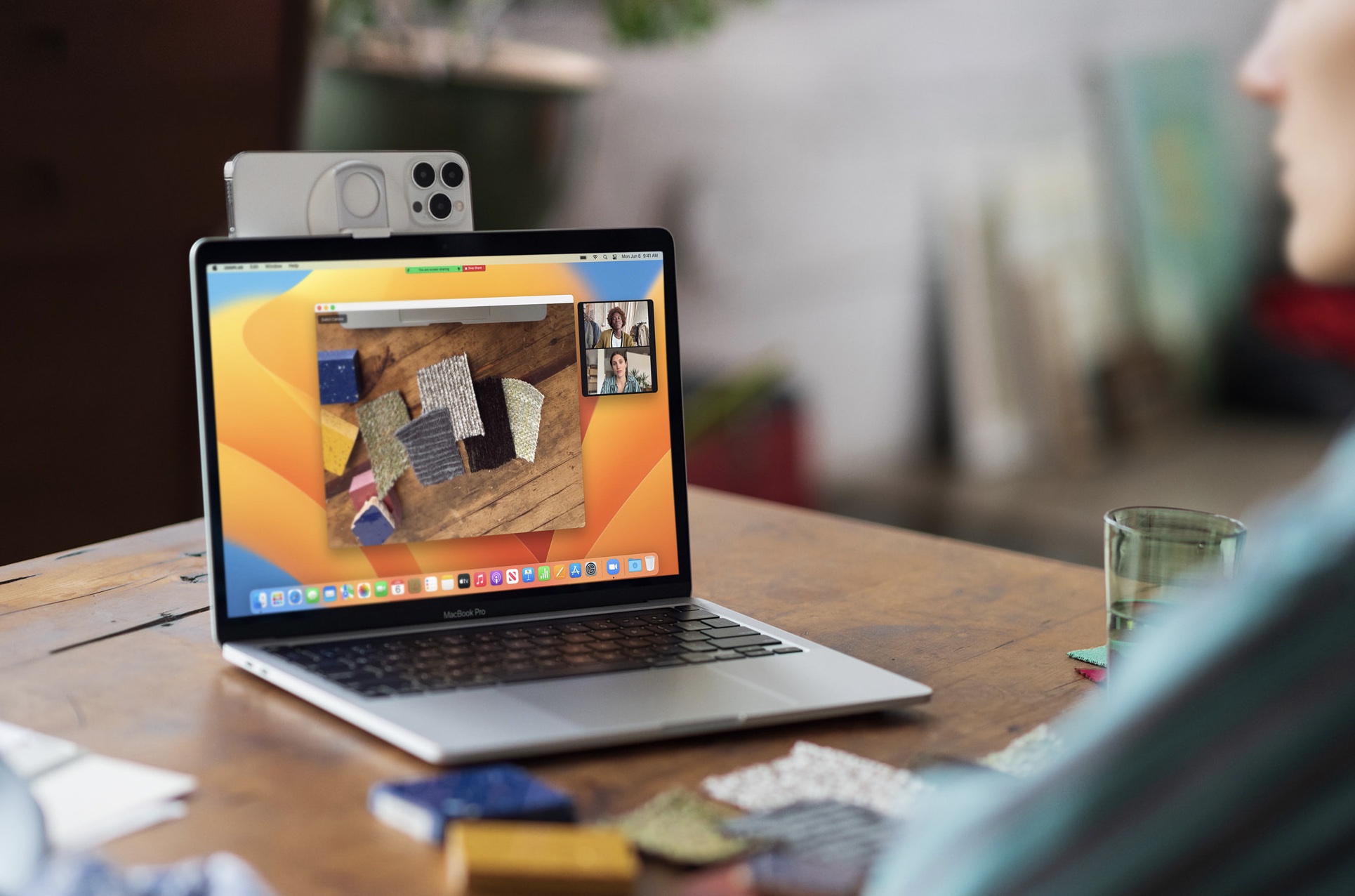
Apple's Continuity Camera serves a similar function within its own ecosystem, allowing an iPhone to be used as a wireless webcam with a nearby Mac that is signed into the same Apple Account.

Reincubate said the tech giant copied patented features from its Camo app and incorporated them into its mobile operating system in order to "redirect user demand to Apple's own platform-tied offering."

According to the lawsuit, Apple "actively induced and encouraged" Reincubate to develop and market Camo for iOS, then later copied its functionality and built it into iOS as Continuity Camera.
"In most of those cases, Apple has not actively induced the developer to test and build software," the lawsuit said. "Here, Apple actively cultivated a relationship of trust with Reincubate, induced the company to share technical details, beta builds, and market data, and leveraged that privileged access to inform its own development of Continuity Camera."
Reincubate called Apple's conduct an example of "Sherlocking," which refers to Apple building an app or system feature that duplicates functionality previously offered by a third-party app.

"Rather than competing with us, Apple deployed a series of obstacles to tilt the playing field, infringed our IP, and did so in service of preventing competition from rival platforms," Reincubate CEO Aidan Fitzpatrick said in a statement given to Reuters.

"Apple competes fairly while respecting the intellectual property rights of others, and these camera features were developed internally by Apple engineers," Apple responded in a statement.

Aside from accusing Apple of infringing its patents, Reincubate's suit was filed as an antitrust claim, alleging that Apple violates U.S. law by locking users into its ecosystem and preventing them from switching to competitors. Reincubate has requested unspecified monetary damages and court orders that would block Apple's alleged misconduct.
This article, "Apple Faces Lawsuit Over Continuity Camera Patent and Antitrust Claims" first appeared on MacRumors.com

Discuss this article in our forums

  •  

Apple Pushes Carrier Settings Update to Fix Telstra Issue on iPhones Running iOS 16.7.13

Apple has released a carrier settings update for Telstra customers in Australia that resolves the issue affecting iPhones running iOS 16.7.13, which was released and then made unavailable to download by Apple earlier this week.


The fix is delivered via a carrier bundle update, which adjusts network-related settings such as connectivity and calling features, without requiring an iOS update.

Affected users who updated to iOS 16.7.13 before Apple stopped signing it can install the bundle on their iPhone by going to Settings ➝ General ➝ About, where a prompt to update carrier settings should appear. Once installed, the Service Provider field in Settings should display "Telstra 54.1," said the telecommunications company in an updated support document.

The original issue that caused Apple to unsign iOS 16.7.13 prevented some older iPhone models from connecting to the Telstra network, including via emergency calls to 000.

As things stand, iOS 16.7.13 remains unavailable to download. It's still unclear if Apple will re-sign it, with the carrier bundle available separately, or whether it will issue a new point release of iOS with the bundle packaged in.
This article, "Apple Pushes Carrier Settings Update to Fix Telstra Issue on iPhones Running iOS 16.7.13" first appeared on MacRumors.com

Discuss this article in our forums

  •  

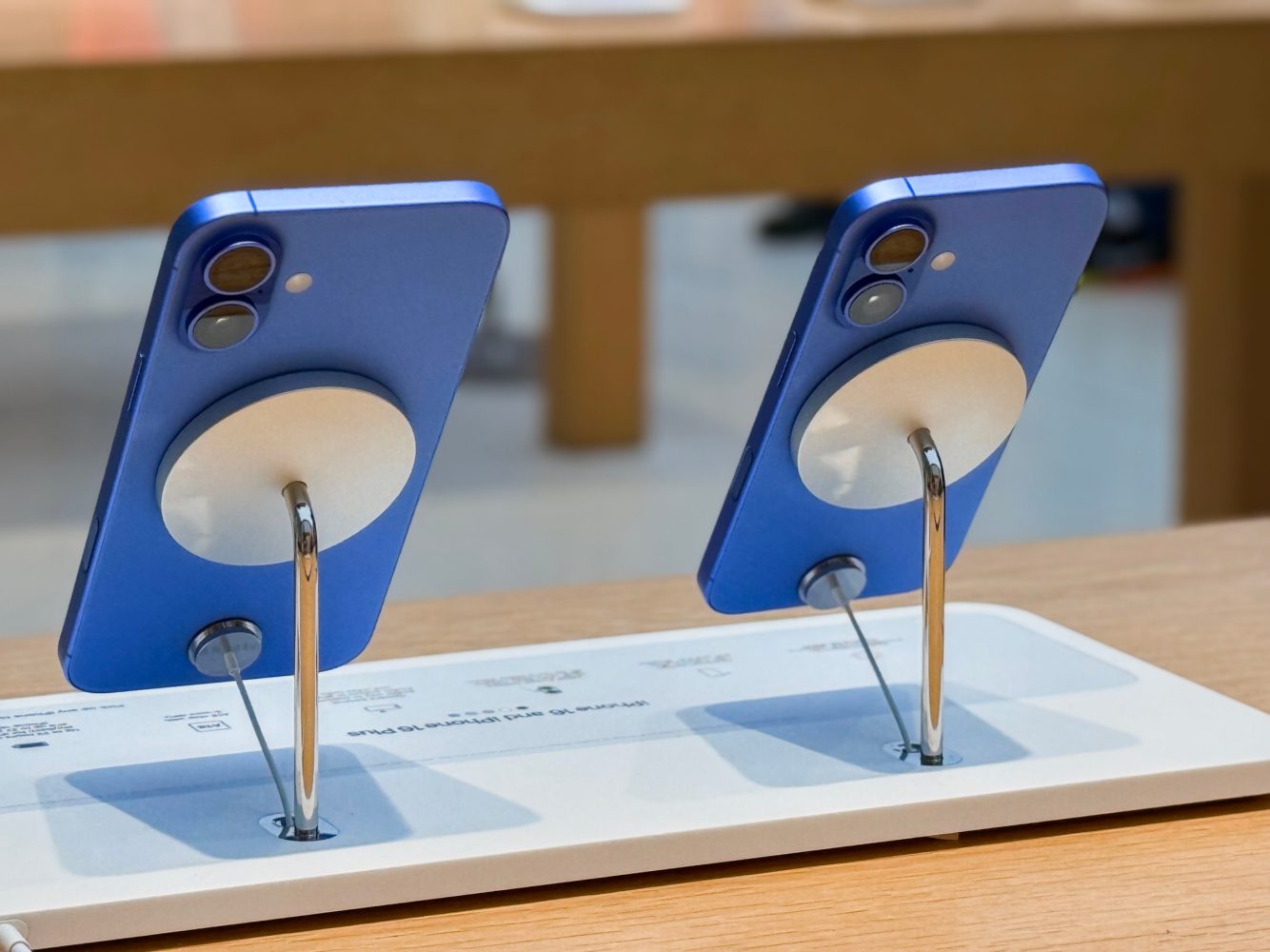
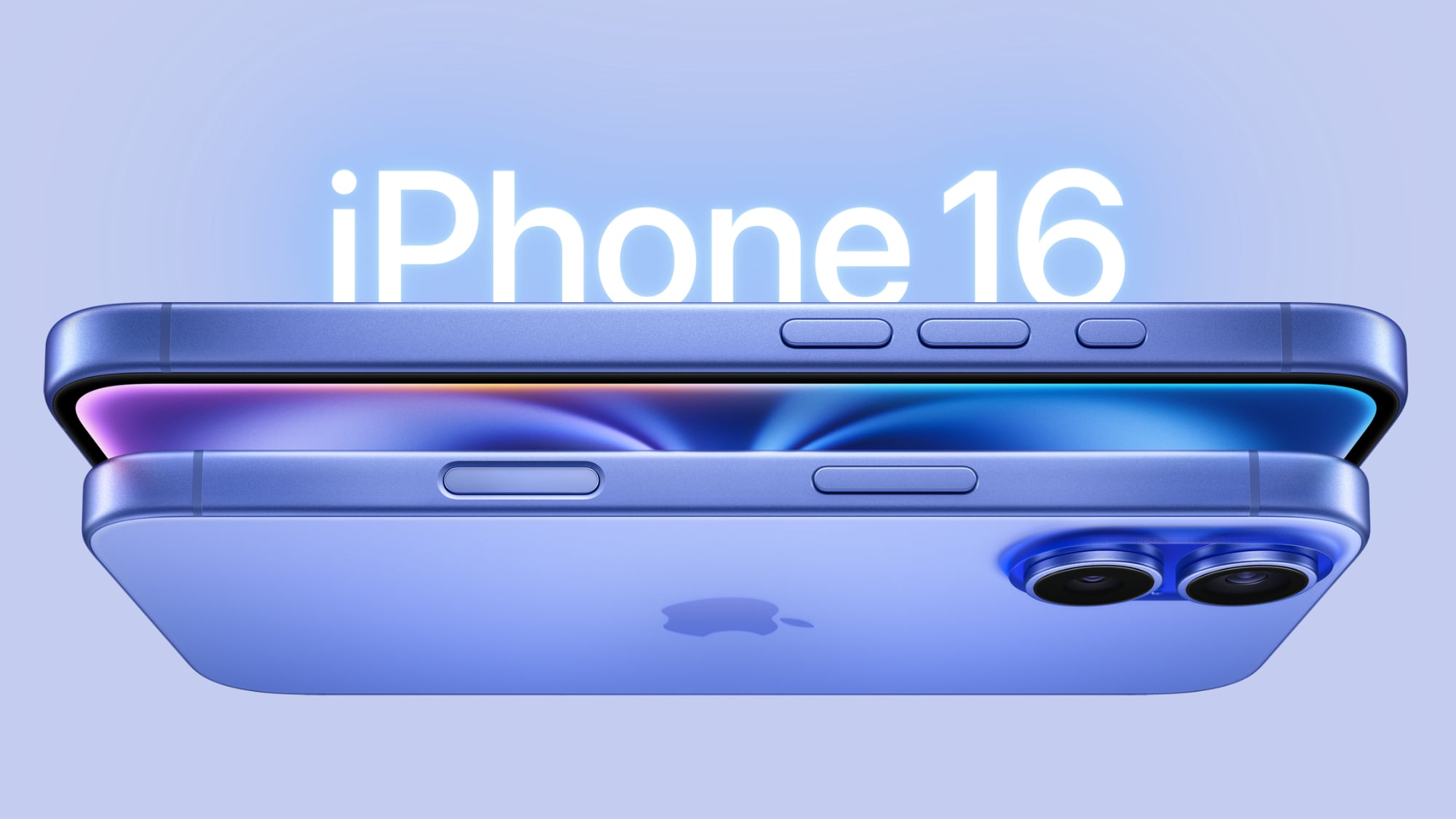
iPhone 16 Tops List of World's Best-Selling Smartphones in 2025

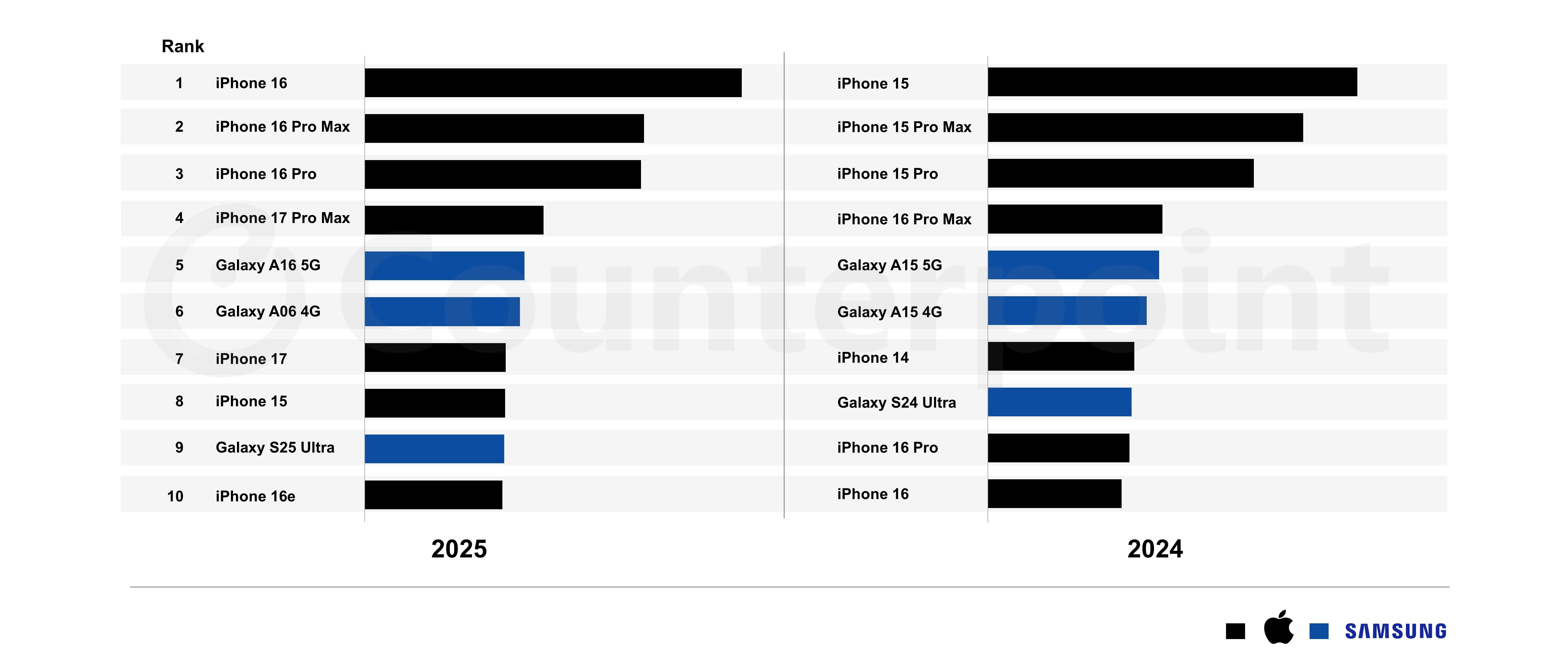
Apple's iPhone 16 was the best-selling smartphone globally in 2025, according to Counterpoint Research's latest report. Apple and Samsung devices dominated the top 10 list for the fourth consecutive year, accounting for 19% of overall smartphone sales.


Apple claimed seven of the top 10 spots, while Samsung captured the remaining three.

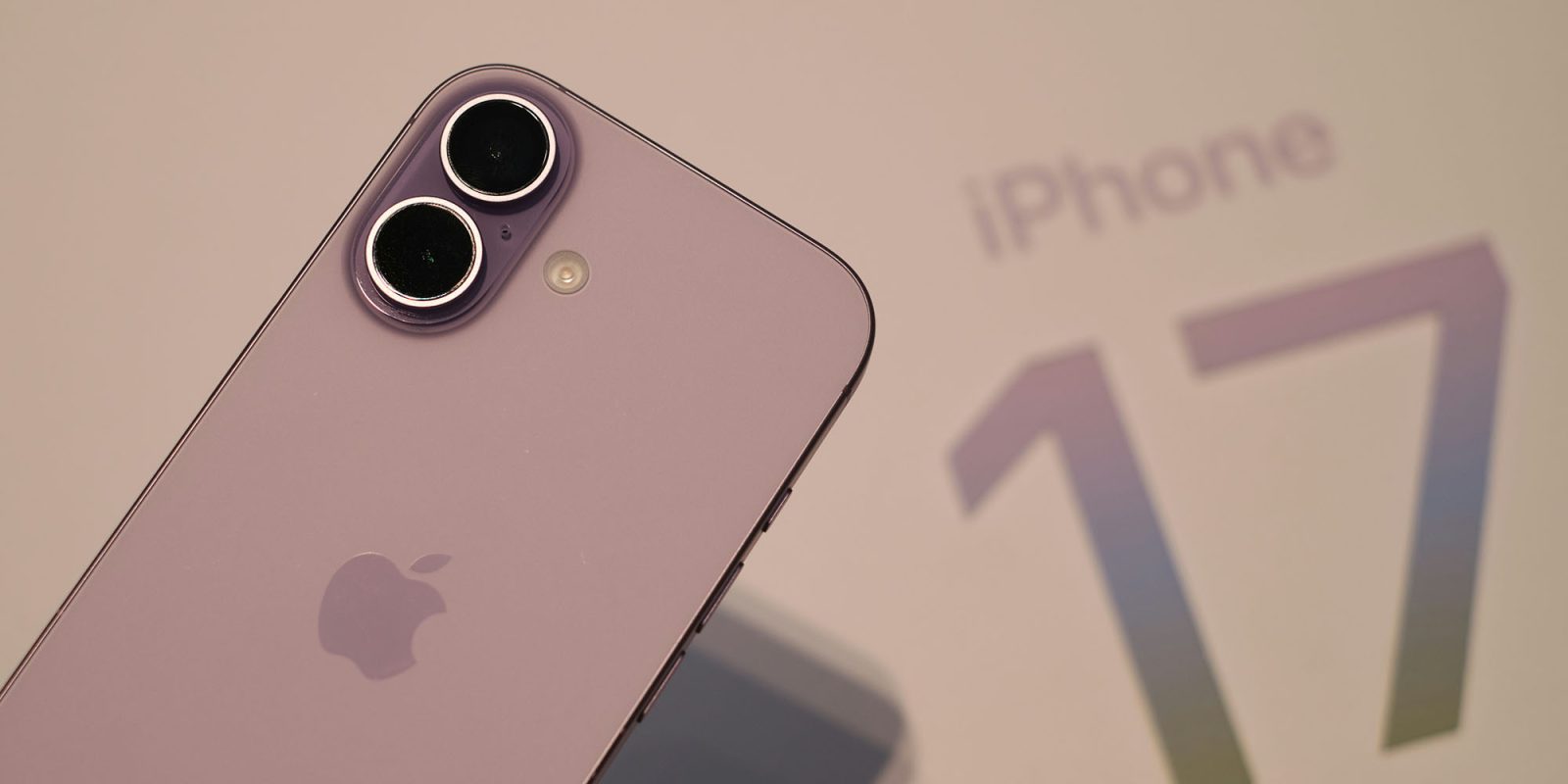
Launched in September, the iPhone 17 series achieved 16% higher sales than its predecessor during its first full quarter, driven by strong demand in the U.S., China, and Western Europe. Counterpoint said the base iPhone 17 model was the standout performer, registering the highest growth among all devices and climbing the rankings compared to where the iPhone 16 debuted in 2024. Counterpoint attributed the growth to the iPhone 17's upgrades, such as a higher refresh rate (120Hz vs 60Hz), and larger base storage (256GB vs. 128GB).

The more affordable iPhone 16e, launched in spring 2025, also contributed additional sales with its more accessible $599 entry point into Apple's ecosystem.

In fifth position, Samsung's Galaxy A16 5G became the best-selling Android smartphone of 2025, while the Galaxy S25 Ultra secured a flagship spot for the second consecutive year in ninth. The S25 Ultra grew more than 3x year-over-year in Japan, according to the research firm.


Looking ahead, Counterpoint expects premium flagship devices to increase their presence in 2026 as rising memory prices disproportionately impact entry-to-mid-segment devices.

Apple still sells iPhone 16 models as part of its smartphone lineup. Priced starting at $699, the previous-generation device features an A18 chip that supports Apple Intelligence, a dual-lens camera system, a Camera Control button for quick camera access, and a customizable Action button.
Related Roundup: iPhone 16
Related Forum: iPhone

This article, "iPhone 16 Tops List of World's Best-Selling Smartphones in 2025" first appeared on MacRumors.com

Discuss this article in our forums

  •  

Google Chrome Gets Gemini Side Panel and Agentic Browsing Features

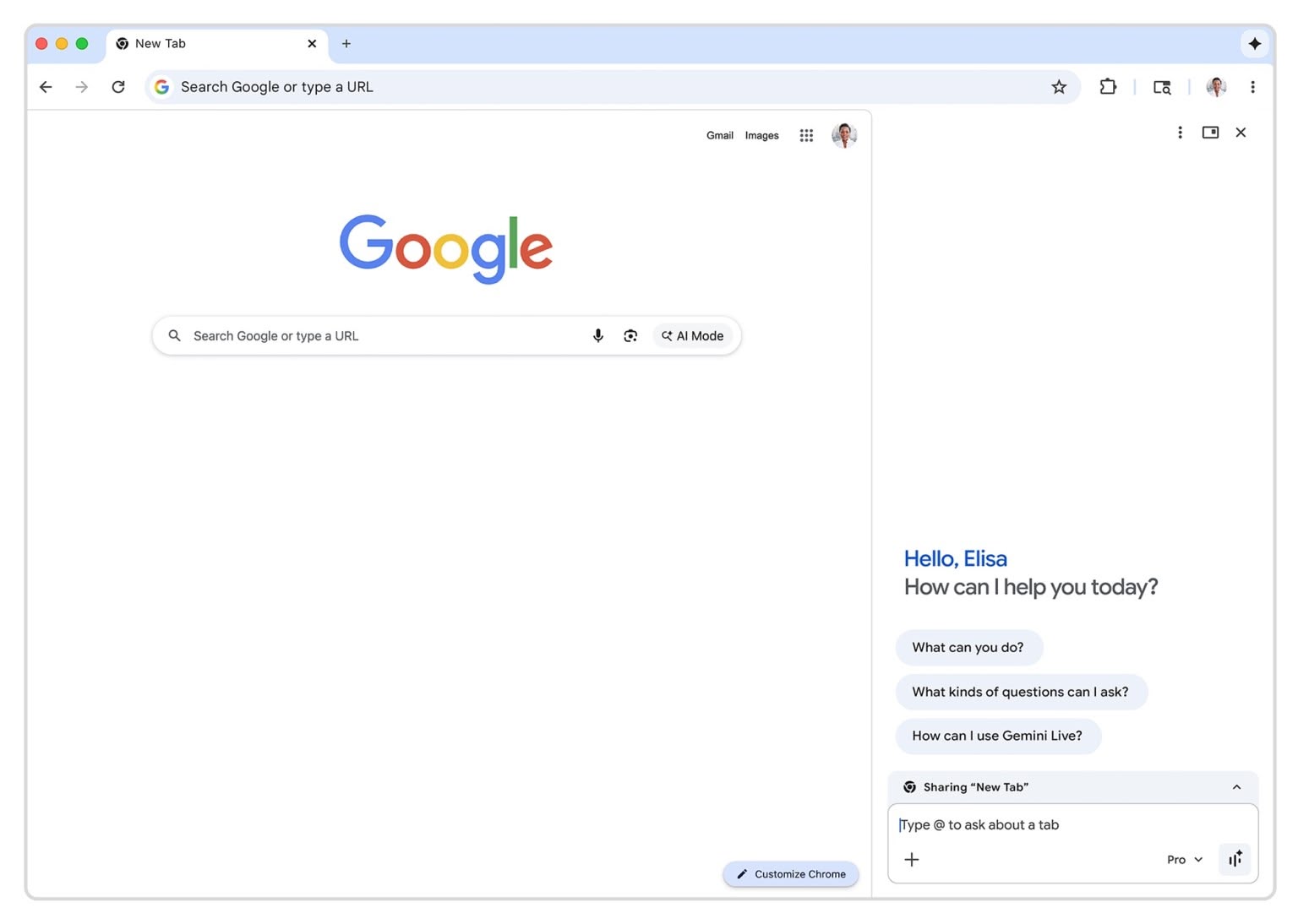
AI-powered browsing features have become a battleground among browser makers in recent months. OpenAI launched its Atlas browser in October, while Microsoft Edge and Opera have also introduced AI assistants and automated browsing capabilities. And now Google is upping the ante. The company has announced a slew of new AI features for Chrome, including a persistent sidebar for the Gemini chatbot and "auto browse" capabilities that can perform web tasks on your behalf.


The update moves Gemini from its previous floating window into an always-available side panel on the right side of the browser, which inevitably shrinks the browsing window. Google, however, says the redesign allows you to multitask more easily, since you can keep your main tab open while using the AI assistant for separate tasks, such as comparing products across multiple tabs or summarizing reviews from different websites.

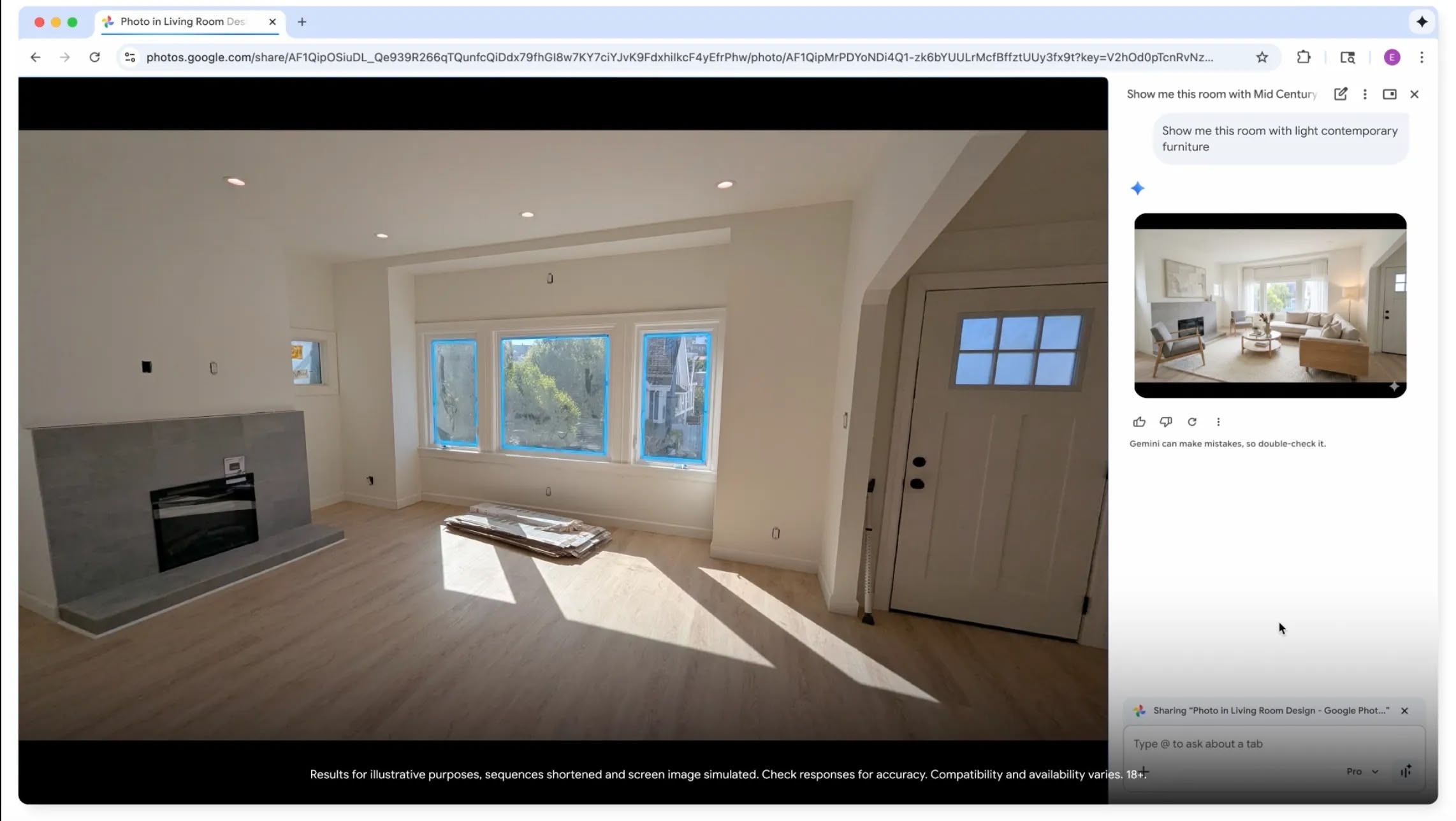
Chrome is also gaining Nano Banana integration, Google's AI image generator. You can now transform images directly in the browser window using text prompts, without needing to download files or switch tabs.

The headline feature though is "auto browse," which is currently rolling out to AI Pro and Ultra subscribers in the U.S. According to Google, the agentic tool can handle multi-step tasks like researching hotel and flight prices, filling out online forms, scheduling appointments, and managing subscriptions. Google says it can even identify items in a photo, search for similar products, add them to a shopping cart, and apply discount codes. The company says it even does all this while staying within a specified budget.

Auto browse can use Chrome's built-in password manager (with user permission) for tasks requiring login credentials. The feature is designed to pause and ask you for confirmation for sensitive actions like purchases or social media posts, according to the company.


Lastly, Google plans to add "Personal Intelligence" to Chrome in the coming months. The feature lets the browser remember context from past conversations you've had with it and provide more personalized assistance.

Google hasn't specified a Chrome version that will include all of these features, but the company said the Gemini sidebar support and Nano Banana integration are rolling out now as a server-side service update.

This article, "Google Chrome Gets Gemini Side Panel and Agentic Browsing Features" first appeared on MacRumors.com

Discuss this article in our forums

  •  

9to5Mac Daily: January 28, 2026 – Face ID rumors, more

Listen to a recap of the top stories of the day from 9to5Mac. 9to5Mac Daily is available on iTunes and Apple’s Podcasts appStitcherTuneInGoogle Play, or through our dedicated RSS feed for Overcast and other podcast players.

Sponsored by Stuff: Stuff helps you get everything out of your head and into a simple, elegant system—closing open loops and reducing mental stress. Use code 9TO5 at checkout for 50% off your first year.

more…
  •  

Plan your 2026 travel with Nomad eSIM bundles for global iPhone connectivity [Save 26%]

Planning your 2026 travel? Whether you’re mapping out international work trips, family vacations, or long overdue personal getaways, your iPhone already has the technology needed for fast, flexible, and global connectivity. The missing piece is knowing how to use it effectively.

Nomad eSIM turns your iPhone into a truly global device, offering reliable data coverage in more than 200+ countries. Plan your travel this year with Nomad eSIM bundles that make global iPhone connectivity simple, flexible, and predictable.

Plus, you can use promo code MAC26 to save 26% for a limited time only for one or more eSIMs (valid until March 31st at 23:59 PT, terms and conditions apply).

more…
  •  

Apple Signs Deal for Brandon Sanderson's 'Cosmere' Universe Movies and TV Shows

Apple has signed a deal with popular fantasy author Brandon Sanderson for film and TV rights to Sanderson's "Cosmere" universe, according to The Hollywood Reporter.


Sanderson has a large body of work, but some of his most popular fantasy books could be adapted first. Mistborn could be turned into a movie series, while The Stormlight Archive is being considered for television. Mistborn is a book series that's split into two eras, with the first three books featuring a group of magic-using metal manipulators or "Allomancers" overthrowing a dystopian empire. The second set of books follows the exploits of Wax and Wayne, two lawmen with magical abilities in a more modern setting.

There are two additional eras planned for the same Mistborn series, so Apple has access to content that could result in a dozen movies.

The Stormlight Archive currently features five epic fantasy books, each of which could easily be used for multiple seasons of a TV show. The Stormlight Archive is a classic good vs. evil tale, featuring the Knights Radiant against Voidbringers who want to conquer the world.

Sanderson has 10 total books planned for The Stormlight Archive, but the "Cosmere" universe also includes many other standalone novels, all of which are linked together. Sanderson is one of the most well-known current fantasy authors, and in addition to his own books, he finished Robert Jordan's The Wheel of Time after Jordan passed away.

A TV show based on the Stormlight Archive is already in the early stages of planning. Blue Marble, a film studio run by Pachinko producer Theresa Kang-Lowe, is set to produce. Kang-Lowe has an exclusive content production deal with Apple.

Apple won the deal after Sanderson met with multiple potential partners. Apple agreed to give Sanderson unprecedented control over screen translations, so he will write, produce, and consult on any TV shows or movies that Apple makes about the Cosmere universe. Sanderson is known for having some of the most popular Kickstarter campaigns to date, raising close to $100 million by selling his books.
This article, "Apple Signs Deal for Brandon Sanderson's 'Cosmere' Universe Movies and TV Shows" first appeared on MacRumors.com

Discuss this article in our forums

  •  
❌