↩ Accueil

Vue lecture

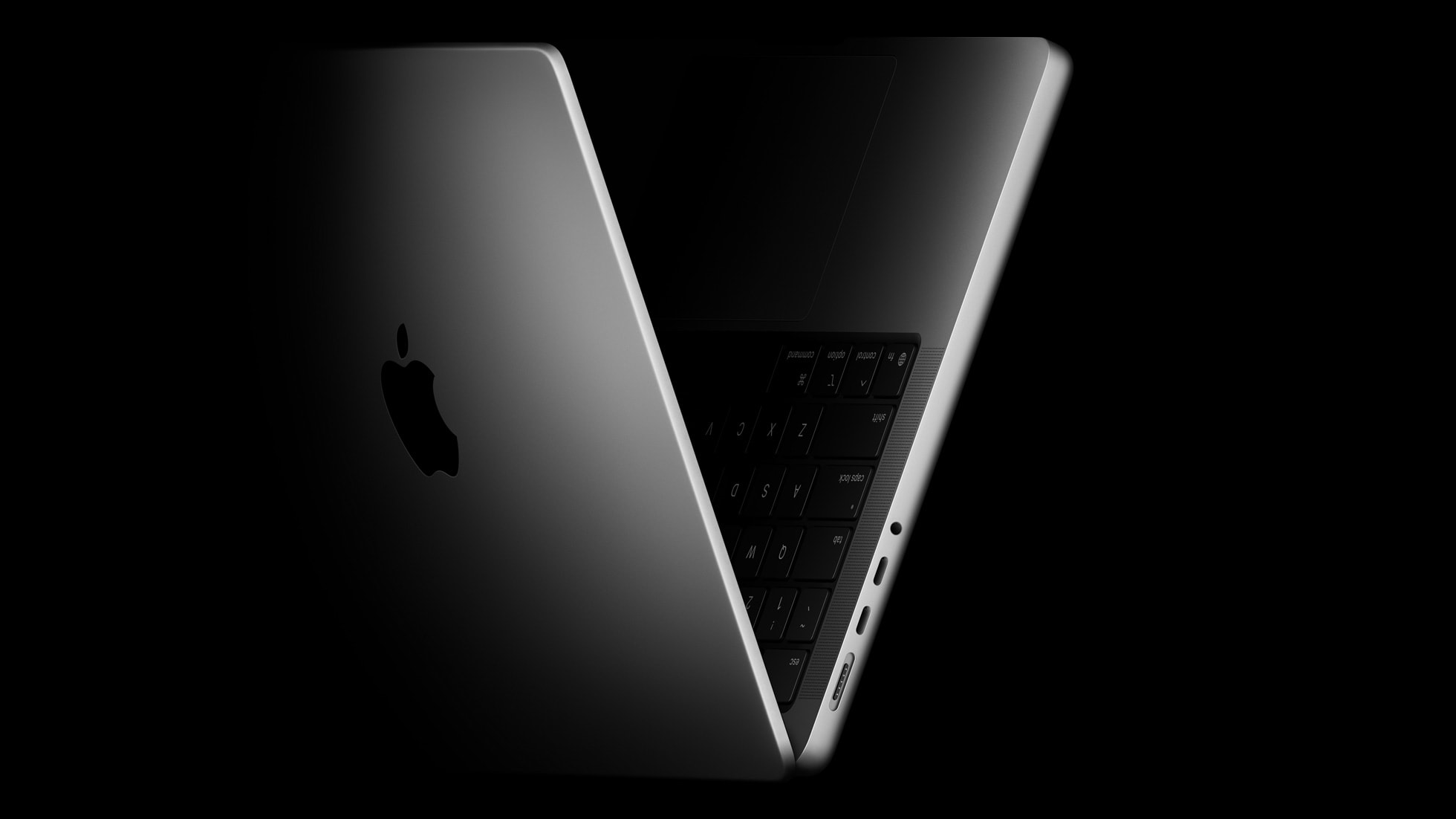
MacBook Pro: What to Know as Wait Continues for M5 Pro and M5 Max

The launch of Apple Creator Studio on Wednesday would have been a fitting opportunity for Apple to unveil new MacBook Pro models with M5 Pro and M5 Max chips, but unfortunately it looks like that was nothing more than wishful thinking.


For now, all we have is a broad timeframe from Bloomberg's Mark Gurman, who expects new MacBook Pro models "in the first half of the year."

The next window for Apple to update the MacBook Pro might be tied to the upcoming release of macOS 26.3. In October, AppleInsider's Marko Zivkovic said the MacBook Pro models with M5 Pro and M5 Max chips are "expected to ship with macOS 26.3," at least as of the time that he wrote that. macOS 26.3 remains in beta testing, but it should be coming out soon, with a public release expected in the first half of February.

Like the Apple Creator Studio launch, though, the release of macOS 26.3 could come and go without any new MacBook Pro models. But, until a more specific release date is rumored, this is all we have to go on for now.

Keep in mind that Apple's marketing chief Greg Joswiak has often put out a social media teaser for upcoming launches lately, including for the 14-inch MacBook Pro with the standard M5 chip most recently. He did not put out a teaser before the new AirTag, but that was merely an accessory. So, perhaps we will have to wait for that.

Beyond the M5 Pro and M5 Max chips, the next MacBook Pro models are not expected to have any major changes. We recommend skipping the next models, unless you really need to upgrade, as the MacBook Pro is expected to receive a major redesign with an OLED touch screen, a thinner case, and more as soon as late 2026.

While reports have said there is a chance that the redesigned MacBook Pro does not arrive until 2027, there is precedent for two MacBook Pro refreshes in one year. In 2023, Apple released MacBook Pro models with M2 Pro and M2 Max chips in January, followed by models with M3 Pro and M3 Max chips in October.

In the meantime, the wait for the models with the M5 Pro and M5 Max chips continues.
Related Roundup: MacBook Pro
Buyer's Guide: MacBook Pro (Caution)
Related Forum: MacBook Pro

This article, "MacBook Pro: What to Know as Wait Continues for M5 Pro and M5 Max" first appeared on MacRumors.com

Discuss this article in our forums

  •  

Apple Just Made Its Second-Biggest Acquisition Ever After Beats

Apple today confirmed to Reuters that it has acquired Q.ai, an Israeli startup that is working on artificial intelligence technology for audio.


Apple paid close to $2 billion for Q.ai, according to sources cited by the Financial Times. That would make this Apple's second-biggest acquisition ever, after it paid $3 billion for the popular headphone and audio brand Beats in 2014.

Q.ai has developed technology that can "analyze facial expressions" to understand "silent speech," according to the Financial Times.

"Patents filed by Q.Ai show its technology being used in headphones or glasses, using 'facial skin micro movements' to communicate without talking," the report said, adding that this could pave the way for "non-verbal discussions" with Siri.

Q.ai CEO Aviad Maizels previously founded another Israeli startup, PrimeSense, which was also acquired by Apple in 2013. Apple used PrimeSense's technology to develop Face ID, which debuted on the iPhone X in 2017.

Q.ai's founding team will join Apple, including Maizels, Yonatan Wexler, and Avi Barliya.

Apple's chipmaking chief Johny Srouji described Q.ai as "a remarkable company that is pioneering new and creative ways to use imaging and machine learning," in a statement shared with Reuters. "We're thrilled to acquire the company, with Aviad at the helm, and are even more excited for what's to come."

This acquisition comes as Apple's former design chief Jony Ive has been working with OpenAI on a new AI device, and as other companies like Meta have released AI-powered devices such as the Meta Ray-Ban glasses with an in-lens display.
This article, "Apple Just Made Its Second-Biggest Acquisition Ever After Beats" first appeared on MacRumors.com

Discuss this article in our forums

  •  

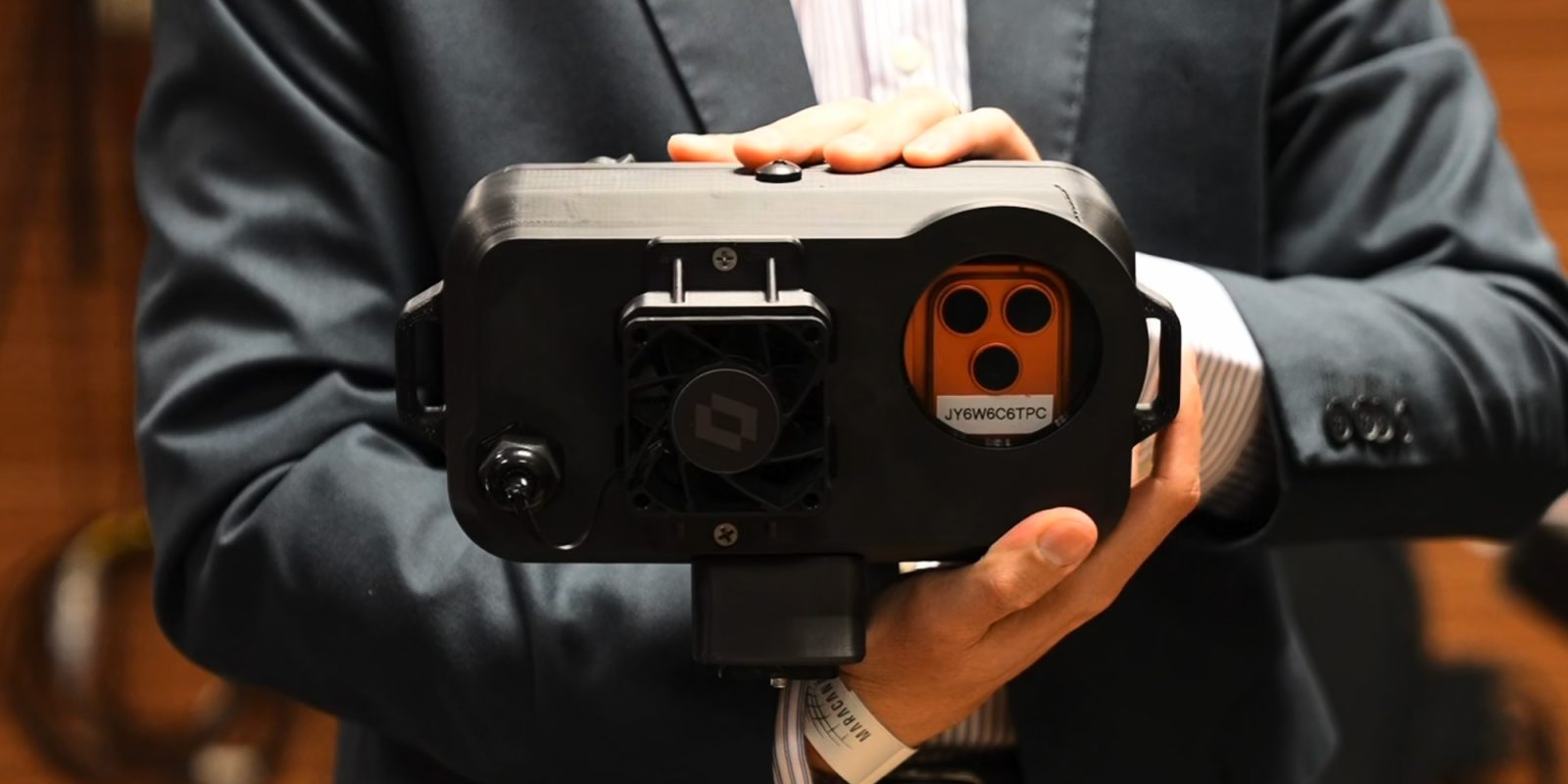
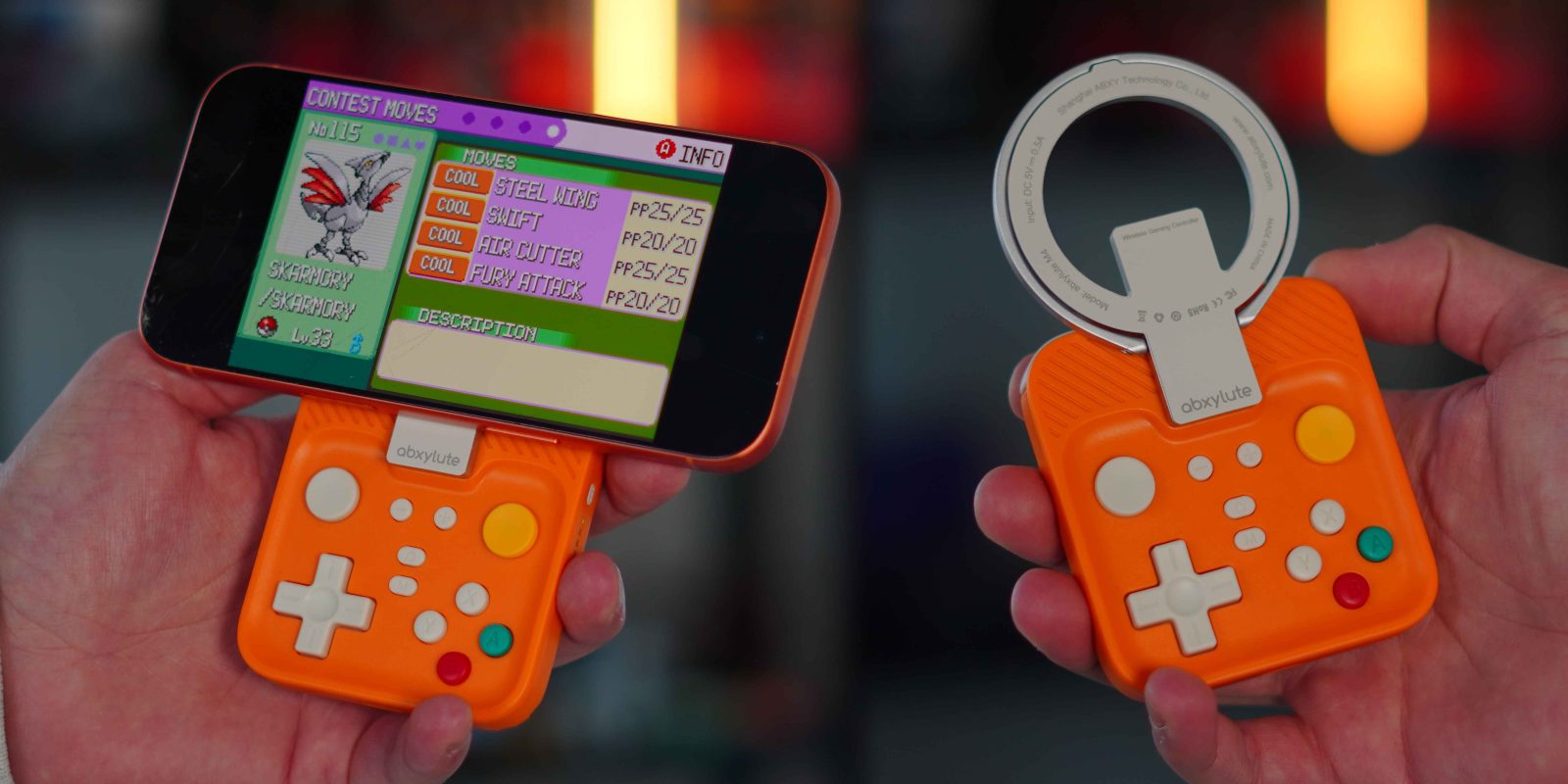
Hands-on: This tiny MagSafe controller brings real buttons and a retro feel to your iPhone

Some of my earliest memories go back to the late 90s when the Game Boy Color launched. I remember being six or seven years old, walking into a store with my dad to pick up a Game Boy Color and a copy of Pokémon Blue. I spent countless hours playing that Game Boy, and looking back, it played a major role in sparking the tech interest I still carry today. Fast forward to 2026, and mobile gaming has evolved in ways we could not have imagined back then. Touchscreens are incredibly capable, but nothing truly replaces the tactility of real buttons, and most controllers are not portable enough to justify carrying everywhere. So when I saw just how tiny and lightweight the abxylute M4 Snap-On Mobile Controller was, I knew I had to test it for myself. Here is what you should know.

more…
  •  

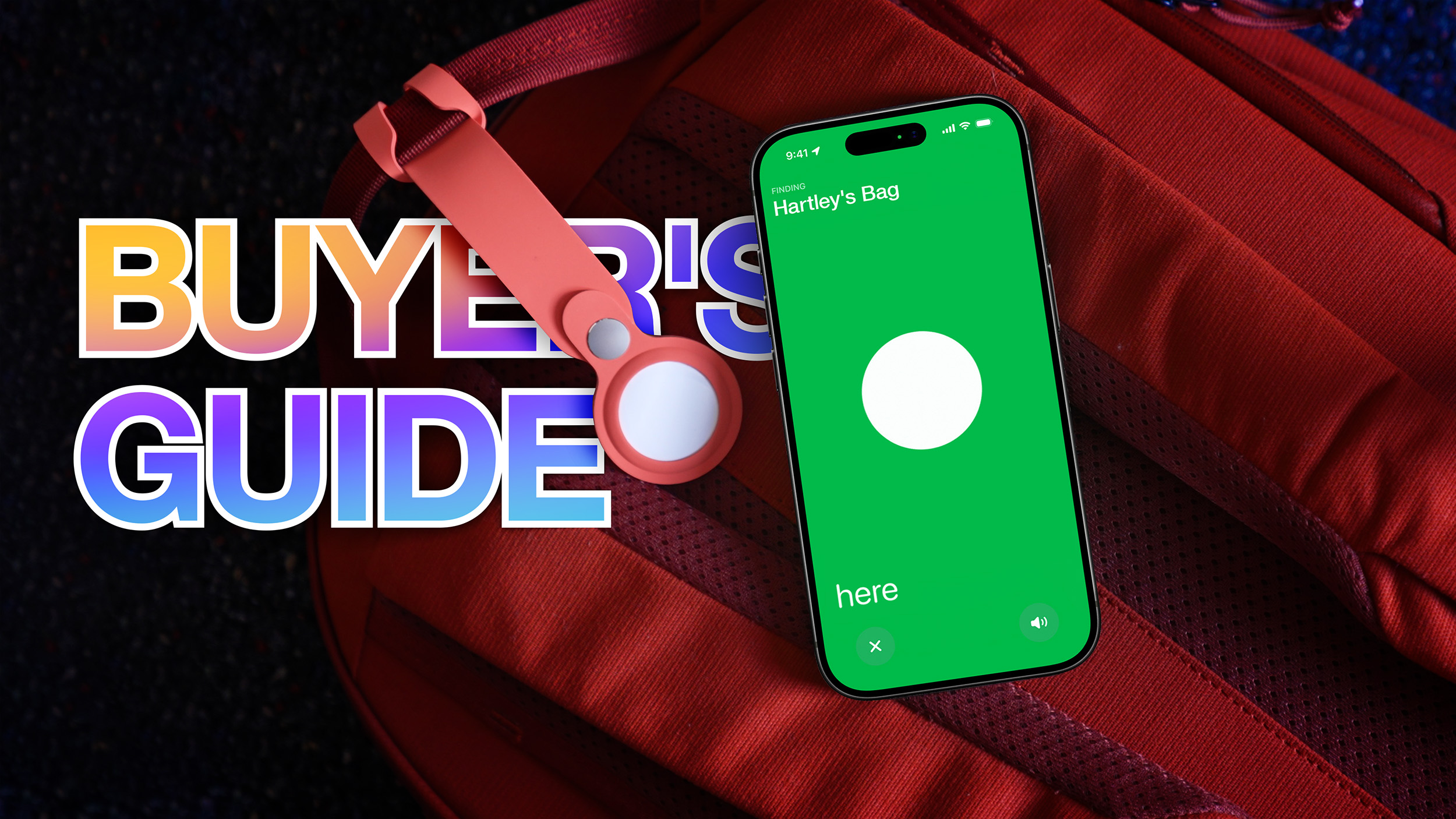
AirTag 1 vs. AirTag 2 Buyer's Guide: All 15+ Differences Compared

Apple's new AirTag introduces a series of small improvements, so how does it compare to the original model from 2021?


The second-generation ‌AirTag‌ arrives five years after the original, bringing improvements to tracking range, speaker output, and internal design while retaining the same outward design and accessory compatibility. At the same time, first-generation AirTags remain available from some retailers at reduced prices, raising the question of whether the newer model is worth choosing over the original, or whether the earlier ‌AirTag‌ still makes sense as a lower-cost option.

The comparison below outlines every difference between the two generations, including Apple-announced feature upgrades and hardware changes identified through teardowns. While both models perform the same core function of tracking items through the Find My network, there are some small differences worth noting:


‌AirTag‌ (first-generation, 2021) ‌AirTag‌ (second-generation, 2026)
First-generation Ultra Wideband chip Second-generation Ultra Wideband chip
Shorter Precision Finding range Up to 50% farther Precision Finding range
Precision Finding on iPhone only Precision Finding on ‌iPhone‌ and Apple Watch (Series 9 and later and Ultra 2)
Earlier Bluetooth implementation Upgraded Bluetooth with increased range
Bluetooth identifiers rotate at standard intervals Bluetooth identifiers rotate more frequently
Standard speaker volume Up to 50% louder speaker
Chime note in F Chime note in G
Works on earlier supported iOS versions Requires iOS 26.2.1 or later
Reset without a required wait between battery removals Reset requires battery out for at least five seconds each cycle
11g weight 11.8g weight (around 7% heavier)
Back text listing "Assembled in China" and "Designed by Apple" Back text listing IP67, NFC, and ‌Find My‌
Thicker main PCB Thinner main PCB with revised battery connectors, and additional test pads and markings
Smaller speaker coil Slightly larger speaker coil
Speaker magnet more easily removable Speaker magnet more firmly secured and harder to remove
Wider box with flat printed text and plastic pull tabs Redesigned narrower box with updated artwork, raised UV printed text, and paper pull tabs
Folio-style inner tray holding up to two rows of two AirTags Redesigned inner tray with simpler design holding up to four AirTags


For buyers choosing between the two ‌AirTag‌ models, the decision depends less on basic tracking and more on how and where an ‌AirTag‌ is typically used. Both generations rely on the same ‌Find My‌ network for long-distance location updates, offer similar battery life, and work with the same accessories, so neither model is considerably better for general item tracking.

The second-generation ‌AirTag‌ is likely to benefit users who frequently rely on Precision Finding rather than approximate location. The extended Ultra Wideband range makes it easier to determine the specific location of items, while the louder speaker improves audibility in noisy spaces or when an ‌AirTag‌ is buried inside a bag or suitcase. Support for Precision Finding on compatible Apple Watch models also makes the newer ‌AirTag‌ more convenient for users who often leave their ‌iPhone‌ behind.

The first-generation ‌AirTag‌ remains a practical option for the overwhelming majority of use cases, such as tracking keys, backpacks, or household items that are usually misplaced within short distances. If available at a meaningful discount, it may offer better value for users who do not need Precision Finding at extended range, do not use an Apple Watch for item location, or simply want basic ‌Find My‌ functionality at the lowest cost.

For existing ‌AirTag‌ owners, there is certainly no pressing need to upgrade. For new buyers, the second-generation ‌AirTag‌ simply offers the most complete feature set and greater flexibility going forward, acting as a moderate specification bump over the previous model.
Tag: AirTag

This article, "AirTag 1 vs. AirTag 2 Buyer's Guide: All 15+ Differences Compared" first appeared on MacRumors.com

Discuss this article in our forums

  •  

Deals: AirTag 2 – buy 4, get 1 for $1, most affordable M5 iPad Pro up to $213 off, Trail Loop, Crossbody Strap 55% off, more

While the new AirTag is up for grabs now at $29, today’s 9to5Toys Lunch Break is kicking off with the first chance to save on the new Apple tracker – you can now AirPods 4 with ANC at 35% off, but we also spotted one of the best prices yet on the most affordable M5 iPad Pro at up to $213 off the list price. Those offers join new all-time lows on the blue and green Apple Trail Loop, up to 55% off the Apple Crossbody Strap, and a rare $500 off the Apple Pro Pro Display XDR. Head below for a closer look at everything. 

more…

  •  

Here's Everything Apple Released This Week

Following a quiet start to 2026, the final week of January has been a busy one for Apple so far. There are new versions of the AirTag and the Black Unity band for the Apple Watch, and the Apple Creator Studio bundle is now available.


Apple also released iOS 26.2.1 and watchOS 26.2.1 updates, and iOS 26.3 beta testing continues.

While the launch of Apple Creator Studio would have been a fitting opportunity for Apple to unveil new MacBook Pro models with M5 Pro and M5 Max chips, unfortunately it looks like that proved to be nothing more than wishful thinking.

We have recapped our coverage of everything new below.

New AirTag


New Black Unity Band


Apple Creator Studio


Software Updates


This article, "Here's Everything Apple Released This Week" first appeared on MacRumors.com

Discuss this article in our forums

  •  

Amazon Discounts Anker's Most Popular MagSafe-Compatible Chargers, Power Stations, and More

Amazon this week has a few notable sales from popular brands like Anker, Ecovacs, and Jackery. These include discounts on everything from MagSafe-compatible chargers to portable power stations and robot vacuums.

Note: MacRumors is an affiliate partner with Amazon. When you click a link and make a purchase, we may receive a small payment, which helps us keep the site running.
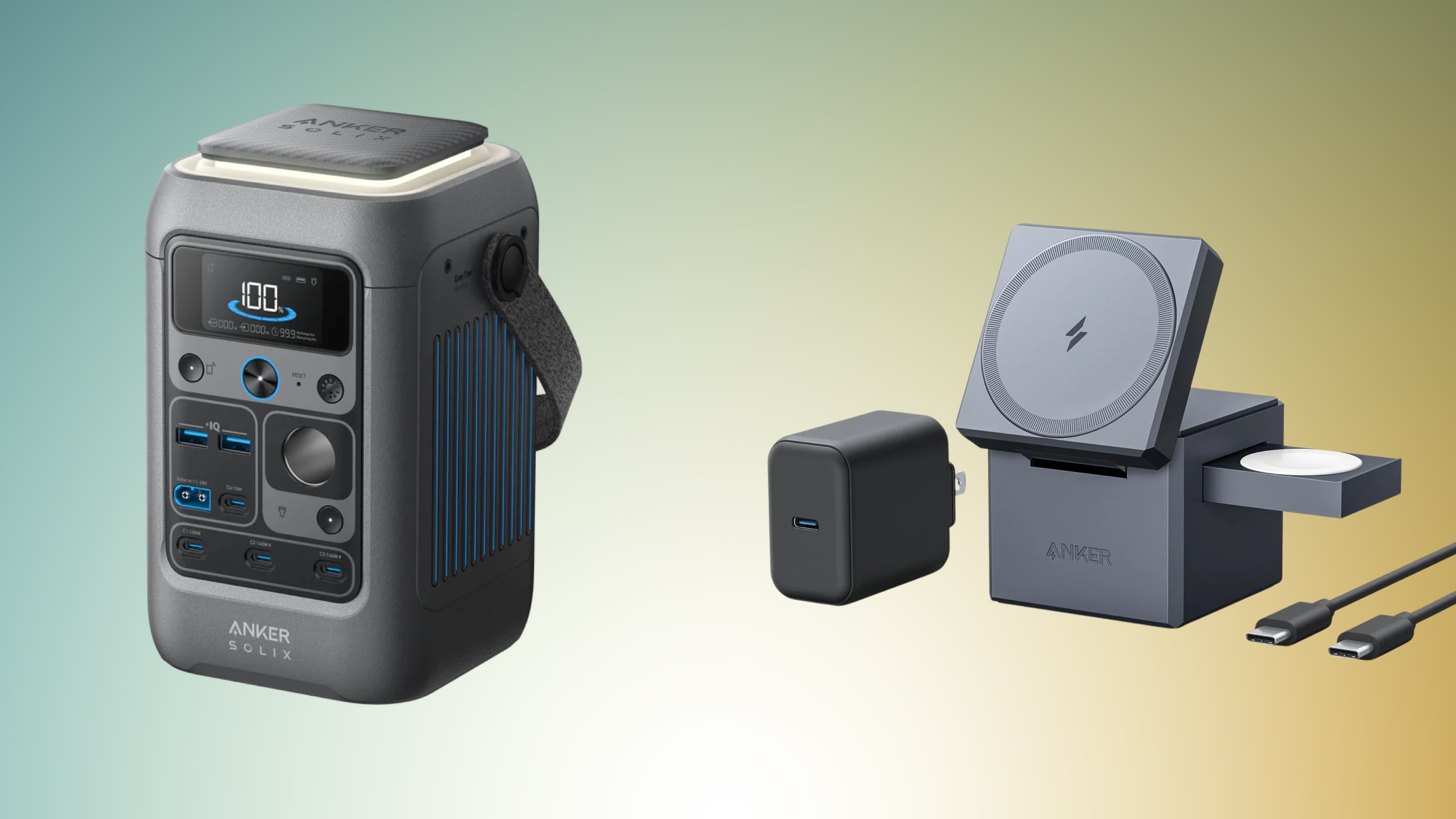
Amazon has discounts on multiple Anker charging accessories, including products like the 3-in-1 MagSafe-Compatible Charging Cube for $99.98, down from $149.95 and the SOLIX C300 Power Station with Lantern for $169.99, down from $249.00. You can find these deals and more in the lists below, and this time around none require any coupon codes.


Anker


Jackery


Ecovacs


If you're on the hunt for more discounts, be sure to visit our Apple Deals roundup where we recap the best Apple-related bargains of the past week.


Deals Newsletter


Interested in hearing more about the best deals you can find in 2026? Sign up for our Deals Newsletter and we'll keep you updated so you don't miss the biggest deals of the season!


Related Roundup: Apple Deals

This article, "Amazon Discounts Anker's Most Popular MagSafe-Compatible Chargers, Power Stations, and More" first appeared on MacRumors.com

Discuss this article in our forums

  •  

Apple's $200 'Pro Apps' Bundle With Final Cut Pro and More No Longer Sold Separately

Following the launch of Apple Creator Studio this week, Apple has quietly stopped selling its "Pro Apps Bundle for Education" separately, but it remains available with the purchase of a Mac on Apple's Education Store on the web.


"Pro Apps Bundle for Education" includes one-time-purchase versions of Apple's Final Cut Pro, Logic Pro, Motion, Compressor, and MainStage apps at a steep discount, with U.S. pricing set at $199.99. Purchasing each of the included apps separately costs $629.95, so the bundle provides more than $400 in savings.

Anyone who has already purchased the bundle separately can continue to use the apps.

Apple also appears to be cracking down on sharing the apps included in the bundle. According to a MacRumors tipster, sharing the apps with others as a ZIP file no longer works, as the recipient will receive an error when opening the apps.

Apple Creator Studio is a new subscription bundle that provides access to Final Cut Pro, Logic Pro, Pixelmator Pro, Motion, Compressor, and MainStage on the Mac and/or iPad, with U.S. pricing set at $12.99 per month or $129 per year. One-time-purchase versions of all six apps remain available on the Mac for now.

A subscription to Apple Creator Studio also unlocks "intelligent features" and "premium content" in apps like Pixelmator Pro, Numbers, Pages, Keynote, and later Freeform.

For college students, Apple Creator Studio costs only $2.99 per month or $29.99 per year.

This article has been revised to reflect that the Pro Apps Bundle for Education remains available through the Apple Education Store with the purchase of a Mac.
This article, "Apple's $200 'Pro Apps' Bundle With Final Cut Pro and More No Longer Sold Separately" first appeared on MacRumors.com

Discuss this article in our forums

  •  

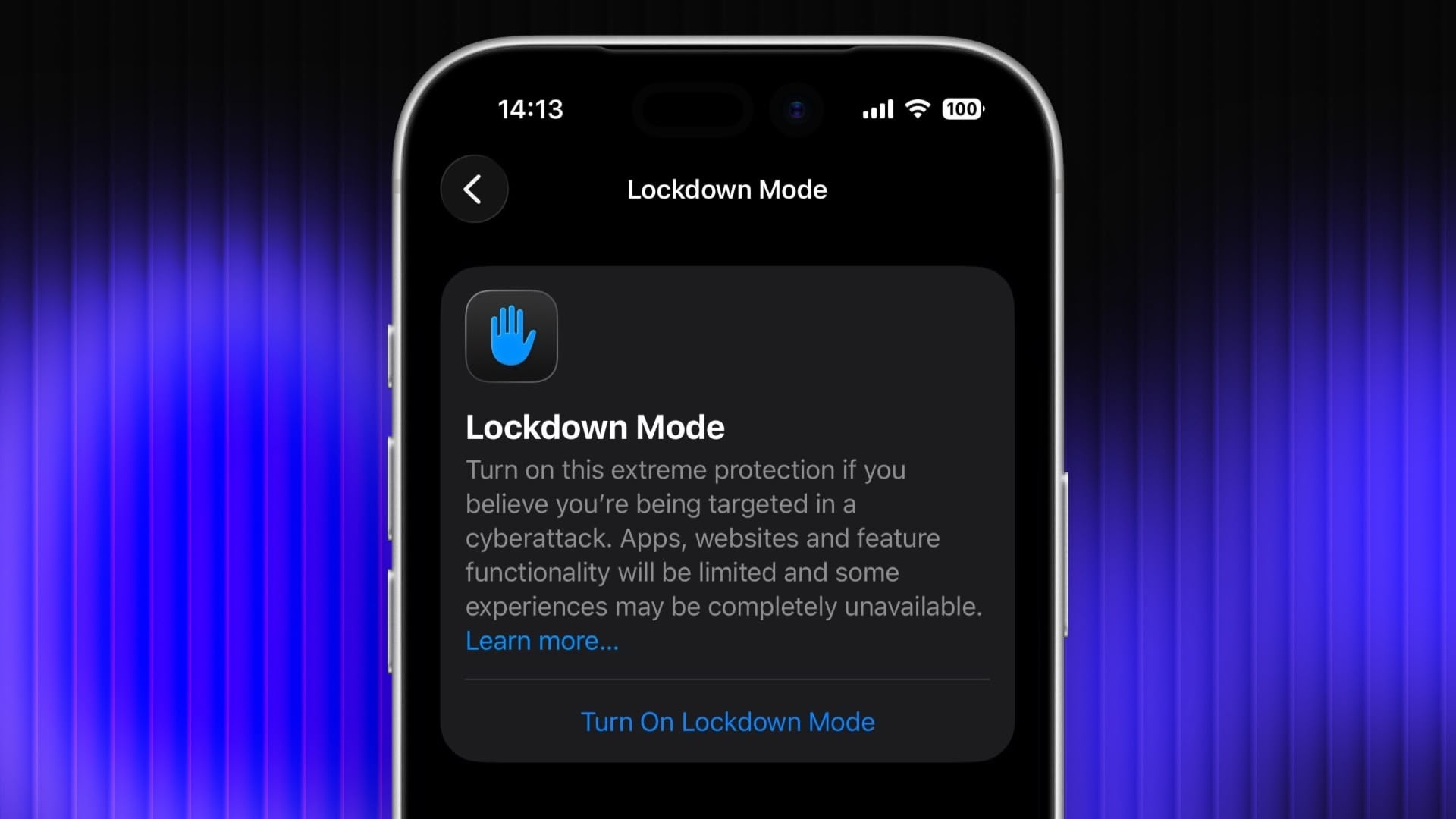
Enable Lockdown Mode on iPhone, iPad, and Mac

Lockdown Mode is an optional security feature designed by Apple to provide maximum protection against highly sophisticated digital threats. When enabled on your Apple device, it greatly reduces exposure to complex attacks by restricting certain features and network connections. Keep reading to learn how to use it across iPhone, iPad, and Mac.

lockdown
For most users of Apple devices, the standard iOS, iPadOS, and macOS security protections should be sufficient, whereas Lockdown Mode is aimed at users who could be targets of cyberattacks, such as journalists, activists, and government employees. That said, any user can enable it on their device for what Apple calls an "extreme" level of security.

Lockdown Mode Protections


When enabled, Lockdown Mode strictly limits or disables the functionality of features, apps, and websites. Lockdown Mode protections include the following:

  • In the Messages app, most message attachment types other than images are blocked, and some features like link previews are unavailable.

  • Incoming FaceTime calls from people you have not previously called are blocked. Incoming invitations for other Apple services from people you have not previously invited are also blocked.

  • Some complex web technologies and browsing features, including just-in-time (JIT) JavaScript compilation, are disabled unless the user excludes a trusted site from Lockdown Mode. This protection applies to Safari and all other web browsers using WebKit across the ‌iPhone‌, ‌iPad‌, and Mac.

  • Shared albums will be removed from the Photos app, and new shared album invitations will be blocked.

  • When a device is locked, wired connections with other devices/accessories are blocked.

  • Configuration profiles cannot be installed, and the device cannot enroll into mobile device management (MDM), while Lockdown Mode is turned on.

  • Certain network protocols and services are restricted.


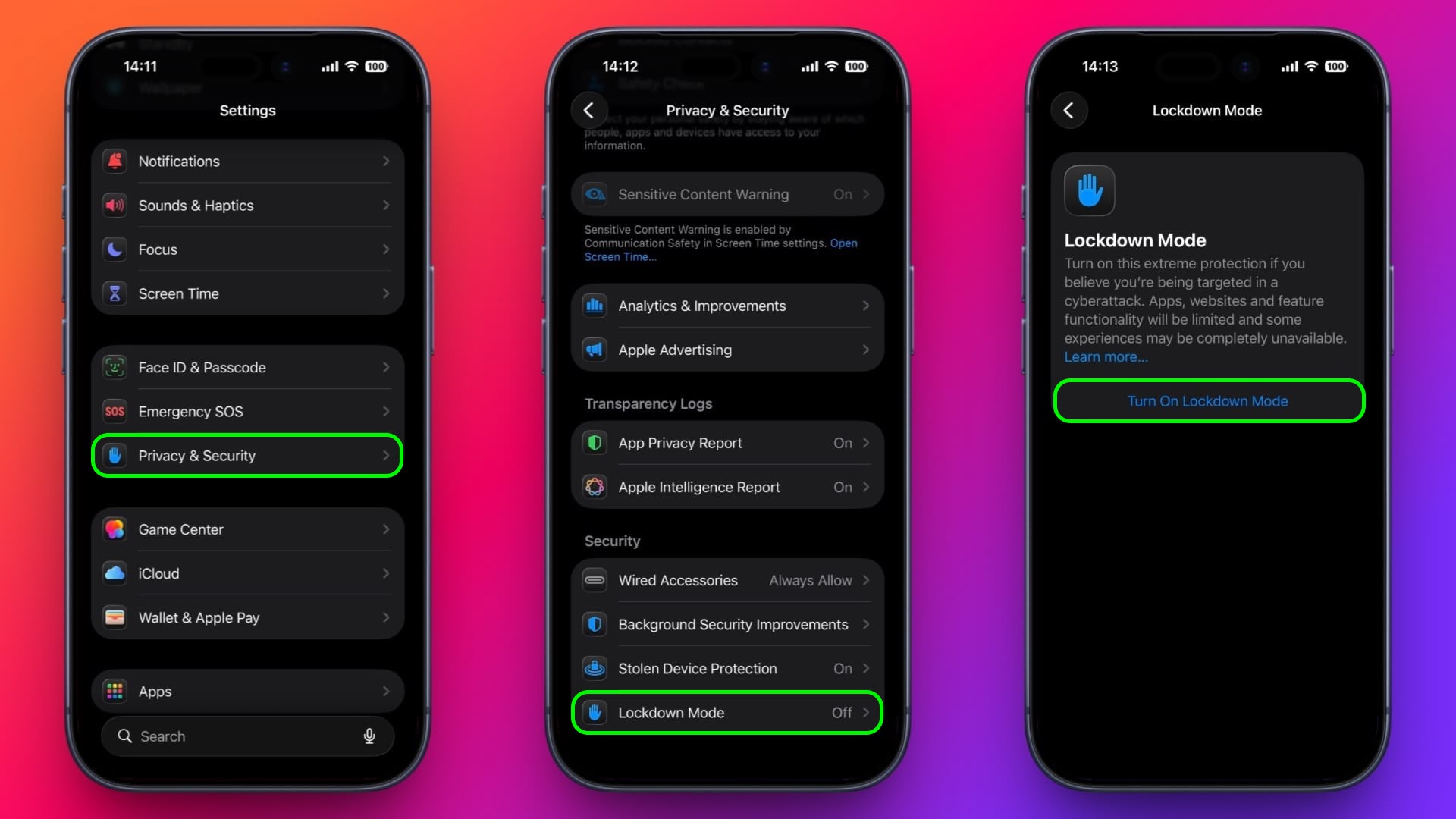
How to Enable Lockdown Mode on iPhone and iPad


Lockdown Mode is turned off by default on ‌iPhone‌ and ‌iPad‌, but you can enable it by following these steps.

  1. Open the Settings app.

  2. Scroll down and tap Privacy & Security.

  3. Scroll to the bottom and tap Lockdown Mode.

  4. Tap Turn On Lockdown Mode.

  5. Review the information about what features are restricted, then tap Turn On & Restart.

settings

After the restart, Lockdown Mode will be active. You can confirm this by returning to Settings ➝ Privacy & Security ➝ Lockdown Mode, where a toggle will show that it's on.

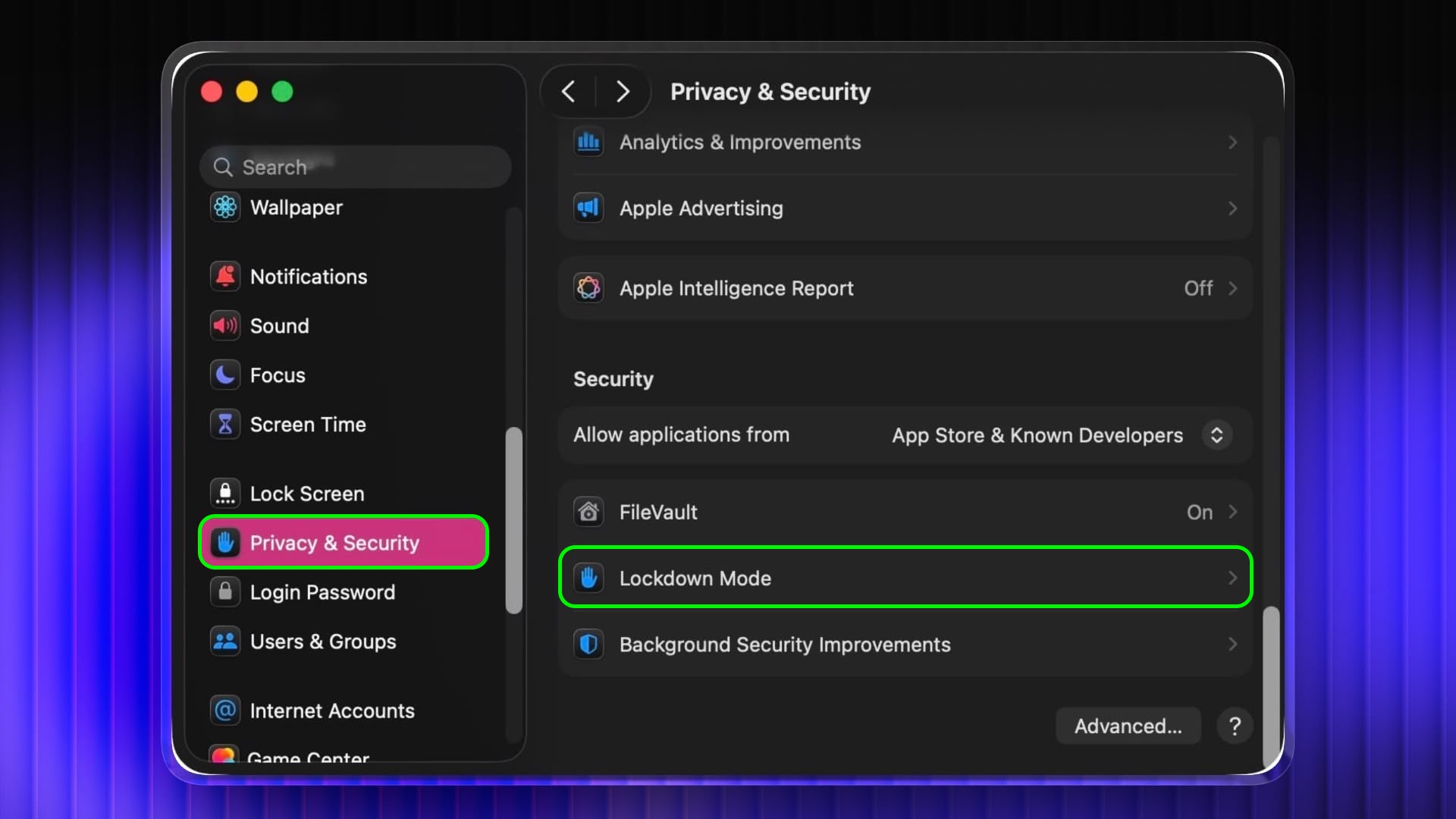
How to Enable Lockdown Mode on Mac


  1. Open System Settings.

  2. Click Privacy & Security in the sidebar.

  3. Under the "Security" section at the bottom, click Lockdown Mode.

  4. Click Turn On Lockdown Mode.

  5. Review the protections and click Turn On & Restart.

settings

Your Mac will restart and Lockdown Mode will be enabled when it boots up.

How to Turn Off Lockdown Mode


Whether you're on iPhone, iPad, or Mac, these are the steps to follow:

  1. In Settings on iPhone/iPad (or System Settings on Mac) go to Privacy & Security ➝ Lockdown Mode.

  2. Tap or click the Lockdown Mode toggle to turn it off.

  3. Confirm that you want to turn it off. Your device will restart to leave Lockdown Mode.


Configuring Allowed Websites and App Exceptions


While Lockdown Mode is active, some websites and certain app features may be blocked for security. Apple allows you to add exceptions in some areas.

For example, in Safari, if a site is blocked by Lockdown Mode, you may be offered an option to allow website exceptions. This lets specific sites load normally while Lockdown Mode remains enabled.

Some third-party apps may also appear in a list in Settings ➝ Privacy & Security ➝ Lockdown Mode ➝ Configure Web Browsing, and you can turn off Lockdown Mode for those apps individually. This lets an app continue to function normally if it was being restricted by Lockdown Mode's web content limitations.
This article, "Enable Lockdown Mode on iPhone, iPad, and Mac" first appeared on MacRumors.com

Discuss this article in our forums

  •  

Apple's Fifth Avenue Store is Closing Overnight Next Week, Here's Why

Apple's iconic Fifth Avenue store in New York City is normally open 24/7, but it will be closed overnight on some days next week.


According to Apple's website, the store will be closing at 10 p.m. local time each night on Monday, February 2 through Wednesday, February 4. The store will re-open each morning at 8 a.m. local time during this period.

Apple is closing the store to complete maintenance on the signature glass cube entrance, according to a source familiar with the matter.

Apple's explanation internally is "preservation work."

Opened in 2006, Apple Fifth Avenue features a street-level glass cube entrance, leading to an underground store. Apple's CEO Tim Cook and other company executives often attend the store for major new product launches.

The store's cube has been outfitted with everything from a giant Apple Vision Pro headset outline to colorful Siri glow in recent years.
This article, "Apple's Fifth Avenue Store is Closing Overnight Next Week, Here's Why" first appeared on MacRumors.com

Discuss this article in our forums

  •  

Apple Faces Lawsuit Over Continuity Camera Patent and Antitrust Claims

Apple this week got sued in a New Jersey Federal court by the maker of mobile video app Camo, alleging Apple stole its technology when the company integrated its Continuity Camera feature into iOS 16 in 2022.


Released by London-based Reincubate in 2020, the Camo app enables iPhone and Android smartphones to be used as webcams for desktop-based video calls.

Apple's Continuity Camera serves a similar function within its own ecosystem, allowing an iPhone to be used as a wireless webcam with a nearby Mac that is signed into the same Apple Account.

Reincubate said the tech giant copied patented features from its Camo app and incorporated them into its mobile operating system in order to "redirect user demand to Apple's own platform-tied offering."

According to the lawsuit, Apple "actively induced and encouraged" Reincubate to develop and market Camo for iOS, then later copied its functionality and built it into iOS as Continuity Camera.
"In most of those cases, Apple has not actively induced the developer to test and build software," the lawsuit said. "Here, Apple actively cultivated a relationship of trust with Reincubate, induced the company to share technical details, beta builds, and market data, and leveraged that privileged access to inform its own development of Continuity Camera."
Reincubate called Apple's conduct an example of "Sherlocking," which refers to Apple building an app or system feature that duplicates functionality previously offered by a third-party app.
"Rather than competing with us, Apple deployed a series of obstacles to tilt the playing field, infringed our IP, and did so in service of preventing competition from rival platforms," Reincubate CEO Aidan Fitzpatrick said in a statement given to Reuters.

"Apple competes fairly while respecting the intellectual property rights of others, and these camera features were developed internally by Apple engineers," Apple responded in a statement.

Aside from accusing Apple of infringing its patents, Reincubate's suit was filed as an antitrust claim, alleging that Apple violates U.S. law by locking users into its ecosystem and preventing them from switching to competitors. Reincubate has requested unspecified monetary damages and court orders that would block Apple's alleged misconduct.
This article, "Apple Faces Lawsuit Over Continuity Camera Patent and Antitrust Claims" first appeared on MacRumors.com

Discuss this article in our forums

  •  
❌