↩ Accueil

Vue lecture

Dell's Sitewide Sale Discounts Alienware Monitors and More

Dell has a big sale running this week on multiple product categories, and it includes accessories not only from Dell but also Alienware, Logitech, Bose, and JBL. We're primarily focusing on monitors in this sale, but you can also find up to $900 off laptops, PCs, and more.

Note: MacRumors is an affiliate partner with Dell. When you click a link and make a purchase, we may receive a small payment, which helps us keep the site running.
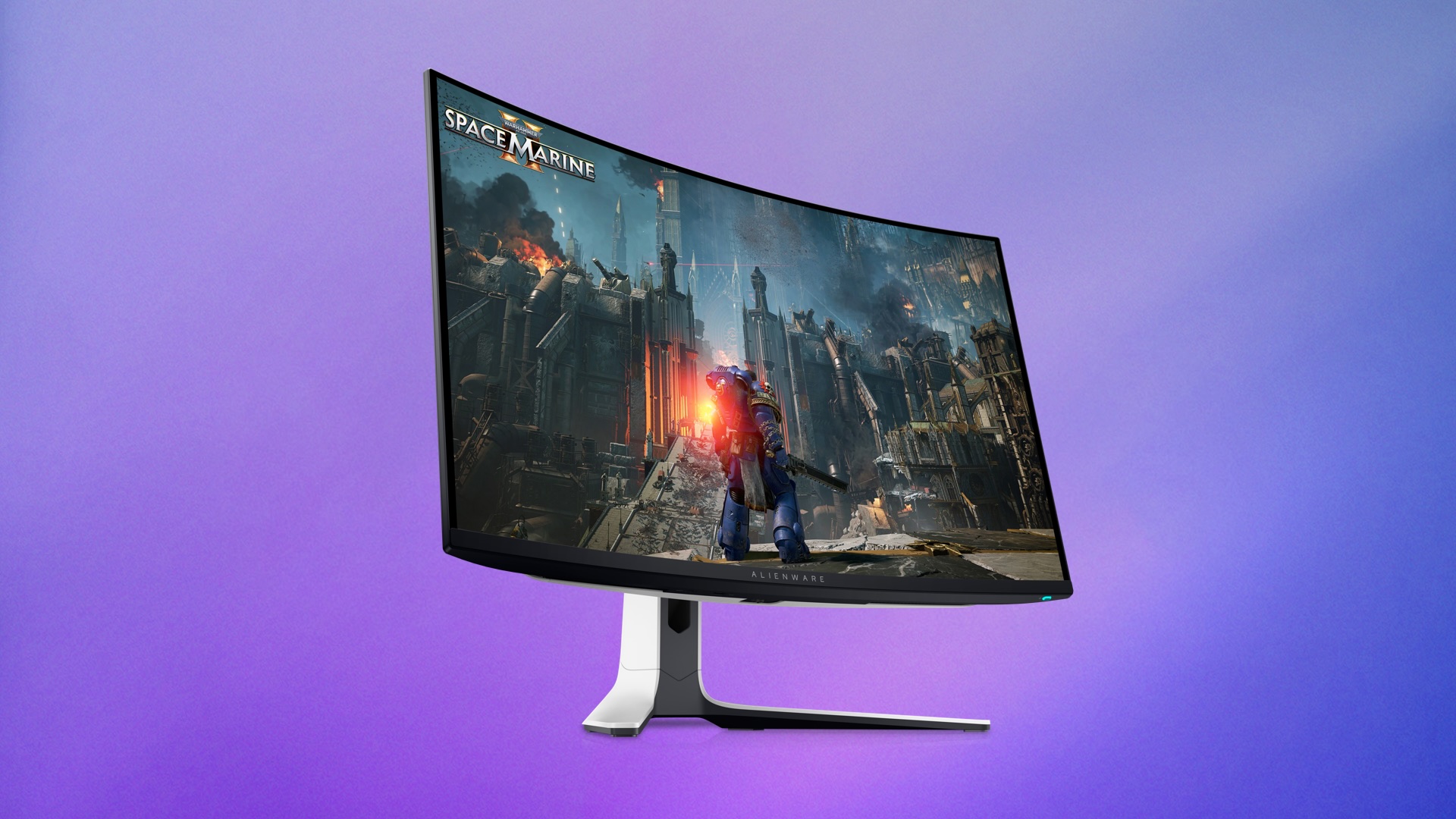
In regards to the monitor deals, you'll find up to $200 off select monitors from multiple brands in this event. This includes popular Alienware gaming monitors, like the 27-inch Alienware 4K QD-OLED Gaming Monitor for $699.99, down from $899.99.


We're also tracking deals on everything from gaming mice to Bluetooth speakers and earbuds during this event. You can find some of the highlights in the lists below, but be sure to visit Dell's website to browse the full sale.

Monitors


Accessories


If you're on the hunt for more discounts, be sure to visit our Apple Deals roundup where we recap the best Apple-related bargains of the past week.


Deals Newsletter


Interested in hearing more about the best deals you can find in 2026? Sign up for our Deals Newsletter and we'll keep you updated so you don't miss the biggest deals of the season!


Related Roundup: Apple Deals

This article, "Dell's Sitewide Sale Discounts Alienware Monitors and More" first appeared on MacRumors.com

Discuss this article in our forums

  •  

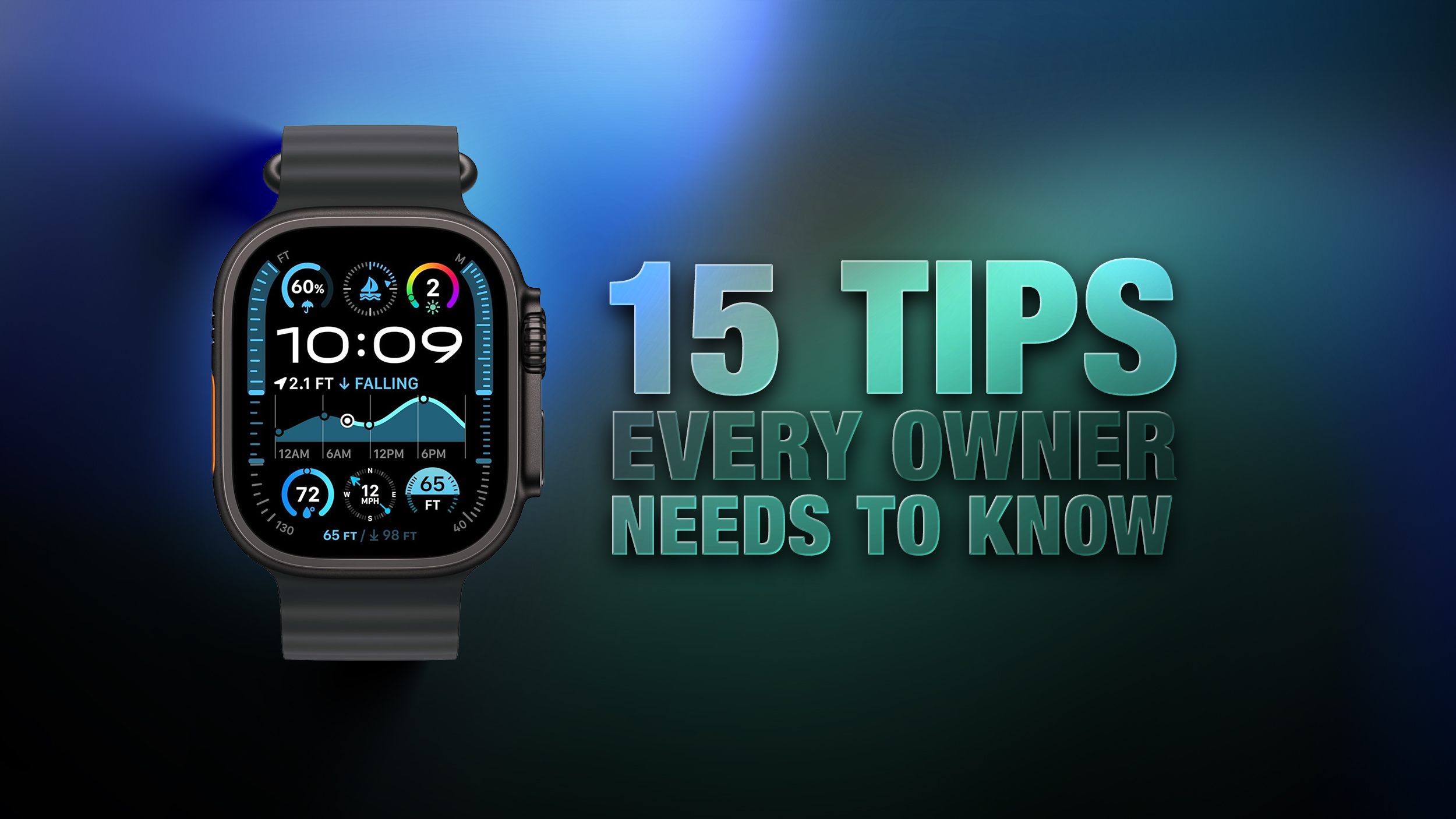
Apple Watch: 15 Tips Every Owner Needs to Know

Apple Watch is now eleven generations in, and packed with useful features that are easy to miss at first glance. To help you get more out of your new device, we've rounded up 15 practical tips you might not have discovered yet, including a few that long-time users often overlook.


Bounce Between Two Apps


watch
On your Apple Watch, double-press the Digital Crown to see a deck of all currently open apps, and turn it to scroll through them. From this view, you can jump back to the last app you were using. Simply tap on an app screen to switch to it, or swipe left on its card and tap the red X button to quit it.

Switch App Views


app view
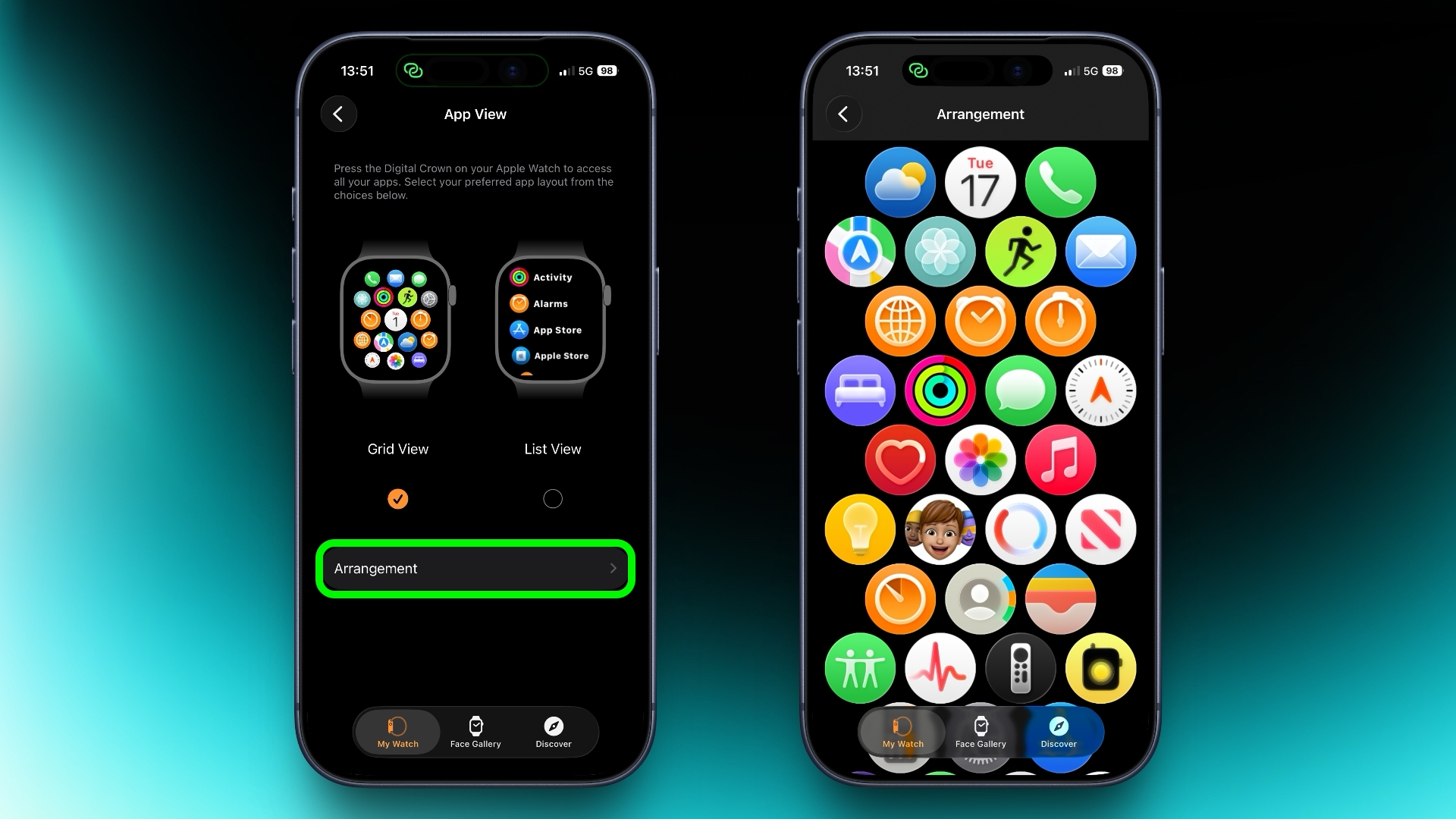
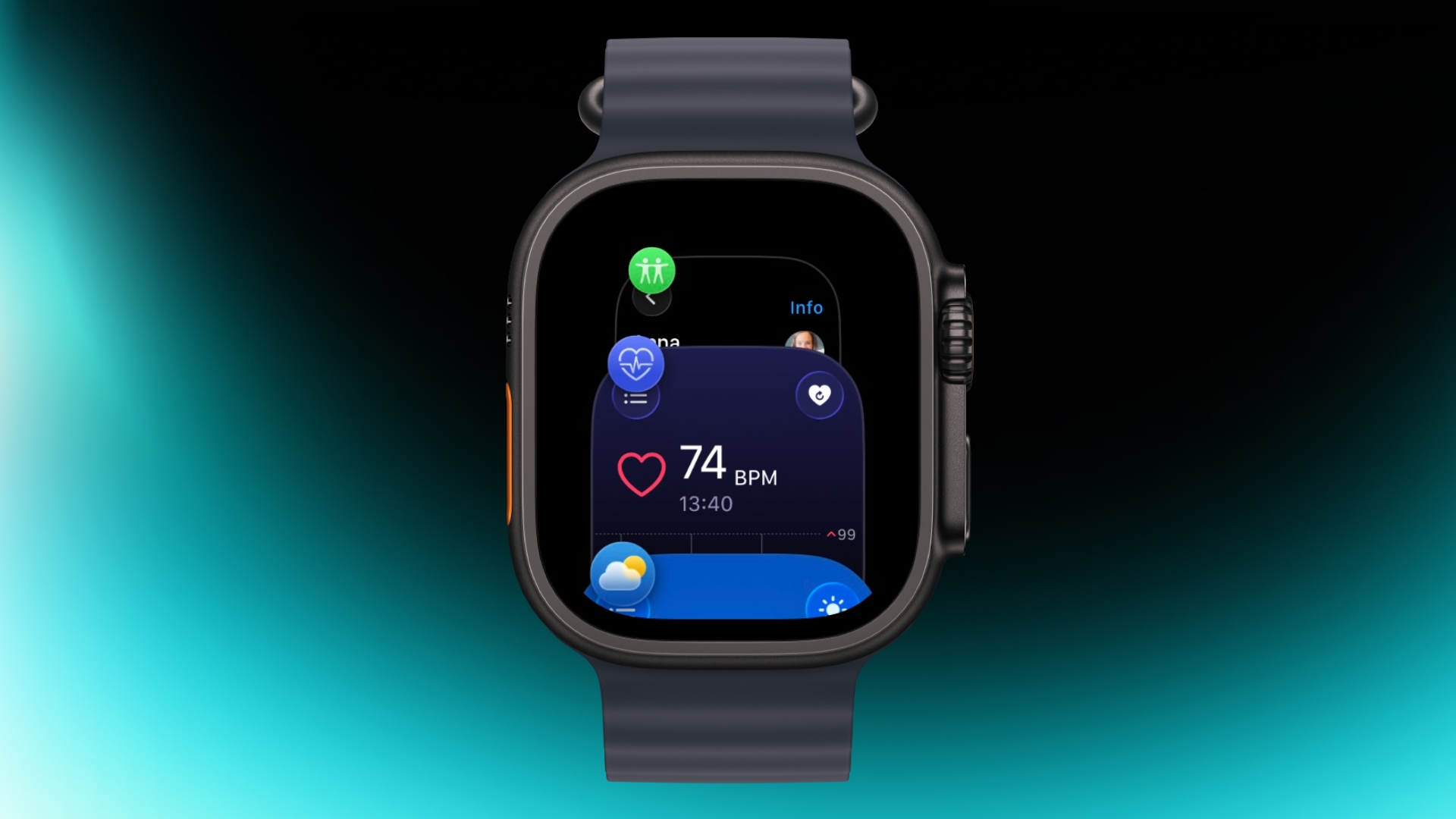
If the app grid feels messy, switch to List View. Open the Watch app on iPhone, tap App View, and choose List View. From then on, pressing the Digital Crown will show your apps in a simple, scrollable list.

Rearrange Apps


watch app
You can rearrange your apps so that the ones you use most are closer to hand. Simply press and hold on any app in the grid view, then drag it where you want. Alternatively, open the Watch app on your iPhone, go to App View ➝ Arrangement, and move things around there instead.

Ping Your iPhone


ping
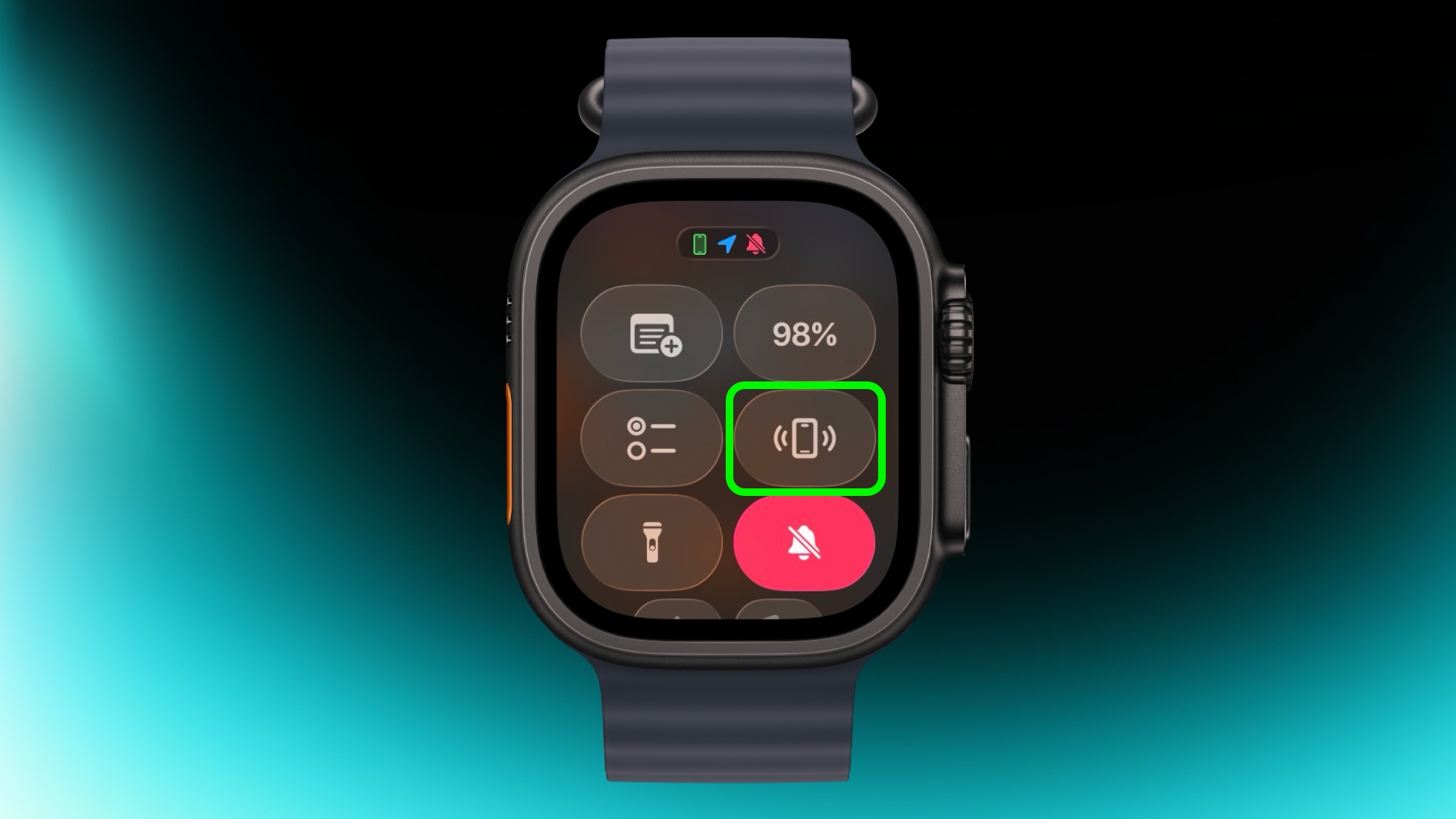
If you've misplaced your iPhone but you're sure it's nearby, open Control Center with a press of the Side button, then tap the phone icon to make it ping. Press and hold that icon and the iPhone's camera flash will blink too, which can help if it's hidden under something.

Skip the Countdown


workout
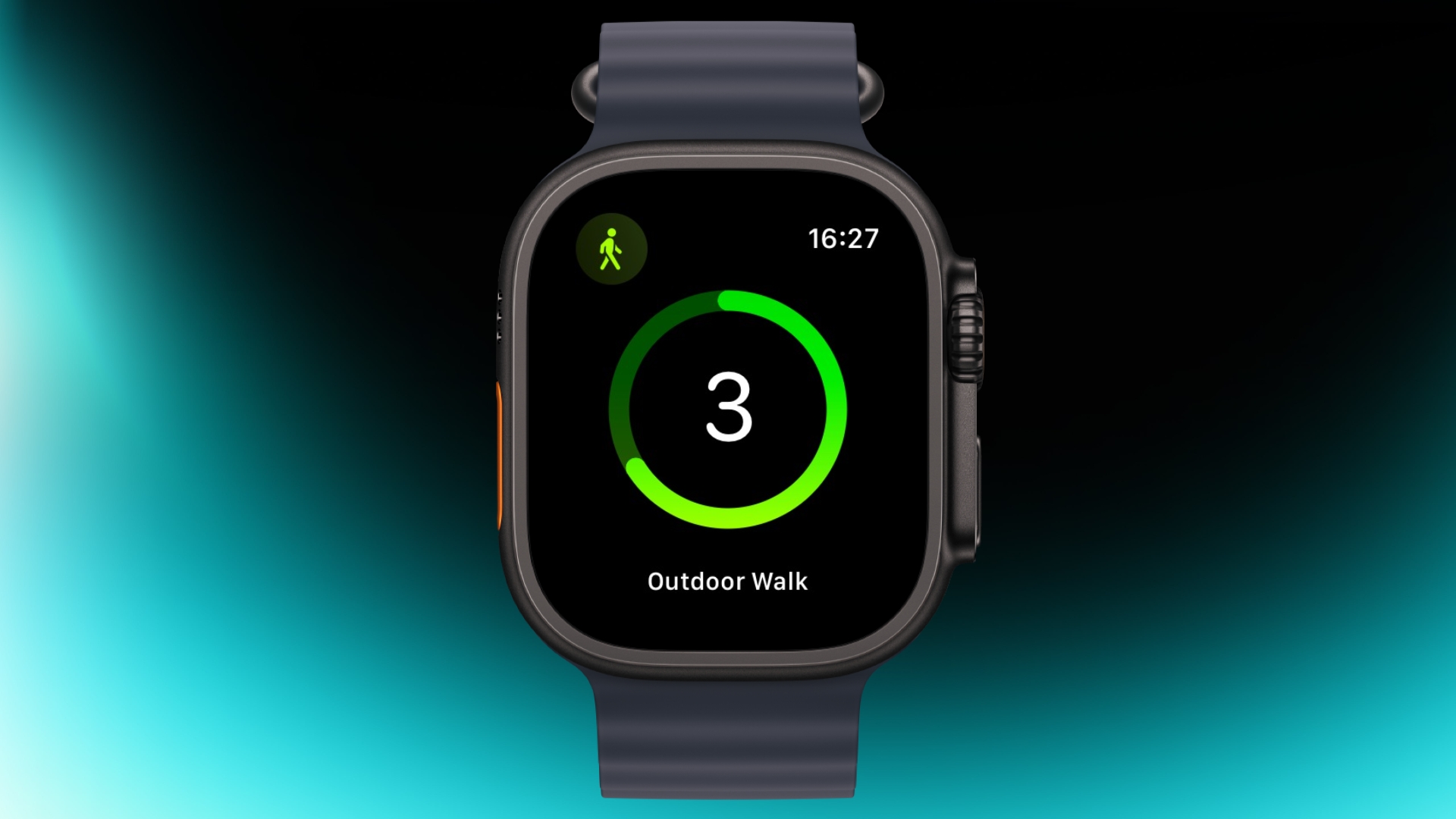
If you're eager to start a workout, the three-second countdown before it starts can be skipped. Just tap the screen when the countdown begins and your workout will start immediately. If you find yourself doing this regularly, consider turning on Precision Start in Settings ➝ Workout.

Customize Vibration Strength


haptics
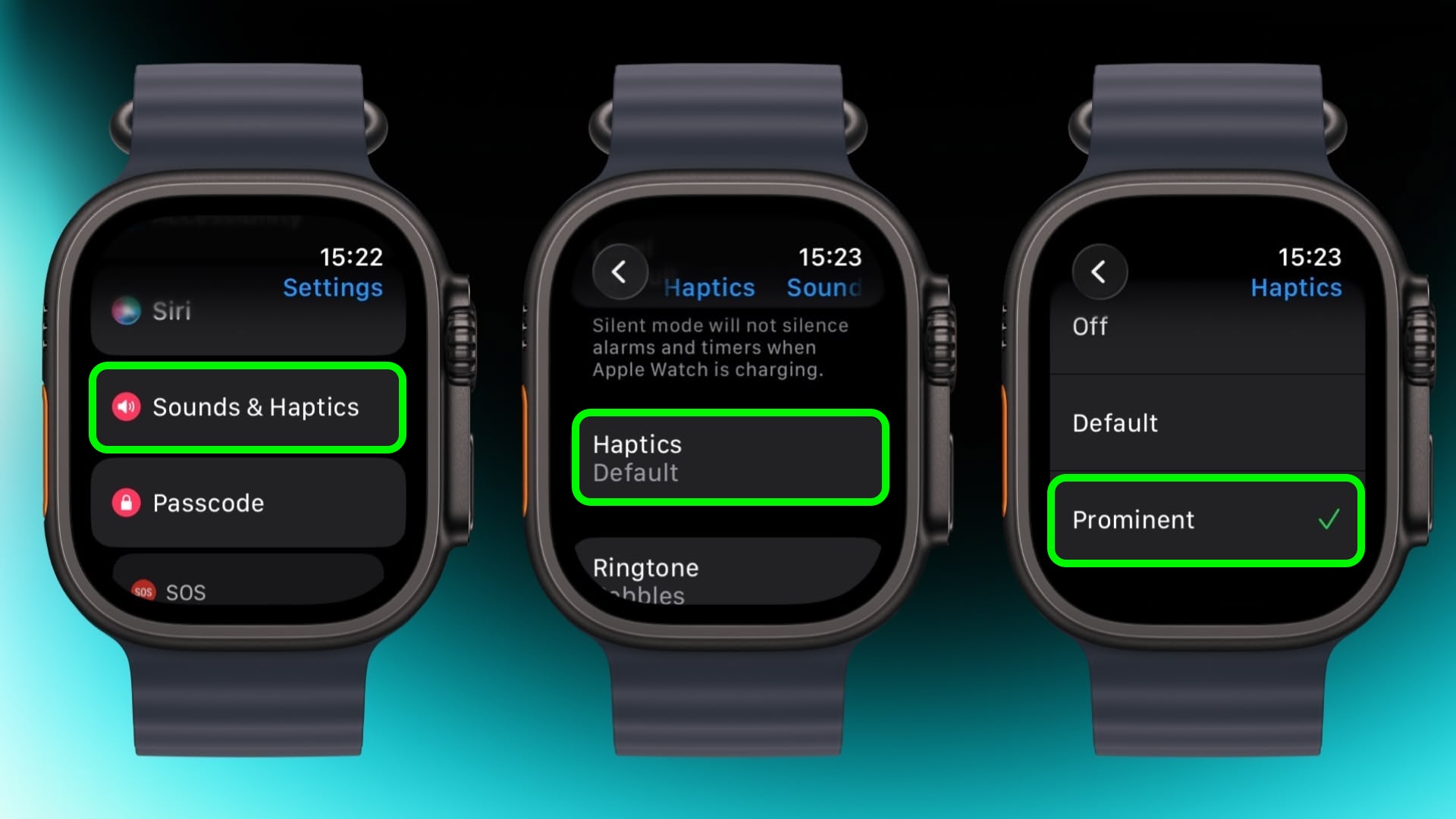
If you keep missing notifications, go to Settings ➝ Sounds & Haptics ➝ and change from Default to Prominent. This adds an extra tap pattern before alerts so they're harder to ignore.

Perform Precision Timing


chronograph
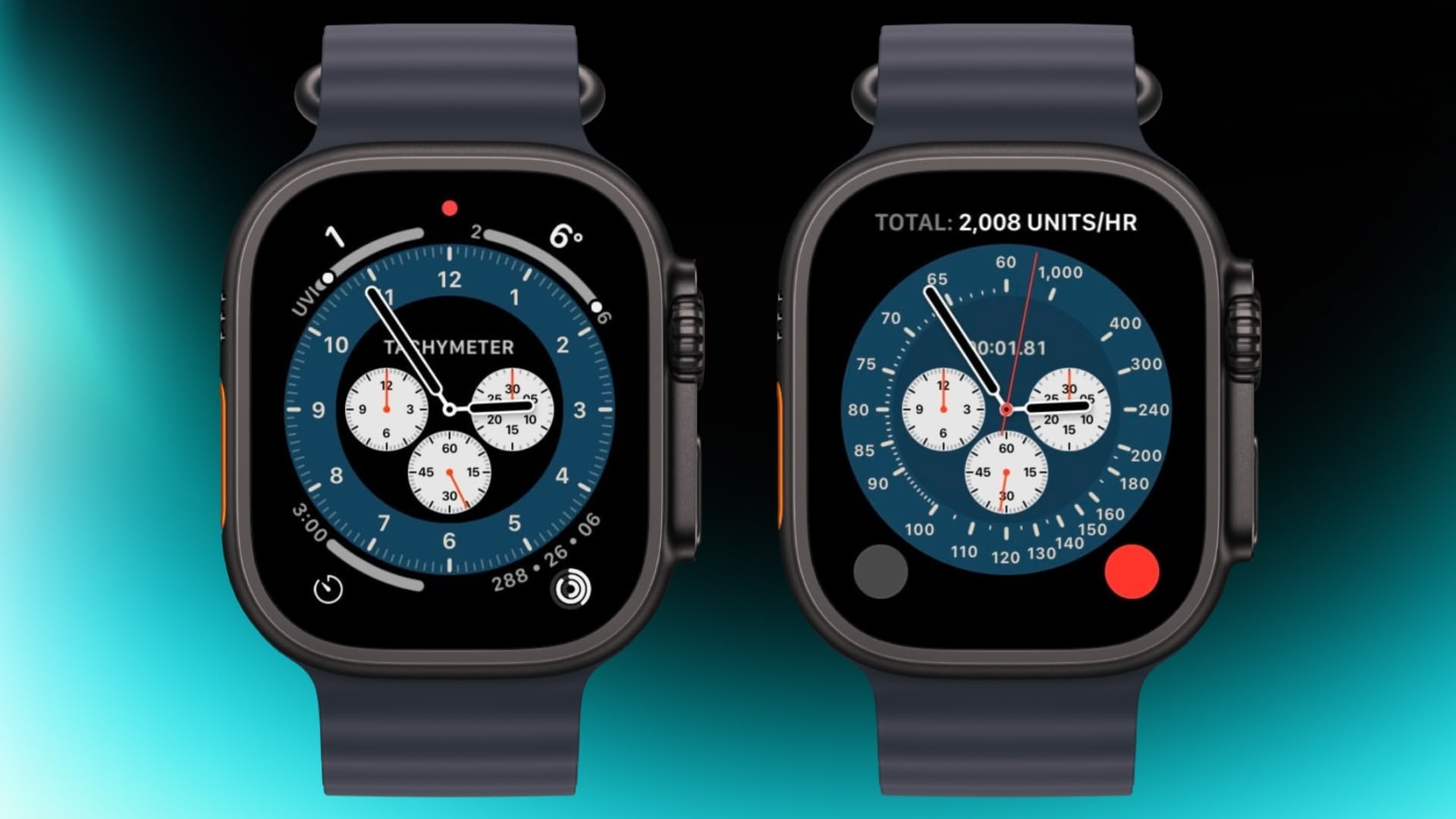
The Chronograph Pro watch face transforms into an actual chronograph. Tap the outer edge surrounding the main 12-hour dial on this watch face to record time on scales of 60, 30, 6, or 3 seconds. Alternatively, select the tachymeter timescale to measure speed based on time travel over a fixed distance.

Jump to the Top


jump to top
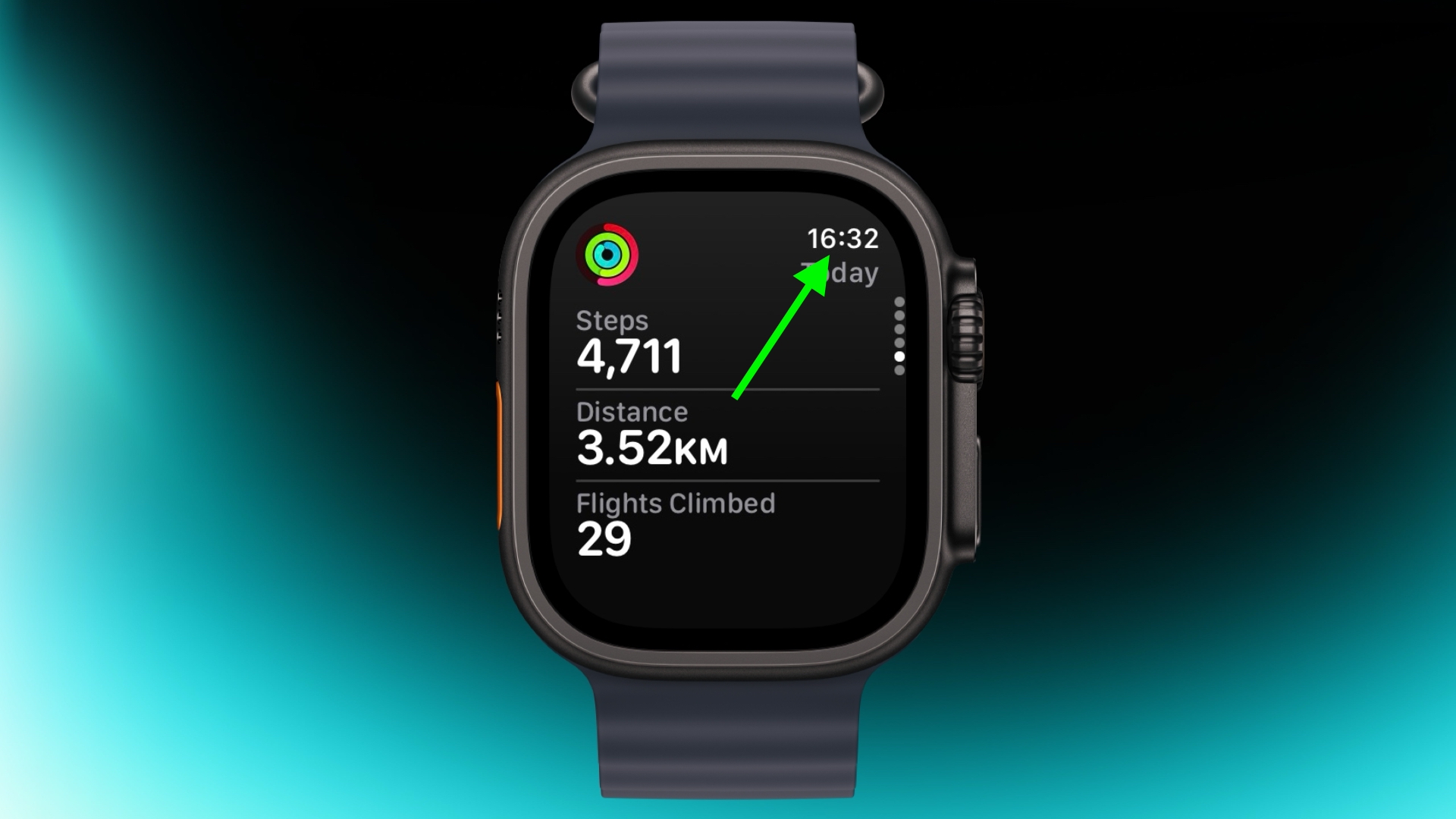
If you've scrolled way down in an app and want to jump back to the top, just tap the time in the top corner of the screen. It works in most apps and saves a lot of scrolling.

Remove Apps


apps view
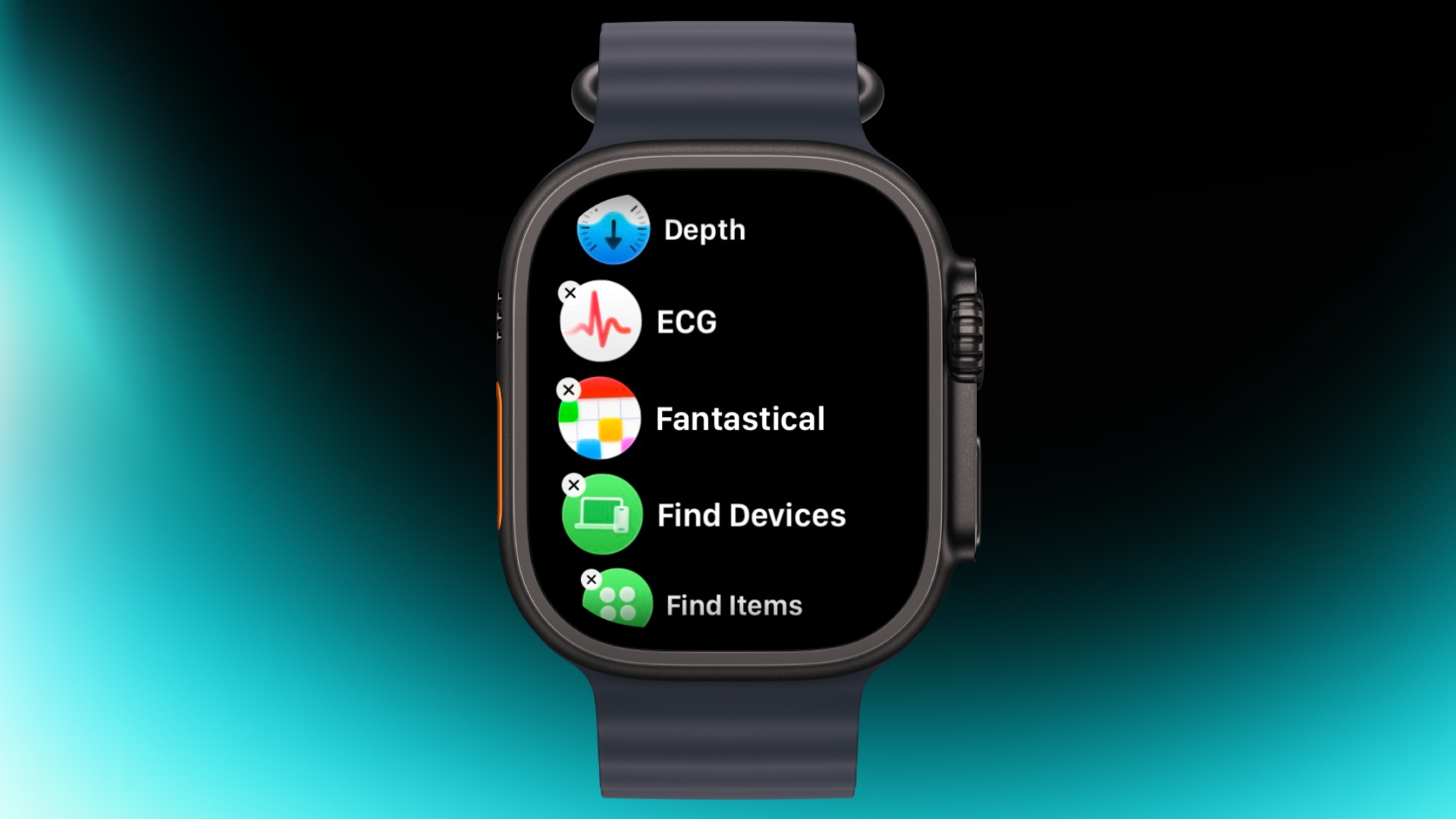
Clearing out apps you don't use on your Apple Watch is easy. In the List or Grid View, press and hold on the screen until the apps jiggle, then tap the small x in the corner of the app icon to delete it. This works for most system apps and all third-party apps.

Customize Control Center


control center
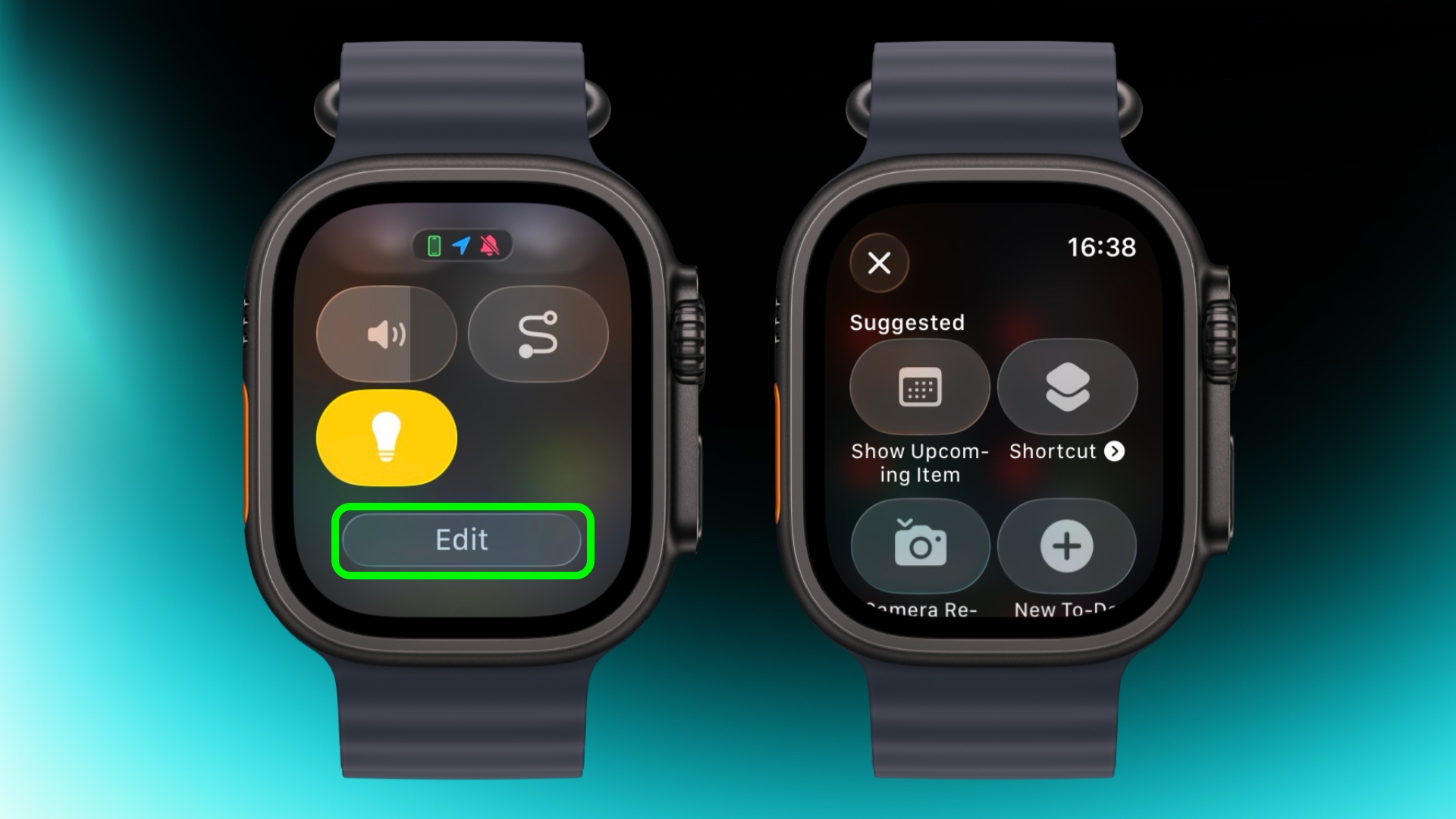
By default, Control Center (accessed via the Side button) gives you quick access to things like Wi-Fi, battery, and Do Not Disturb. But it's worth seeing what else you can add to it that you'd like quick access to. Tap the Edit button at the bottom, then tap the + icon in the top-left corner of the screen. System options such as New Note and Lights are particularly handy, and you might see some third-party options listed too, depending on your installed apps.

Speak the Time Out Loud


mickey
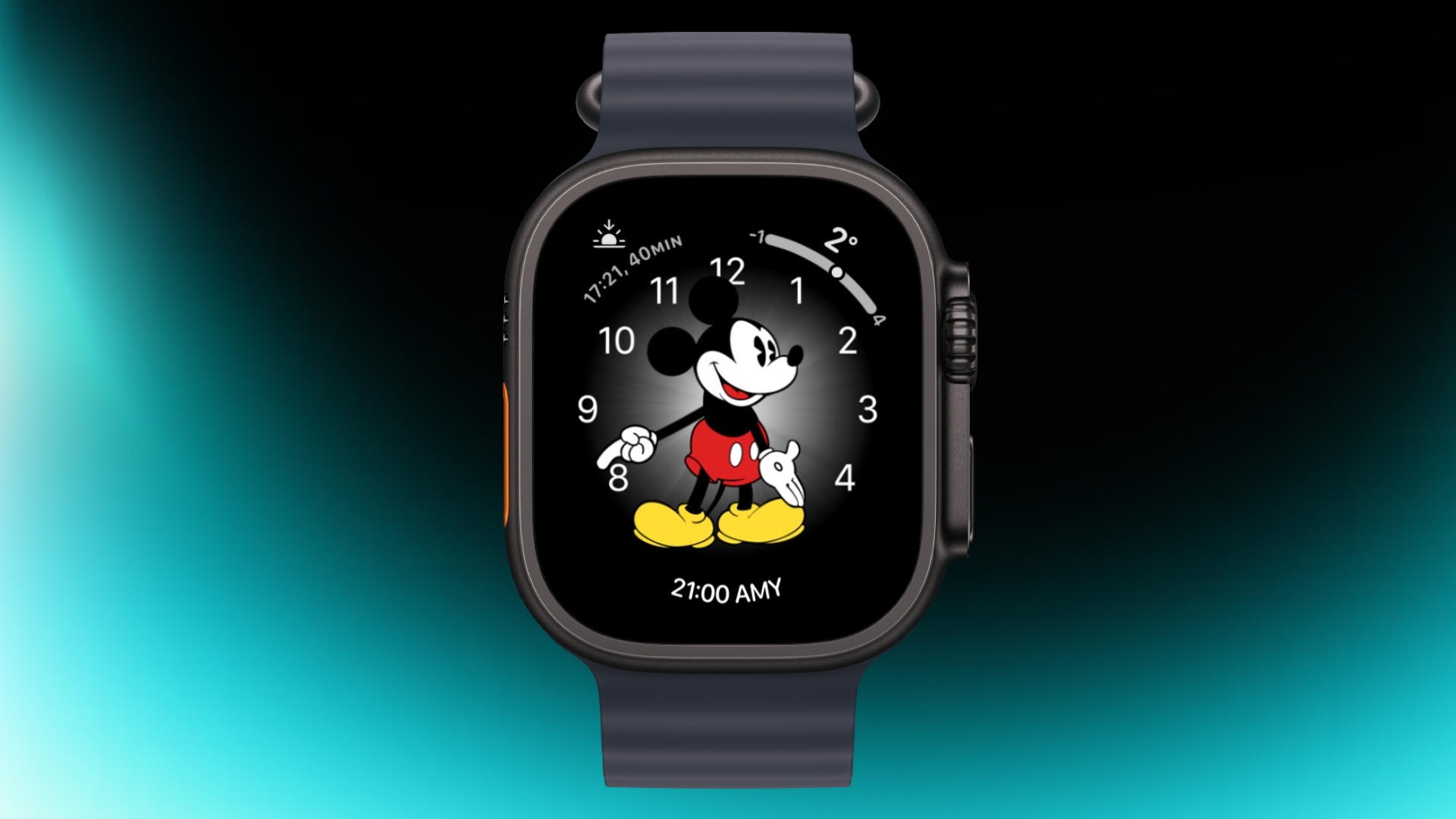
If you're using the Mickey or Minnie watch face, tap on the character and they'll speak the time out loud. Just make sure your sound is turned on. In fact, you can also have Siri read the time on any watch face by tapping and holding with two fingers on the display. Again though, sound needs to be enabled.

Customize Smart Replies


smart replies
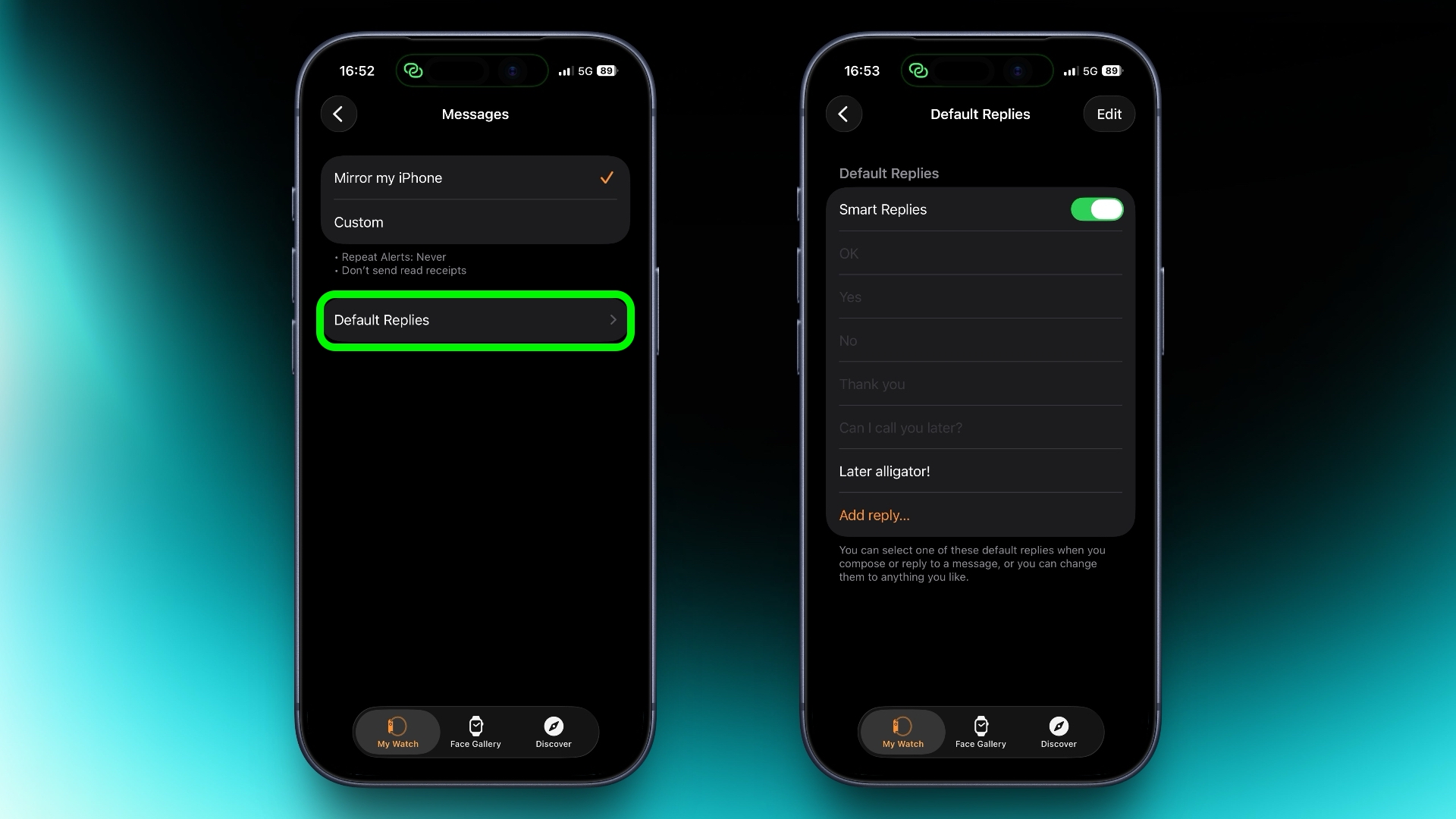
Smart Replies are handy when you want to reply with just a few words. In the Watch app on iPhone, go to Messages and tap Default Replies to customise what shows up. Then when a message comes in, simply swipe down to pick one of your preset replies.

Pause Activity Rings


activity
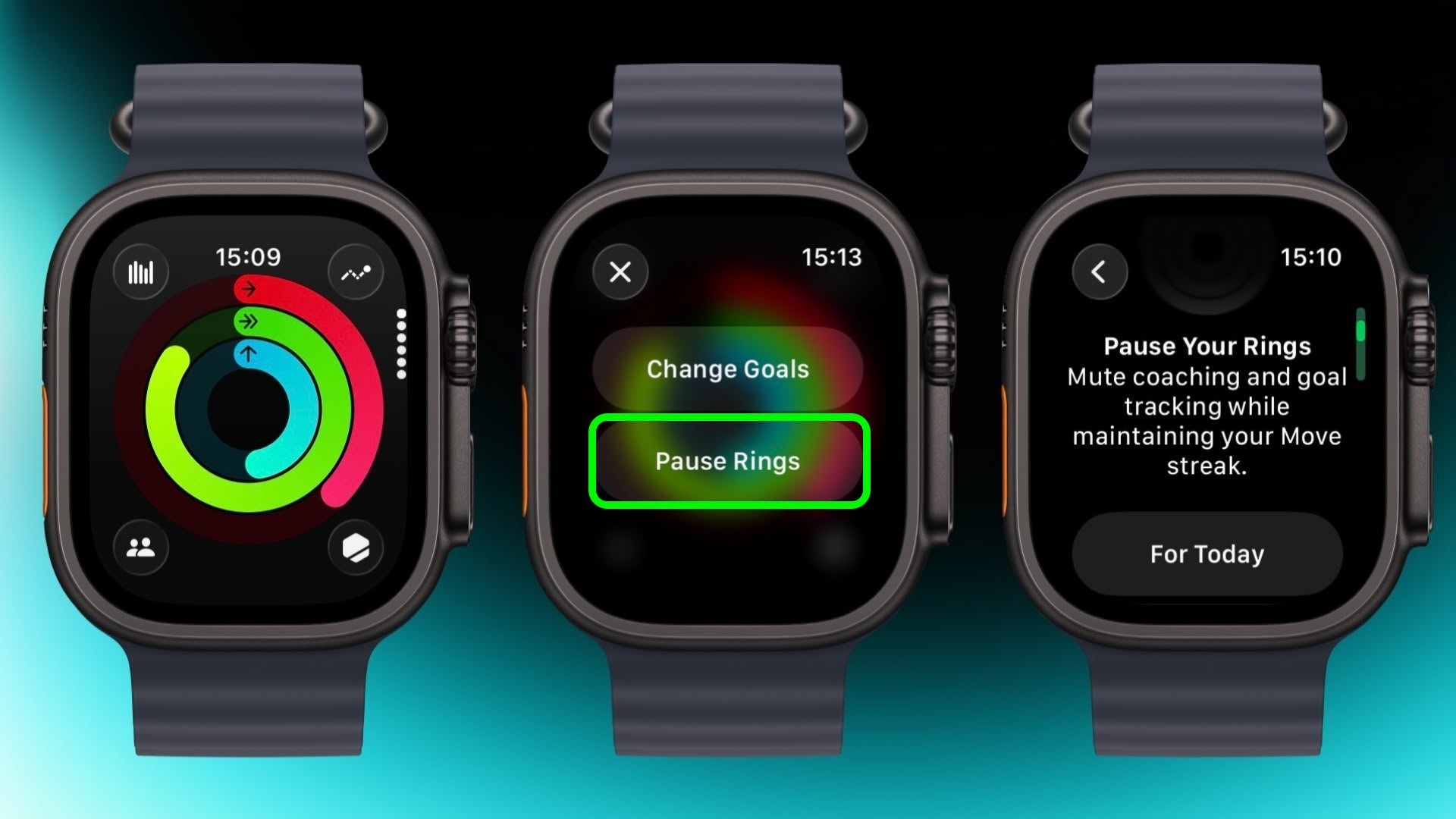
Feeling unwell but hoping to keep your streak intact? In the Activity app, select your rings to access the option to suspend them for the day, or set a pause that lasts until a chosen date up to 90 days ahead.

Create a Note


notes
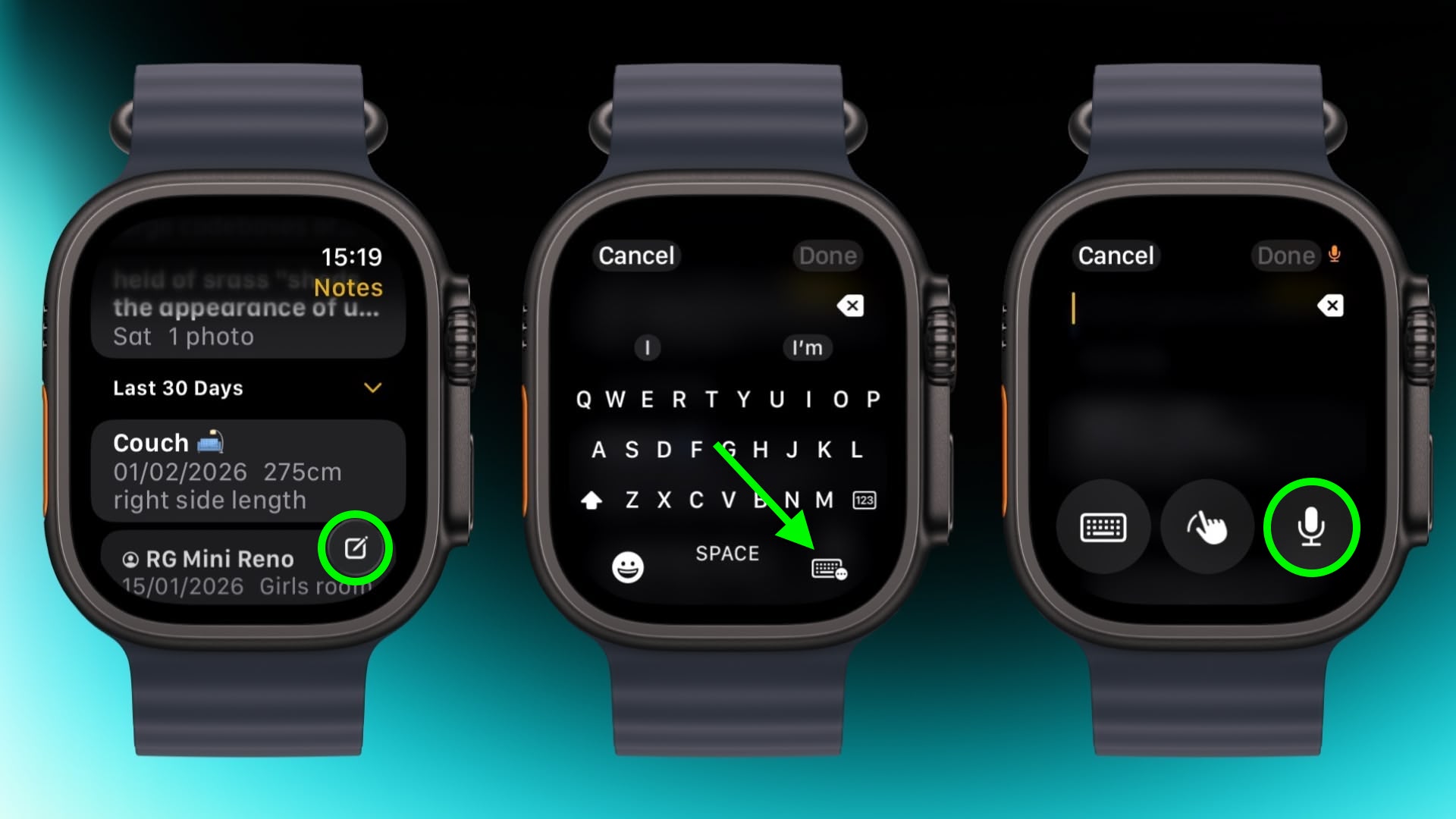
In the new Notes app in watchOS 26, you can't modify existing notes on Apple Watch, but you can create a new one by tapping the compose control in the bottom-right corner and speaking your text. Because Notes sync through iCloud, you can refine or reorganize everything later on a device with a physical or on-screen keyboard.

Mute and Dismiss Alerts


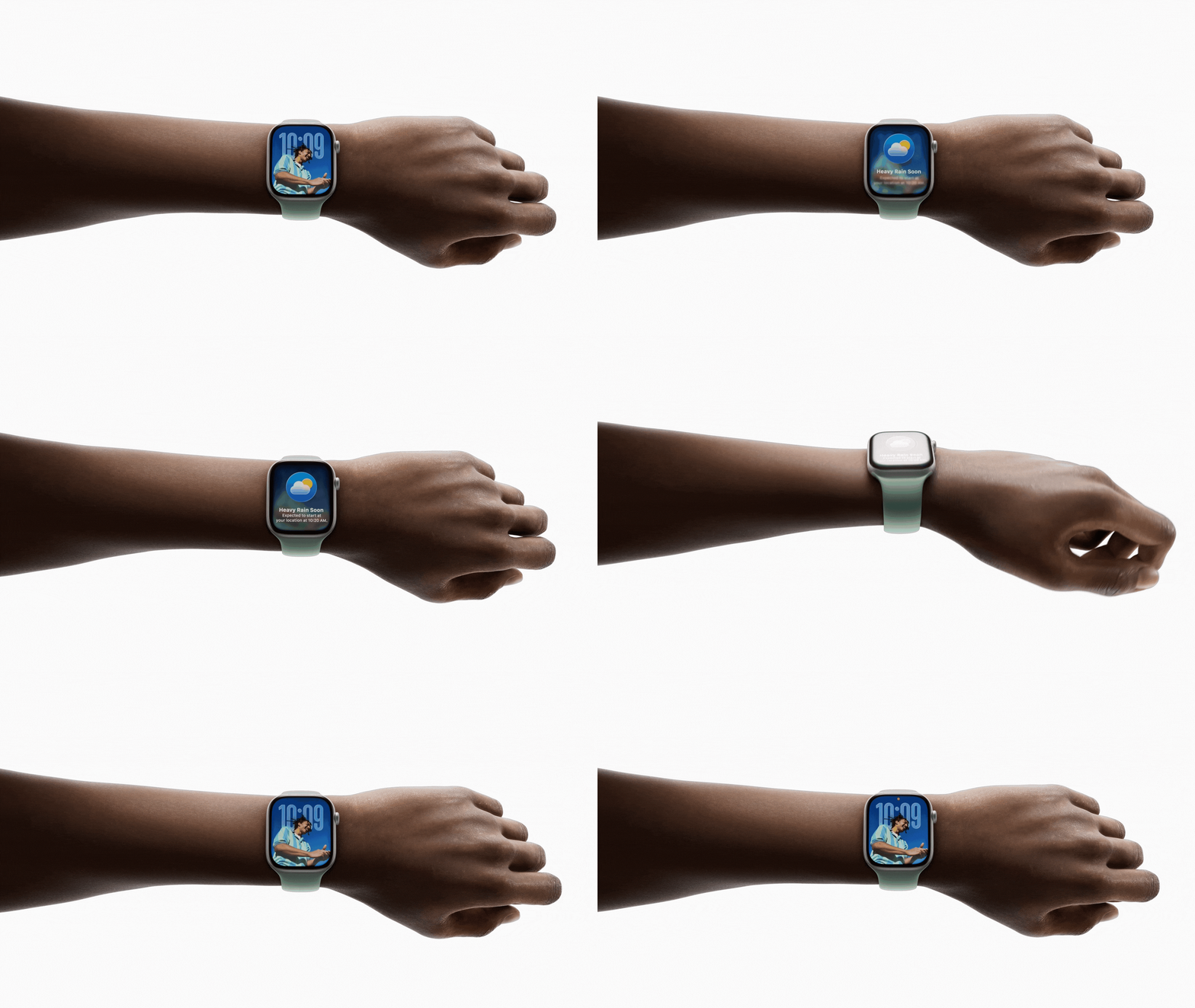
With a quick wrist flip, you can clear the current screen and go back to the watch face. The same gesture can be used to mute calls, stop timers, and dismiss notifications. The feature, which is on by default, is supported on Apple Watch SE (3rd generation), Series 9, Ultra 2, and later.
This article, "Apple Watch: 15 Tips Every Owner Needs to Know" first appeared on MacRumors.com

Discuss this article in our forums

  •  

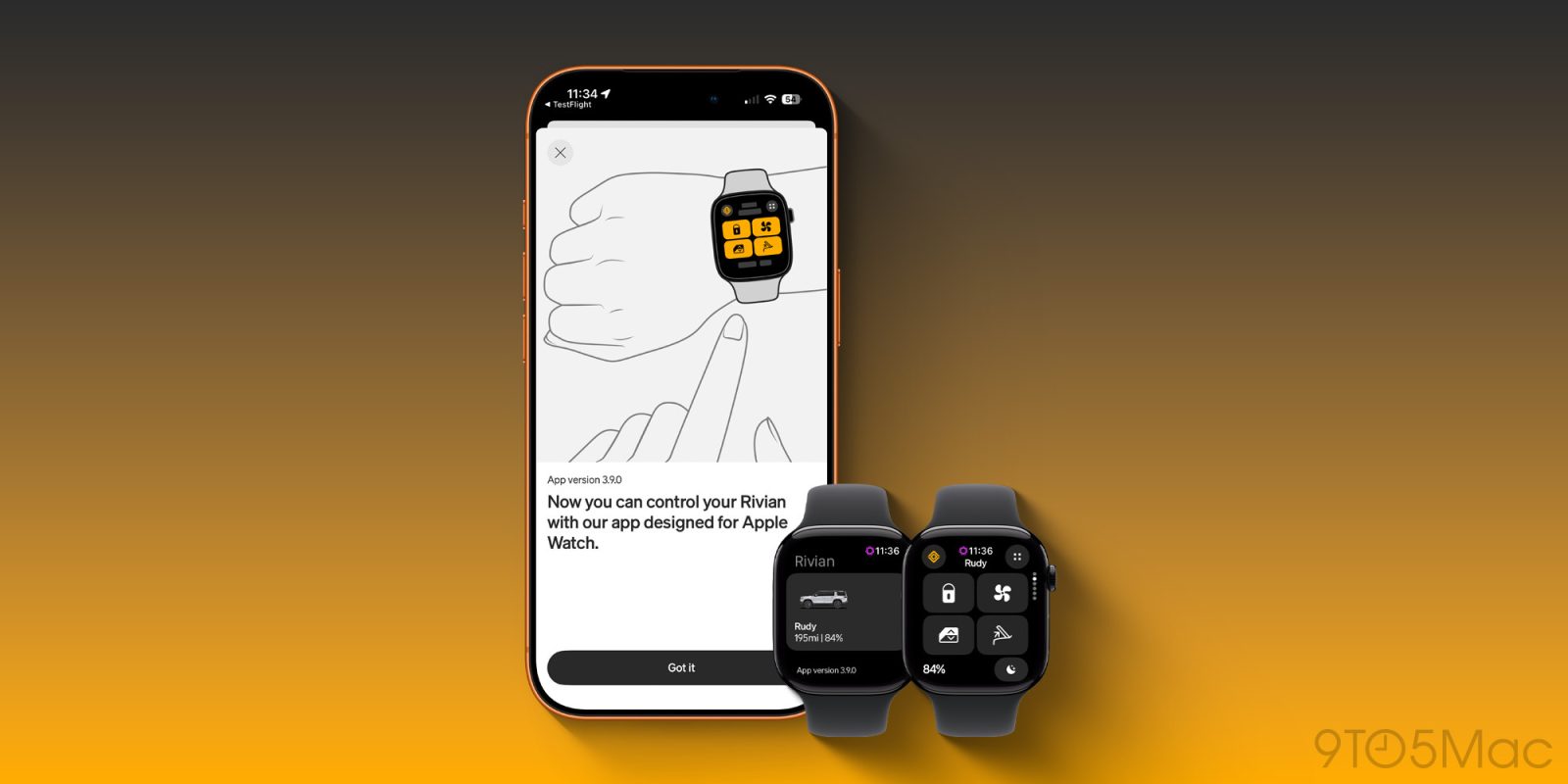
Rivian launches new Apple Watch app with vehicle controls, digital key & more [Hands-on]

Just a few weeks after rolling out the Rivian Digital Key update, which helped tremendously with proximity-based features, Rivian has doubled down and is rolling out a new dedicated Apple Watch app. The Apple Watch update was designed as an extension of the Rivian iPhone app, giving you all the most used features right on your wrist. It has customizable quick controls, glanceable vehicle status, and support for digital key functionality (depending on your vehicle generation). I got some early access to the app, so here is what you should know.

more…
  •  

Apple's C1X Modem Faces First Reported Failure in iPhone Air

A reported hardware failure affecting Apple's new in-house C1X 5G modem in the iPhone Air has surfaced online, marking the first known real-world incident involving the company's own baseband technology.


The ‌iPhone Air‌ is the first iPhone model to ship with the Apple's internally designed C1X 5G modem, replacing Qualcomm's X75 modem used across the iPhone 16 lineup. The transition to Apple-designed modems follows years of development after Apple acquired Intel's smartphone modem business in 2019 and began building its own baseband engineering teams and intellectual property portfolio with the goal of reducing reliance on Qualcomm and increasing efficiency.

A newly reported incident was first documented in a support thread on Reddit spotted by Wccftech, where the user "itstheskylion" described waking up to find the device had completely lost cellular reception. According to the user, the phone displayed no signal bars and diagnostics indicated a hardware-level cellular problem.

The device had reportedly been kept in a case since purchase and showed no signs of physical damage. The user said that multiple troubleshooting steps were attempted, including restarting the device, performing a soft reset, and resetting network settings, but none restored cellular connectivity. The user also reported using a dual-SIM configuration with two different carriers, with neither connection functioning, which suggests the issue was not related to a carrier outage or network-specific disruption.

Baseband hardware failures are uncommon in modern smartphones due to extensive factory testing and validation processes, but large-scale production inevitably includes a small percentage of defective units. Apple has historically replaced and collected devices that exhibit unusual behavior for internal analysis, particularly when new technologies are involved. At present, there is no evidence that the issue is widespread or indicative of a broader reliability concern.

As Apple prepares for the next generation of iPhones, real-world reliability data from early deployments of the C1 and C1X modems is likely to be closely monitored internally as part of the company's ongoing development work. The C1X is expected to come to the ‌iPhone‌ 17e next month, while the iPhone 18 Pro, ‌iPhone 18‌ Pro Max, and foldable ‌iPhone‌ are rumored to feature Apple's next-generation C2 modem.
This article, "Apple's C1X Modem Faces First Reported Failure in iPhone Air" first appeared on MacRumors.com

Discuss this article in our forums

  •  

Apple TV partners with IMAX to show Formula 1 races live in theaters

You’ll need an Apple TV subscription if you want to watch Formula 1 at home this season in the United States. But, Apple is taking its new broadcasting rights beyond the living room. In a partnership announced today with IMAX, Apple TV will also show select races from this season live in theaters.

Five of the 2026 Grand Prix’s will be shown at IMAX screens across the country, including Silverstone, Miami, Monaco, Monza and Austin.

more…
  •  

Speculation that Apple’s March event could include immersive F1 on Vision Pro

Apple commenter John Gruber is spitballing again. After suggesting that the special event on March 4 may be preceded by a series of new product announcements through press releases, he now has another idea.

Based on a reader drawing his attention to the timing, he suggests that another announcement could be immersive F1 viewing on Vision Pro …

more…
  •  

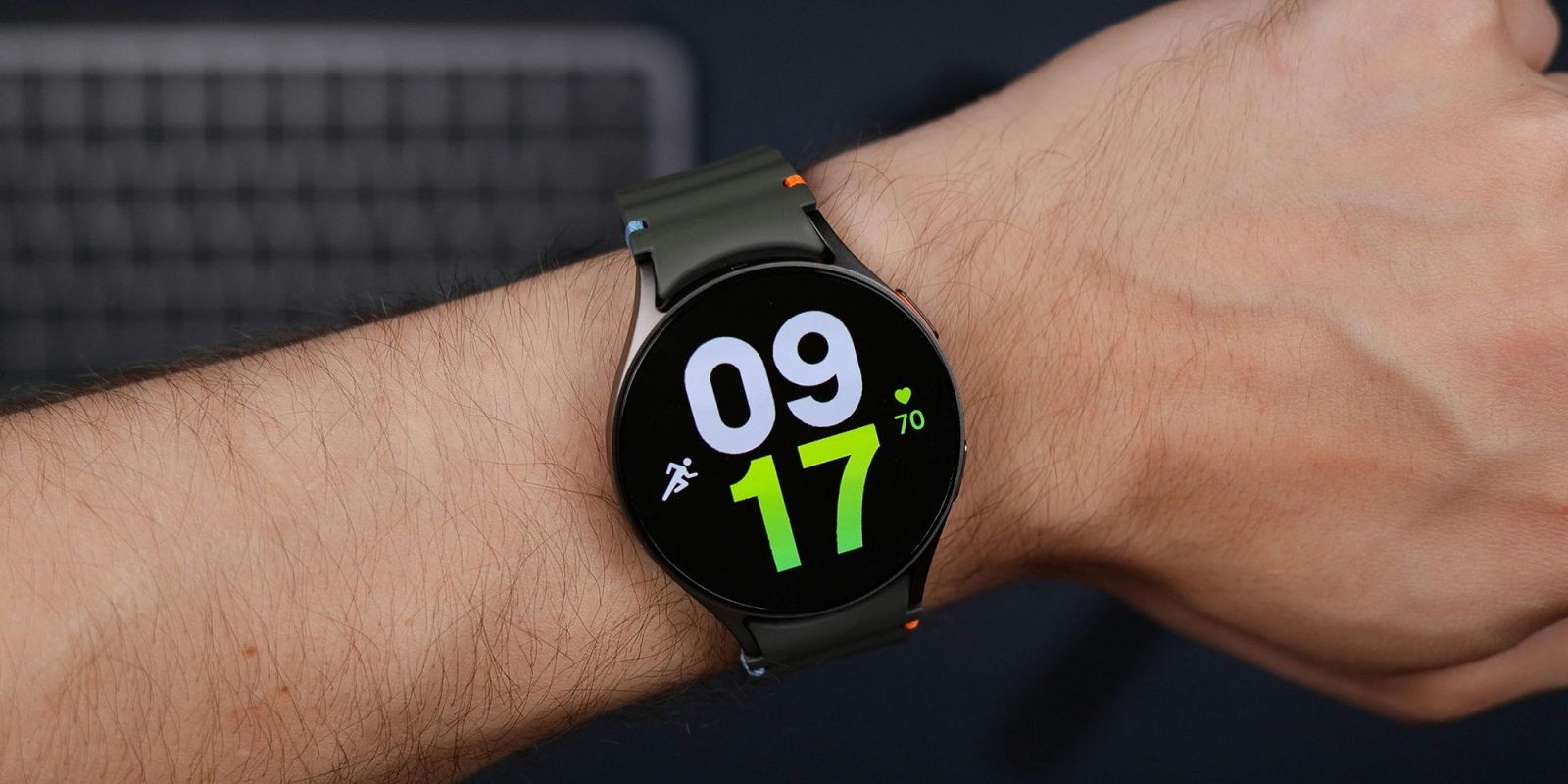
Report: Meta Revives Smartwatch Plans to Take On Apple Watch

Meta is set to release its first smartwatch this year featuring health-tracking and built-in Meta AI, reports The Information.


The smartwatch, which would compete directly with Apple Watch and other brands, is the result of a revived project that Meta canceled in 2022 amid broader spending cuts at its Reality Labs hardware division.

The original project involved plans to release three different camera-equipped watch models, but it doesn't sound like they will be part of the company's future product lineup. The new watch is code-named "Malibu 2."

The smartwatch could arrive alongside Meta's updated Ray-Ban smart glasses – which could reportedly include facial recognition – and it sounds like they will almost definitely appear before a pair of mixed reality glasses that the company has also been developing.

Internally code-named "Pheonix," the MR glasses are said to have been delayed until 2027. Meta executives are said to have grown concerned that launching too many devices in quick succession could confuse customers, hence the delay.

Last year, the Facebook parent company launched its Ray-Ban Display AR glasses, which apparently proved so popular that Meta had to delay an international rollout. Those glasses use a neural wristband for its gestural interface, so it's possible the new smartwatch could potentially take over those controls.

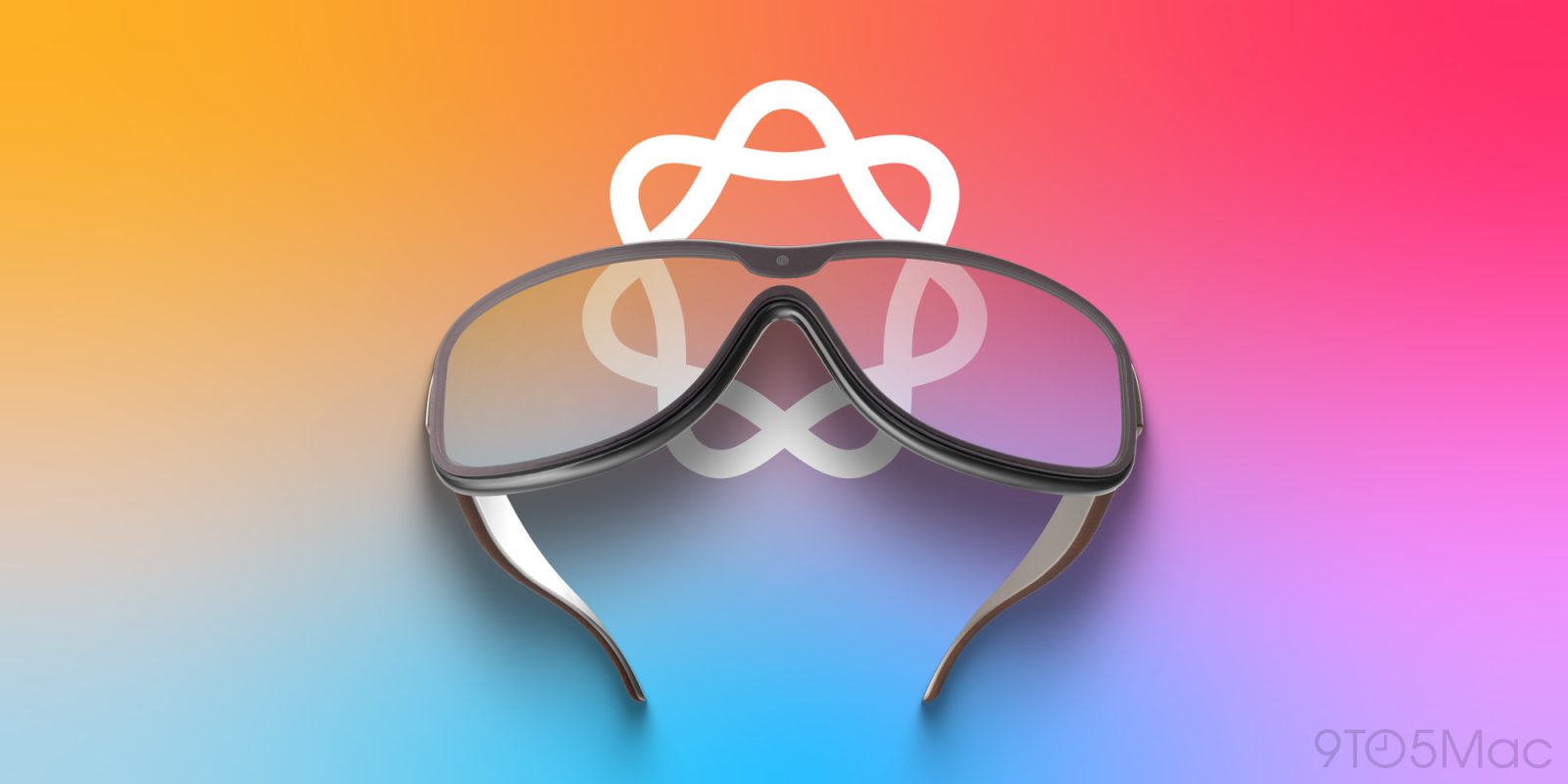
Meanwhile, Bloomberg recently reported that Apple is developing rival smart glasses, an AI pin, and AirPods with cameras, all of which will connect to the iPhone and will interface with the smarter version of Siri that's in the works.

Apple is targeting a 2027 launch for the glasses, and the AI pin could arrive in the same year, if development continues. The new AirPods could arrive as soon as this year.
This article, "Report: Meta Revives Smartwatch Plans to Take On Apple Watch" first appeared on MacRumors.com

Discuss this article in our forums

  •  

Millions of passwords and Social Security numbers exposed as old hacks remain a threat

An unsecured database that likely contains tens of millions of unique Social Security numbers, alongside email addresses and passwords, has been discovered by security researchers.

While the database appears to have been collated from a number of separate data breaches over approximately a decade, the researchers explain why even very old personal data remains a live threat …

more…
  •  

Could Apple Demo Immersive F1 on Vision Pro at Its March 4 Event?

Apple's upcoming March 4 media event could include a demo of immersive Formula 1 content on Apple Vision Pro, Daring Fireball's John Gruber has suggested.


The timing appears to be what's sparked the idea. The 2026 F1 season kicks off in Australia on March 8, just four days after the "Apple Experience" set to be held in New York, London, and Shanghai.

Apple became the exclusive U.S. broadcast partner for Formula 1 last October, and the company has already been experimenting with live immersive sports on Vision Pro with a limited slate of Los Angeles Lakers games this season. If Apple has plans to stream F1 races live on Vision Pro with some level of immersion, March 4 would likely be a great opportunity to show it off to the press.

To be clear, there are no little birdies tweeting into Gruber's ear on this one – he's quick to acknowledge this is pure speculation shared with him by a reader. "Could just be a total coincidence that the Formula 1 season is starting the weekend after this event," he says. "But it seems worth noting."

Apple has said that further details on production and "new ways to enjoy F1 content" across its products will be shared in the coming months. March 4 could fit that timeline nicely, or it could of course be nothing at all.

Apple is widely expected to unveil several new products in the near future, including the iPhone 17e, MacBook Pro models with M5 Pro and M5 Max chips, an eighth-generation iPad Air, and a 12th-generation iPad. A refreshed Studio Display and an all-new low-cost MacBook powered by the A18 chip are also possible, alongside updates to the Apple TV and HomePod mini.

The "Apple Experience" could include announcements for some of these products, alongside hands-on opportunities for media with the new devices around the world. The event is set to begin at 9:00 a.m. ET on March 4, 2026.
This article, "Could Apple Demo Immersive F1 on Vision Pro at Its March 4 Event?" first appeared on MacRumors.com

Discuss this article in our forums

  •  

9to5Mac Daily: February 18, 2026 – iOS 27 expectations, AI products

Listen to a recap of the top stories of the day from 9to5Mac. 9to5Mac Daily is available on iTunes and Apple’s Podcasts appStitcherTuneInGoogle Play, or through our dedicated RSS feed for Overcast and other podcast players.

Sponsored by Stuff: Stuff helps you get everything out of your head and into a simple, elegant system—closing open loops and reducing mental stress. Use code 9TO5 at checkout for 50% off your first year.

more…
  •  

iOS 26.4 Brings CarPlay Support for ChatGPT, Claude and Gemini

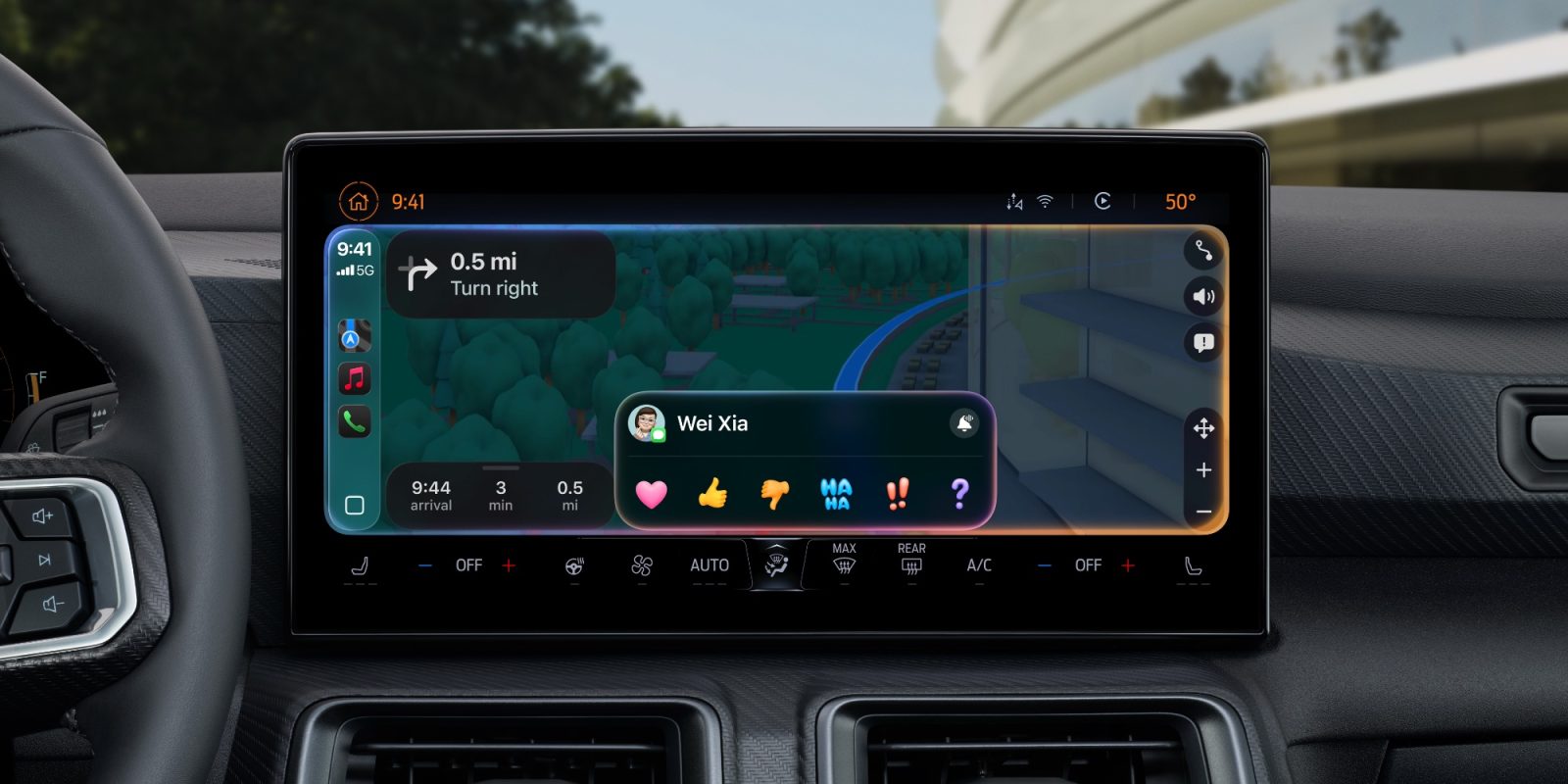
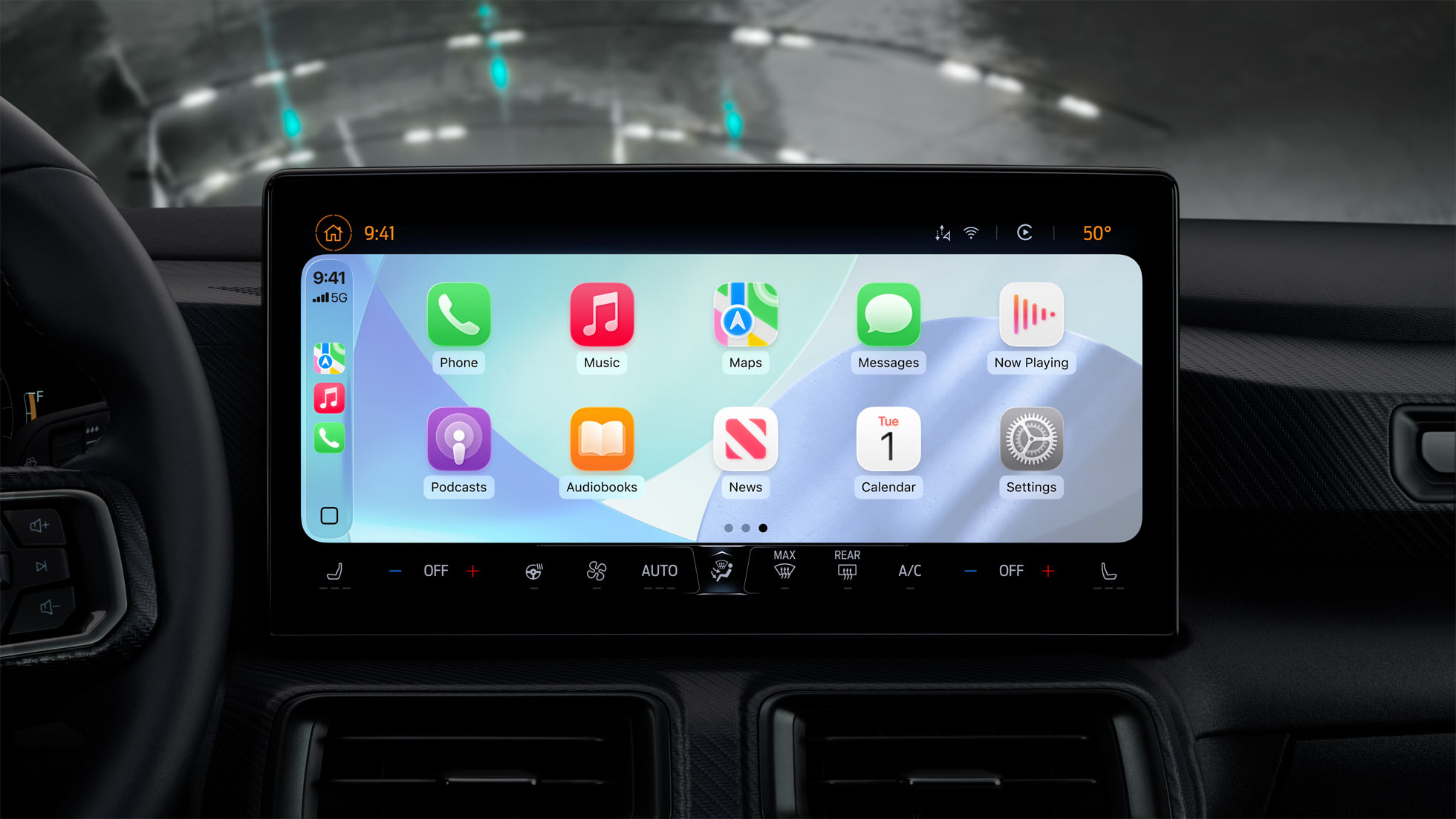
With iOS 26.4, CarPlay users will be able to use third-party chatbots with ‌CarPlay‌. AI services like Claude, Gemini, and ChatGPT will be accessible through the ‌CarPlay‌ system for the first time.


Apple's ‌CarPlay‌ Developer Guide [PDF] lists voice-based conversational apps as a supported app type starting with iOS 26.4. Apple is implementing a new voice control screen that will let apps provide visual feedback for voice-based conversational apps.

AI apps that integrate ‌CarPlay‌ will need to add support for the voice control screen while voice-based services are active. There is a specific entitlement for voice-based conversational apps, and companies that make chatbots will need to update their apps to add ‌CarPlay‌ support.

‌CarPlay‌ has long supported third-party apps, but Apple limits the kinds of apps that are available to ensure drivers aren't distracted while in their vehicles. Companies like Anthropic, OpenAI, and Google were not able to create ‌CarPlay‌ apps before now, limiting ‌CarPlay‌ users to Siri voice controls while in the vehicle.

The new integration will let ‌CarPlay‌ users access voice-based apps like ChatGPT to ask questions hands-free, but the apps will not be able to control vehicle or iPhone functions. There also won't be a wake word option to activate a third-party app, so users will still need to open the app to use the chatbot. After an app is launched, the customizable voice control screen will give users vehicle-optimized chatbot experiences.

iOS 26.4 is in beta right now, and it is expected to see a release this spring.
Related Roundups: iOS 26, iPadOS 26
Related Forum: iOS 26

This article, "iOS 26.4 Brings CarPlay Support for ChatGPT, Claude and Gemini" first appeared on MacRumors.com

Discuss this article in our forums

  •  

Samsung Expands Monitor Sale With Up to 58% Off on Amazon

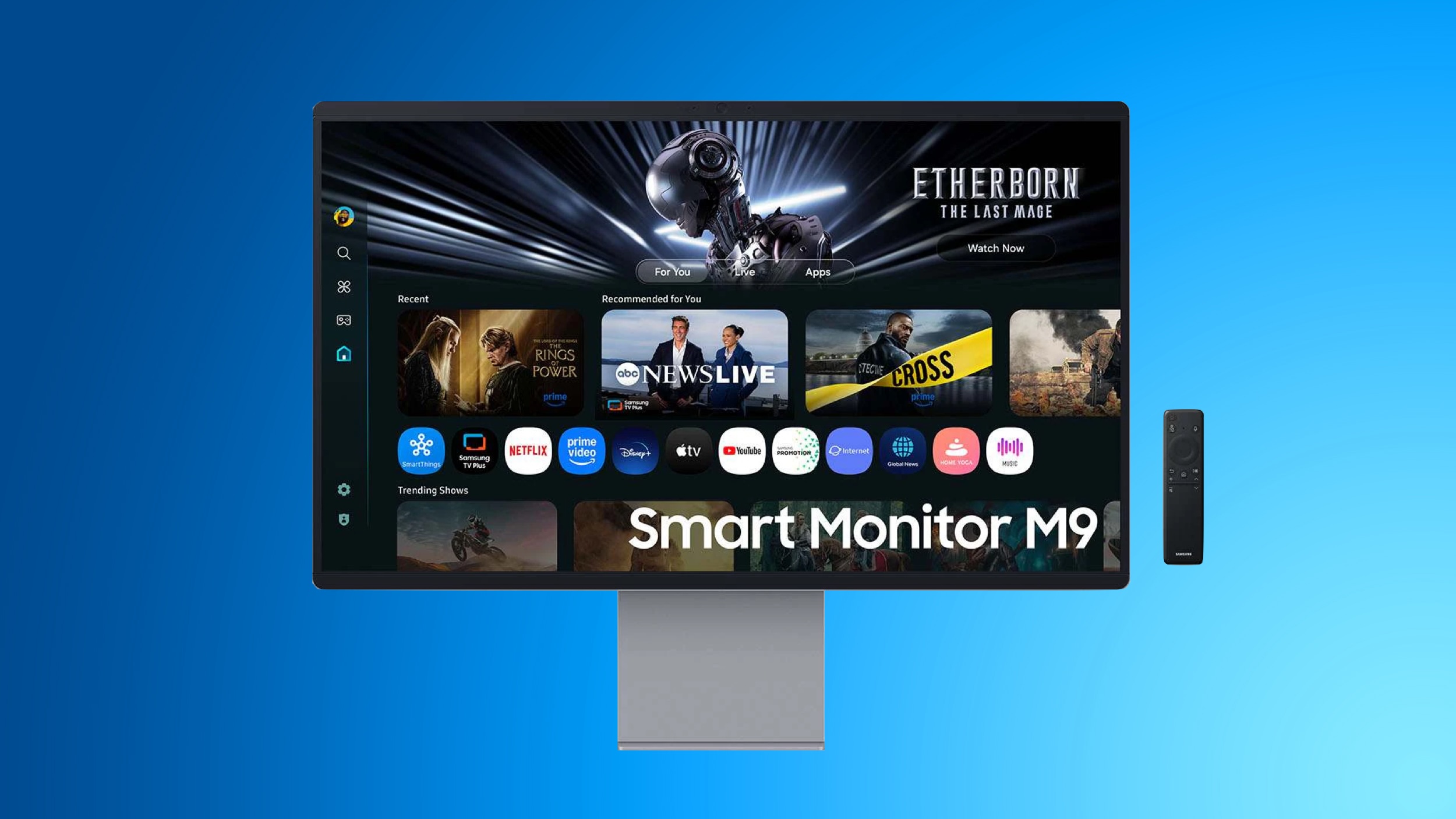
Last week, we started tracking a big Samsung sale on Amazon, including the return of the all-time low price on the newest Smart Monitor. This week, Samsung has expanded this sale to include even more monitors at all-time low prices, and it still includes the 32-inch Smart Monitor M9 for $1,299.99, down from $1,599.99.

Note: MacRumors is an affiliate partner with Amazon. When you click a link and make a purchase, we may receive a small payment, which helps us keep the site running.
This model of the Smart Monitor launched last summer, and today's sale is a match of the best price we've ever tracked, which is typically at Samsung.com. Today is one of the few times we've seen this low price on Amazon, and it has an estimated delivery date between February 20 and February 23.


Another new and notable Samsung monitor discount on Amazon is the 27-inch Odyssey 3D G90XF, which is available for $849.99, down from $1,999.99. This is a massive 58 percent discount on the monitor, hitting a new all-time low price on Amazon.


In addition to the Smart Monitor M9 sale, Amazon is offering extra savings if you purchase multiple select Samsung products this week. Purchasing two products from this landing page will get you an additional $100 off, three will get you $300 off, four will get you $400 off, and five will get you $500 off your total.

This list includes monitors, TVs, soundbars, and even cordless vacuums. We've gathered a few of the highlights in this sale below, but be sure to check out the full list on Amazon before the sale ends. Shoppers should note that Amazon has discounts on many of these products without the need of the bundle offers, but if you're interested in more than one you can get some extra savings by clicking the on-page coupons.


If you're on the hunt for more discounts, be sure to visit our Apple Deals roundup where we recap the best Apple-related bargains of the past week.


Deals Newsletter


Interested in hearing more about the best deals you can find in 2026? Sign up for our Deals Newsletter and we'll keep you updated so you don't miss the biggest deals of the season!


Related Roundup: Apple Deals

This article, "Samsung Expands Monitor Sale With Up to 58% Off on Amazon" first appeared on MacRumors.com

Discuss this article in our forums

  •  
❌