↩ Accueil

Vue lecture

Apple event confirmed, iOS 26.4 features, Apple AI devices 

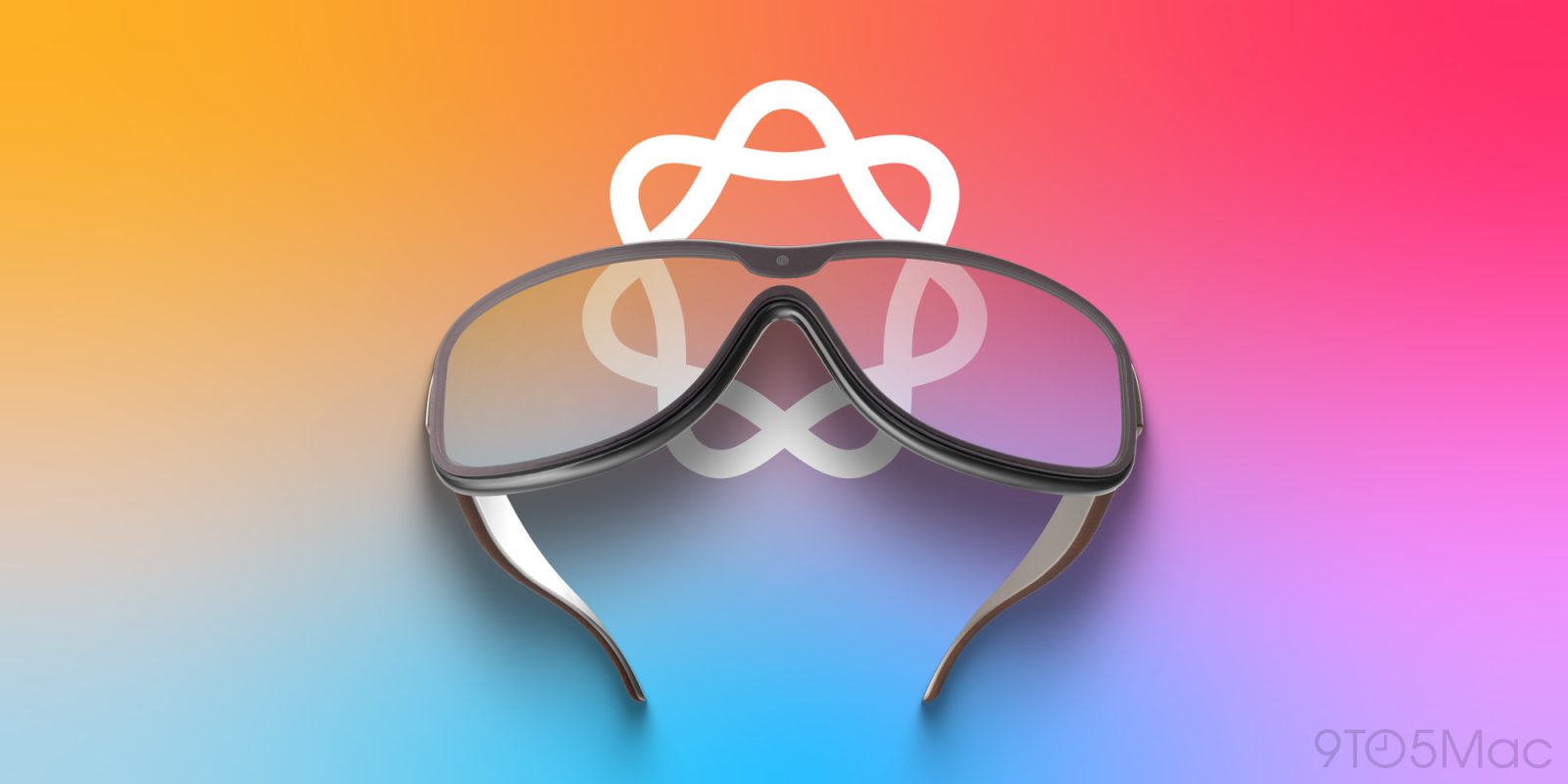
Benjamin and Chance discuss all the new features in iOS 26.4, which turned out to be a pretty packed release, even with the Siri features missing in action. Also, Apple confirms a product event for March 4, with rumors of new Macs and more in the air. Finally, Bloomberg reports Apple is advancing work on a suite of new AI devices, including glasses and a clip-on pendant. 

And in Happy Hour Plus, Benjamin plans his tech packing for his trip to Japan. Subscribe at 9to5mac.com/join

more…
  •  

Why ‘iPhone Fold’ can revive the foldable that even Google Pixel couldn’t make work [Gallery]

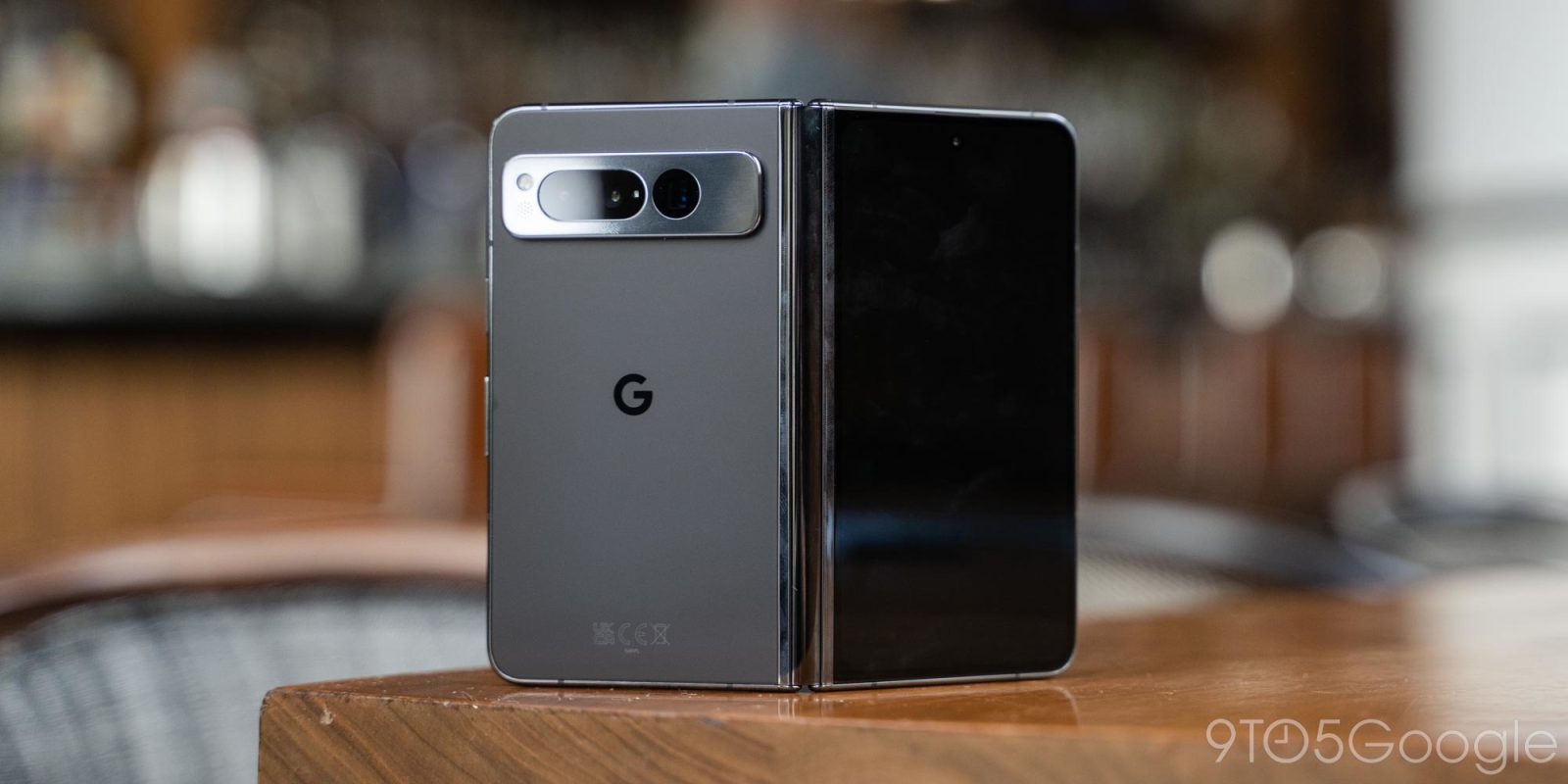
Foldables opened the door to a whole new world of smartphones just a few years ago, but somehow the entire Android market has settled into just two form factors – clamshell flip phones and book-style devices that just open up to double the width of a normal smartphone screen. As the inevitable “iPhone Fold” approaches, though, it seems Apple is looking to revive a form factor that Android brands, including Google Pixel, once tried, but failed to keep around, and there’s a clear reason why that happened.

more…
  •  

iPhone 16e Long-Term Review: What to Know Before the iPhone 17e Launches

As we approach the launch of the iPhone 17e, MacRumors videographer Dan Barbera decided to take a look back at the iPhone 16e. He goes over what it's been like using Apple's budget ‌iPhone‌ over the past 12 months, and whether it's worth choosing over one of Apple's more expensive models.


The ‌iPhone 16e‌ is $599, so it's $200 cheaper than the iPhone 17. ‌iPhone 16e‌ buyers didn't miss much in terms of performance or battery life compared to those who bought Apple's more expensive iPhones, but the device does only have a single camera, which is one of the main downsides.

There's a single-lens 48-megapixel Wide Angle lens, so no Telephoto and no Ultra Wide lens, which also means no macro support. The other major feature that's missing is MagSafe, which is majorly inconvenient since ‌MagSafe‌ charging is so prevalent. There's no Camera Control button, but that's easy to do without.

Apple used an older design for the ‌iPhone 16e‌, so it still has a tired-looking notch instead of the Dynamic Island, and it only comes in black or white so there are no fun colors to choose from. Other than the camera, design, and ‌MagSafe‌ shortcomings, the ‌iPhone 16e‌ is remarkably similar to Apple's other iPhones and you're not going to notice much in the way of day-to-day differences between the ‌iPhone 16e‌ and a higher-end model.

We definitely don't recommend buying an ‌iPhone 16e‌ right now, but the ‌iPhone‌ 17e that's going to launch very soon will absolutely be worth considering over Apple's more expensive flagship iPhones.

Rumors suggest the ‌iPhone‌ 17e is going to solve some of the problems that we had with the ‌iPhone 16e‌. It could get a ‌Dynamic Island‌ for the first time, adding all of the ‌Dynamic Island‌ features like Live Activities, and it's supposedly going to be updated with ‌MagSafe‌. We're also expecting Apple's upgraded C1X modem and the same A19 chip that's in the ‌iPhone 17‌.

As long as you don't mind the lack of extra cameras, the ‌iPhone‌ 17e, like the ‌iPhone 16e‌, is going to be a very competitive ‌iPhone‌ that gives you a lot of performance for the money. If you've been waiting to upgrade from an older device, the ‌iPhone‌ 17e has the potential to be a very good buy.
Related Roundup: iPhone 16e
Buyer's Guide: iPhone 16e (Don't Buy)
Related Forum: iPhone

This article, "iPhone 16e Long-Term Review: What to Know Before the iPhone 17e Launches" first appeared on MacRumors.com

Discuss this article in our forums

  •  

Apple Sued by West Virginia for Allegedly Allowing CSAM Distribution Through iCloud

West Virginia's Attorney General JB McCuskey today announced a lawsuit against Apple, accusing the company of knowingly allowing iCloud to be used to distribute and store child sexual abuse material (CSAM). McCuskey says that Apple has opted to "do nothing about it" for years.


"Preserving the privacy of child predators is absolutely inexcusable. And more importantly, it violates West Virginia law. Since Apple has so far refused to police themselves and do the morally right thing, I am filing this lawsuit to demand Apple follow the law, report these images, and stop re-victimizing children by allowing these images to be stored and shared," Attorney General JB McCuskey said.

According to the lawsuit [PDF], Apple has described itself as the "greatest platform for distributing child porn" internally, but it submits far fewer reports about CSAM than peers like Google and Meta.

Back in 2021, Apple announced new child safety features, including a system that would detect known CSAM in images stored in iCloud Photos. After backlash from customers, digital rights groups, child safety advocates, and security researchers, Apple decided to abandon its plans for CSAM detection in ‌iCloud Photos‌.

"Children can be protected without companies combing through personal data, and we will continue working with governments, child advocates, and other companies to help protect young people, preserve their right to privacy, and make the internet a safer place for children and for us all," Apple said when announcing that it would not implement the feature.

Apple later explained that creating a tool for scanning private ‌iCloud‌ data would "create new threat vectors for data thieves to find and exploit."

West Virginia's Attorney General says that Apple has shirked its responsibility to protect children under the guise of user privacy, and that Apple's decision not to deploy detection technology is a choice, not passive oversight. The lawsuit suggests that since Apple has end-to-end control over hardware, software, and cloud infrastructure, it is not able to claim to be an "unknowing, passive conduit of CSAM."

The lawsuit is seeking punitive damages and injunctive relief requiring Apple to implement effective CSAM detection measures.

Apple was also sued in 2024 over its decision to abandon CSAM detection. A lawsuit representing a potential group of 2,680 victims said that Apple's failure to implement CSAM monitoring tools has caused ongoing harm to victims. That lawsuit is seeking $1.2 billion.
This article, "Apple Sued by West Virginia for Allegedly Allowing CSAM Distribution Through iCloud" first appeared on MacRumors.com

Discuss this article in our forums

  •  

MLS 2026 Season Begins February 21 on Apple TV With Free Access for Subscribers

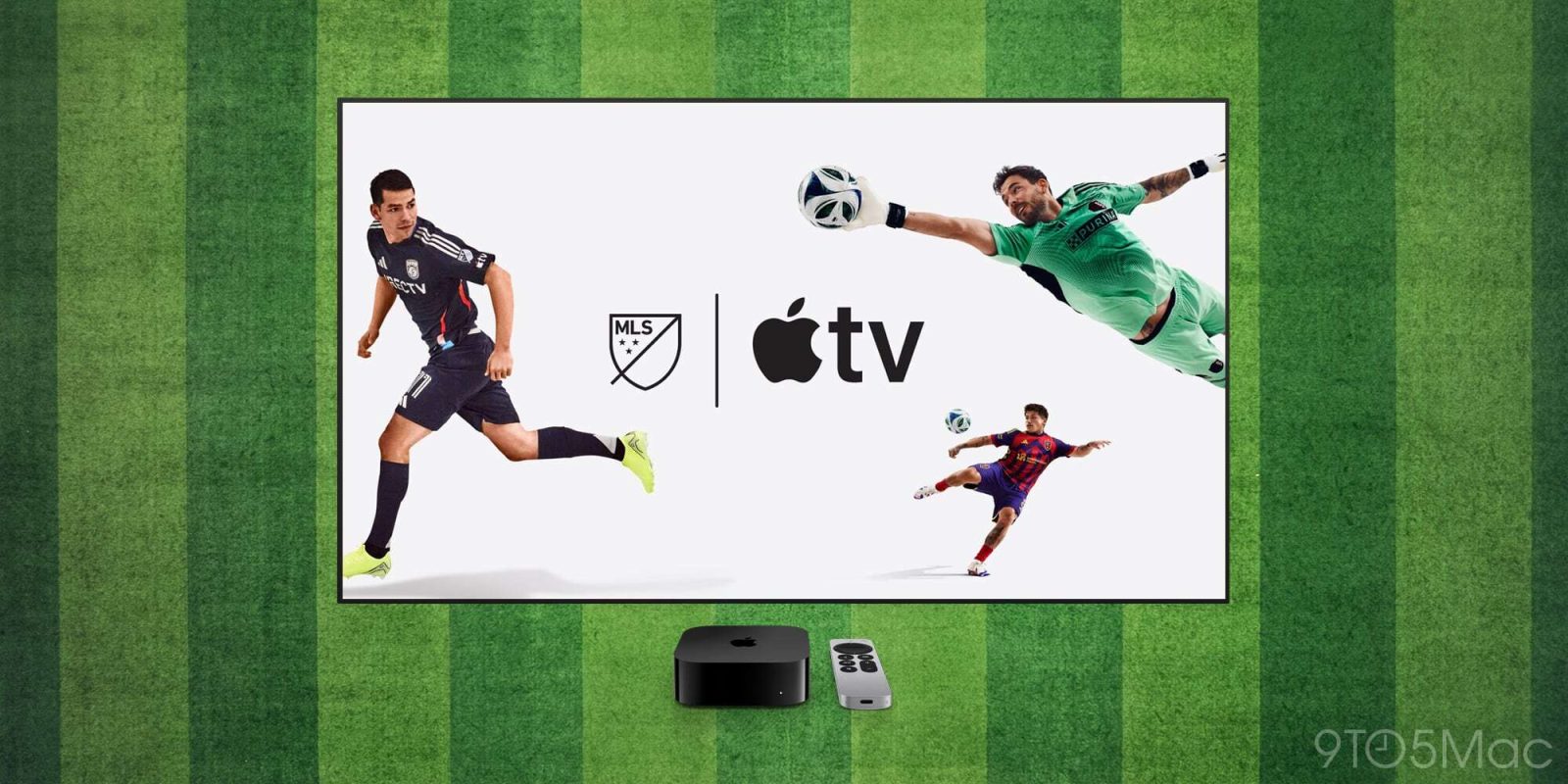
The 31st Major League Soccer season is set to begin on Saturday, February 21, with games set to be available through the Apple TV subscription service. ‌Apple TV‌ subscribers in more than 100 countries can access MLS matches with no blackouts and no additional fees.


Apple used to charge $14.99 per month or $99 for the MLS Season Pass, but the Season Pass was removed for the 2026 season to give all ‌Apple TV‌ subscribers access for free. MLS is aiming to expand its fanbase and make content easier to access through its partnership with Apple.

Apple says that MLS on ‌Apple TV‌ will include Walmart Saturday Showdown, which spotlights a featured matchup during the Saturday slate of matches throughout the regular season. It will include enhanced production that's designed to "help viewers feel more connected to the match," with Shot on iPhone moments captured with dynamic angles. This week's Saturday Showdown will feature LAFC vs Miami at the LA Memorial Coliseum. The game is set to begin at 9:30 p.m. Eastern Time.

All 30 MLS teams will take the pitch on February 21 and February 22 for MLS is Back Weekend. 13 of 15 season openers are scheduled for Saturday, with two games on Sunday. The season will begin with St. Louis facing off against Charlotte at 2:30 p.m. Eastern Time. A full schedule can be found on the MLS website.

Soccer fans can keep up to date with scores, stats, and standings throughout the MLS season with the Apple Sports app. The app offers Live Activities for all MLS matches, with live scores and play-by-play information. Apple will also have special curated playlists on Apple Music, dedicated Matchday Guides in Apple Maps, an MLS hub in the Apple Podcasts app, and MLS info in Apple News.
This article, "MLS 2026 Season Begins February 21 on Apple TV With Free Access for Subscribers" first appeared on MacRumors.com

Discuss this article in our forums

  •  

Deals: 1TB M4 MacBook Air rare $200 off, iPhone 15 Pro for $539, 40% off Sport Band, M5 iPad Pro lows, more

Alongside the ongoing all-time lows on some of the more affordable 11-inch M5 iPad Pro models at nearly $200 off, today’s 9to5Toys Lunch Break is also highlighting a rare $200 price drop on this 1TB M4 MacBook Air config. From there, folks not interested in current models can land the most affordable iPhone 15 Pro at $460 off the original list price (deals from $539), the best price to date on Apple’s latest Neon Yellow Sport Band at 40% off, and its official 40W Dynamic Power Adapter at $27. Everything awaits below. 

more…
  •  

Rivian Releases Apple Watch App

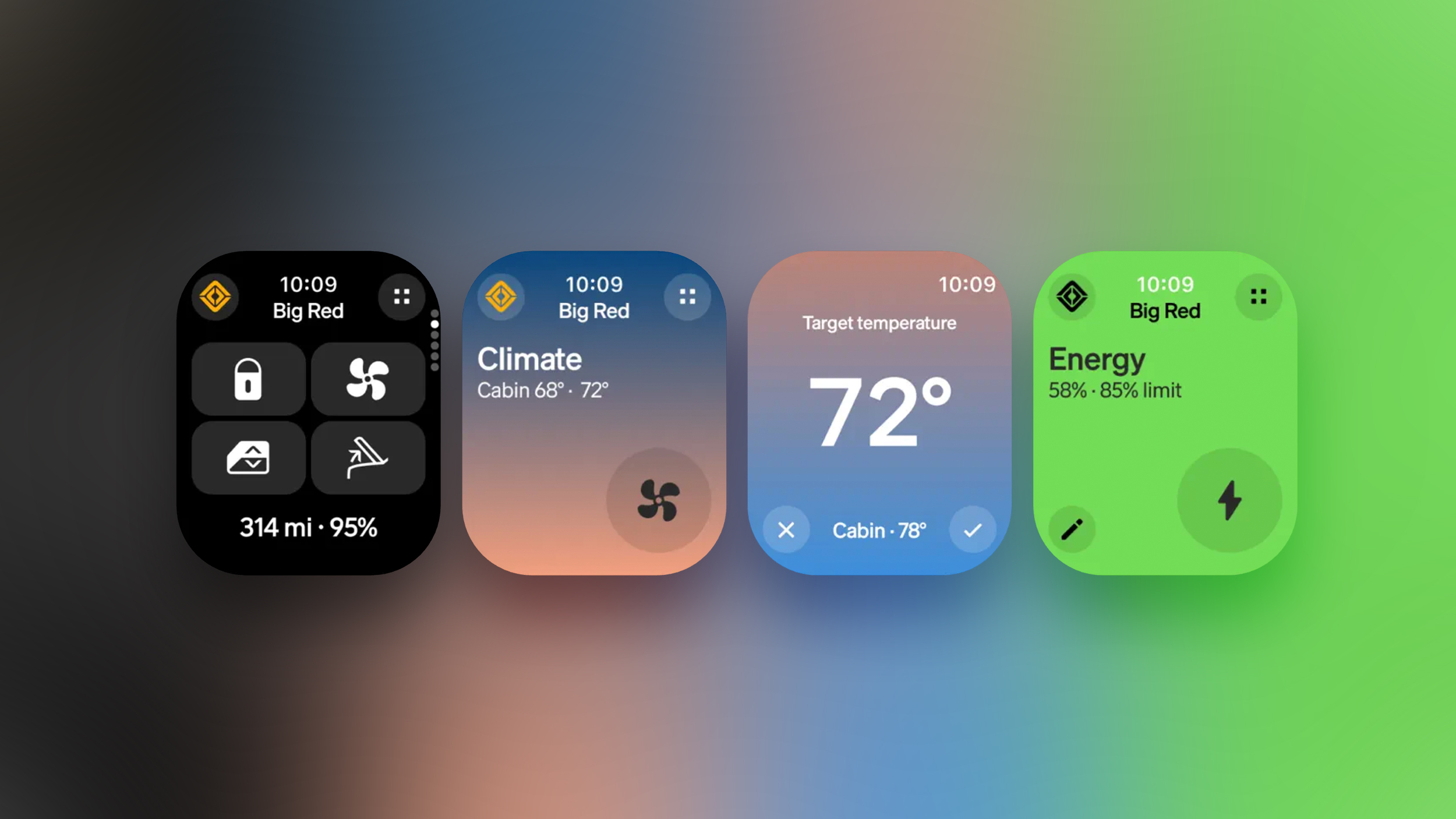
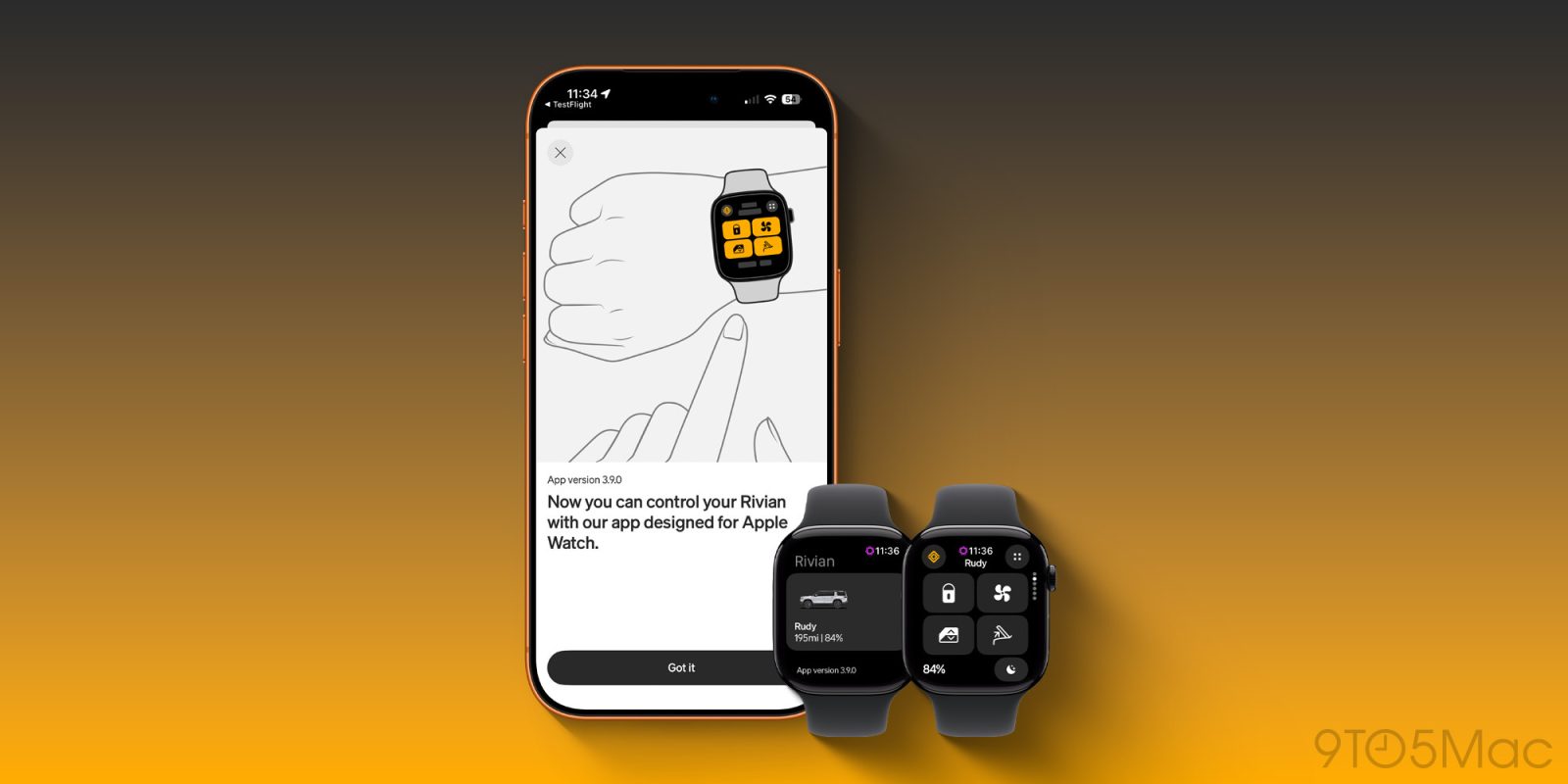
As expected, electric vehicle maker Rivian today released an Apple Watch app, providing R1S and R1T drivers with convenient features on their wrist.


The app lets you choose up to four one-tap controls for locking or unlocking doors, opening or closing the windows, opening the front or rear trunks, sounding the vehicle's alarm, and more. In addition, you can turn the Apple Watch's Digital Crown to adjust the vehicle's cabin temperature and battery charging target in the app.

Rivian also offers an Apple Watch complication, allowing you to view the vehicle's charge level at a glance on your watch face.

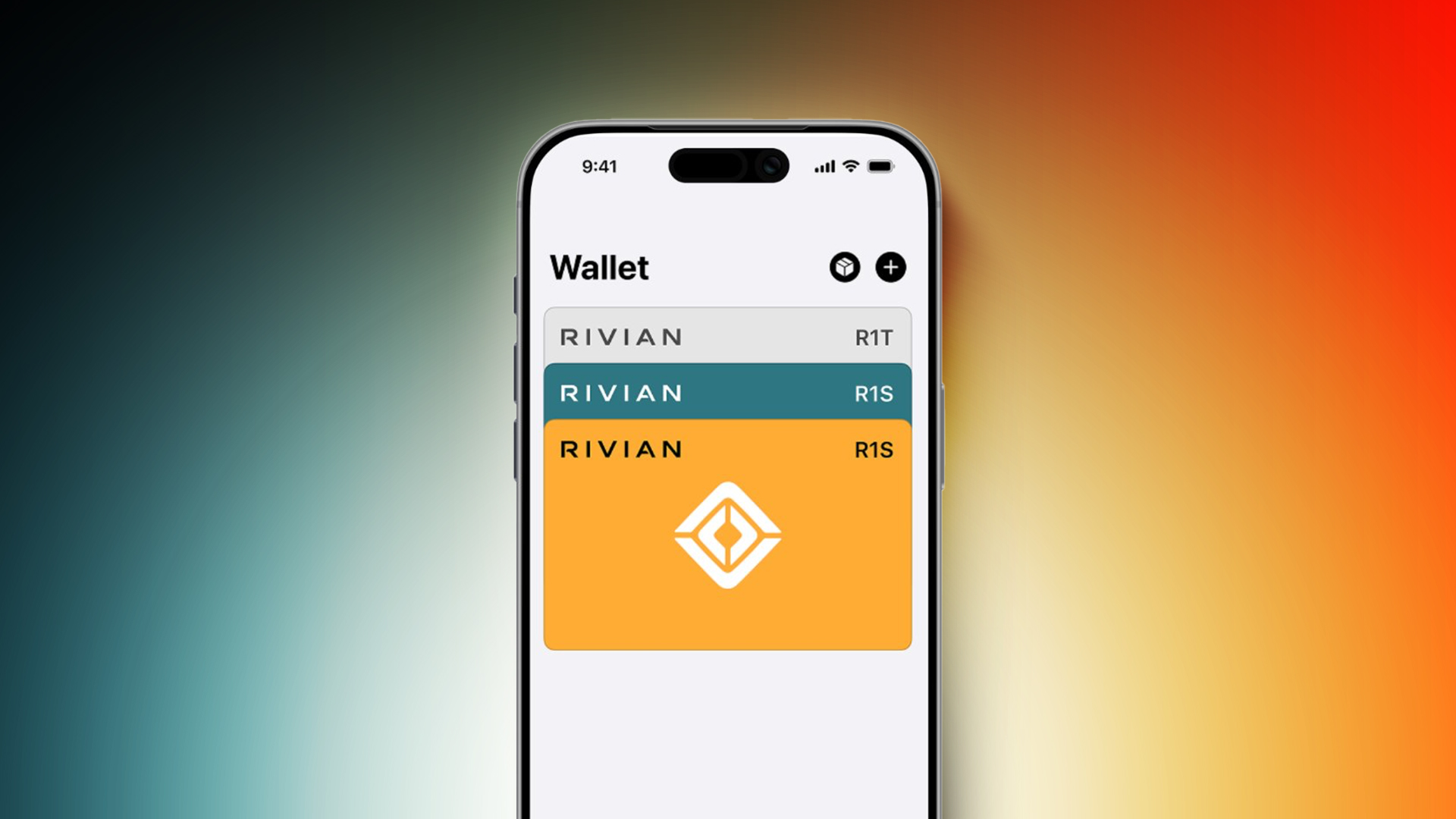
Rivian recently rolled out Apple Wallet car key support for its second-generation R1S and R1T vehicles. This feature utilizes Ultra Wideband technology, allowing you to simply approach the vehicle, open the door, and start the vehicle, all with your iPhone in your pocket or bag or your Apple Watch on your wrist.


Passive entry functionality requires an iPhone 11 or newer (excluding iPhone SE and iPhone 16e models) or an Apple Watch Series 6 or newer.

If you have a first-generation R1S or R1T model, digital key functionality is a bit more limited. You can lock or unlock the vehicle with a tap of the "lock" button in the app. "With the app open, you're ready to drive," says Rivian, for these models.

To get the Apple Watch app, head to the App Store and install the latest version of the Rivian app for the iPhone, and it will extend to the Apple Watch.
Related Roundup: Apple Watch 11
Buyer's Guide: Apple Watch (Neutral)

This article, "Rivian Releases Apple Watch App" first appeared on MacRumors.com

Discuss this article in our forums

  •  

Dell's Sitewide Sale Discounts Alienware Monitors and More

Dell has a big sale running this week on multiple product categories, and it includes accessories not only from Dell but also Alienware, Logitech, Bose, and JBL. We're primarily focusing on monitors in this sale, but you can also find up to $900 off laptops, PCs, and more.

Note: MacRumors is an affiliate partner with Dell. When you click a link and make a purchase, we may receive a small payment, which helps us keep the site running.

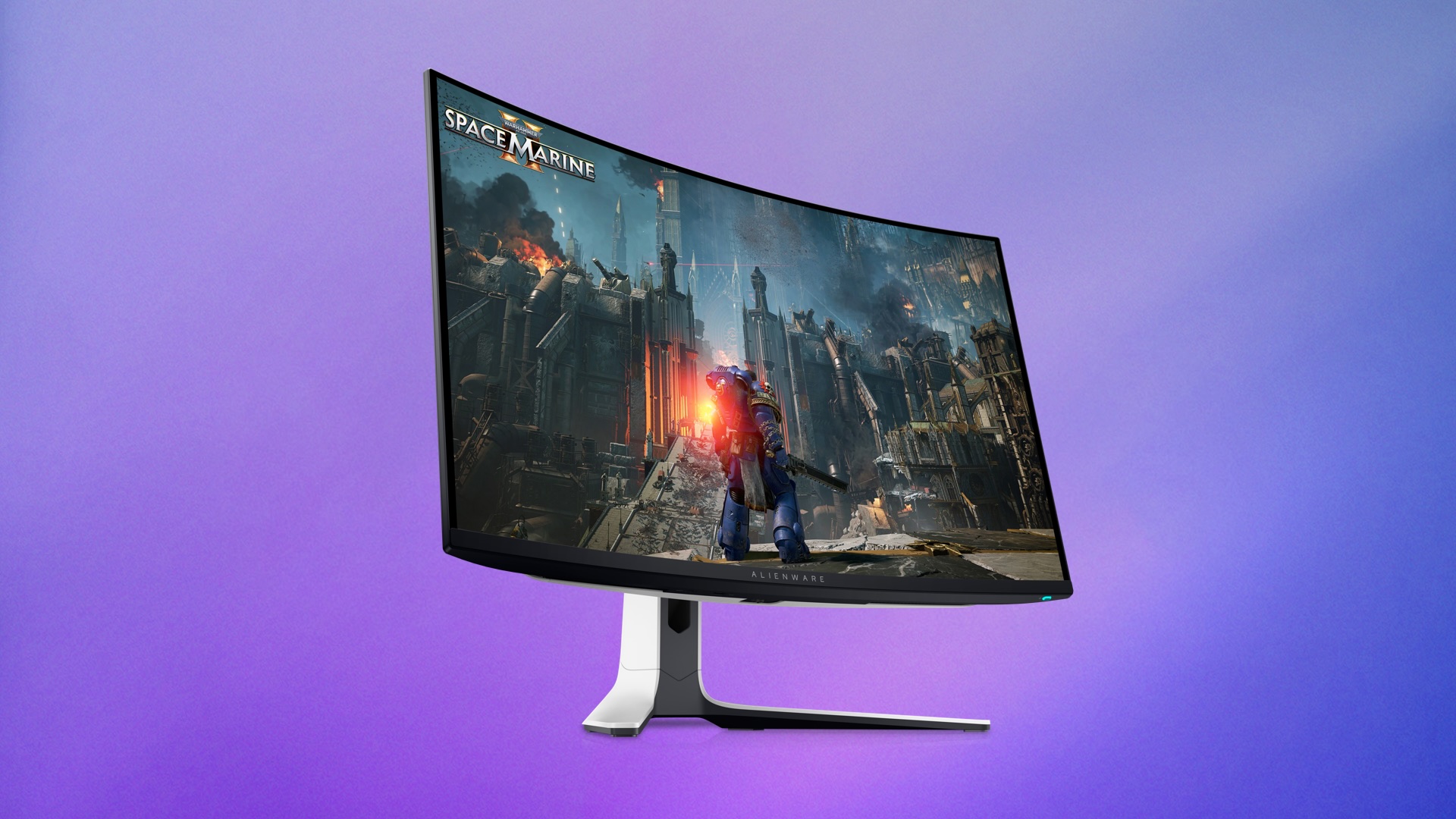
In regards to the monitor deals, you'll find up to $200 off select monitors from multiple brands in this event. This includes popular Alienware gaming monitors, like the 27-inch Alienware 4K QD-OLED Gaming Monitor for $699.99, down from $899.99.


We're also tracking deals on everything from gaming mice to Bluetooth speakers and earbuds during this event. You can find some of the highlights in the lists below, but be sure to visit Dell's website to browse the full sale.

Monitors


Accessories


If you're on the hunt for more discounts, be sure to visit our Apple Deals roundup where we recap the best Apple-related bargains of the past week.


Deals Newsletter


Interested in hearing more about the best deals you can find in 2026? Sign up for our Deals Newsletter and we'll keep you updated so you don't miss the biggest deals of the season!


Related Roundup: Apple Deals

This article, "Dell's Sitewide Sale Discounts Alienware Monitors and More" first appeared on MacRumors.com

Discuss this article in our forums

  •  

Apple Watch: 15 Tips Every Owner Needs to Know

Apple Watch is now eleven generations in, and packed with useful features that are easy to miss at first glance. To help you get more out of your new device, we've rounded up 15 practical tips you might not have discovered yet, including a few that long-time users often overlook.


Bounce Between Two Apps

watch
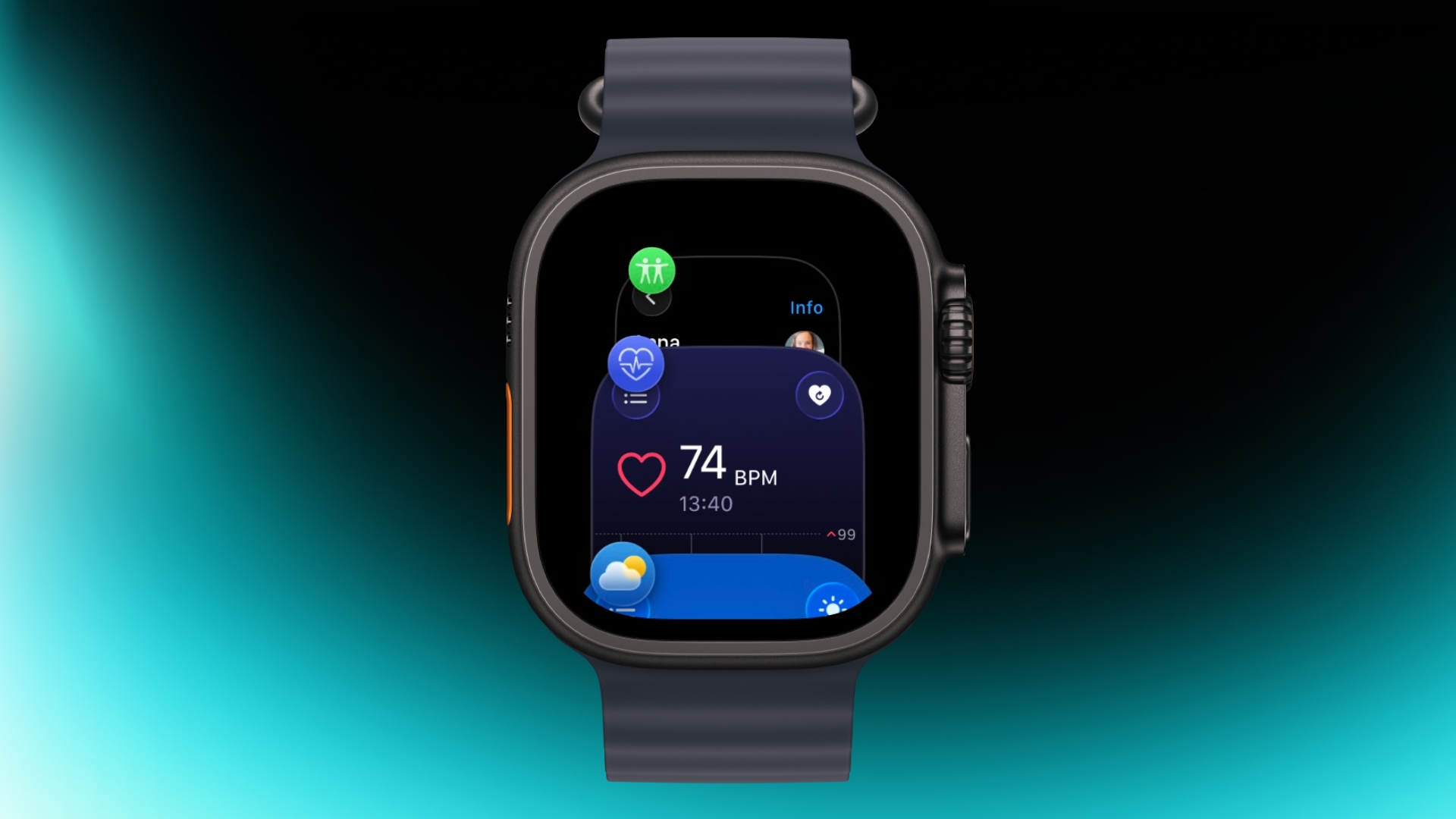
On your Apple Watch, double-press the Digital Crown to see a deck of all currently open apps, and turn it to scroll through them. From this view, you can jump back to the last app you were using. Simply tap on an app screen to switch to it, or swipe left on its card and tap the red X button to quit it.

Switch App Views

app view
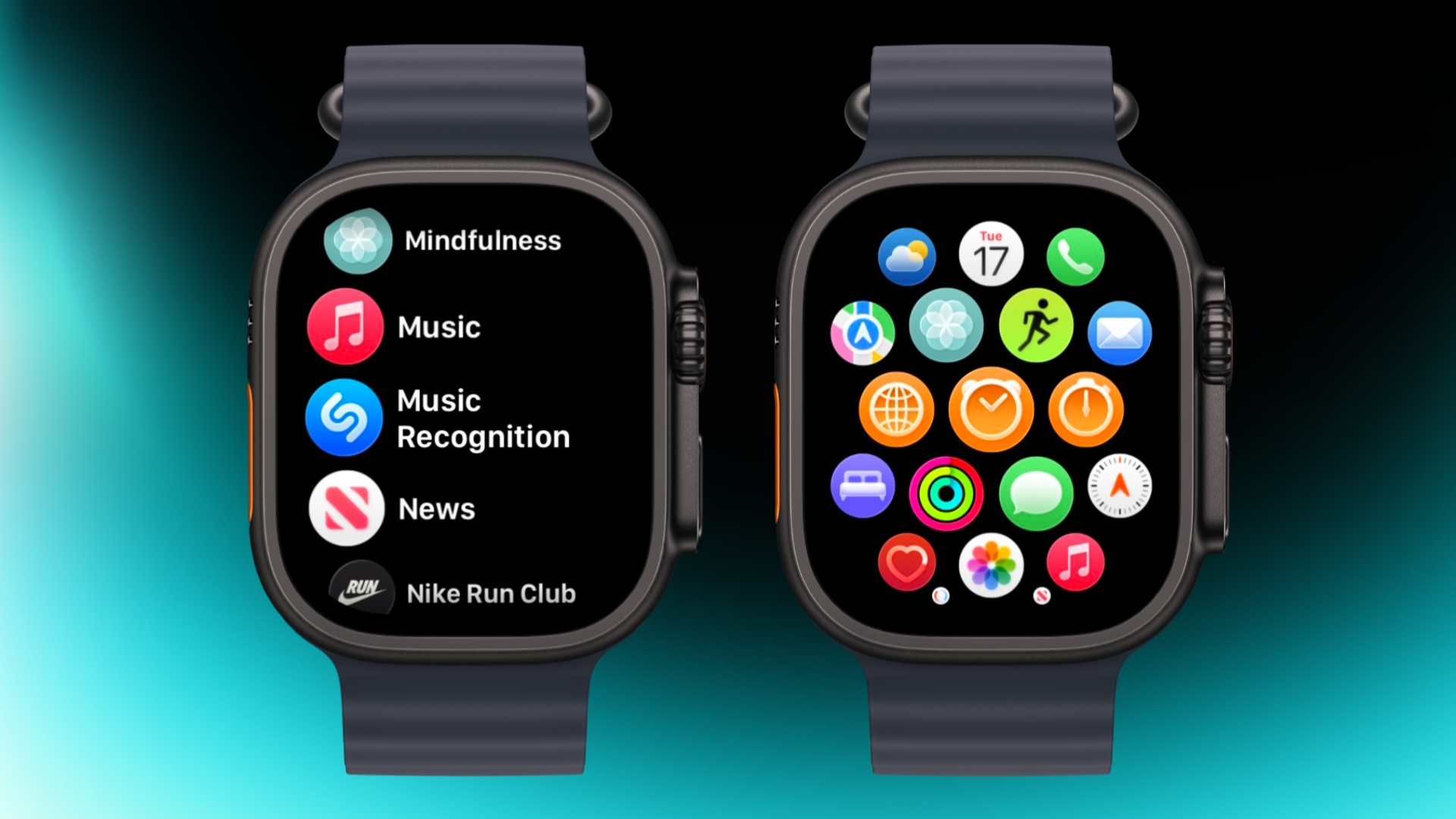
If the app grid feels messy, switch to List View. Open the Watch app on iPhone, tap App View, and choose List View. From then on, pressing the Digital Crown will show your apps in a simple, scrollable list.

Rearrange Apps

watch app
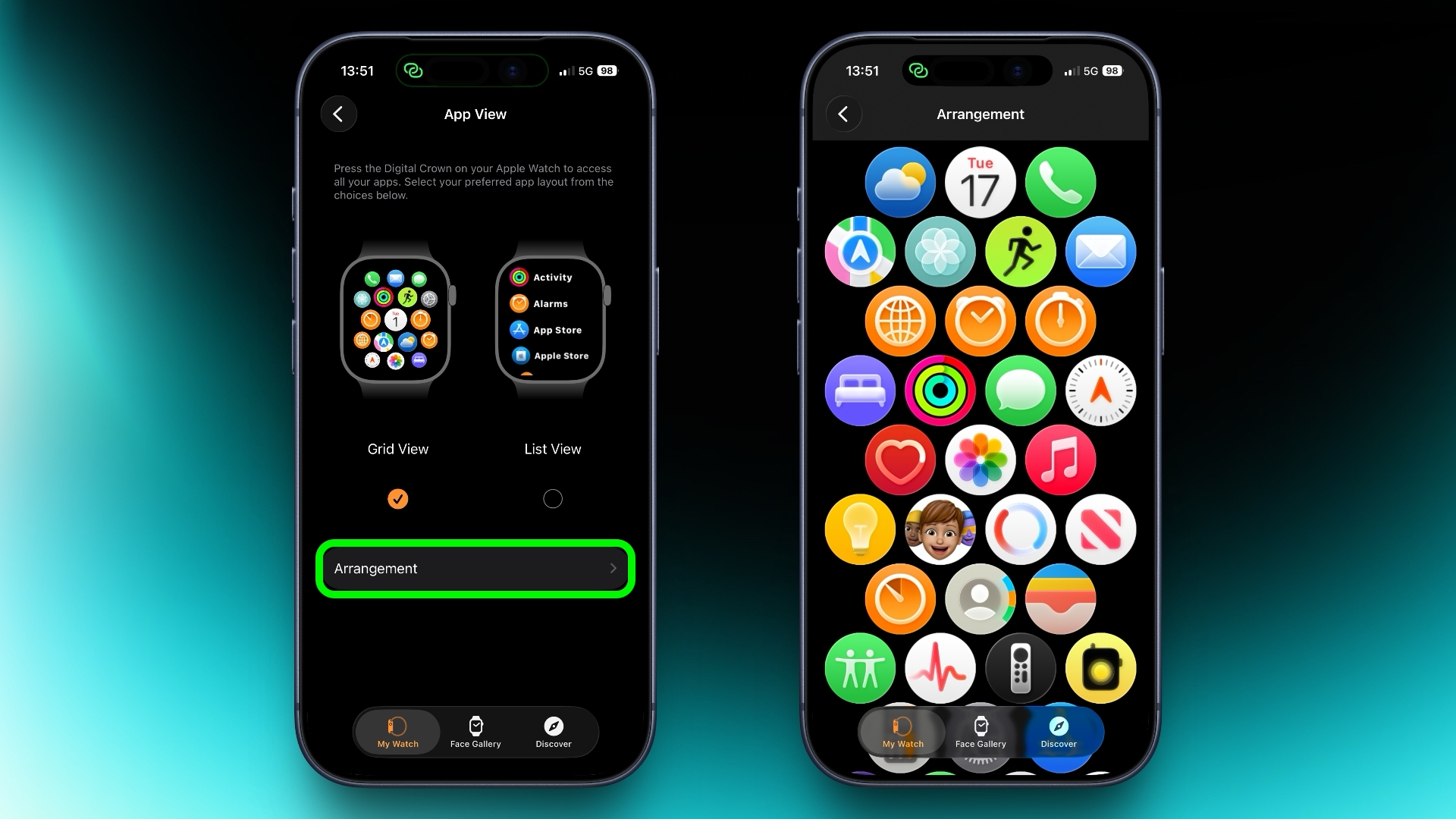
You can rearrange your apps so that the ones you use most are closer to hand. Simply press and hold on any app in the grid view, then drag it where you want. Alternatively, open the Watch app on your iPhone, go to App View ➝ Arrangement, and move things around there instead.

Ping Your iPhone

ping
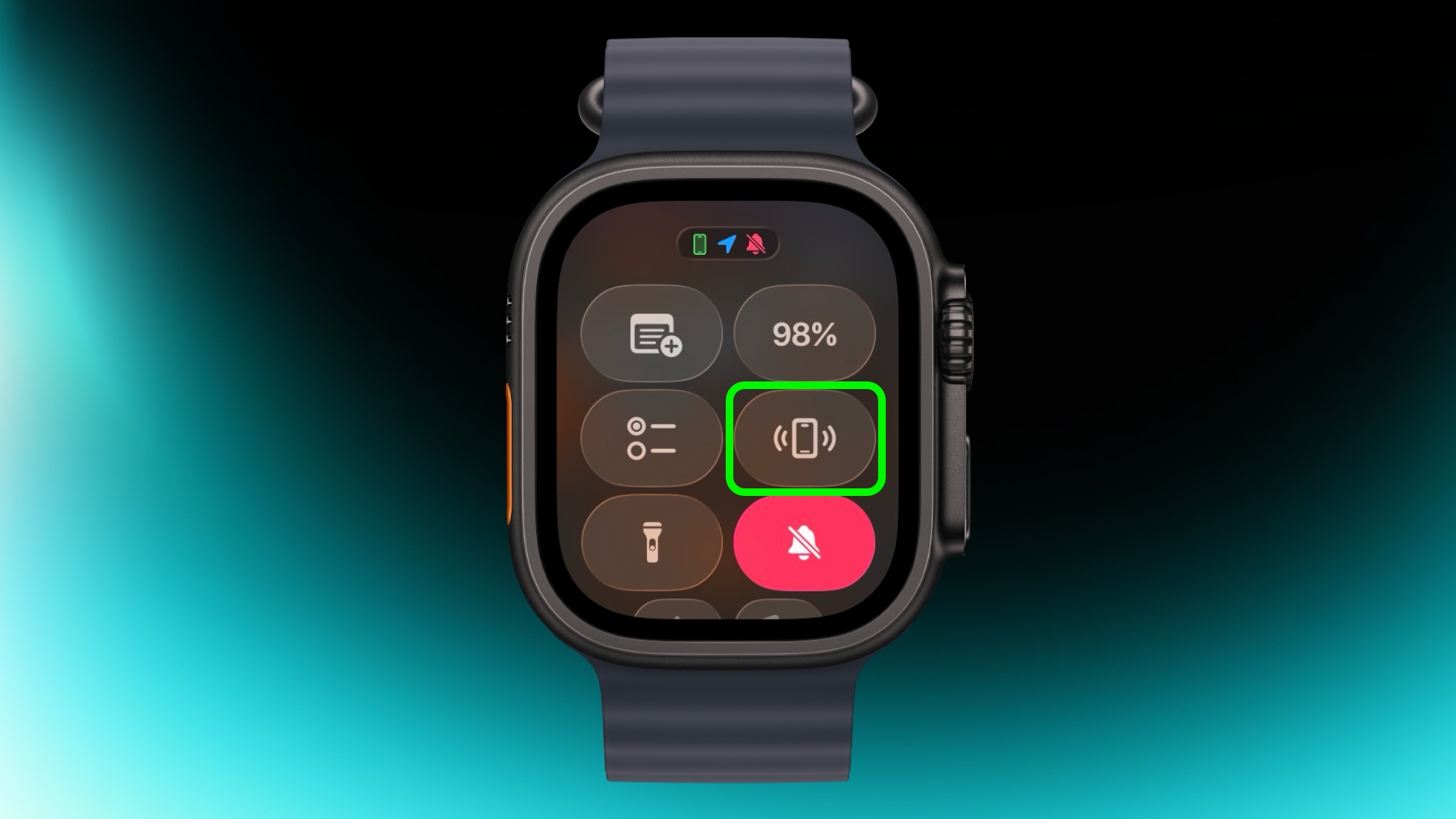
If you've misplaced your iPhone but you're sure it's nearby, open Control Center with a press of the Side button, then tap the phone icon to make it ping. Press and hold that icon and the iPhone's camera flash will blink too, which can help if it's hidden under something.

Skip the Countdown

workout
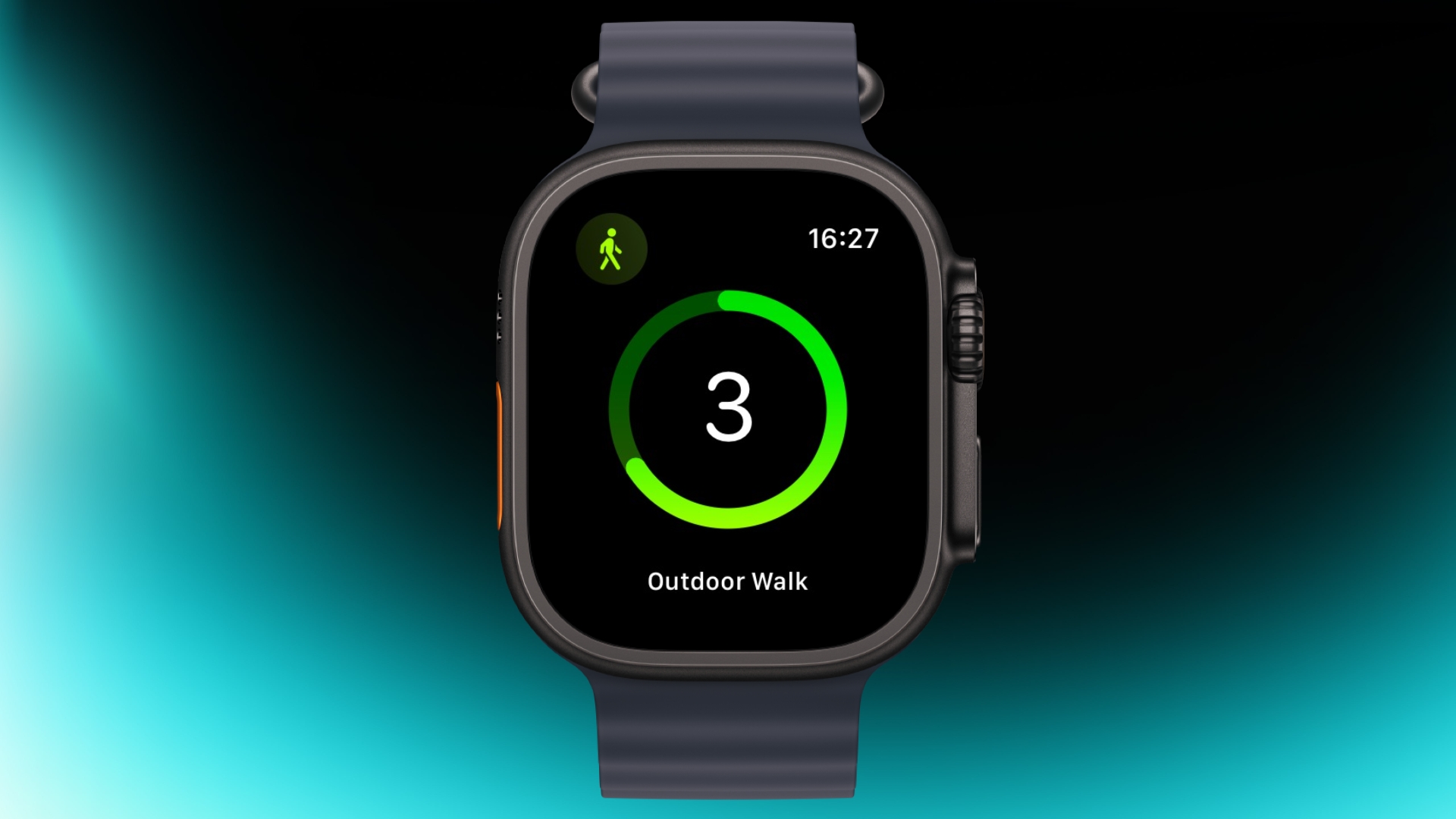
If you're eager to start a workout, the three-second countdown before it starts can be skipped. Just tap the screen when the countdown begins and your workout will start immediately. If you find yourself doing this regularly, consider turning on Precision Start in Settings ➝ Workout.

Customize Vibration Strength

haptics
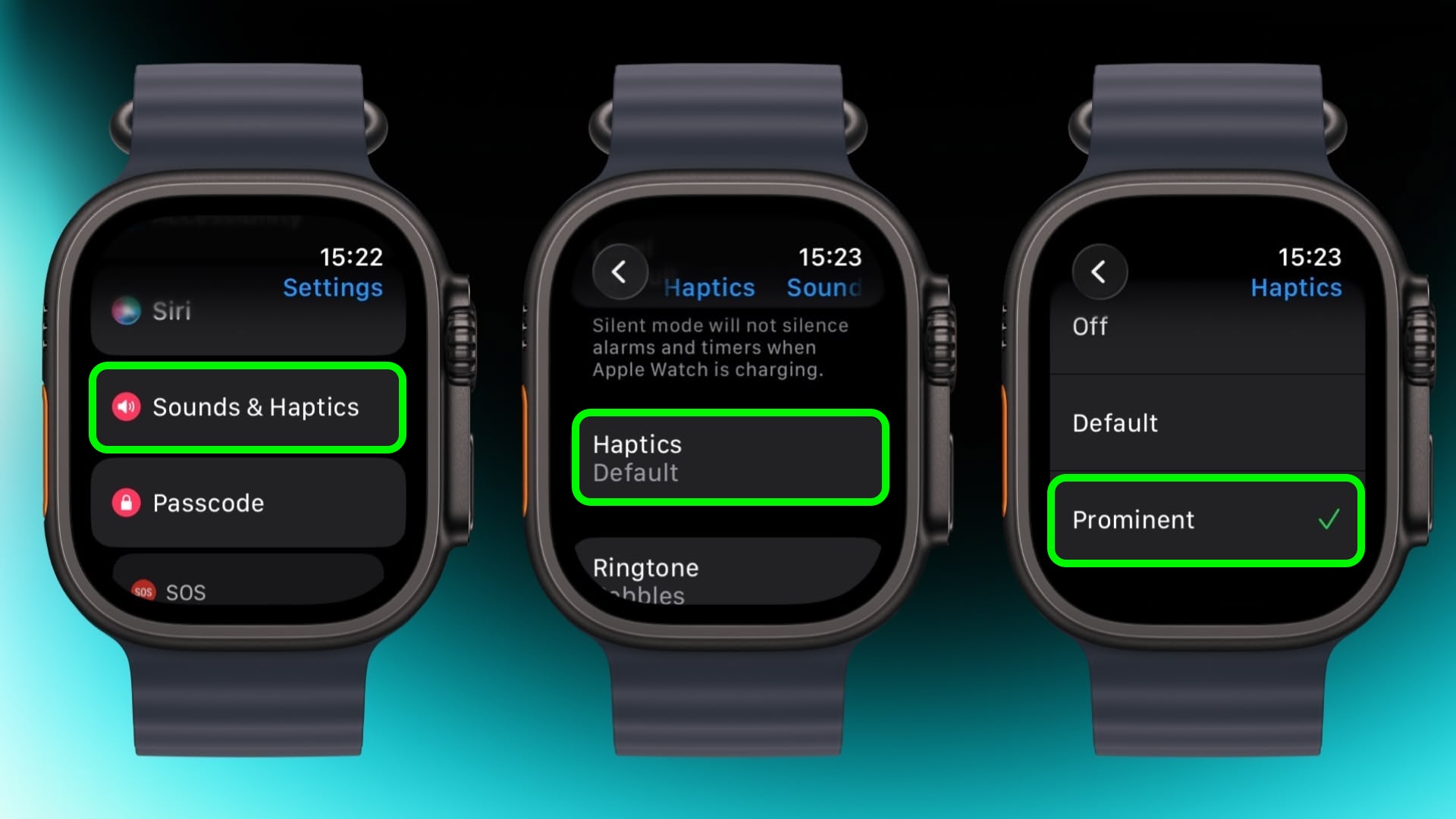
If you keep missing notifications, go to Settings ➝ Sounds & Haptics ➝ and change from Default to Prominent. This adds an extra tap pattern before alerts so they're harder to ignore.

Perform Precision Timing

chronograph
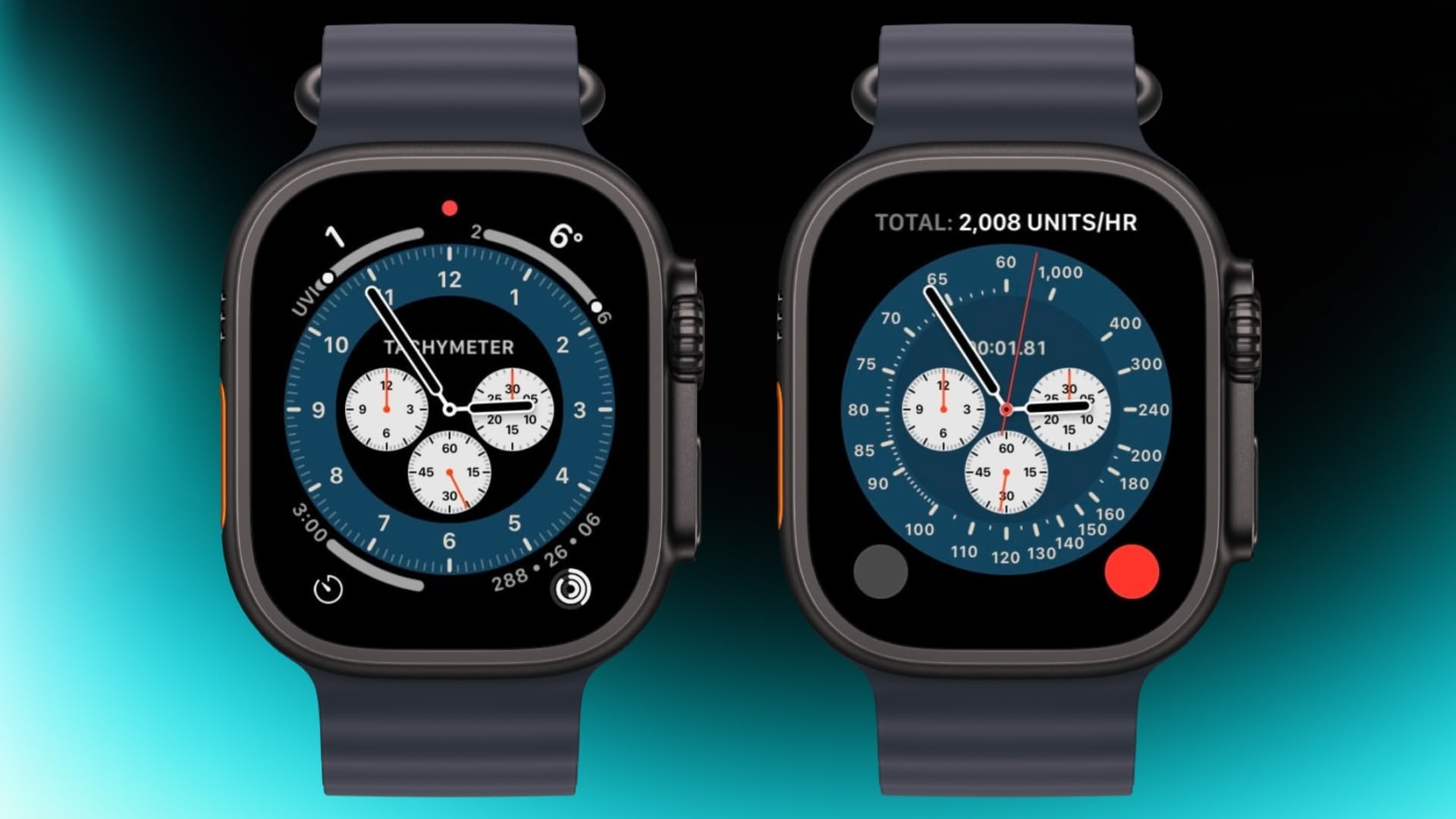
The Chronograph Pro watch face transforms into an actual chronograph. Tap the outer edge surrounding the main 12-hour dial on this watch face to record time on scales of 60, 30, 6, or 3 seconds. Alternatively, select the tachymeter timescale to measure speed based on time travel over a fixed distance.

Jump to the Top
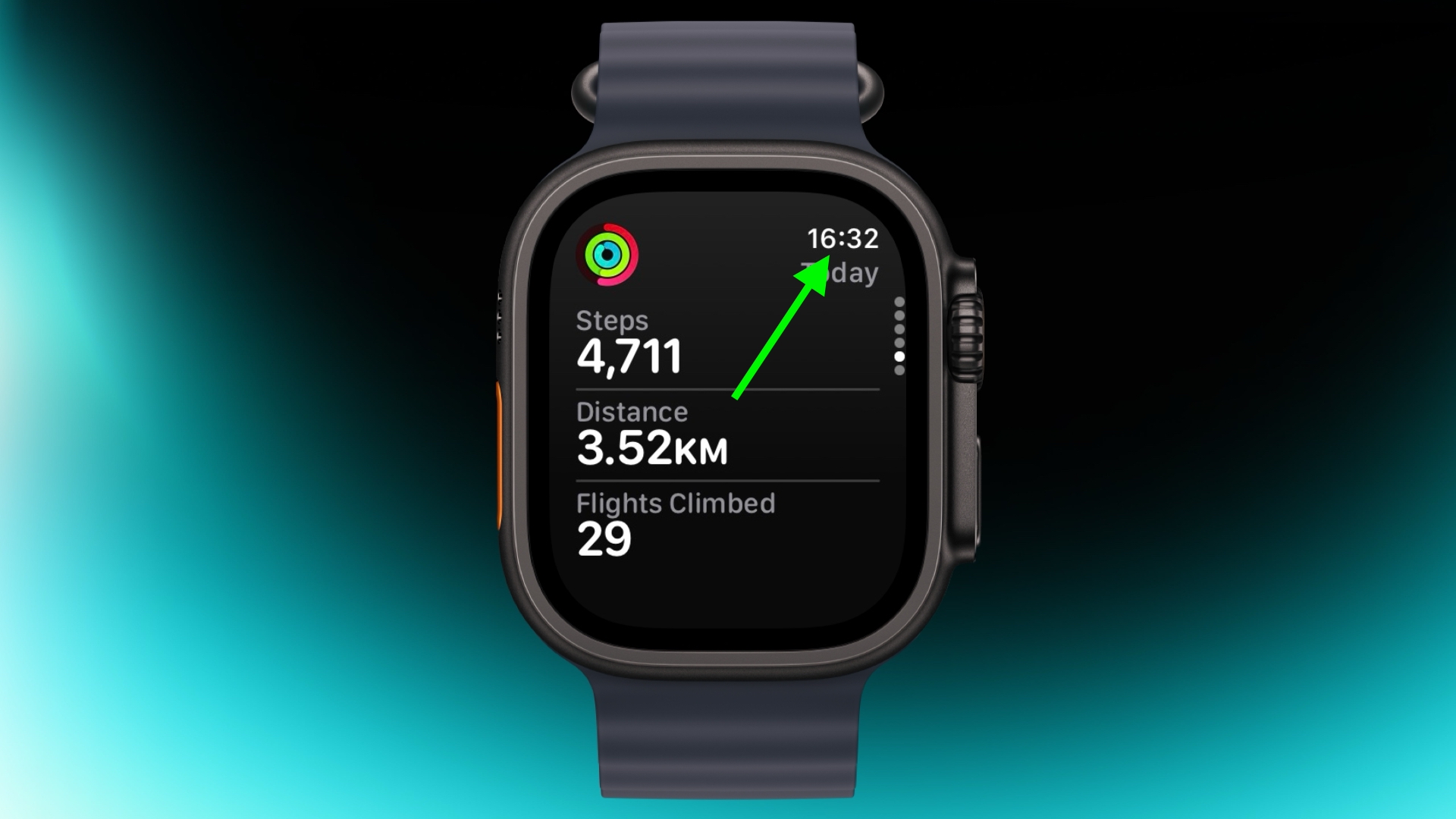

jump to top
If you've scrolled way down in an app and want to jump back to the top, just tap the time in the top corner of the screen. It works in most apps and saves a lot of scrolling.

Remove Apps
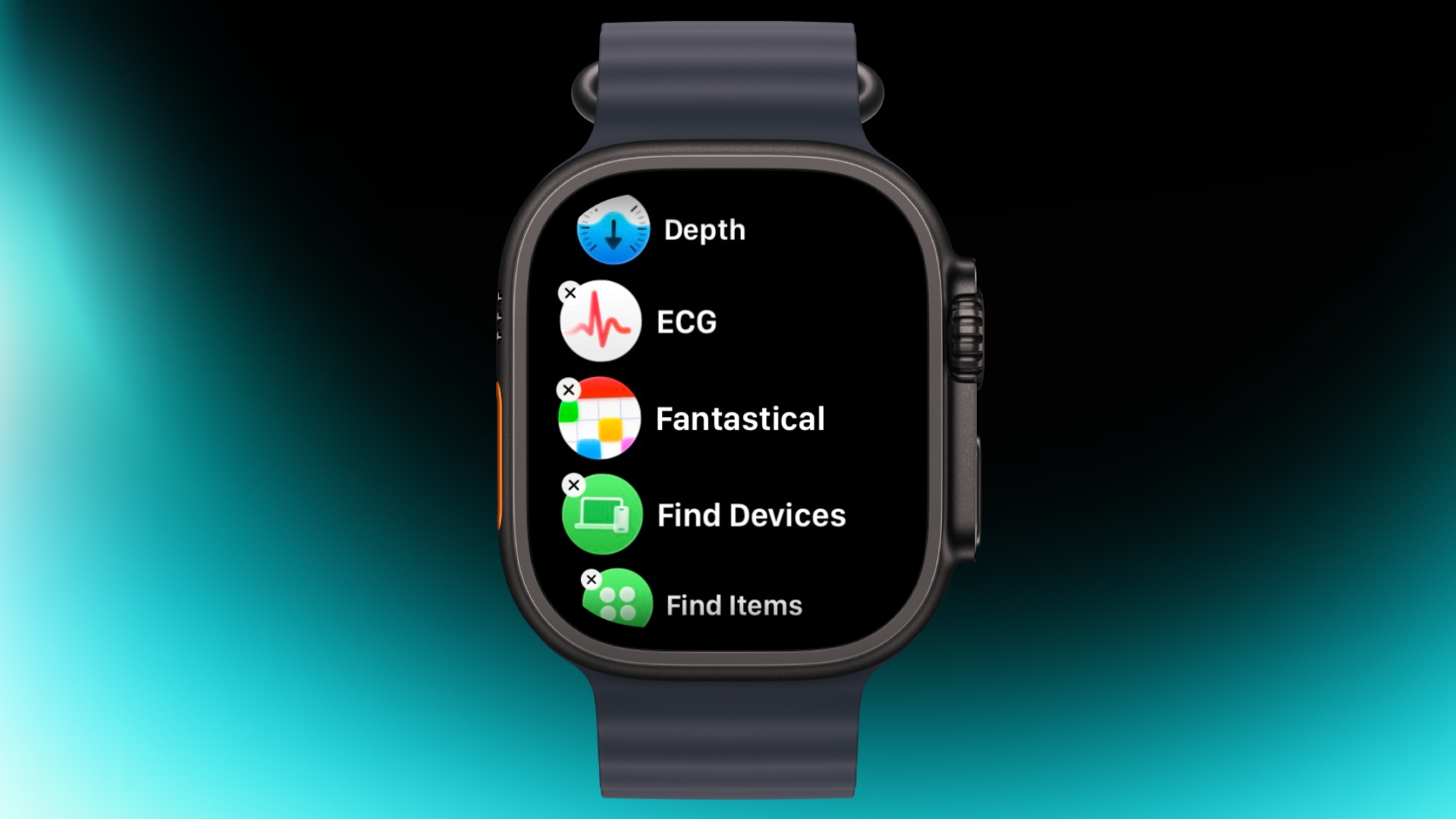

apps view
Clearing out apps you don't use on your Apple Watch is easy. In the List or Grid View, press and hold on the screen until the apps jiggle, then tap the small x in the corner of the app icon to delete it. This works for most system apps and all third-party apps.

Customize Control Center
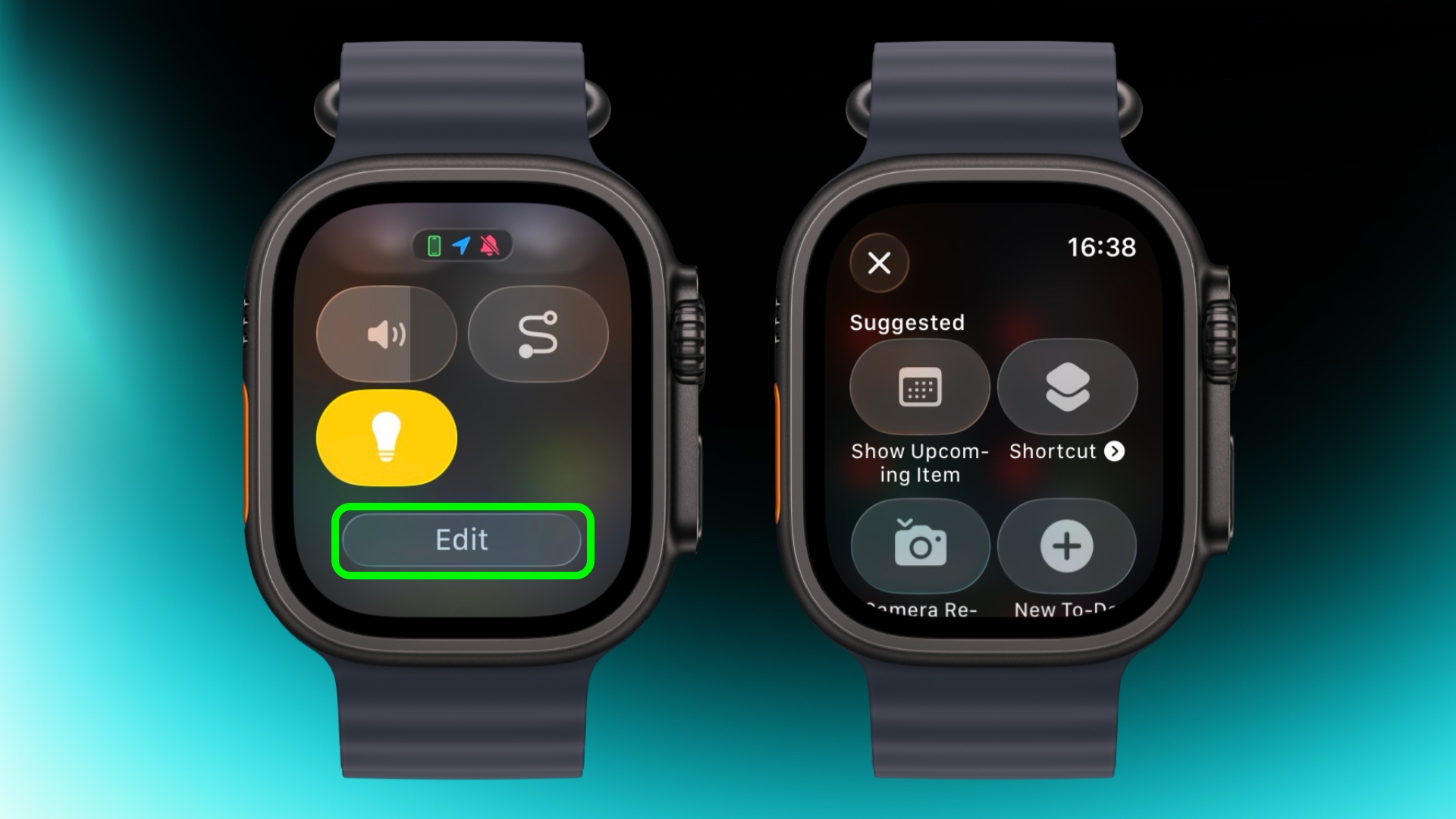

control center
By default, Control Center (accessed via the Side button) gives you quick access to things like Wi-Fi, battery, and Do Not Disturb. But it's worth seeing what else you can add to it that you'd like quick access to. Tap the Edit button at the bottom, then tap the + icon in the top-left corner of the screen. System options such as New Note and Lights are particularly handy, and you might see some third-party options listed too, depending on your installed apps.

Speak the Time Out Loud
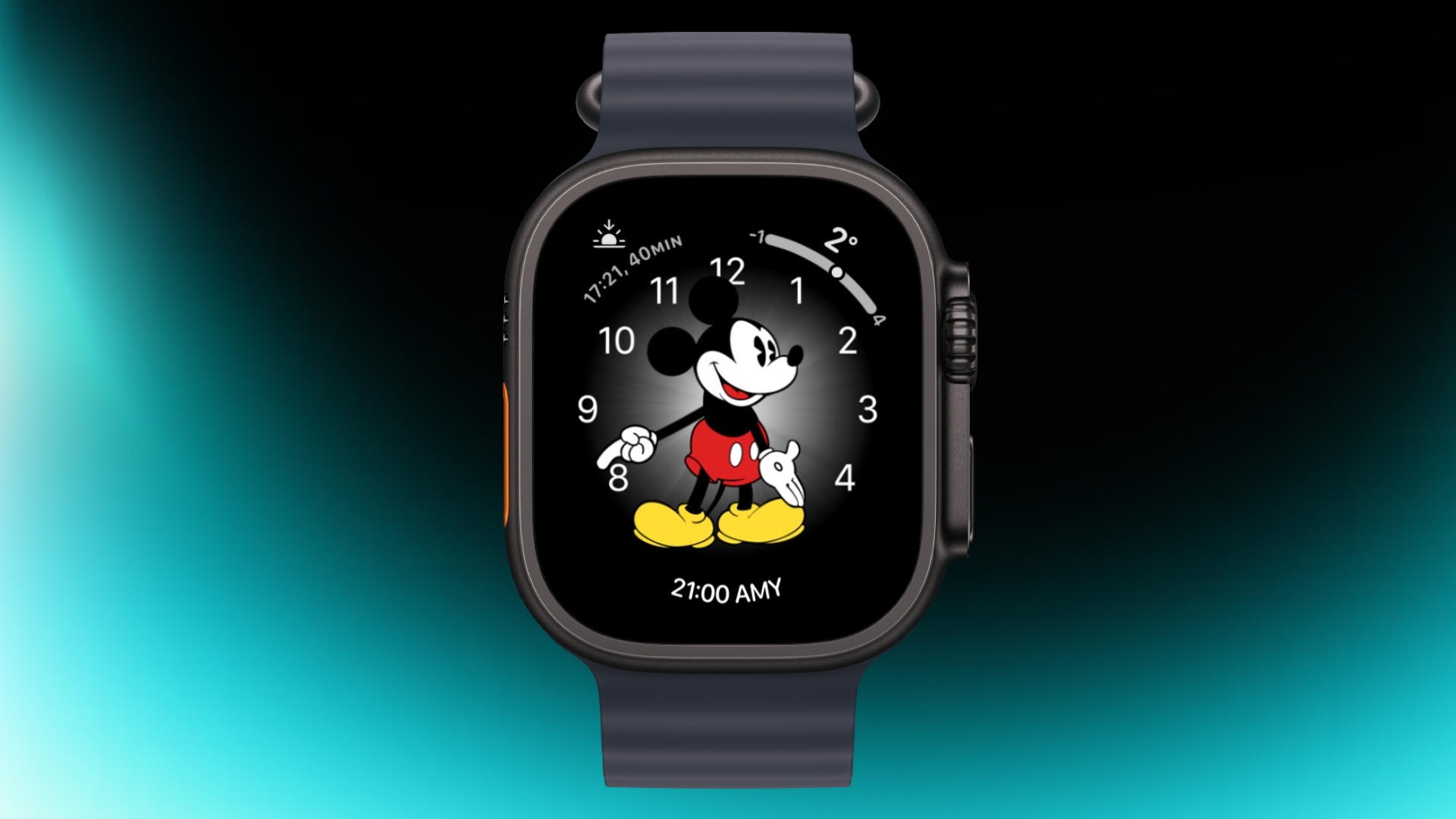

mickey
If you're using the Mickey or Minnie watch face, tap on the character and they'll speak the time out loud. Just make sure your sound is turned on. In fact, you can also have Siri read the time on any watch face by tapping and holding with two fingers on the display. Again though, sound needs to be enabled.

Customize Smart Replies
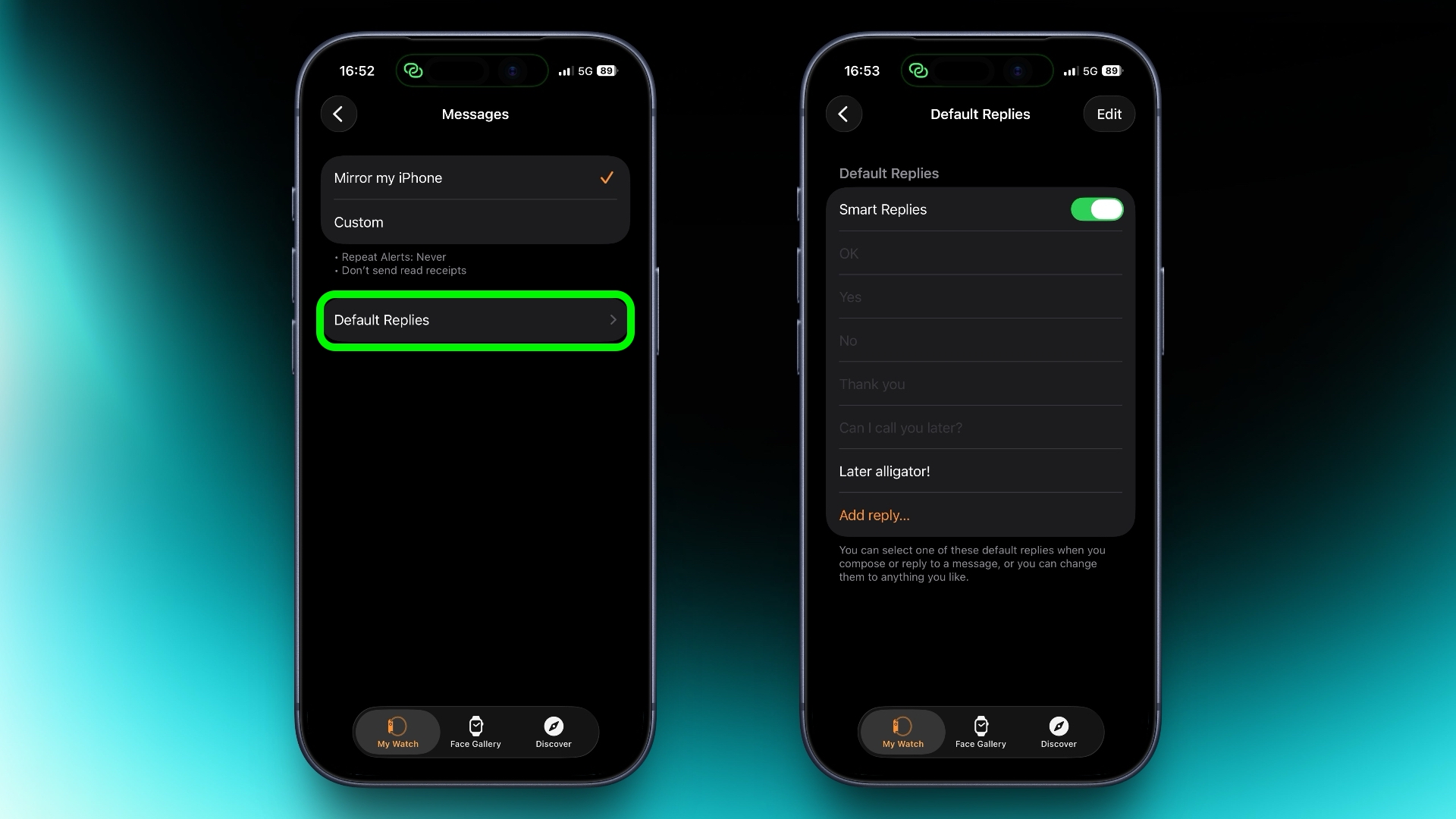

smart replies
Smart Replies are handy when you want to reply with just a few words. In the Watch app on iPhone, go to Messages and tap Default Replies to customise what shows up. Then when a message comes in, simply swipe down to pick one of your preset replies.

Pause Activity Rings
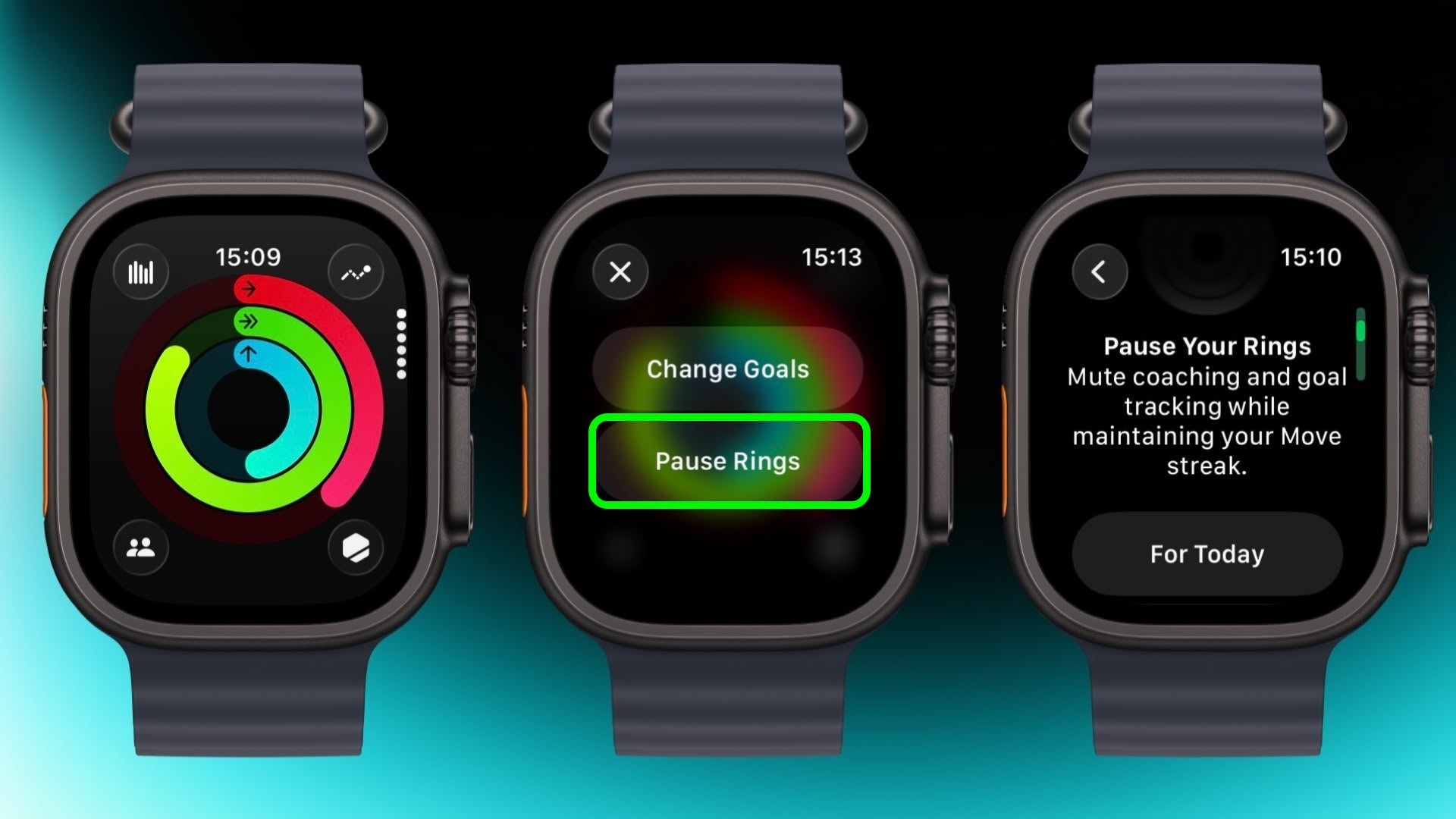

activity
Feeling unwell but hoping to keep your streak intact? In the Activity app, select your rings to access the option to suspend them for the day, or set a pause that lasts until a chosen date up to 90 days ahead.

Create a Note
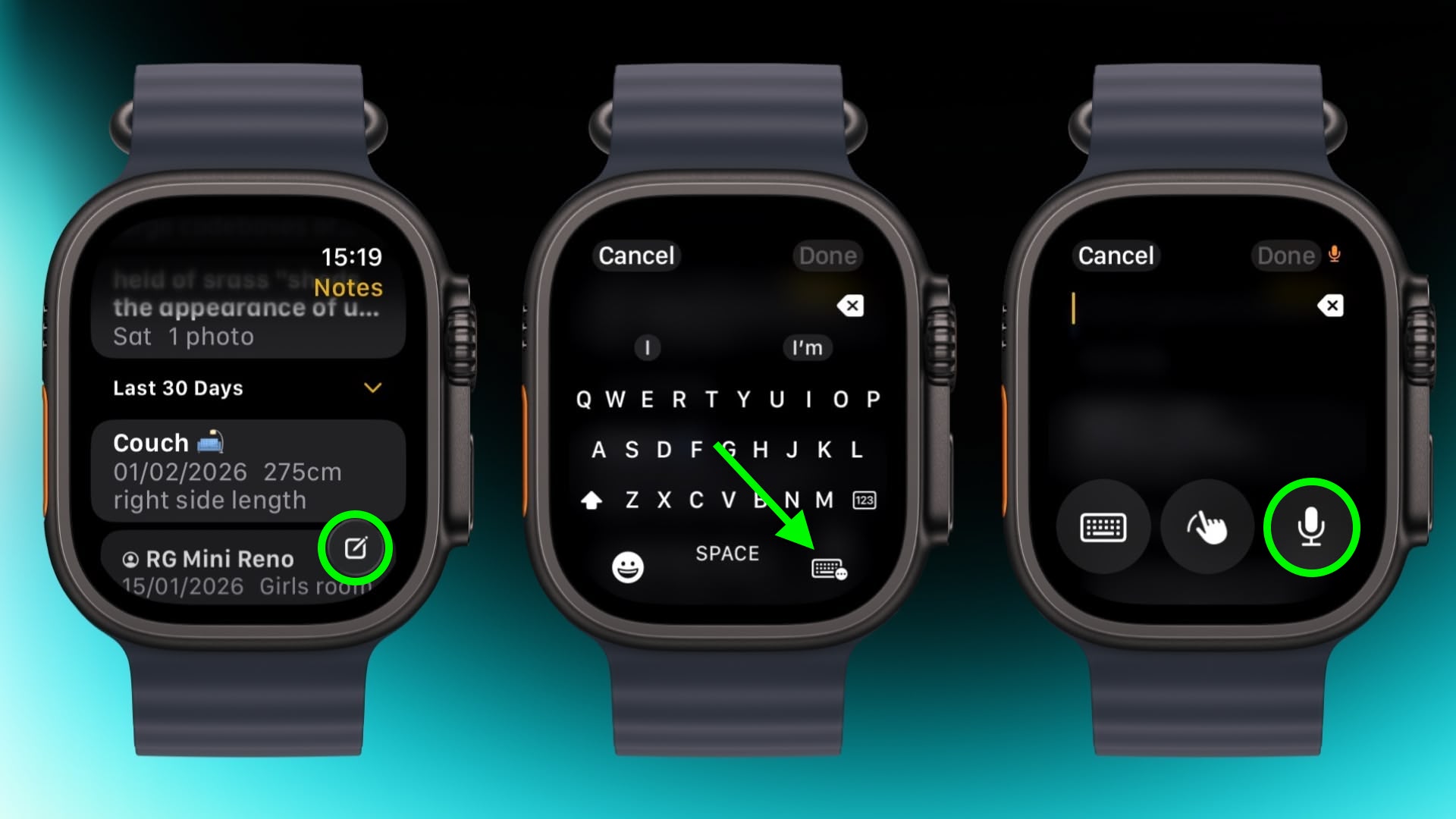

notes
In the new Notes app in watchOS 26, you can't modify existing notes on Apple Watch, but you can create a new one by tapping the compose control in the bottom-right corner and speaking your text. Because Notes sync through iCloud, you can refine or reorganize everything later on a device with a physical or on-screen keyboard.

Mute and Dismiss Alerts
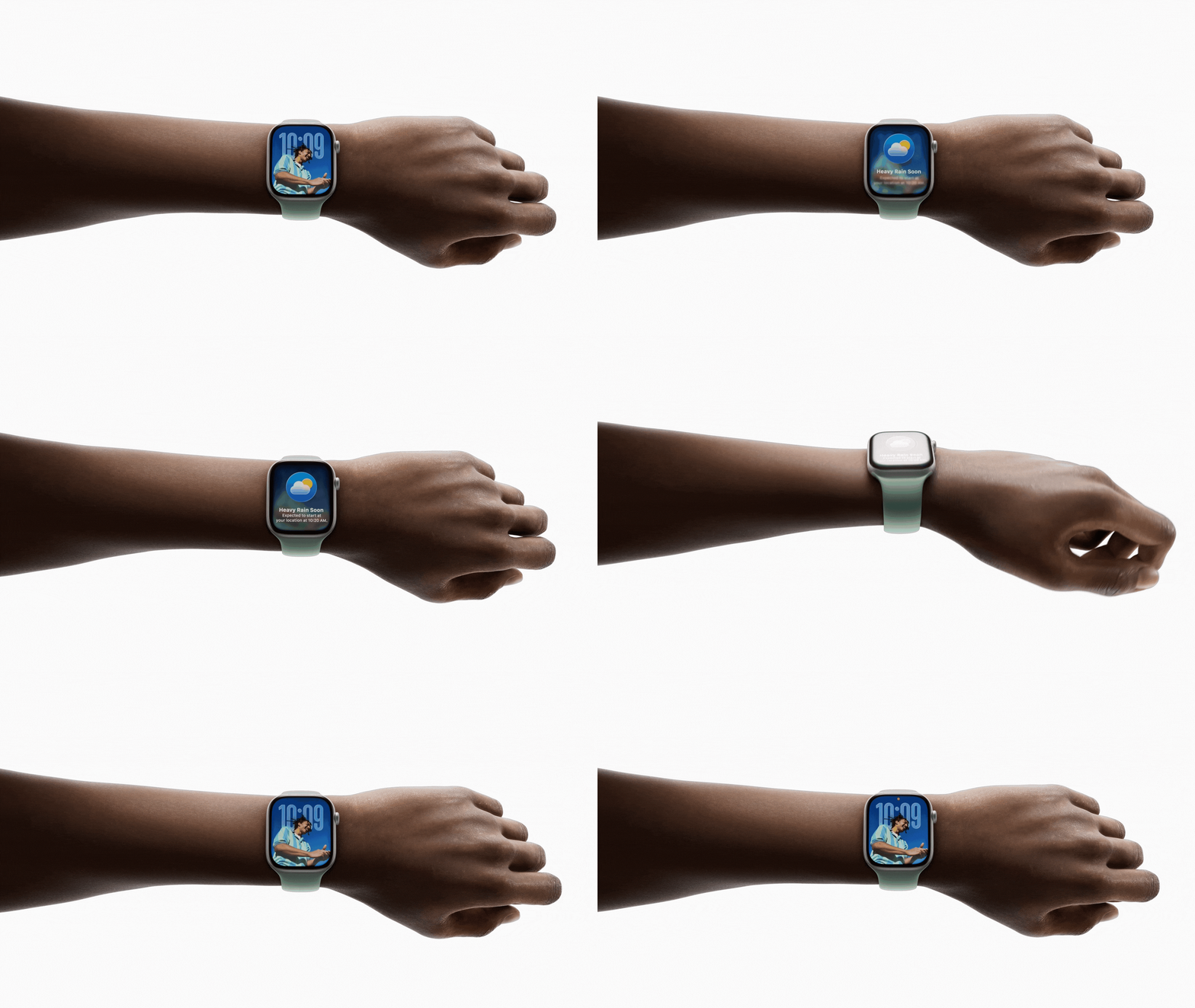


With a quick wrist flip, you can clear the current screen and go back to the watch face. The same gesture can be used to mute calls, stop timers, and dismiss notifications. The feature, which is on by default, is supported on Apple Watch SE (3rd generation), Series 9, Ultra 2, and later.
This article, "Apple Watch: 15 Tips Every Owner Needs to Know" first appeared on MacRumors.com

Discuss this article in our forums

  •  

Rivian launches new Apple Watch app with vehicle controls, digital key & more [Hands-on]

Just a few weeks after rolling out the Rivian Digital Key update, which helped tremendously with proximity-based features, Rivian has doubled down and is rolling out a new dedicated Apple Watch app. The Apple Watch update was designed as an extension of the Rivian iPhone app, giving you all the most used features right on your wrist. It has customizable quick controls, glanceable vehicle status, and support for digital key functionality (depending on your vehicle generation). I got some early access to the app, so here is what you should know.

more…
  •  

Apple's C1X Modem Faces First Reported Failure in iPhone Air

A reported hardware failure affecting Apple's new in-house C1X 5G modem in the iPhone Air has surfaced online, marking the first known real-world incident involving the company's own baseband technology.


The ‌iPhone Air‌ is the first iPhone model to ship with the Apple's internally designed C1X 5G modem, replacing Qualcomm's X75 modem used across the iPhone 16 lineup. The transition to Apple-designed modems follows years of development after Apple acquired Intel's smartphone modem business in 2019 and began building its own baseband engineering teams and intellectual property portfolio with the goal of reducing reliance on Qualcomm and increasing efficiency.

A newly reported incident was first documented in a support thread on Reddit spotted by Wccftech, where the user "itstheskylion" described waking up to find the device had completely lost cellular reception. According to the user, the phone displayed no signal bars and diagnostics indicated a hardware-level cellular problem.

The device had reportedly been kept in a case since purchase and showed no signs of physical damage. The user said that multiple troubleshooting steps were attempted, including restarting the device, performing a soft reset, and resetting network settings, but none restored cellular connectivity. The user also reported using a dual-SIM configuration with two different carriers, with neither connection functioning, which suggests the issue was not related to a carrier outage or network-specific disruption.

Baseband hardware failures are uncommon in modern smartphones due to extensive factory testing and validation processes, but large-scale production inevitably includes a small percentage of defective units. Apple has historically replaced and collected devices that exhibit unusual behavior for internal analysis, particularly when new technologies are involved. At present, there is no evidence that the issue is widespread or indicative of a broader reliability concern.

As Apple prepares for the next generation of iPhones, real-world reliability data from early deployments of the C1 and C1X modems is likely to be closely monitored internally as part of the company's ongoing development work. The C1X is expected to come to the ‌iPhone‌ 17e next month, while the iPhone 18 Pro, ‌iPhone 18‌ Pro Max, and foldable ‌iPhone‌ are rumored to feature Apple's next-generation C2 modem.
This article, "Apple's C1X Modem Faces First Reported Failure in iPhone Air" first appeared on MacRumors.com

Discuss this article in our forums

  •  

Apple TV partners with IMAX to show Formula 1 races live in theaters

You’ll need an Apple TV subscription if you want to watch Formula 1 at home this season in the United States. But, Apple is taking its new broadcasting rights beyond the living room. In a partnership announced today with IMAX, Apple TV will also show select races from this season live in theaters.

Five of the 2026 Grand Prix’s will be shown at IMAX screens across the country, including Silverstone, Miami, Monaco, Monza and Austin.

more…
  •  

Speculation that Apple’s March event could include immersive F1 on Vision Pro

Apple commenter John Gruber is spitballing again. After suggesting that the special event on March 4 may be preceded by a series of new product announcements through press releases, he now has another idea.

Based on a reader drawing his attention to the timing, he suggests that another announcement could be immersive F1 viewing on Vision Pro …

more…
  •  
❌