AirSnitch is a newly-revealed attack on Wi-Fi networks that work across all major router brands and firmwares, including DD-WRT and OpenWrt. In an alarming turn for cybersecurity, researchers revealed a form of Wi-Fi attack that can entirely bypass client isolation on Wi-Fi, which is typically the only thing preventing attackers from intercepting
Meta's Quest 3 is the best choice for standalone VR gaming and fitness, but you may not be aware how well it works as a relatively affordable travel-ready spatial computer.
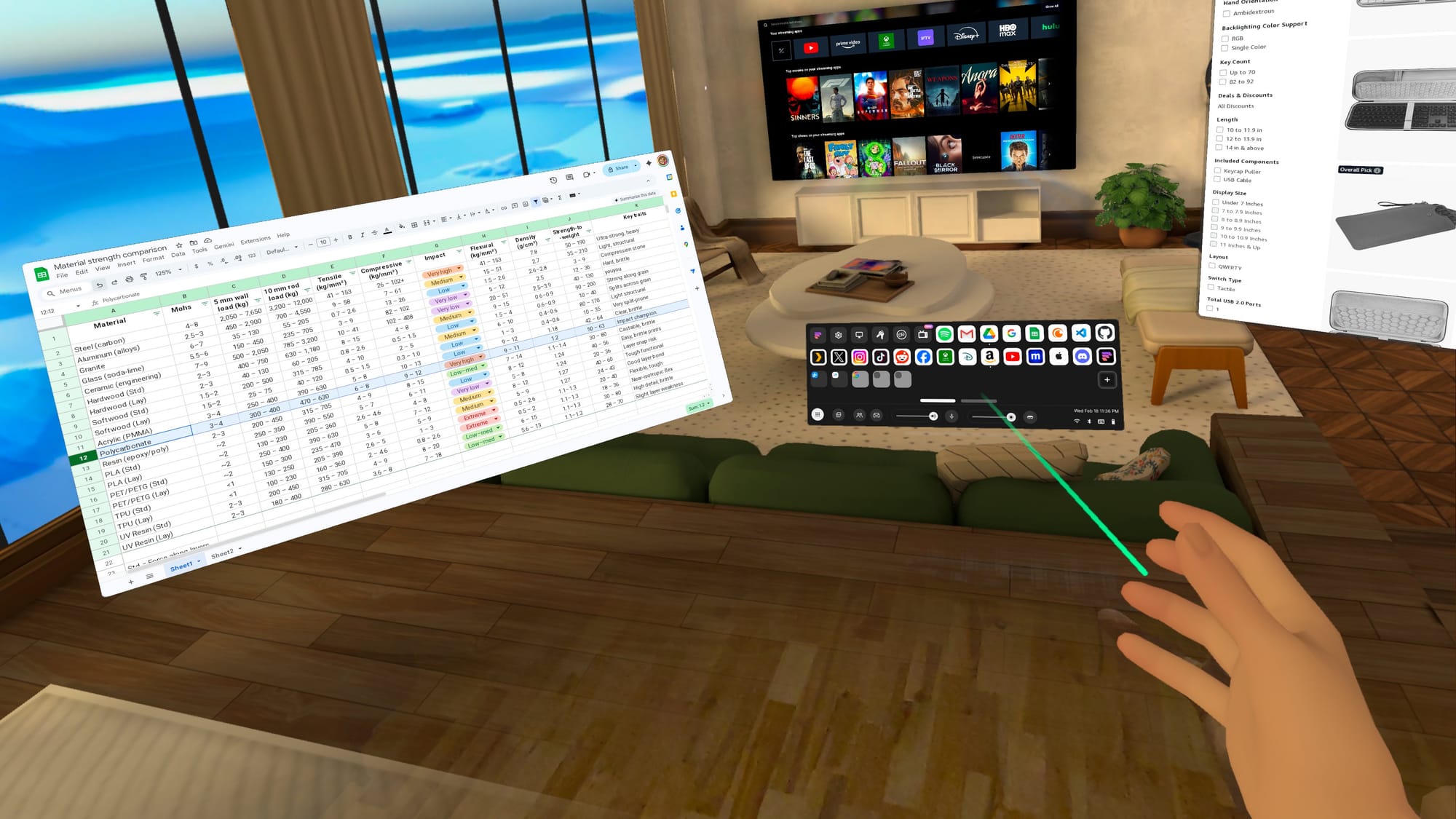
With the latest updates to Horizon OS, Quest 3 and Quest 3S can now effectively double as portable computers. You can experience multiple giant screens without taking up any extra room, an awesome bonus if you live in an apartment or shared space.
As a portable virtual computer, your Quest headset gives you more screen space than a laptop, and vastly more than a phone. However, some setup is required to avoid unexpected issues when you’re away from your usual tech. If you test essential websites, verify logins, and settle on a comfortable typing method, your Quest 3 can feel less like a casual-use headset and more like a computer you can count on.
With the right setup, your Quest 3 could even become a primary device around the house, especially if you like working in short sessions, streaming video, and switching rooms. Think of this as turning your headset into a grab-and-go workstation for the web apps, messaging, and media you already use.
The Quest Pro and Quest 2 will work in a pinch, but they miss some newer features, including Meta’s touch-typing keyboard that projects onto a surface. It is not yet available on the Quest 3S, but datamining by Luna suggests it will be enabled eventually.
If you want your Quest 3 to function as a portable computer, the browser is its foundation. Productivity depends on web app and website compatibility, so testing matters.
Don’t just load a page and assume you’re good. Try the things you normally do on your computer. Sign into important accounts, create and edit documents in the web apps you use, and upload/download files if that’s part of your process. If something fails, try to find a simple solution or alternative.
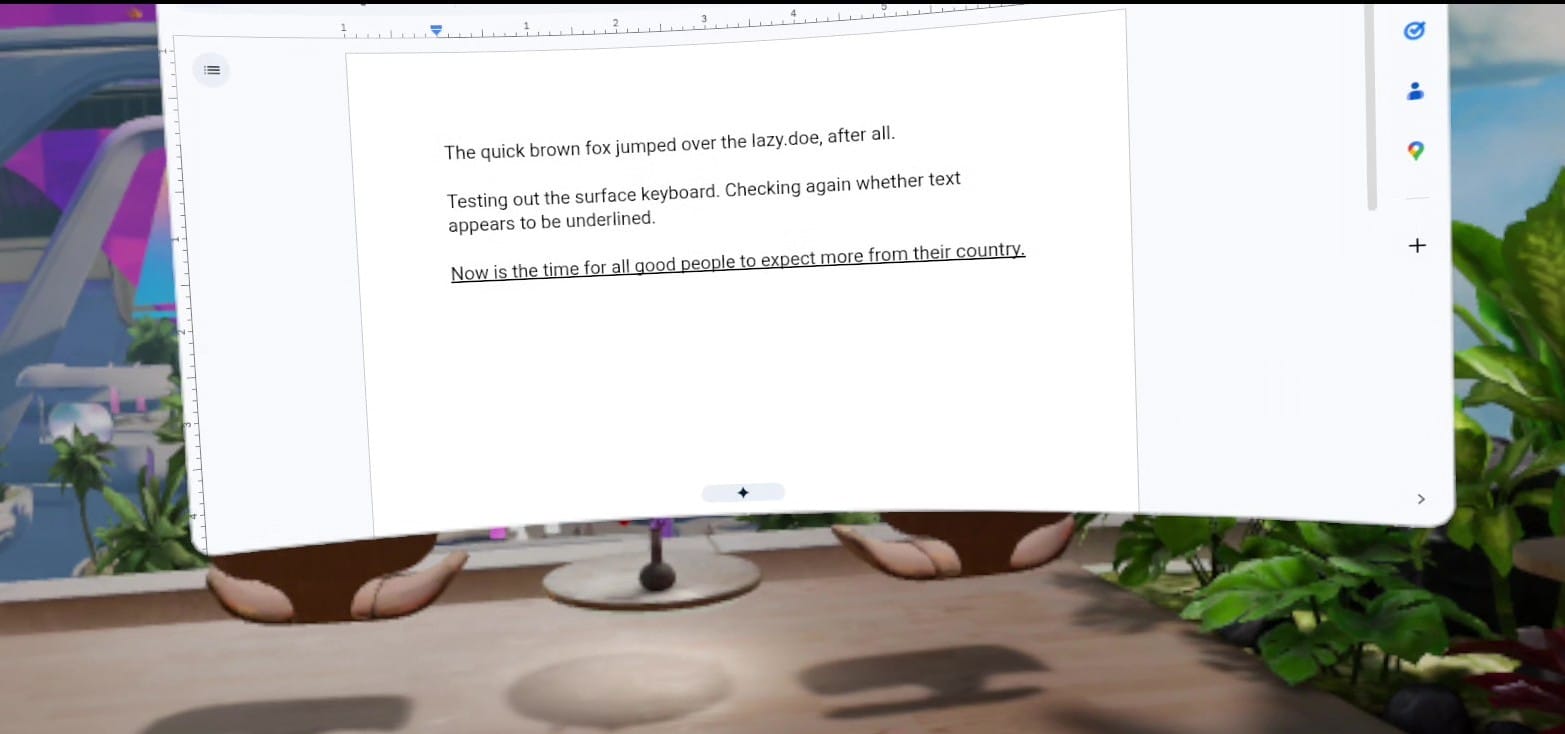
I ran across a great example of unusual behavior using Google Docs in my Quest 3. Everything I type appears underlined. It actually isn't, and if I click elsewhere, it reverts to plain text. It works, but the glitch is visually disruptive.
Everything I type in Google Docs appears to be underlined.
Another easy workaround is to use a different online editor, such as Microsoft Word, StackEdit, or Lex. Even if your favorite web app works perfectly, it’s worth having a backup, because little quirks like this show up when you least expect them.
If a particular website doesn’t play nicely with Meta’s browser, you may need a different one. Choices are limited on Quest headsets, but there is at least one alternative.
The Fluid Browser
Fluid is my favorite third-party browser for Quest headsets. It’s based on Chromium, with an optional per-website mode that uses Gecko, the Firefox renderer. It behaves more like the browsers on your computer or phone, which can help with picky web apps.
Fluid has unique environments and an adjustable floor passthrough.
Fluid’s interface is also more flexible than Meta’s. Hand gestures can trigger voice input, manipulate windows, and move you through virtual rooms. It also offers advanced features like adjustable passthrough range, multi-user window sharing, theater modes, and remote access to your computer.
There are other third-party browsers, but most suffer from weak app store ratings. Fluid averages 4.5 stars, backed by an active community and a responsive dev team.
Prepare Your Browser
You’ve been refining your computer’s bookmarks, logins, and settings for years. To get a smooth transition on Quest, you’ll want a little prep work. Some Horizon OS browser features may still be rolling out, so they might not appear on your headset yet.
Backup And File Access
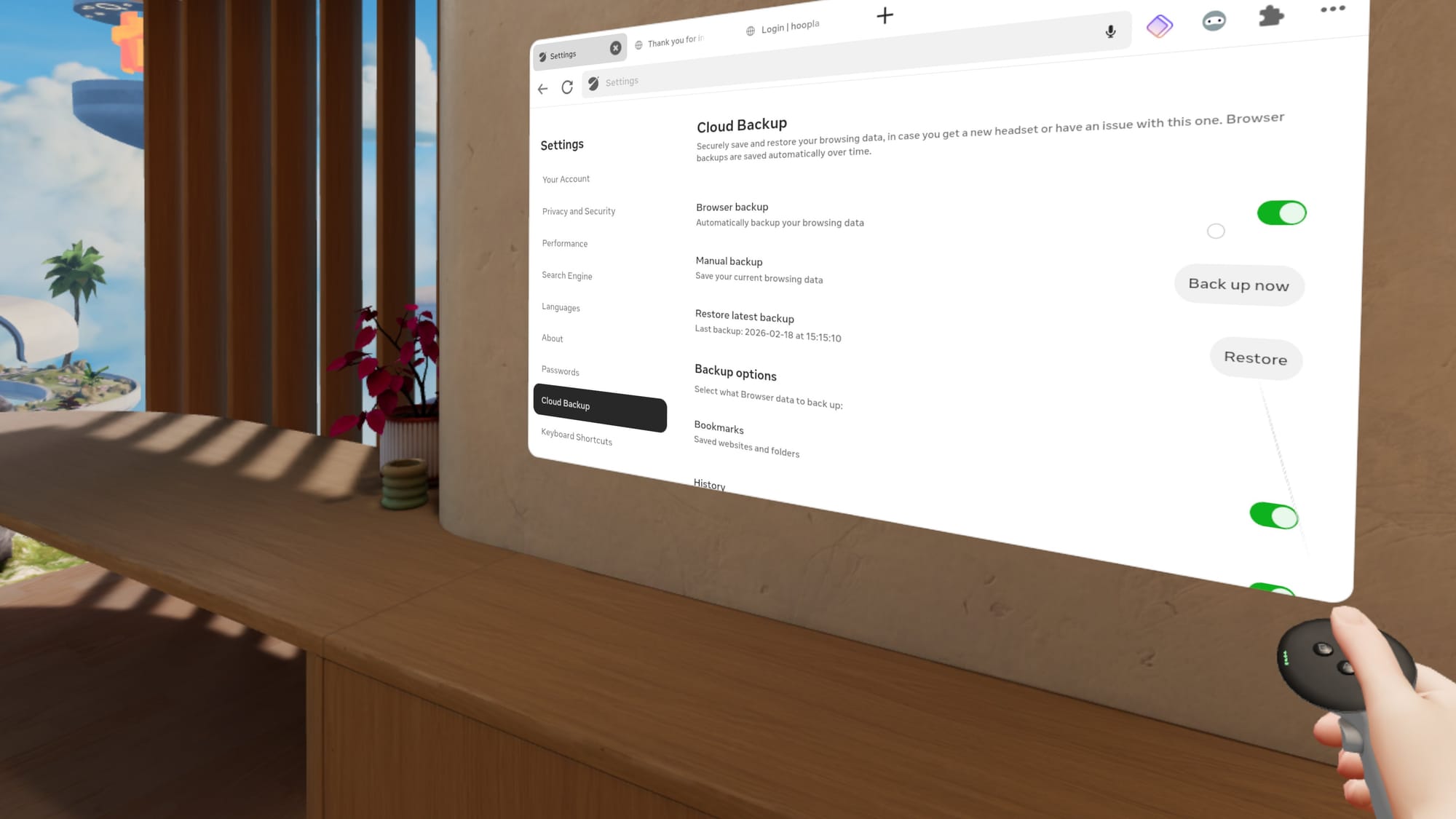
Enable Cloud Backup in the Horizon OS browser, so you don’t have to start over if something goes wrong. You can find the toggle in browser settings. Cloud Backup can restore bookmarks, browsing history, and extensions.
Cloud Backup is essential for the Horizon OS browser.
If you need access to important files or photos, cloud storage is the easiest path. Upload what you want from your computer or phone, then open it on Quest through the web apps you already use.
Password Autofill
Logins matter, and modern security requirements can make access annoying from any device. The easiest solution is Meta’s password import feature in browser settings under Passwords. Meta includes instructions for exporting from Chrome, Safari, Edge, and others. You may also want a device PIN to keep accounts secure.
This isn’t the only option. Some third-party password managers offer web apps that work in any browser, and a few have extensions for the Horizon OS browser.
Browser Extensions
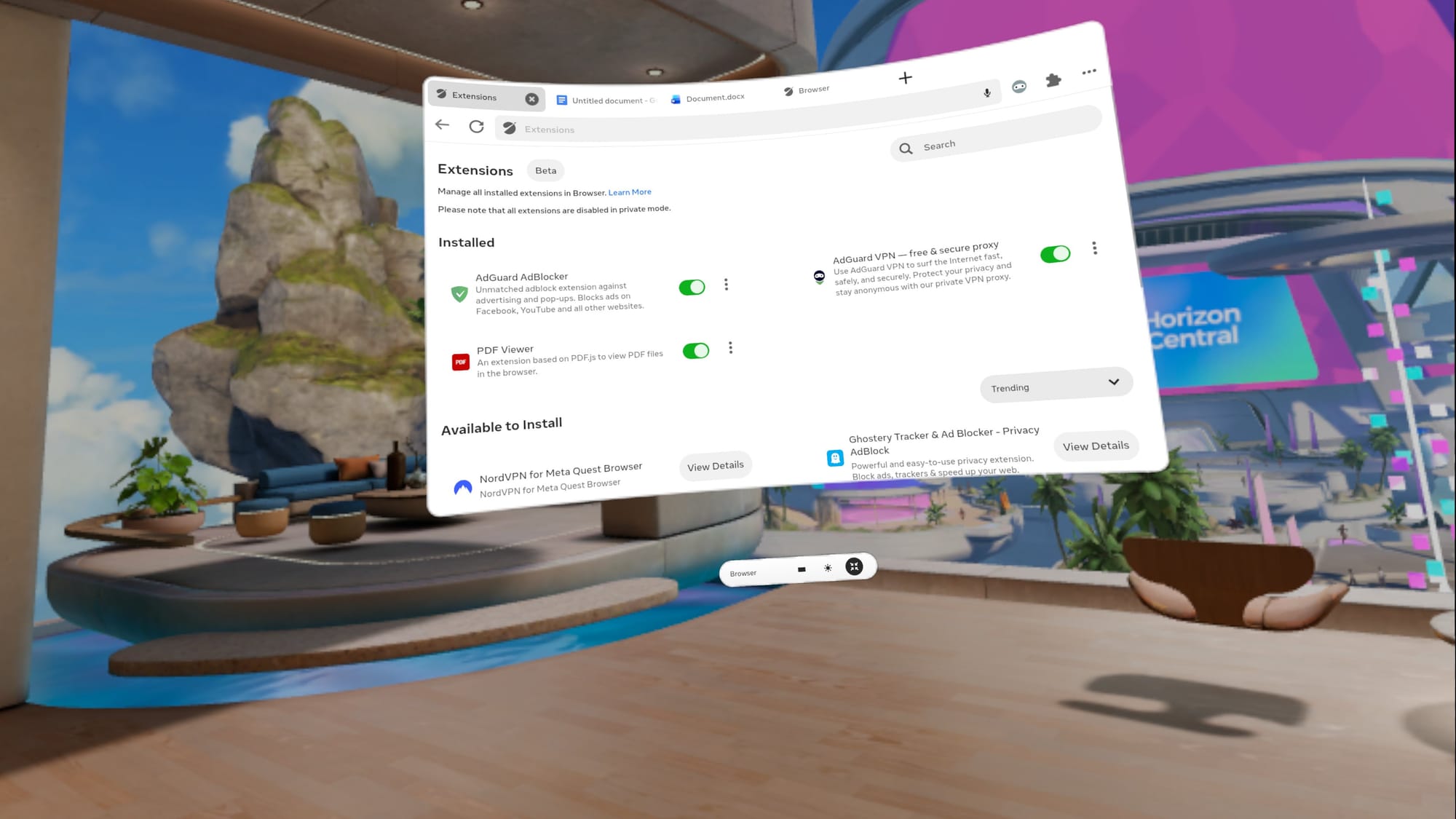
If security and privacy are crucial, you’ll want extensions for your password manager, a content blocker, and possibly a VPN. Meta’s extension ecosystem is growing, but the Horizon OS browser only supports about a dozen extensions so far.
The list of Horizon OS browser extensions is growing.
You can find extensions by selecting the puzzle piece at the top right of a browser window. A new tab opens with installed extensions, toggles, and a list of available add-ons.
Test your password manager and VPN while your computer and phone are nearby. It’s easier to authenticate MFA, access email, and verify passkeys before you travel.
Building Bookmarks
Meta doesn’t have a bookmark import option, offering instead link sharing via the Horizon mobile app. Saving one bookmark at a time would become tiresome quickly. Fortunately, there are some good workarounds.
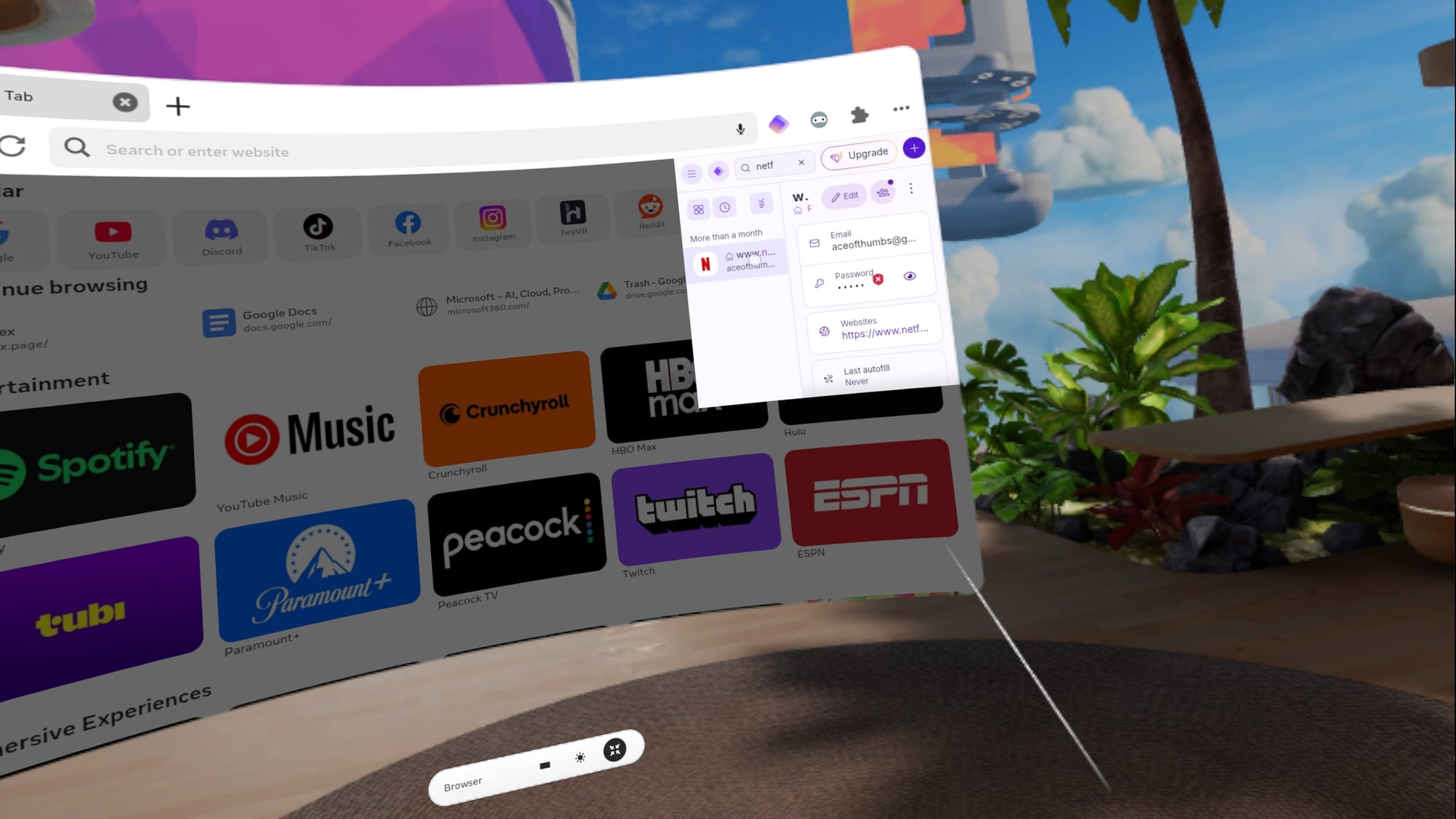
I use Proton Pass as a website quick launcher.
Proton Pass is a free password manager with a Horizon OS extension, and it can double as a website launcher if you pin it. Third-party browsers are a mixed bag. Fluid lacks bookmark import, but supports several password managers. Wolvic deserves credit as one of the few Quest browsers that can import bookmarks by syncing from Firefox.
Bookmarks shouldn’t be this hard, but it’s worth spending a few minutes to make your favorite websites accessible. With a working system, you’re one click away from the tools you actually use.
Explore Input Options
Quick, reliable text entry is the difference between casual browsing and real work. Quest 3 offers multiple ways to type, and you might use different ones depending on the situation.
The System Keyboard
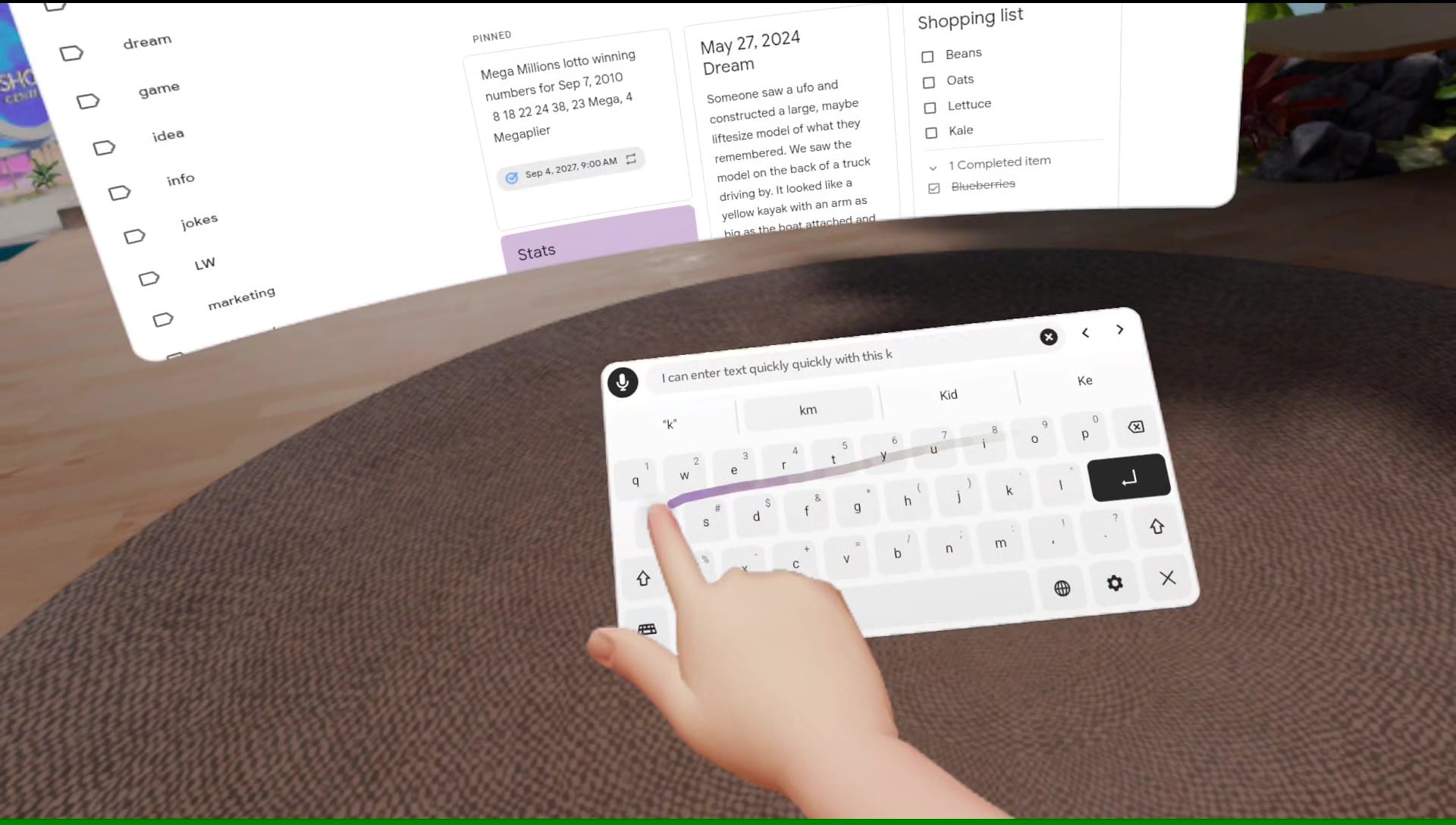
Two-finger typing on the default pop-up keyboard is fine for quick searches, short messages, and the occasional form, but it isn’t ideal for drafting and editing. That’s why you should enable Swipe typing in Virtual keyboard settings and turn the mic on in Quick Settings.
Swipe typing on the Quest 3 works just as well as it does on my phone.
The default keyboard includes a mic icon, and one click lets you dictate words, website addresses, or whole paragraphs. It’s fast, accurate, and you don’t need to speak loudly.
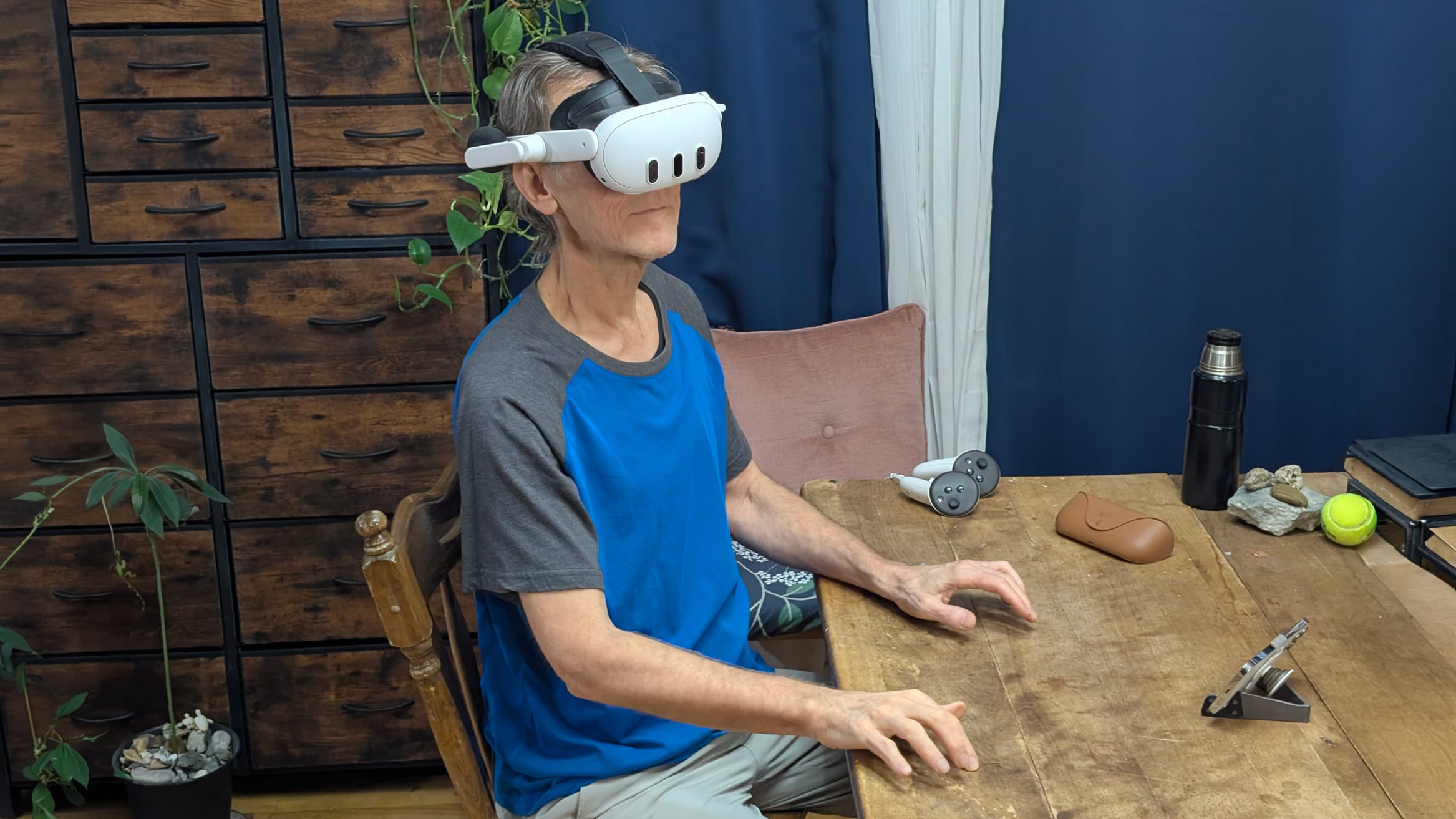
Swipe typing works just as well as it does on your phone, but with a larger keyboard. I like to bring the keyboard close and use a finger, but a controller works, too.
Bluetooth Keyboard And Mouse
Bluetooth accessories are still the most predictable way to make Quest feel like a computer. A compact keyboard is usually easy to pair, and a mouse makes selection and window control far easier.
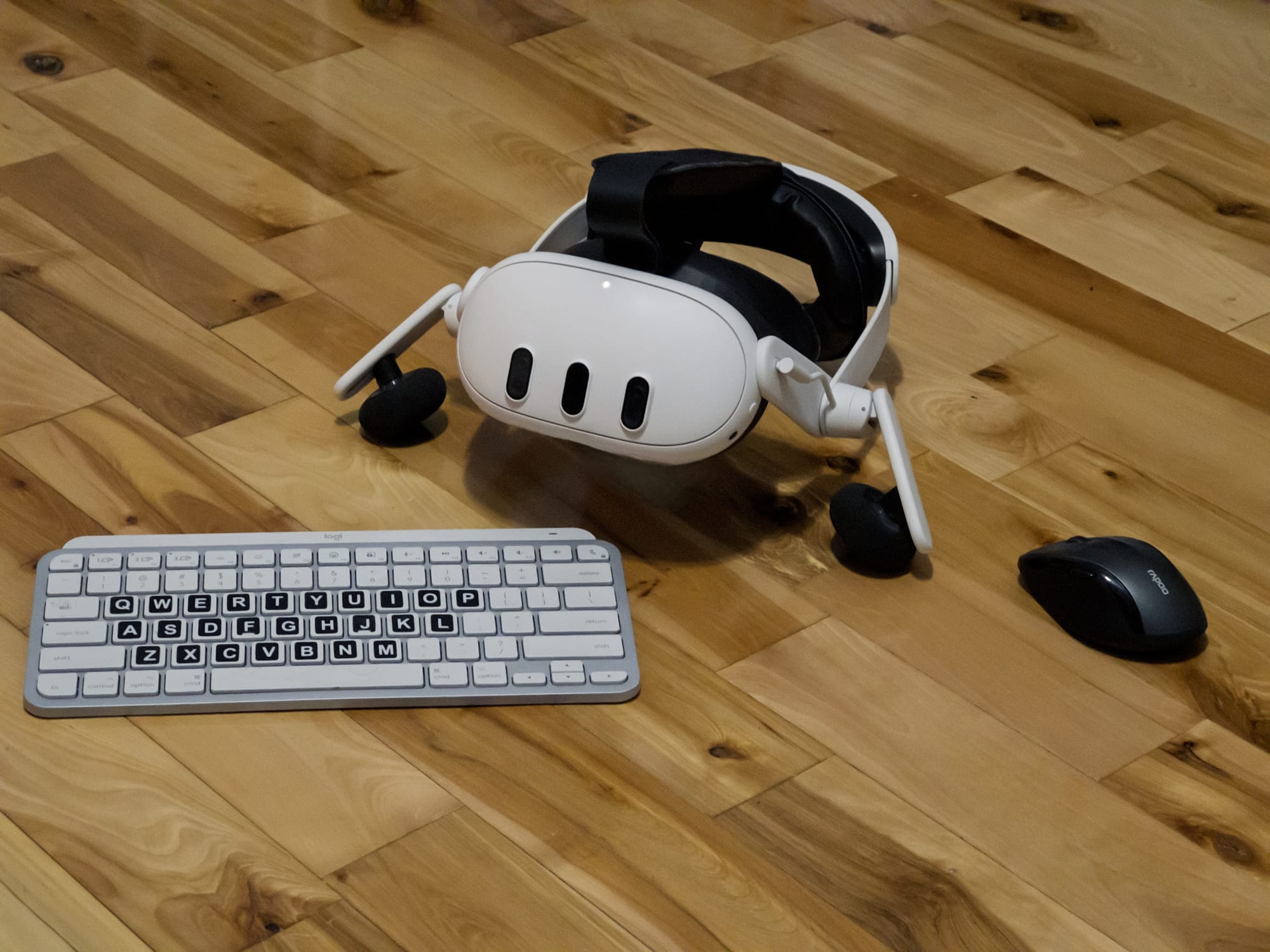
I occasionally use Bluetooth accessories with my Quest 3.
If you want to pack light, a keyboard with an integrated trackpad can be ideal.
Meta’s Surface Keyboard Surprise
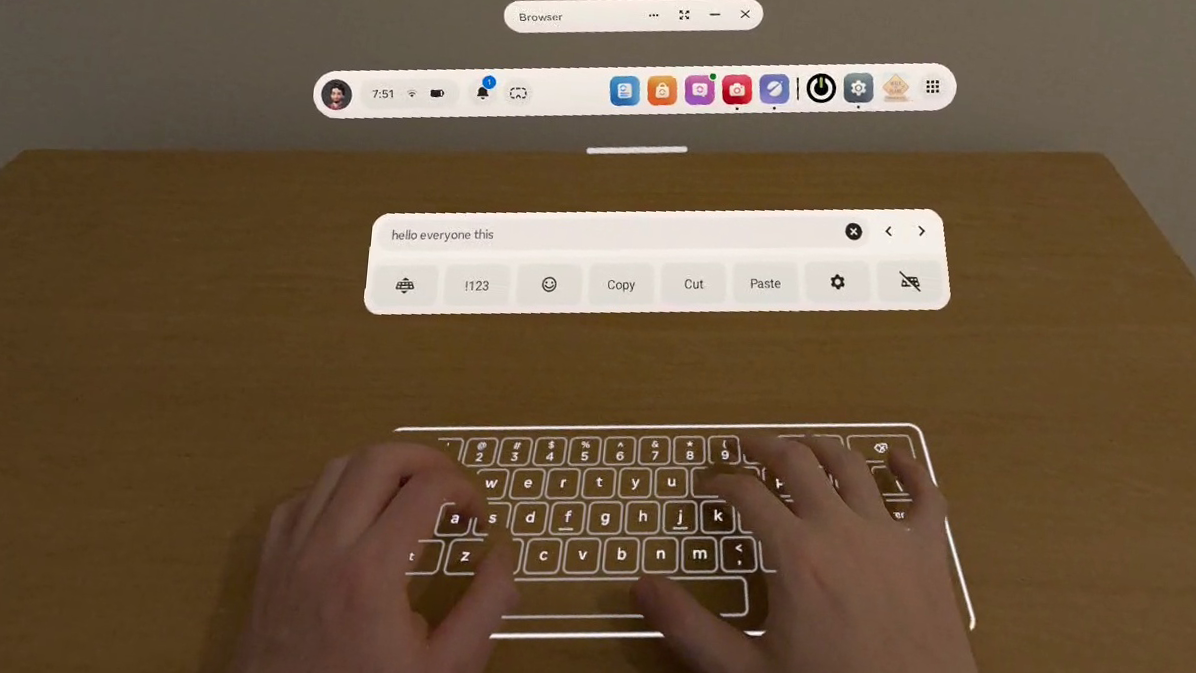
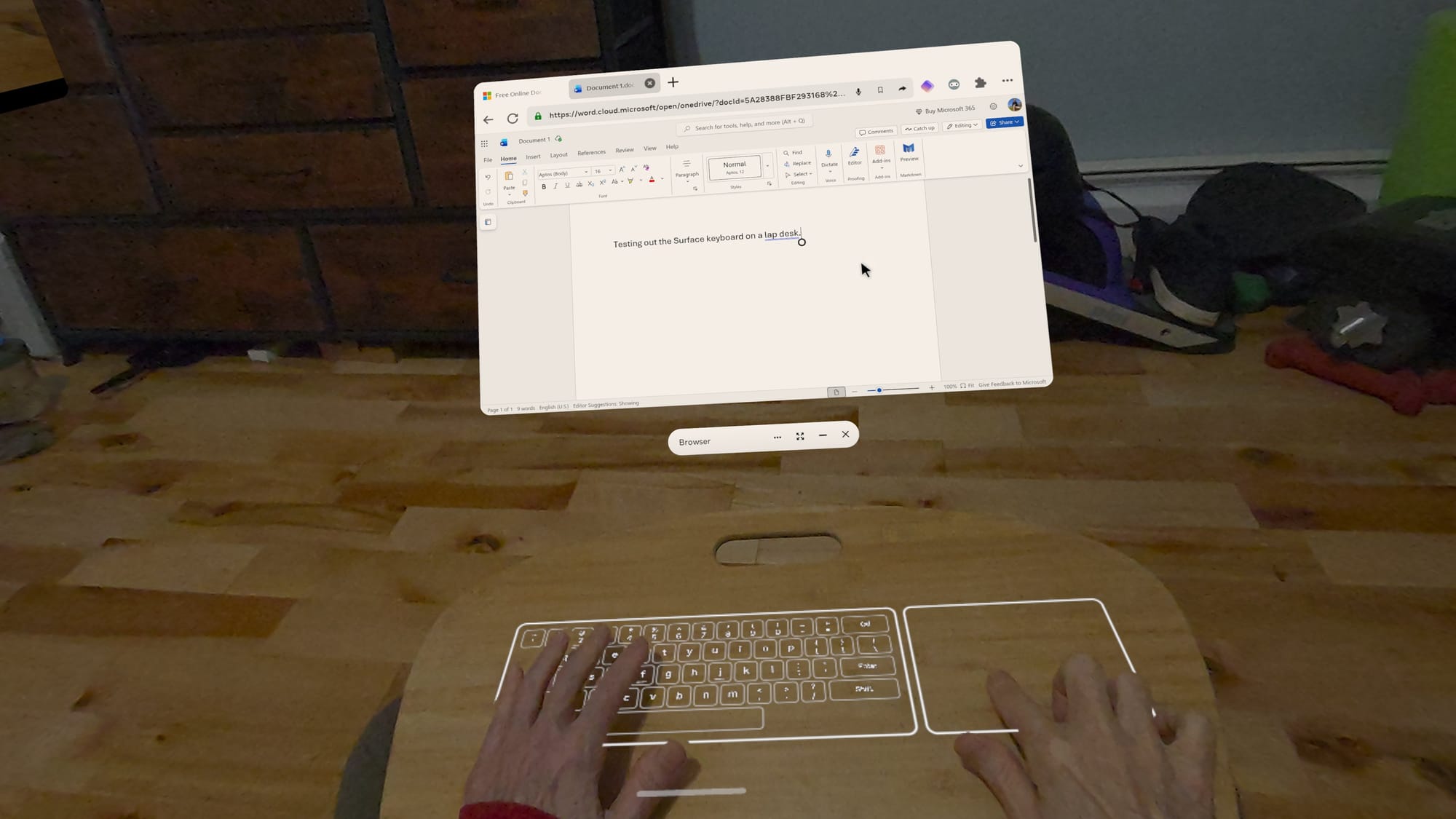
If you have access to Meta’s new Surface keyboard, it’s worth exploring in Experimental settings. A projected keyboard sounds like a novelty, but it’s genuinely useful if you touch type.
Since it aligns with your desk or table, you get tactile feedback. Meta added a trackpad and a hovering toolbar with cursor arrows, copy, cut, and paste. A preview window in the toolbar lets you see what you’re typing while looking down at the keys.
Meta’s Surface Keyboard is a great alternative to a physical keyboard.
It can’t compete with the clackity, full-travel keyboard I use with my desktop. Physical keys still win for long sessions, but the Surface keyboard does a good job simulating a soft, laptop-style keyboard and trackpad.
The biggest benefit is portability. I’m not dragging a keyboard and mouse between rooms or packing them when I travel.
Explore Apps
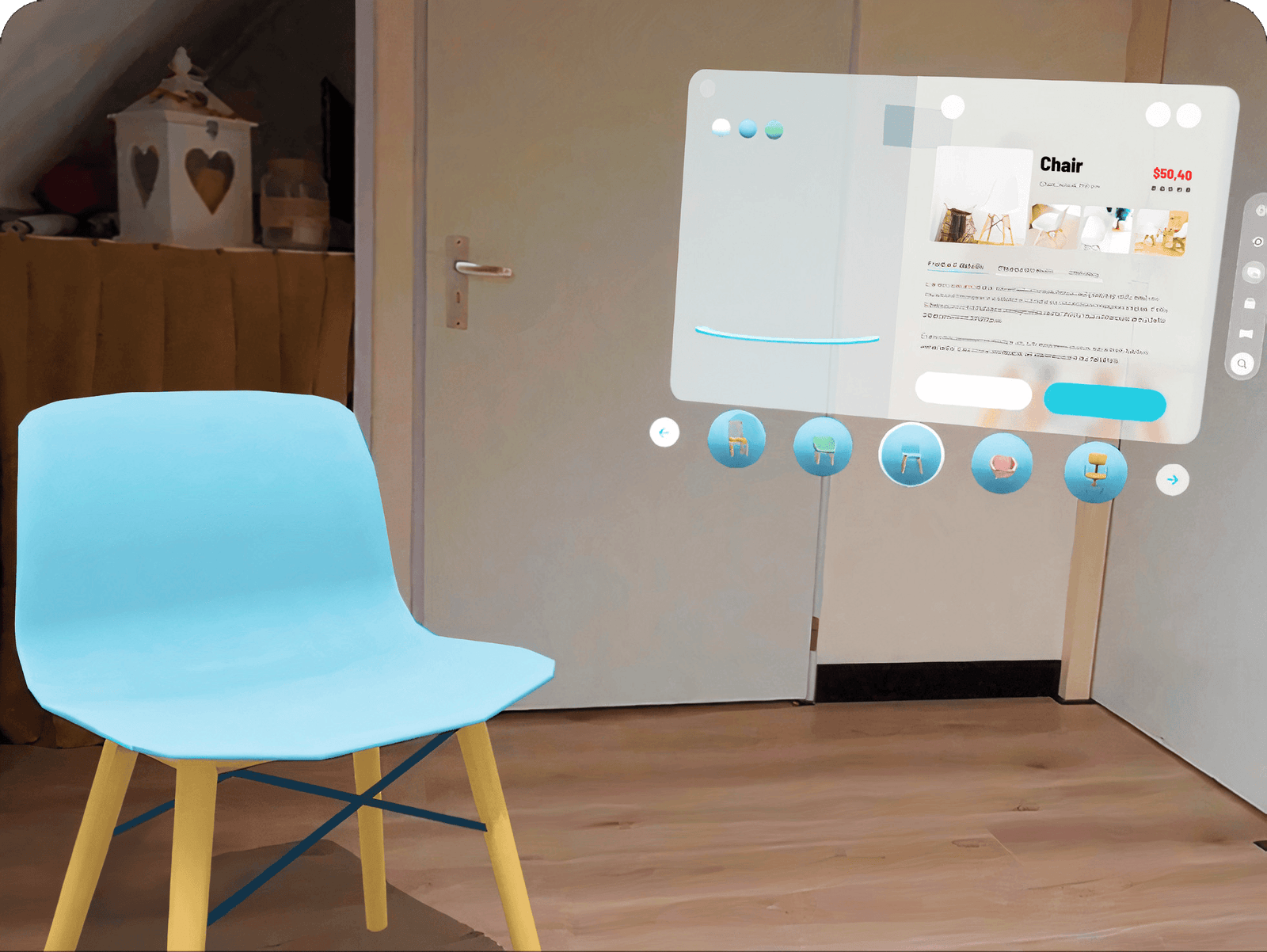
A browser-first setup might be all you need, but the Quest 3 becomes more useful when you add apps that benefit from VR or mixed reality. For 3D work, VR-native tools can be a leap forward. Your model is in the room with you, and you can handle it like an object. Apps like Gravity Sketch and ShapesXR let you think and build in space, which is hard to replicate on a flat screen.
ShapesXR lets designers build and test in an immersive space.
Meta’s Instagram, Facebook, and Messenger apps can be useful for messaging and keeping in touch while wearing your headset. Instagram offers a fun new feature that automatically converts photos and videos to 3D.
Streaming is a big win for most Quest owners. Whether you use native apps or browser tabs, having a giant screen anywhere makes casual viewing feel like a private cinema. Test the streaming services you use, both the app and the browser version, to find out which works best for you.
Portability Tips For Home And Travel
Your Quest 3 or Quest 3S might be all you need around your home or office, but a few accessories can make a big difference when traveling. I recommend a charger and USB-C cable, a battery pack for longer sessions, between charging, a microfiber cloth for lenses and sensors, and Bluetooth accessories if you prefer them.
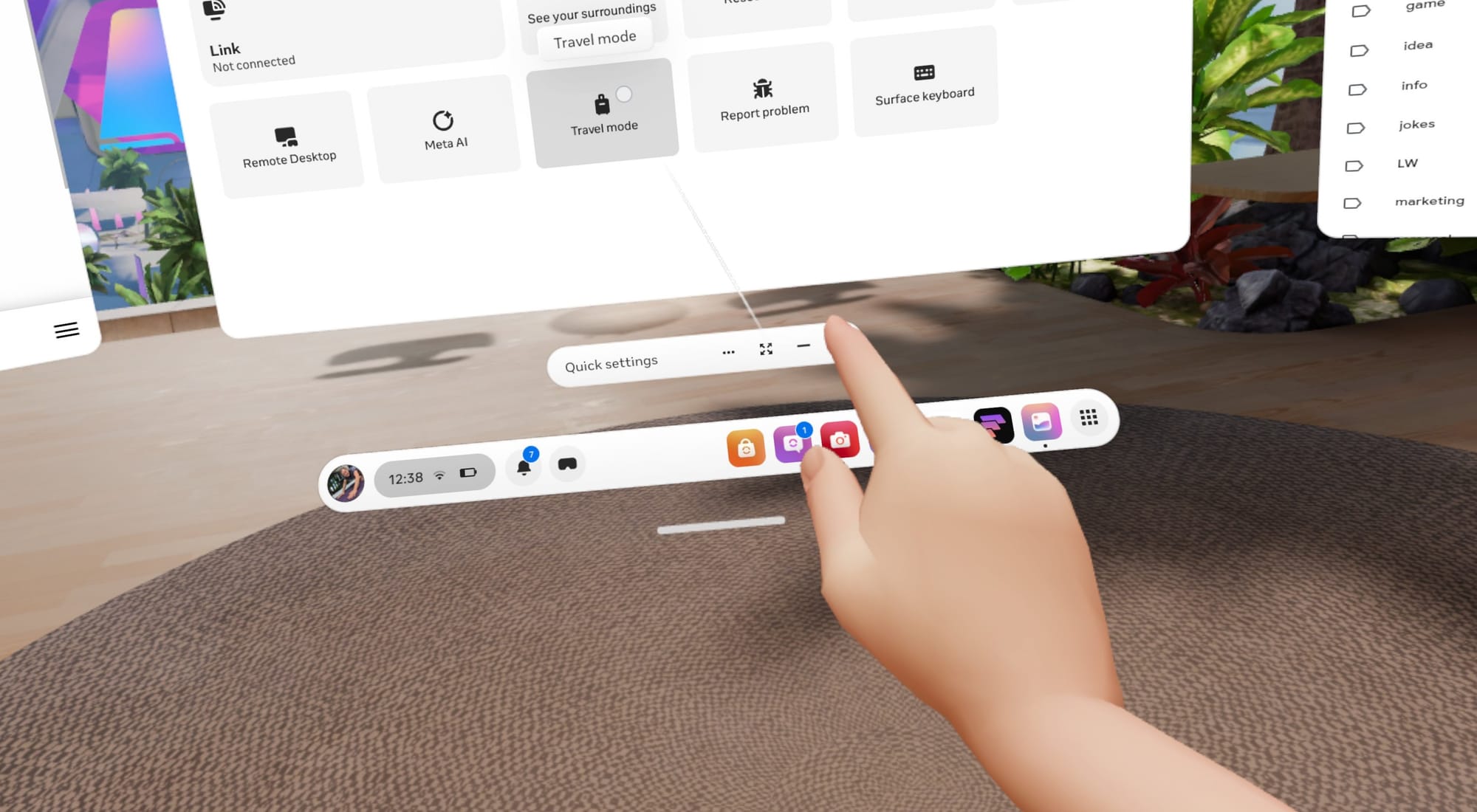
Travel mode is easy to access in Quick Settings.
If you want to use your headset on a plane, train, or other vehicle, your Quest 3 has a Travel mode that can help. When movement is detected, the option can appear automatically, and you can also switch it on manually in Quick Settings.
The least glamorous tip is also the most practical. Spatial computing is still fringe tech, so plan for glitches. Install a third-party browser in case something doesn’t work in the system browser. Keep your phone nearby for MFA requests. Make sure the Horizon mobile app is installed, so you can send links and photos to your Quest.
Your Quest 3 As A Spatial Computer
The Quest can be a great portable computer, but its processor and storage are closer to the hardware of a phone than a laptop. You shouldn’t expect it to handle a hundred tabs while streaming video and processing voice input. However, with a little self-restraint and tab management, you might be impressed with what’s possible on such an affordable VR headset.
The Quest is great when your workflow is browser-first, when you enjoy advanced tech, and when you want easy portability. It really shines when you lean into VR-native tools for spatial work, because a laptop can’t match the experience of stepping into a 3D workspace.
While a VR headset falls short for specialized desktop software, heavy multitasking, and some peripheral connectivity, remote access can fill the gap. Apps like Virtual Desktop make macOS and Windows connections easy and reliable.
The key is choosing the right tool for the job. As long as you don’t expect miracles, a Quest 3 or Quest 3S can serve as a low-cost, all-in-one system that creates a unique spatial computing experience that provides a taste of the future with virtual screens, intuitive gesture control, and projected mixed reality interfaces. All it takes is a little setup time and exploration.
You're probably expecting us to be talking about one of the extant Bartlett Lake processors based on re-reheated Raptor Lake silicon. Nope! This is a Core 9 273PQE, one of the long-rumored 12 P-core LGA 1700 CPUs. However, lest you accuse us of clickbait, we'll get the disappointing part out of the way early: it doesn't work in the board it
ID-Cooling's FX360 LCD PE takes their display-equipped AIO offerings to the next level. Featuring daisy-chainable fans with a versatile RPM range and zero-RPM functionality, combined with a straightforward installation and impressive performance, it stands out as a strong and affordable display-equipped AIO.
The Midnight Walk, a grim and beautiful dark fantasy adventure using clay-sculpted models, gets a new lower price on PC VR and PlayStation VR2.
The game now costs $29.99, a substantial discount from its original price of $39.99. The price drop carries across both Steam and PlayStation Store.
Developed by MoonHood, the studio formed by former Zoink (Lost in Random, Fe) developers Klaus Lyngeled and Olov Redmalm, The Midnight Walk is a gorgeous and unique game with a handcrafted clay stop-motion animated art style.
0:00
/1:46
In The Midnight Walk, you'll play as The Burnt One, befriend a lost lantern creature named Potboy, and use his flame to light your way through a grim and beautiful hand-crafted world.
We reviewed The Midnight Walk in VR when it released last year, and found it to be "a memorable adventure that's enchanting and bleak in equal measure, one that feels like wandering into a twisted fairytale. It's a gripping tale with beautifully crafted claymation visuals, [...] a great example of hybrid design between flatscreen games and VR."
With the ambidextrous HTM Plus, G-Wolves delivers a much larger, solid-shell variant of the Hati shape at just 36 g. PixArt's PAW3950 sensor, 8000 Hz wired and wireless polling, SR latch for the lowest possible click latency, and Nordic's latest 54 series MCU for higher battery life complete the package.
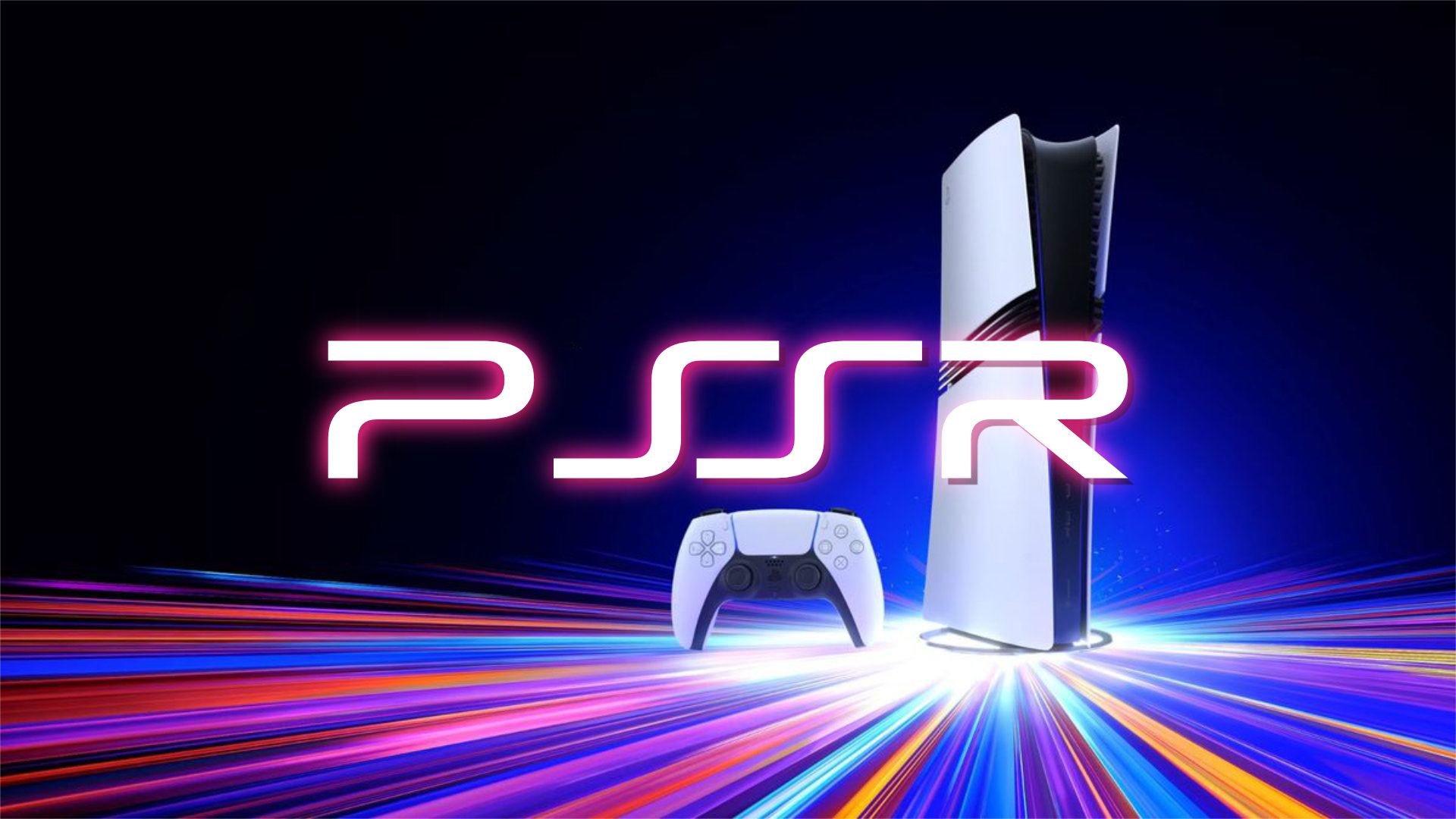
Sony is preparing to roll out an upgraded version of its PlayStation Spectral Super Resolution (PSSR) upscaling technology for PS5 Pro, with the update scheduled to arrive globally in the coming weeks.
PSSR is Sony’s AI‑driven image‑enhancement library, already used in more than 50 PS5 Pro titles to boost effective resolution by analysing each frame at the pixel level. The new release represents a major overhaul of both the neural network and the underlying algorithm.
Resident Evil Requiem, launching today, is the first game to ship with the enhanced PSSR. Capcom’s Masaru Ijuin says the studio focused on improving the fidelity of the protagonist through an upgraded RE Engine, including individually rendered hair and beard strands that react to movement and light. According to Ijuin, the new PSSR is able to preserve these fine details during upscaling, helping maintain both image quality and performance while pushing the game’s horror presentation further.
Sony says the revised algorithm stems from its Project Amethyst partnership with AMD, building on the same foundations as AMD’s FSR 4 technology. The PS5 Pro version includes an additional six months of refinement tailored specifically for the console.
More titles are expected to adopt the improved PSSR in March, alongside a system software update. Once installed, PS5 Pro owners will be able to enable “Enhance PSSR Image Quality” in Settings, applying the new upscaler to any supported game. Sony suggests some titles may show noticeably sharper results once the feature is active.
KitGuru Says: Do you own a PS5 Pro? Have you been impressed with many games on it so far?
AMD has released its Adrenalin Edition 26.2.2 driver, adding support for Resident Evil Requiem and Marathon while addressing several stability issues.
The update resolves intermittent crashes or driver timeouts in Roblox Player (Car Zone Racing & Drifting) when switching between media, and fixes texture flickering seen in some Windows desktop applications when Instant Replay and Record Desktop were enabled.
A number of issues remain under investigation. Cyberpunk 2077 may still crash when loading a save with Path Tracing enabled, and Battlefield 6 can show similar behaviour on systems using the Ryzen AI 9 HX 370. Texture flickering may also appear in Battlefield 6 when using AMD Record and Stream, while FSR Upscaling and Frame Generation may show as inactive in several titles on Radeon RX 9000‑series GPUs.
AMD recommends using the AMD Cleanup Utility when rolling back to an earlier driver. The 26.2.2 package is available now, with auto‑detect installation offered for all supported products.
Naturally, if you are picking up Resident Evil Requiem or Marathon this weekend, then upgrading to this driver is recommended.
KitGuru Says: Nvidia had to pull back its Game Ready driver for these titles, so AMD GPU users may get the best experience this weekend.
While Warner Bros had initially been intent on accepting Netflix's buyout offer, Paramount ultimately started a bidding war for the company. Now, Netflix has confirmed that it is pulling out.
Netflix will no longer be buying Warner Bros Discovery as planned. Paramount Skydance has increased its bid for the company to $31 per share, making its buyout offer worth tens of billions more than Netflix's offer. Paramount will also be paying Netflix $2.8 billion to settle the contract termination fee with Warner Bros.
For gamers, this is slightly concerning news. While Netflix's gaming operation is still quite new, it would be in a better position to take over the likes of NetherRealm and Rocksteady. Paramount on the other hand has very little experience with AAA video games and may not be interested in that aspect of the deal at all.
It is unclear when the Paramount – Warner Bros merger will finalise. The deal will still be subject to regulator approvals and that process can take years.
KitGuru Says: Do you think this new merger will be successful for Paramount?
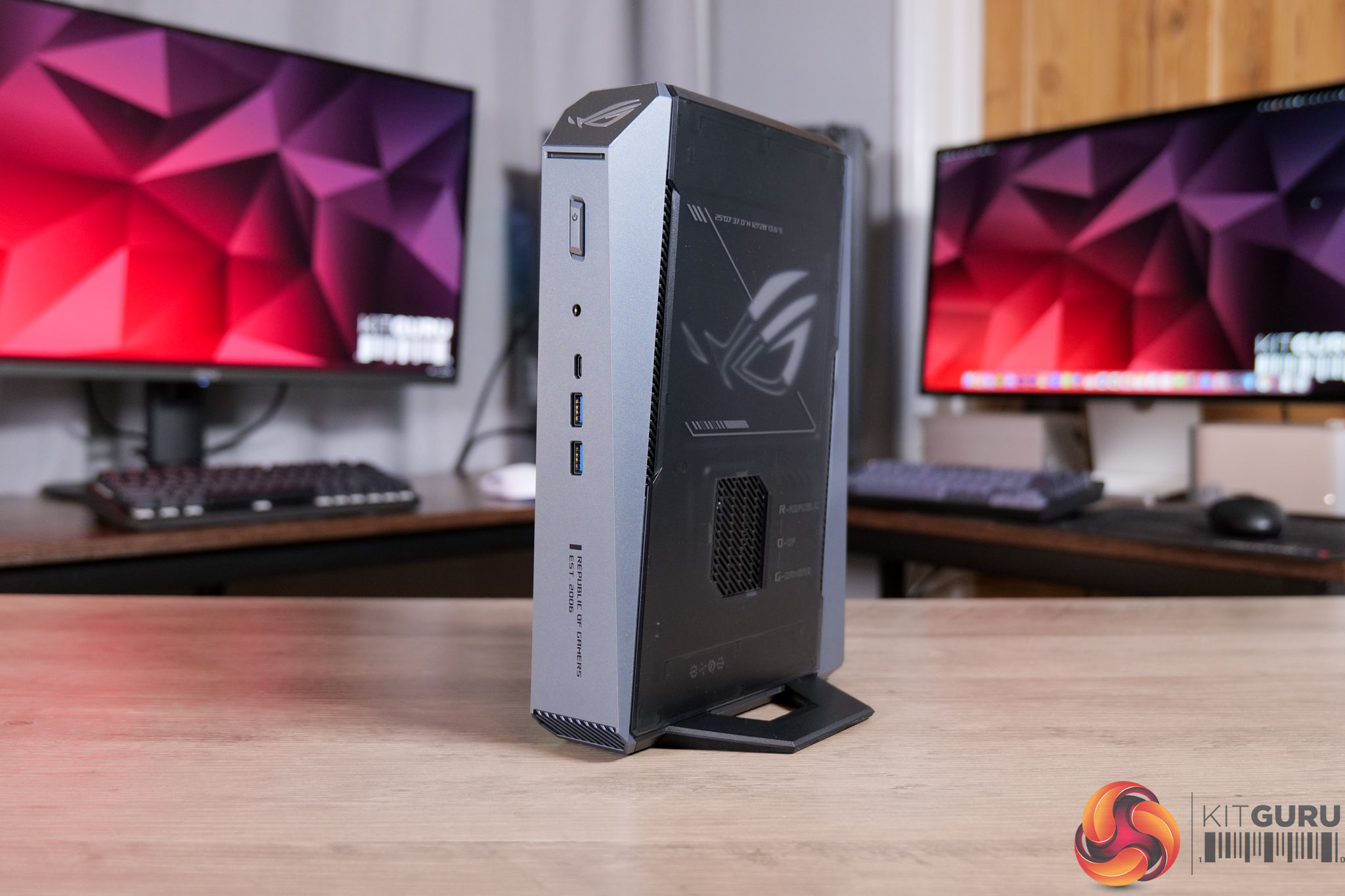
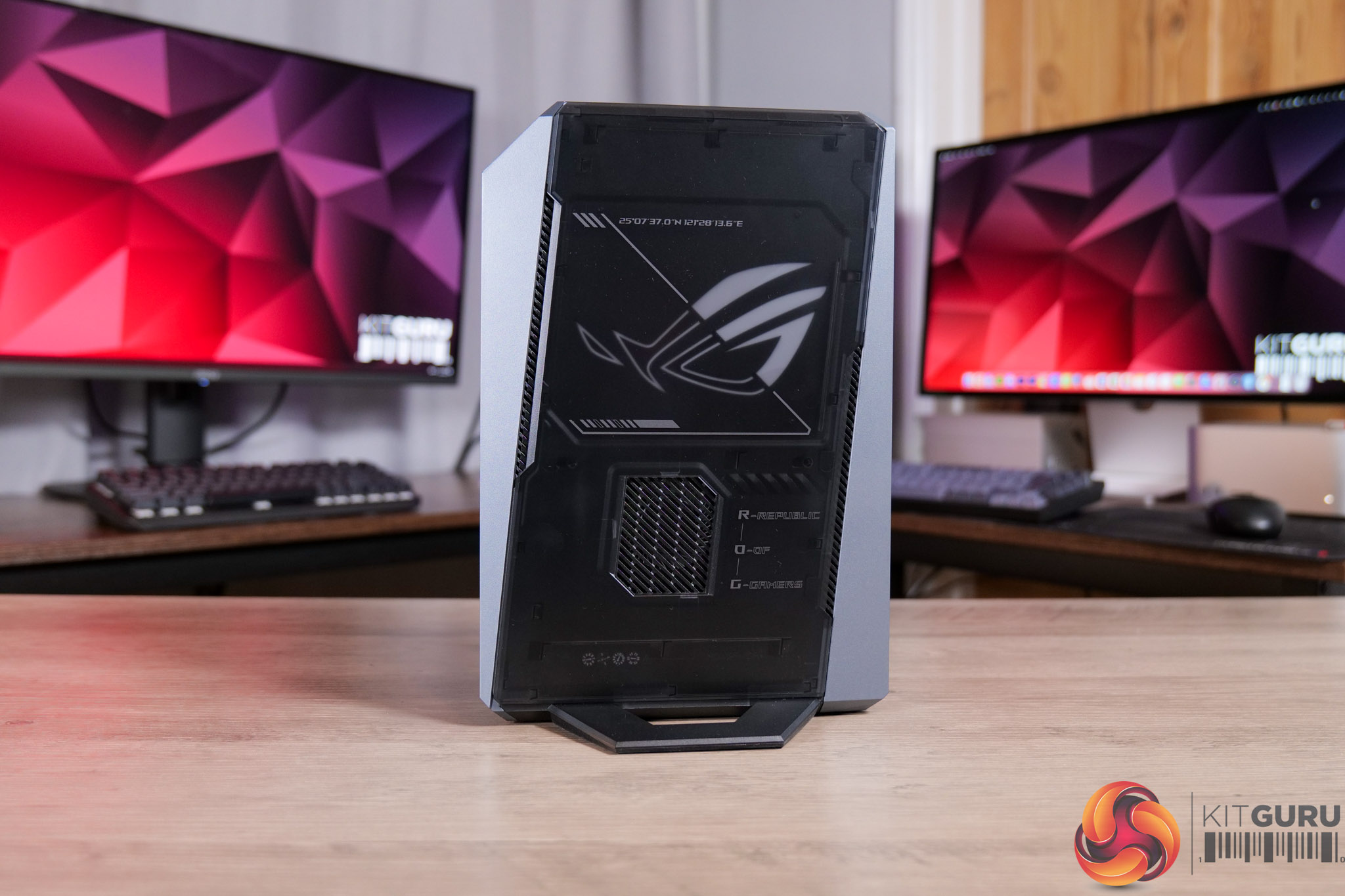
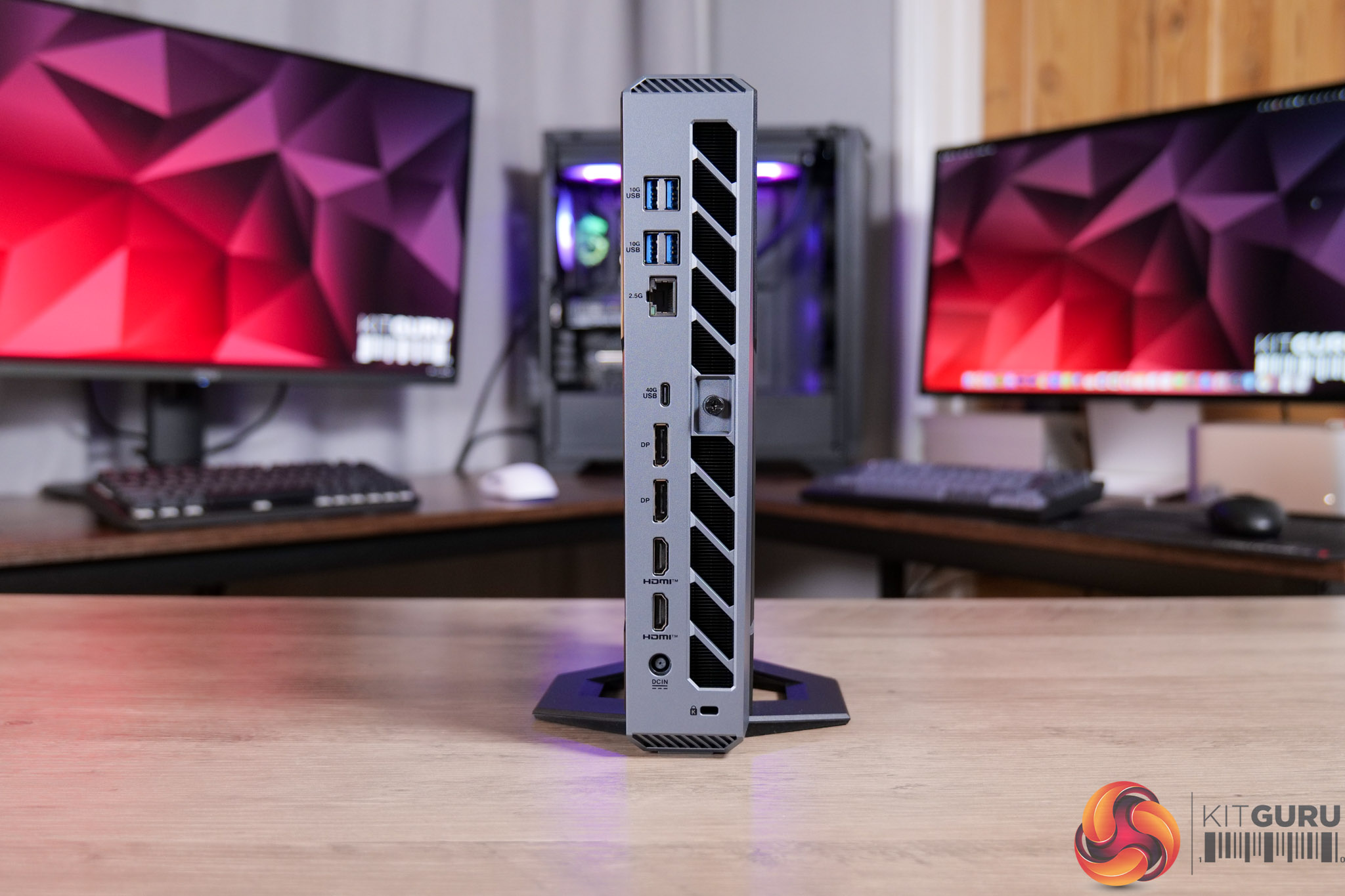
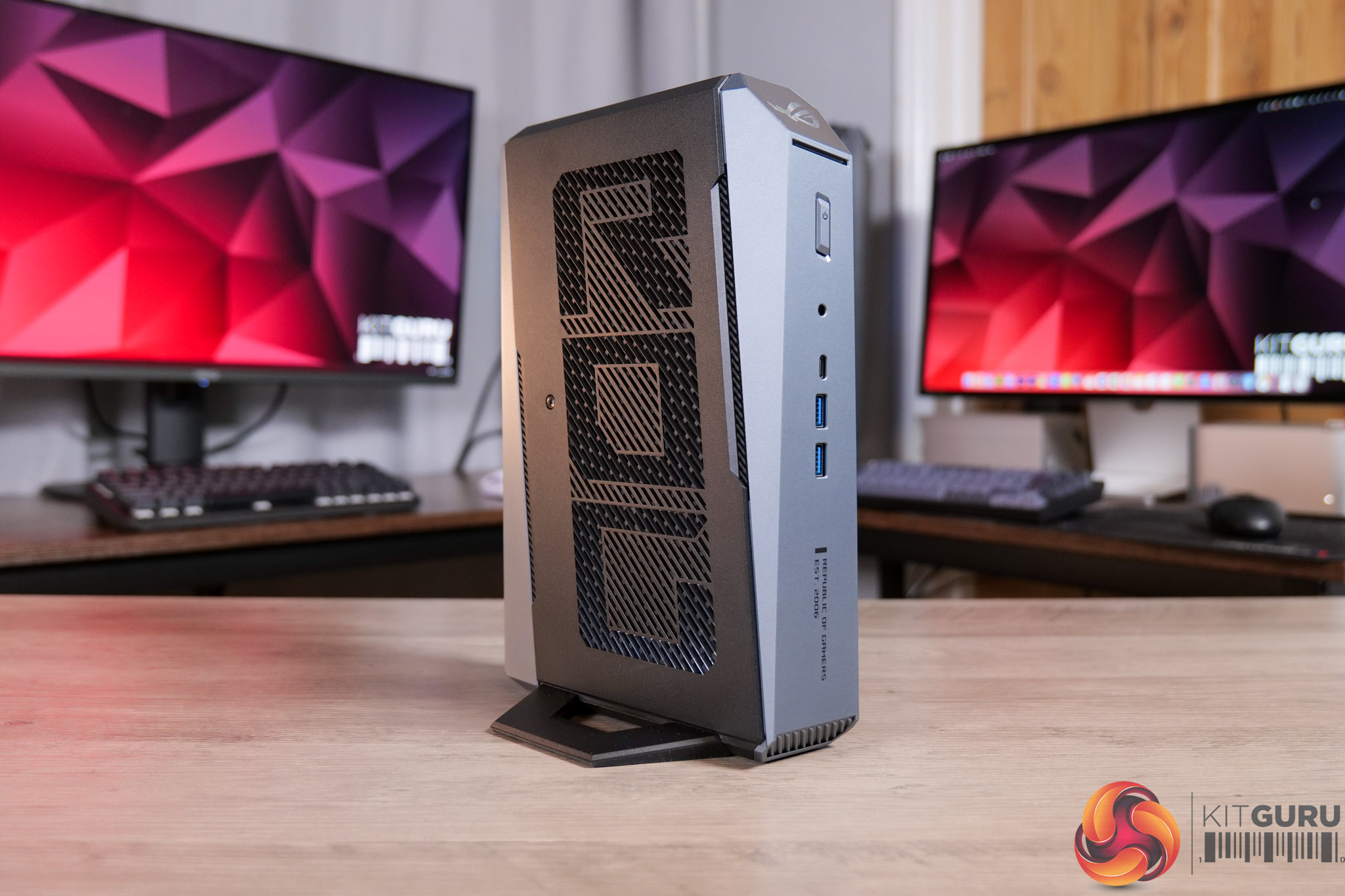
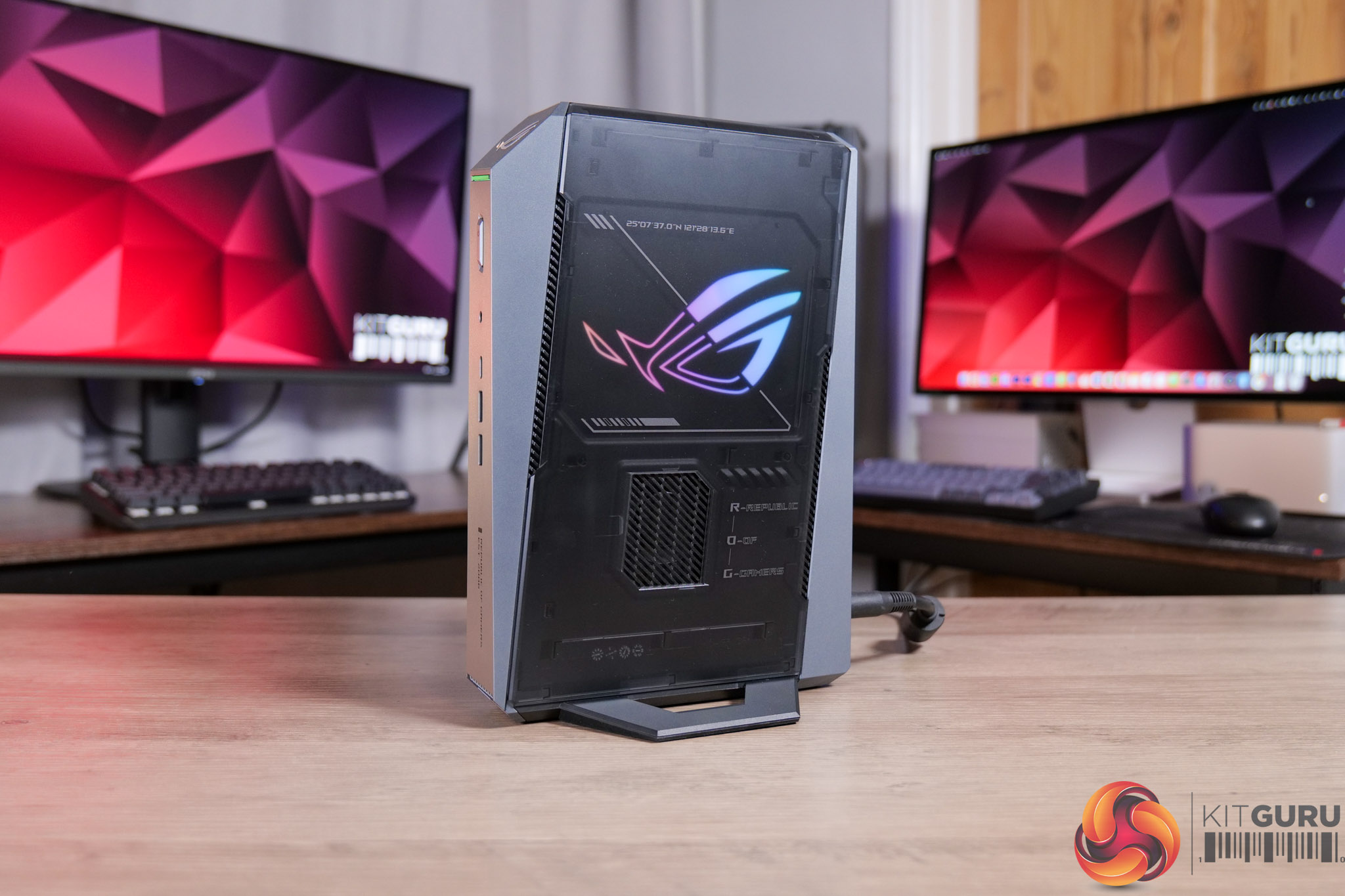
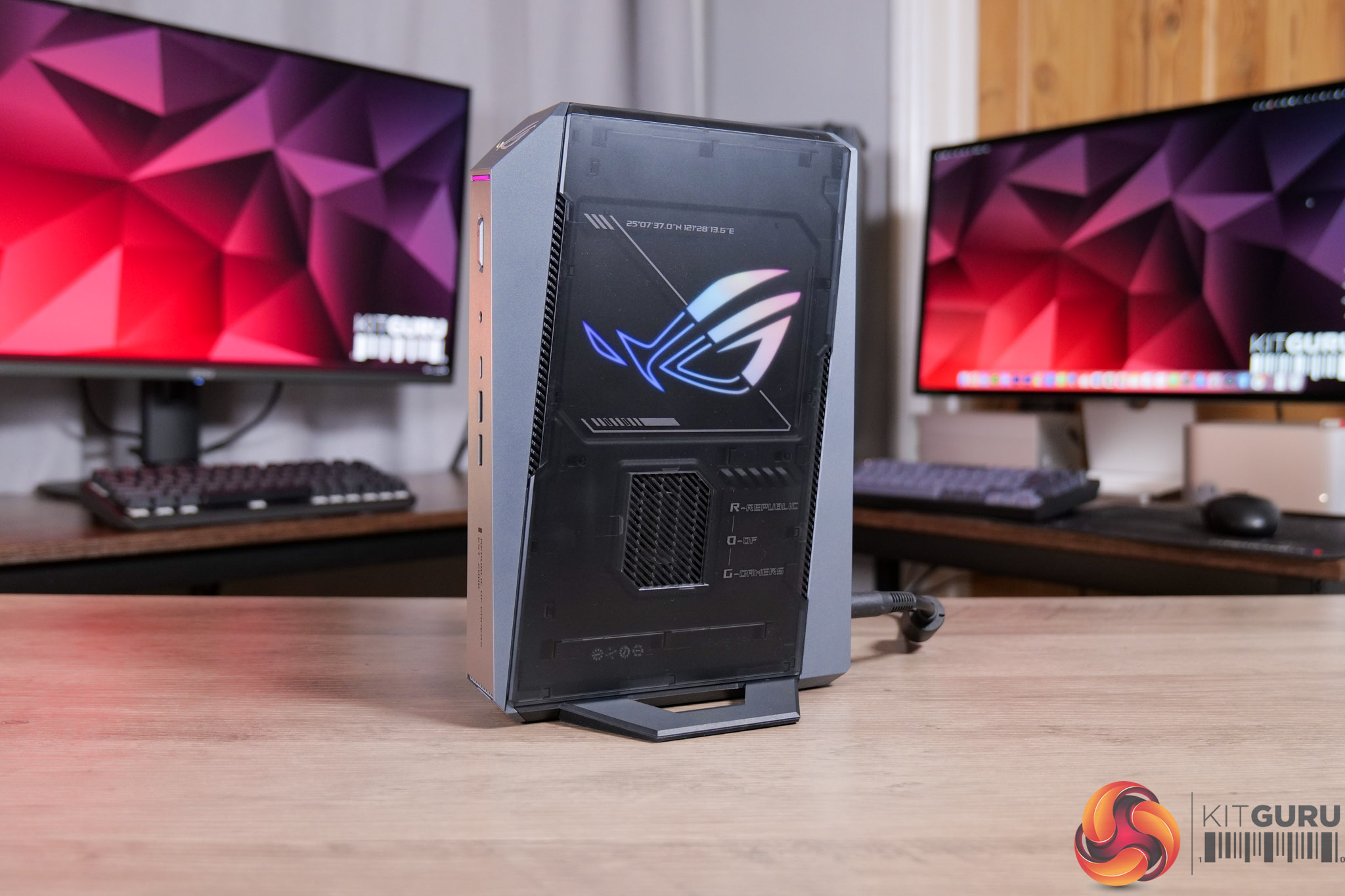
Today we’re checking out the ASUS ROG GR70 gaming mini PC. Not to be confused with the ROG NUC – although they look basically identical – the GR70 packs in a Ryzen 9 9955HX3D CPU instead of an Intel Core Ultra processor. Given NUC used to be an Intel product line, which ASUS then took on, I wonder if that’s why it’s not part of the NUC family. Either way, it’s a tiny machine that's focused solely on gaming, including discrete Nvidia graphics and that high-end Ryzen X3D CPU. Let’s find out just how good the GR70 is…
Timestamps:
00:00 Intro
00:59 Spec and pricing
02:01 Design first impressions
02:45 Connectivity options
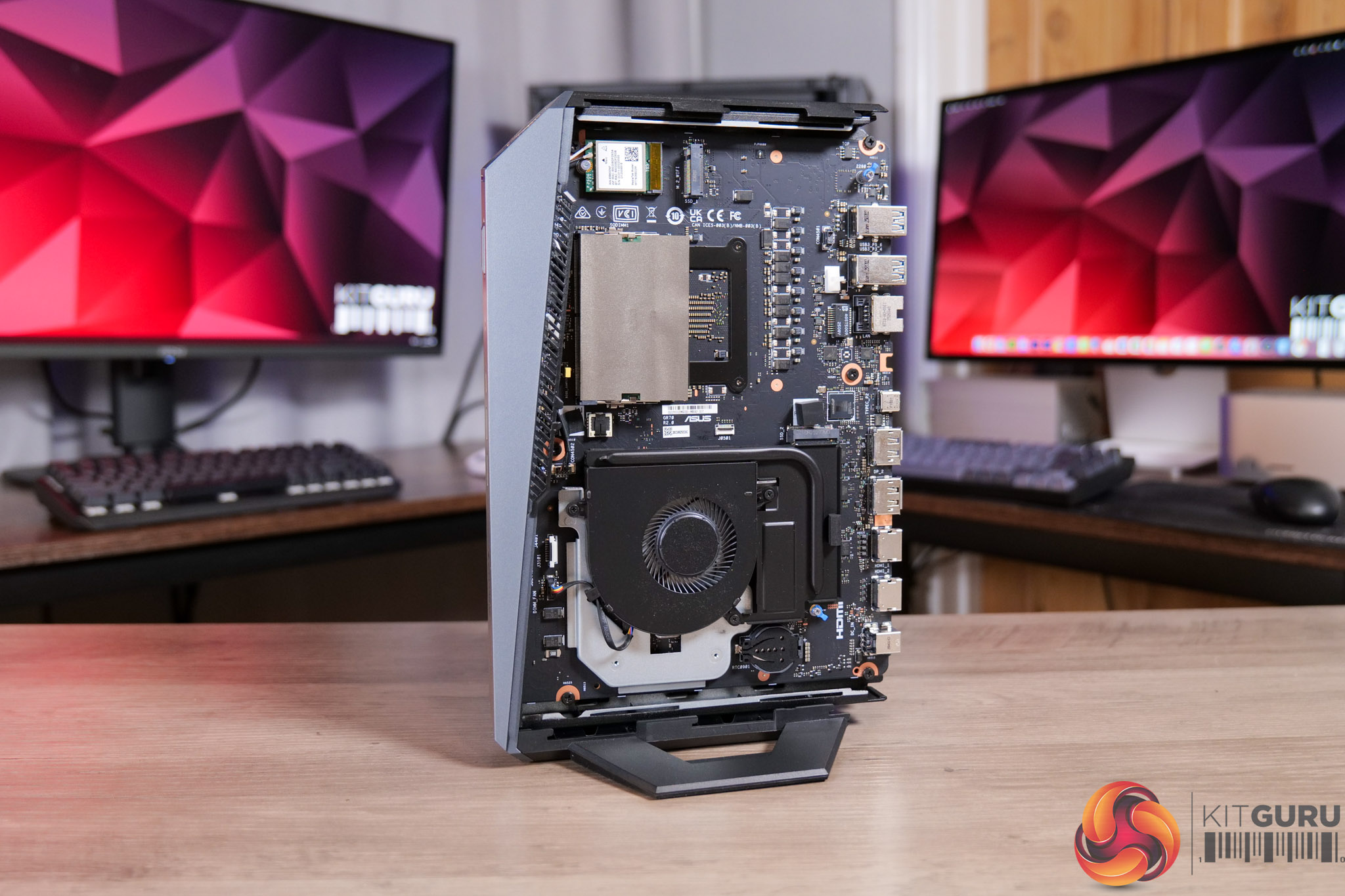
03:29 Accessing the internals
05:07 Testing modes and behaviour
06:57 Noise tests
08:18 Game benchmarks
12:02 Gaming perf vs a full-size desktop
14:02 Closing thoughts
Multi-display support: Up to 5 displays simultaneously
Power supply: 330W adapter with power cord
Dimensions (W x D x H): 282.4 x 187.7 x 56.6 mm
Weight: 2.75 kg
Color: Star Grey
Accessories: AC adapter, power cord, user manual, warranty card
It's worth noting that we were sent a ‘reviewer's special' of the GR70, given our sample packs in the 9955HX3D CPU, but that sits alongside RTX 5060 Laptop graphics – which doesn't appear to be a configuration that ASUS is actually selling. The gaming performance shown in our video is therefore likely to be slightly below what an actual retail unit will deliver, though both 5060 and 5070 Laptop chips have 8GB VRAM.
Pricing and availability is also unconfirmed at the time of writing, but we have reached out to ASUS and will update this review when we have more information. No doubt the ROG GR70 will be expensive and it will certainly have a price premium over an equivalent desktop machine, you will just have to decide how much of a premium you are happy to pay considering the ultra small form-factor.
Pros
Tiny and sleek machine.
Impressive CPU and GPU grunt considering its size.
4K gaming is possible in certain titles, when using DLSS Performance.
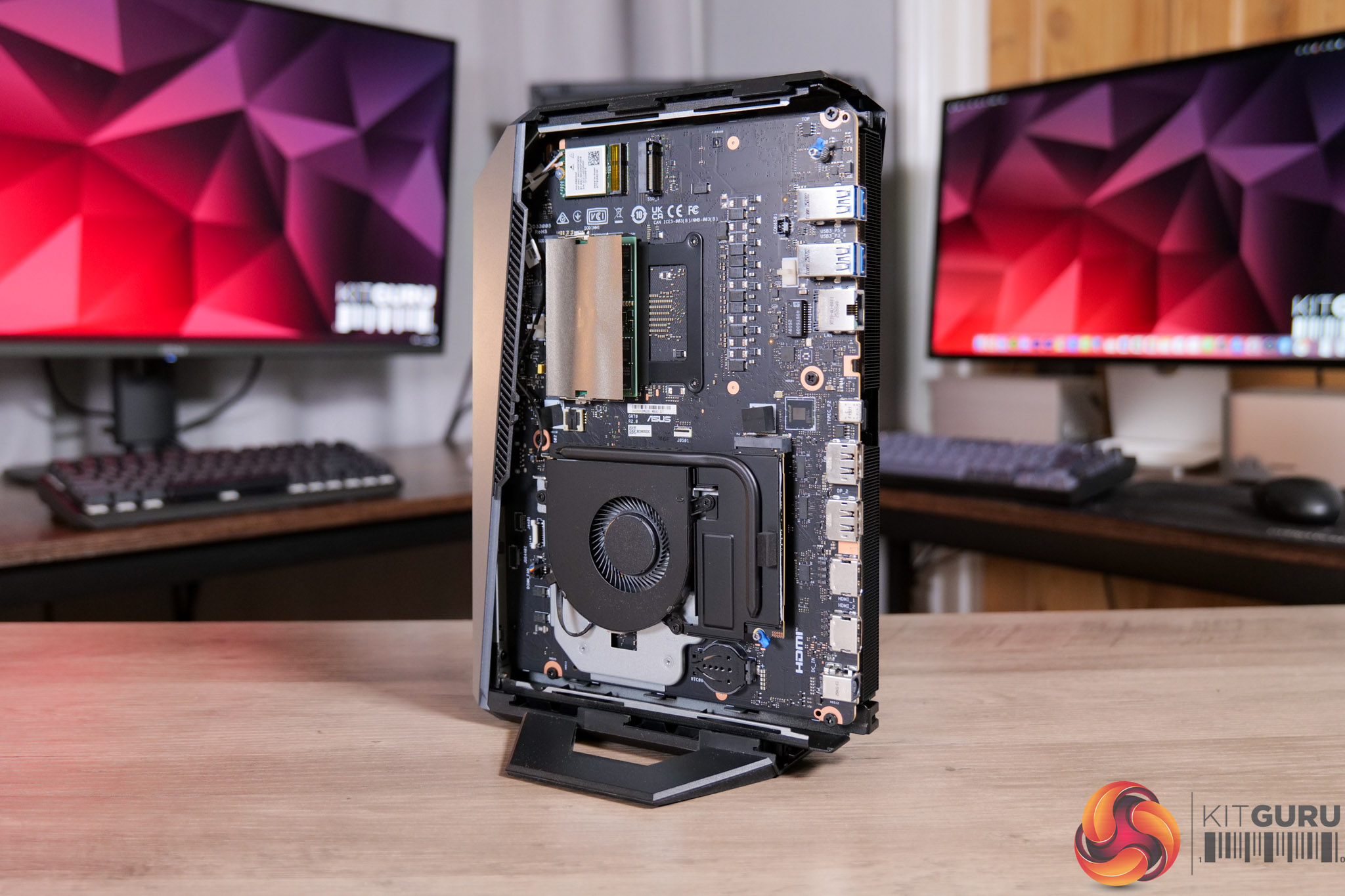
Very easy to access the internals.
Strong I/O.
Cons
CPU hit 100C in intensive all-core workloads.
Gets very loud at the same time (though is much quieter for gaming).
Pricing and availability is not yet confirmed, though it's likely to be very expensive.
KitGuru says: The ROG GR70 is a properly gaming-focused mini PC. It's not perfect, and using it for more than just gaming – like some intensive CPU workloads – may not be the best idea due to the thermal situation. However, if you just want a tiny PC that is capable of properly playing the latest AAA games, this is well worth a look.
Resident Evil Requiem was already off to a good start with critics but it also appears to have been a huge day-one success with PC gamers as well. When the new game unlocked last night, player-counts shot up to almost 300K.
With a peak concurrent player count of over 275,000 on Steam (via IG), Resident Evil Requiem now has the biggest PC launch of any of the mainline games or remakes. For reference, this is 200K more concurrent players than the peak for Resident Evil 2 Remake, and a little more than 100K more than Resident Evil 4 Remake.
Resident Evil Requiem has launched today to a wave of positive reviews from fans and critics alike. The game successfully marries memorable action moments with the tense survival horror vibe of Resident Evil 7.
Resident Evil Requiem is available now for PC and consoles. An AMD graphics driver update is available for Radeon GPU users. Nvidia had also released a driver for this launch but had to pull it from circulation due to bugs.
KitGuru Says: Are you playing Resident Evil Requiem this weekend?
The new Nvidia Game Ready graphics driver that began rolling out yesterday has been suddenly pulled shortly after circulation. Nvidia has removed downloads for the driver temporarily while it investigates a number of reported issues.
According to some reports, the new driver contained a bug that would stop GPU fans spinning, as well as a voltage locking issue, HDR problems and issues with simple tasks like video playback.
Nvidia confirmed that it has pulled downloads of the driver on its blog page, saying: “We have discovered a bug in the Game Ready and Studio 595.59 WHQL drivers and have removed the downloads temporarily while our team investigates. For users that have already installed this driver and are experiencing issues with fan control, please roll back to 591.86 WHQL”.
If you have the Nvidia App, you can still roll back your driver through the drivers tab by scrolling down and clicking the three dots in the corner.
KitGuru Says: This is unfortunate timing, especially with Resident Evil Requiem becoming widely available today. There is no timeline yet for a hotfix but we will keep our eyes out for it.
As triple-A gaming trends more and more toward graphically-intensive titles with ray tracing enabled, vendors are in a continuous march to improve upscaling solutions to offset skyrocketing performance demands. PlayStation is no exception, as it has now finally shipped an updated PSSR upscaler with the release of Resident Evil: Requiem, aka
De Tomaso Automobili has revealed the powerplant specifications for the P900 track-only hypercar mated to a beautifully organic V12 developed in collaboration with engineering firm Italtecnica. With 900 horses on tap, a screaming redline, and wings galore, it looks like we have a strong candidate for the next Batmobile.
At the heart of
Even though PC memory and storage prices have gotten out of control these days, there are still some deals to be had, especially if you venture into the realm of prebuilt system. Case in point, Dell is serving up discounts on a range of hardware, including its Alienware Aurora gaming PCs and some nice gaming monitors. Let's get into it.
Dell's
NASA's James Webb Space Telescope (JWST) has unveiled a striking new photo of the "Exposed Cranium" Nebula, a celestial structure that, as the nickname implies, bears a strong resemblance to a human brain encased in a translucent skull.
Officially known as PMR 1, this nebula is a planetary shroud of gas and dust located roughly 5,000 light-years
Amidst drastic shifts from Xbox and the wider (PC) hardware market, Sony is reportedly considering a pivot away from its more recent strategy of eventually porting its single-player catalog to PC.
As-is, Sony first-party exclusives already trend toward a delay of at least a year before a PC port releases, making most titles merely timed
Minisforum is having a sale on its MS-A2, a tiny system with some big hardware options, not the least of which AMD's Ryzen 9 9955HX Fire Range processor that was part of an onslaught of chip releases at last year's CES event. It also wields some impressive wired connectivity options for ultra-high-speed data transfers.
Starting with the
Apple's iPhone and iPad devices running iOS and iPadOS 26, respectively, have become the first consumer-grade mobile devices officially approved to handle classified NATO information. This certification, announced by Apple following an evaluation by Germany’s Federal Office for Information Security (BSI), allows personnel across all 32 NATO
For a short while, NVIDIA was pushing out a new Game Ready GPU driver release optimized for Resident Evil Requiem, one of the most anticipated games of the year so far. However, NVIDIA ended up pulling its 595.59 WHQL driver package, including both Game Ready and Studio builds, after gamers took to NVIDIA's forum to complain about fan and
Killer Instinct has been one of the more forgotten fighting game franchises, with the series not seeing a new entry since the 2013 Xbox One console exclusive. That said, following the surprise 10th anniversary remaster released a couple years ago, Mortal Kombat creator Ed Boon has opened up discussions surrounding a possible Killer Instinct revival.
Taking to Twitter, Ed Boon posted a poll asking his followers what would be the “best way to bring back Killer Instinct..” with the options being as follows:
$70 full game Xbox only
$70 full game all systems
Free to play Xbox only
Free to play all systems
With 44 thousand votes, the two most popular responses by far were for it to either be a free to play title on all systems (43%), or a full priced game on all systems (46%).
Of course, this is just a poll, with Boon himself confirming that the Tweet is not indicative of any current or future plans.
Furthermore, with the current status of WB Games, having NetherRealm develop a Killer Instinct title would likely require the involvement of multiple parties including Microsoft.
All that said, it is interesting nonetheless to get a sense of where the Killer Instinct franchise is at in today’s day and age.
KitGuru says: What do you think of Killer Instinct? How does its gameplay compare to other fighting game franchises? What studio would be best suited to work on a new KI entry? Let us know your thoughts down below.
In recent years we’ve seen Remedy Entertainment going back to some of its previous releases in order to improve them technologically. Most notably, the team patched 2019’s Control last year adding proper HDR support; new ultra ray tracing presets; 10bit colour and much more. Now, Alan Wake Remastered is seeing a similar treatment – bringing tons of welcome additions.
Releasing the patch notes via their blog, the team at Remedy Entertainment detailed Alan Wake Remastered’s surprise update. Available now on PC, patch 1.33 brings both expected and welcome improvements, including but not limited to:
Camera improvements
Vegetation animation improvements
Weapon swap refinements
Full HDR support
New ‘Modern’ camera mode
Maximum FPS increased to 240 (was 200 previously)
DLSS improvements
10bit colour support
More accurate FOV scaling
More dynamic ultrawide support
Other miscellaneous refinements
Of course, the most immediately notable enhancement will be the addition of 10bit colour and full HDR support, making the game’s distinct colour palette more pleasing in both light and dark areas. Of course, for those with an ultrawide monitor, this update is also pretty vital.
KitGuru says: What do you think of this surprise update? Will you be replaying Alan Wake Remastered? Which of the above additions do you think is the biggest deal? Let us know down below.
While the team are continuing to work on the upcoming 007 First Light, IO Interactive have kept HITMAN World of Assassination alive with periodic updates and new content – most notably in the form of their limited-time Elusive Targets. In alignment with the release of Resident Evil Requiem, the iconic Milla Jovovich has now joined the World of Assassination, with players having a little under a month to take her out.
Releasing a pretty hype trailer announcing the next Elusive Target, IOI revealed that Milla Jovovich is the latest celebrity target to join HITMAN: WOA, writing:
“Power leads to secrecy. Secrecy and power are now a global threat. Are you ready to uncover what’s buried beneath the manor and stop it before it’s too late? Milla Jovovich steps into HITMAN as the latest Celebrity Elusive Target. Play for FREE from February 25th – March 24th and put a stop to Lilith Devereux’s rapid rise.”
While this latest collab has likely been timed to align with the launch of Resident Evil Requiem (given that she was the lead in the classic RE films), Jovovich has had a strong presence across the board, with some of her featured films including 2020’s Monster Hunter; 2019’s Hellboy; The Fifth Element and many more.
Interestingly, this latest Elusive Target is one of the only ones to fight back, meaning you will have to be extra careful when taking her down.
While it is somewhat of a shame to see these Elusive Targets come and go, the concept remains cool and does give that sense of urgency which the team are going for. The Patient Zero Requiem Elusive Target is available to take down from now until the 24th of March.
KitGuru says: What do you think of this whole Elusive Target release strategy? Which featured celebrity have you enjoyed the most so far? Let us know down below.
Over the past console generation, we’ve seen Sony embrace the notion of releasing some of its first-party titles to other platforms later on down the line – particularly on PC. While this has yielded some success, it seems the console maker might be going back towards exclusivity, with insiders claiming that future multi-platform releases might be limited to live-service titles.
According to multiple insiders, Sony might be moving away from bringing their single-player games to PC, with known leaker Jason Schreier recently claiming that “the sense I'm getting is that they're backing away from putting their exclusive console stuff like traditional single-player stuff on PC.”
Other leakers echoed the sentiment, with SneakerSO writing “there are loads of changes happening now that we'll see increasingly over the next 3-4 years that are more in line with what folks preferred from them.”
Another known insider – NateDrake – put it in more basic terms, claiming that “Sony is shifting their PC strategy, absolutely.”
While Sony themselves have rarely shared official sales data for their games on PC, previous leaks have shown that most single player titles have failed to hit 1 million on the platform.
As such, it appears as though Sony has determined that the brand value of PlayStation as a machine for exclusives is more important than getting an extra couple hundred thousand sales from PC users.
KitGuru says: What do you think of this supposed strategy shift? Were they always going to go back towards exclusives? Is this a direct response to the next Xbox seemingly being a PC? Let us know down below.
 Connexion
 AirSnitch is a newly-revealed attack on Wi-Fi networks that work across all major router brands and firmwares, including DD-WRT and OpenWrt. In an alarming turn for cybersecurity, researchers revealed a form of Wi-Fi attack that can entirely bypass client isolation on Wi-Fi, which is typically the only thing preventing attackers from intercepting





 9 9955HX3D Processor (cTDP 70W)