↩ Accueil

Vue lecture

Don't Want to Upgrade to iOS 26? Here's How to Stay on iOS 18 (For Now)

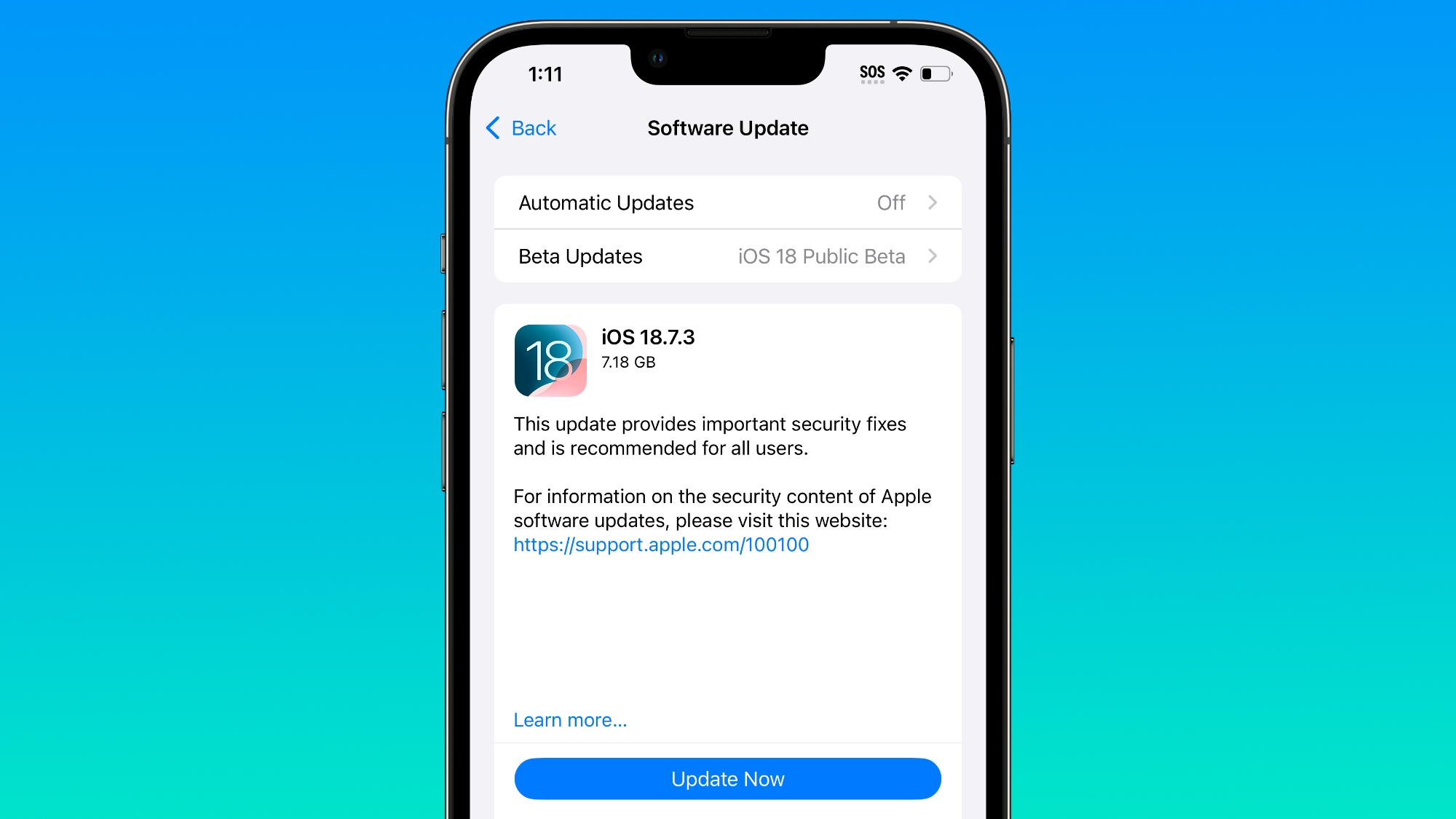
Since the beginning of December, Apple has been pushing iPhone users who opted to stay on iOS 18 to install iOS 26 instead. Apple started by making the iOS 18 upgrades less visible, and has now transitioned to making new iOS 18 updates unavailable on any device capable of running ‌iOS 26‌.


If you have an ‌iPhone‌ 11 or later, Apple is no longer offering new versions of iOS 18, even though there was a security update that came out alongside iOS 26.2. Apple stopped showing new iOS 18 updates when iOS 26.2 launched, forcing iOS 18 users to upgrade to iOS 26.2 if they want to keep their devices secure.

For now, there's a way to stay on iOS 18 and continue to get security updates. On a device running iOS 18, you can turn on iOS 18 public beta updates to force new versions of iOS 18 to show up. This may not remain an option for long, but it works at the current time.

Apple's move to push users to ‌iOS 26‌ is timed with a long list of security updates introduced in iOS 26.2 and iOS 18.7.3, including a WebKit vulnerability known to be actively exploited. Both updates addressed the problem, so there is no technical need for the iOS 26.2 requirement.

Jason Snell wrote an article yesterday on Apple's decision not to offer iOS 18 users further iOS 18 upgrades and speculated that it might be a bug or an error, but the reality is that Apple does this every year.

The iOS 14 to iOS 15 transition in 2021 was the first time that Apple allowed users to remain on an older version of iOS. At the time, Apple said that iOS offered "a choice between two software update versions." Users would be able to update to iOS 15 at release, or opt to continue on iOS 14 and "still get important security updates."

As promised, Apple did allow users to stay on iOS 14 and avoid the iOS 15 update, but only temporarily. Apple started pushing people to iOS 15 in January 2022 by making the iOS 15 software update option more prominent and no longer offering iOS 14 security updates for devices capable of running iOS 15.

In fact, iOS 14 updates stopped being available when Apple launched iOS 15.2, which might sound familiar because it is the exact same path that it followed with the iOS 18 to ‌iOS 26‌ transition. Apple did the same thing with the iOS 16 to iOS 17 transition, and the iOS 17 to iOS 18 transition.

For a clear answer why iOS 18 security updates are no longer available on devices capable of running ‌iOS 26‌, we can look to what Apple had to say in 2022 after people complained about being forced to upgrade to iOS 15. According to Apple, the option for users to stay on iOS 14 and avoid iOS 15 was always meant to be temporary. Apple provided a grace period for people to remain on iOS 14 while iOS 15 bugs were worked out, but Apple ultimately wanted users on the latest version of iOS.

In a support document published in 2021, Apple clarified that users would be able to stay on the old version of iOS "for a period of time," but not forever.
If you're using iOS or iPadOS 14.5 or later, you might now see the option to choose between two software update versions. This option allows you to choose between updating to the latest version of iOS or iPadOS 15 as soon as it's released, or continuing on iOS or iPadOS 14 while still getting important security updates for a period of time.

Apple has continued with the same update policy since iOS 15, but the company's move to wean users off of iOS 18 is more visible this year due to the design changes introduced with ‌iOS 26‌. Liquid Glass is a major user interface overhaul that's polarizing, and some users are unsurprisingly reluctant to update for that reason.
This article, "Don't Want to Upgrade to iOS 26? Here's How to Stay on iOS 18 (For Now)" first appeared on MacRumors.com

Discuss this article in our forums
  •  

MacRumors Giveaway: Win an iPhone 17 and Fresh Coat Screen Protector From Astropad

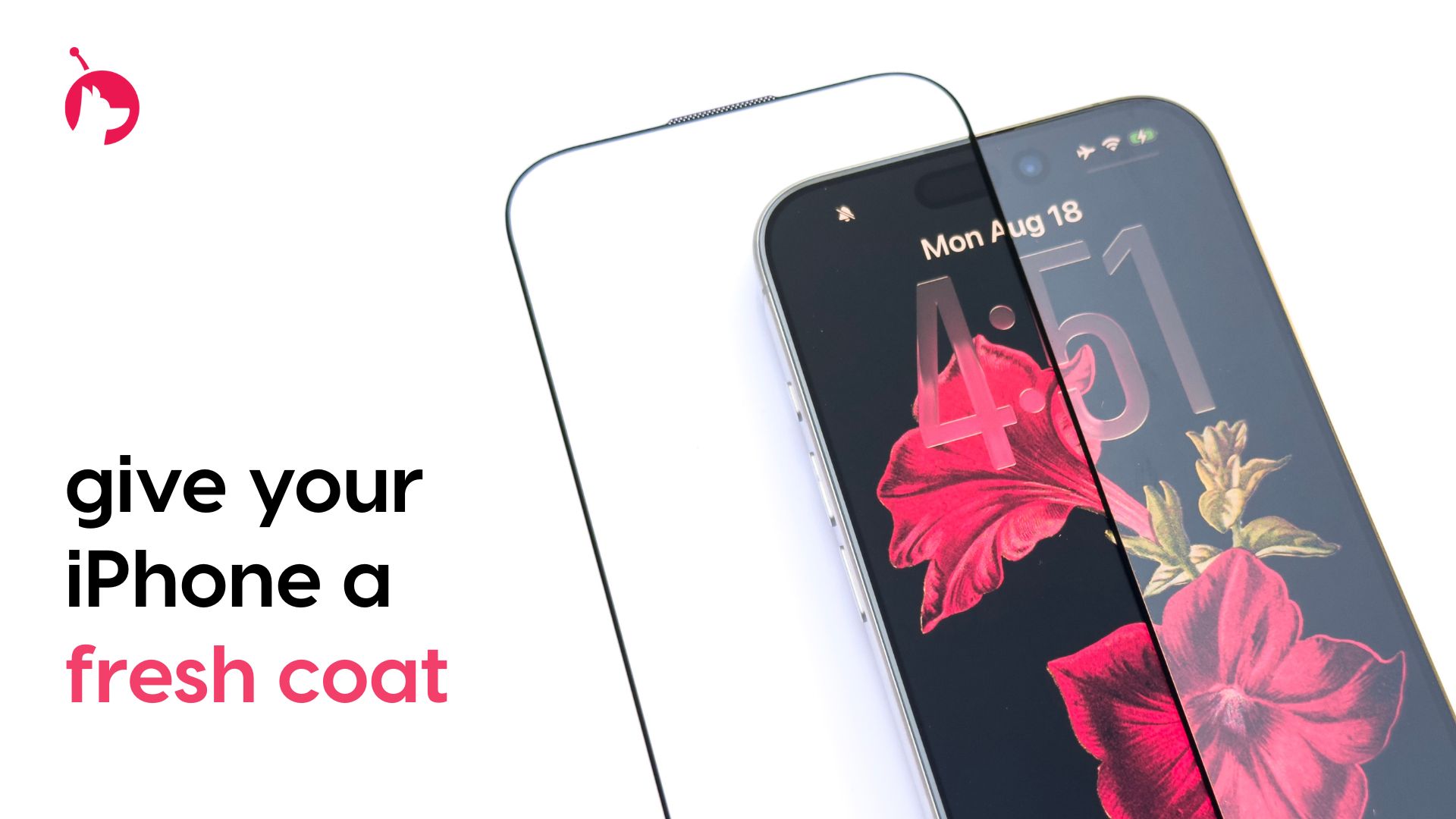
For this week's giveaway, we've teamed up with Astropad to offer MacRumors readers a chance to win an iPhone 17 and one of Astropad's Fresh Coat anti-reflective screen protectors to go along with it.


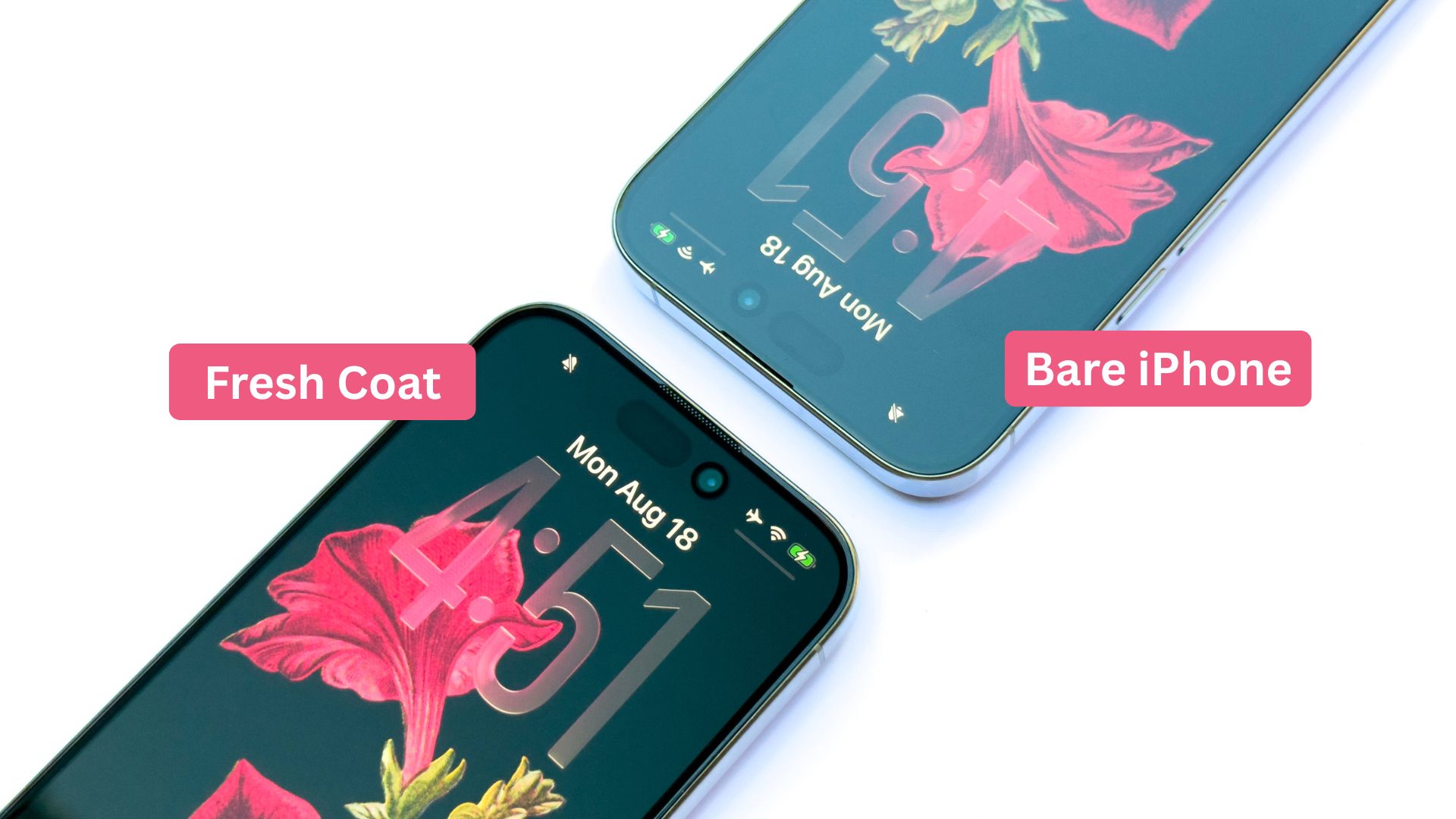
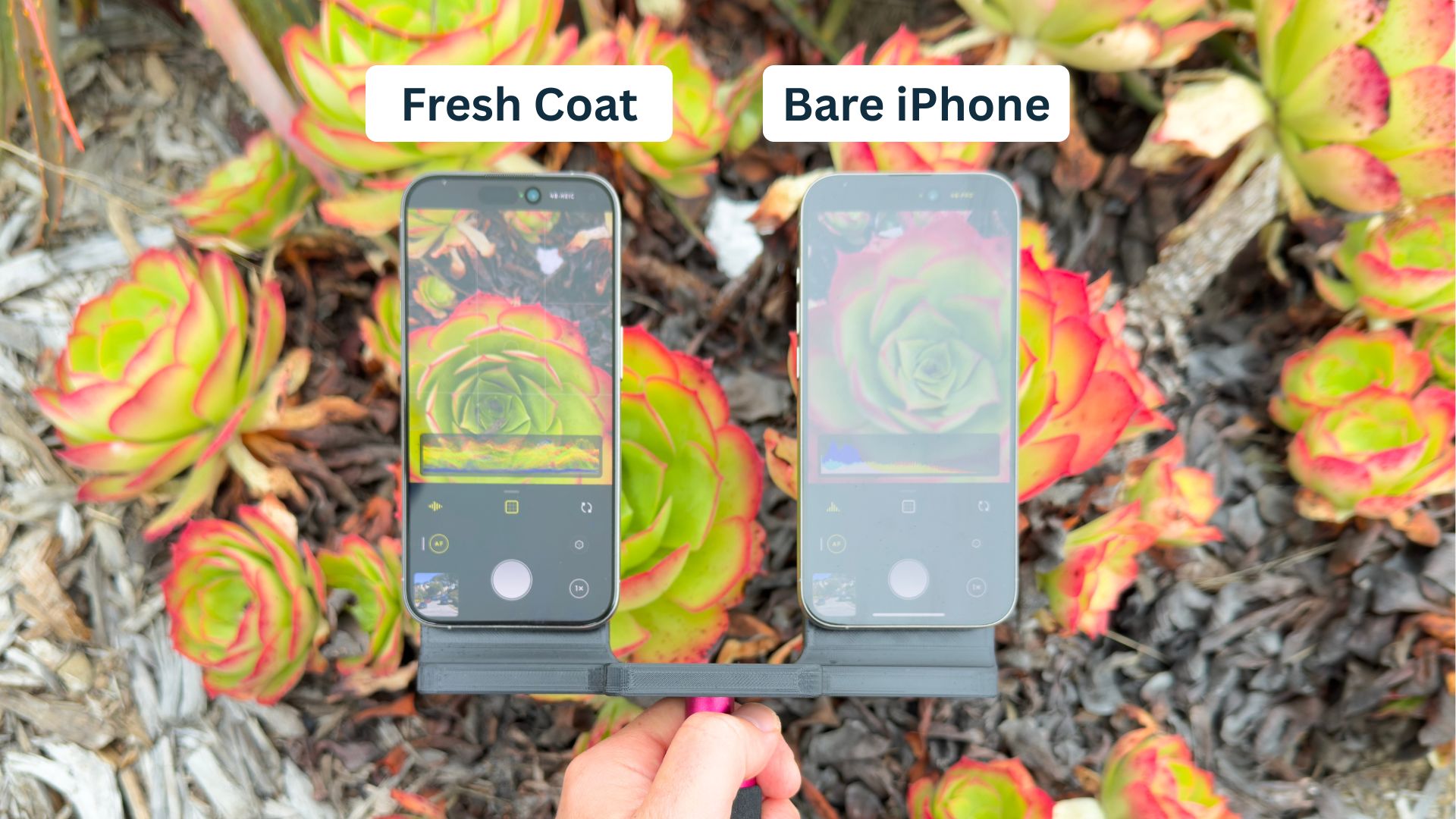
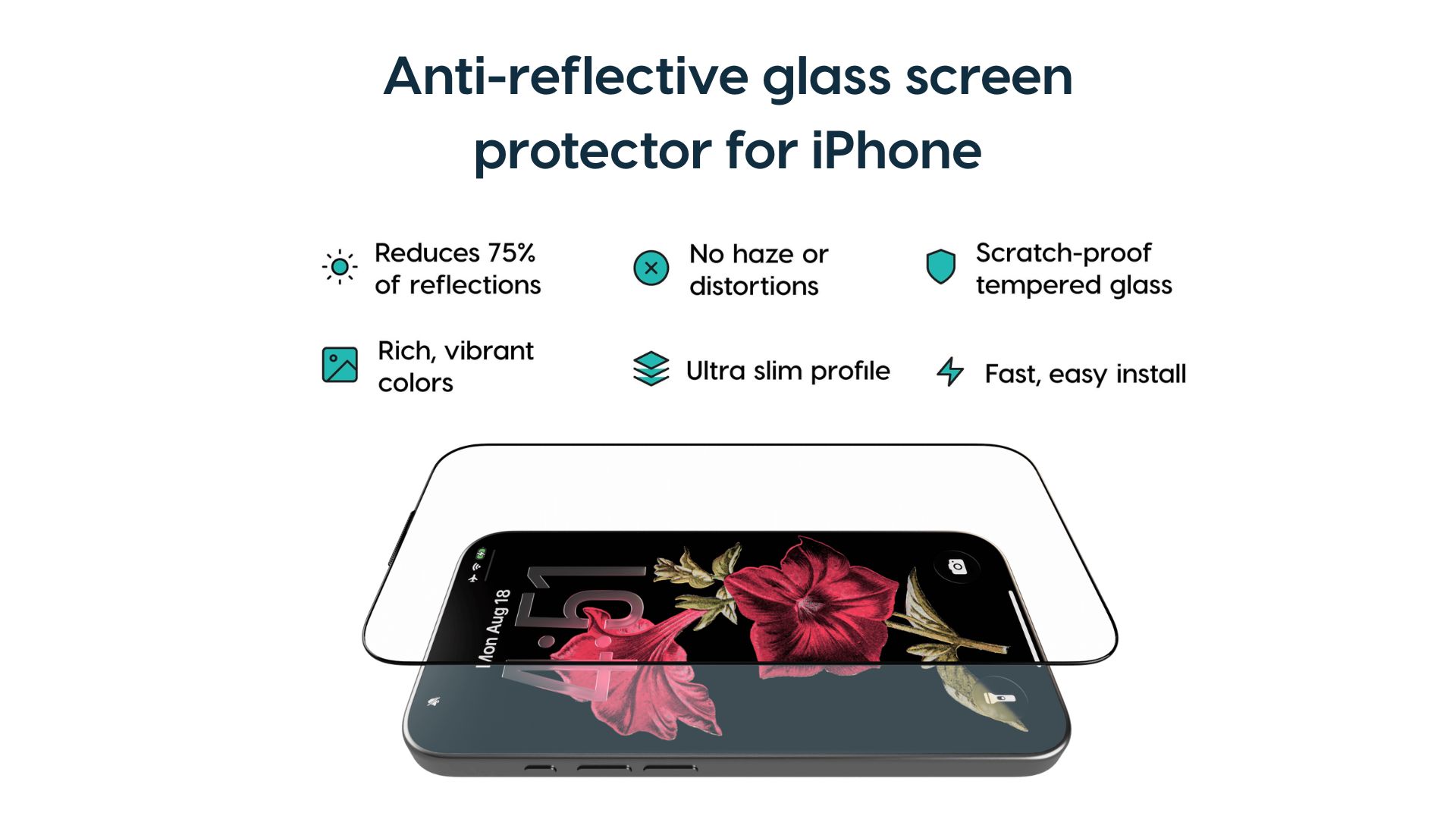
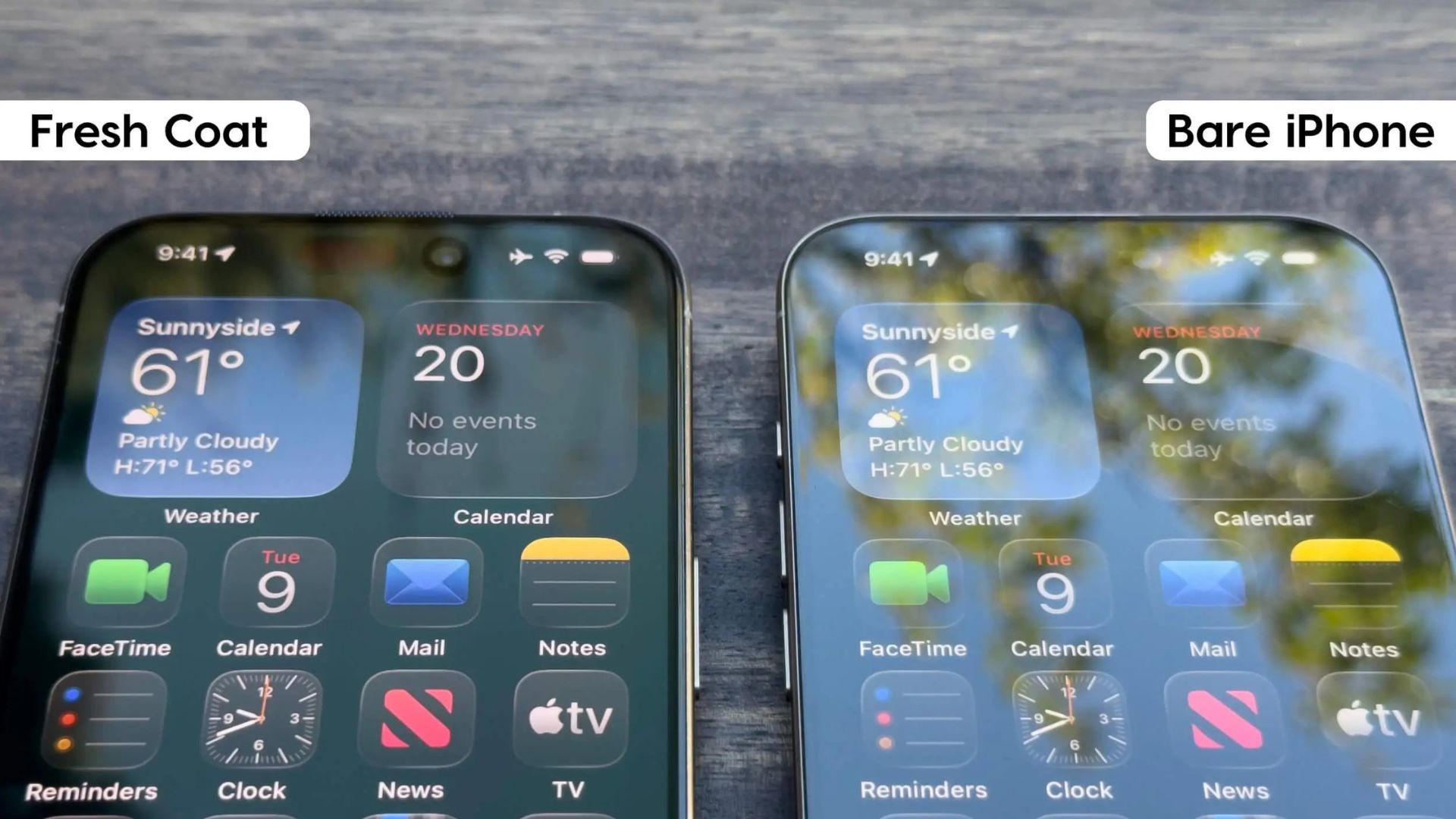
Fresh Coat is a new kind of screen protector that Astropad designed with an optical-grade anti-reflective coating to reduce glare and provide a more pleasant iPhone viewing experience. The technology that Astropad is using cuts reflections by 75 percent, while improving contrast and keeping colors vibrant. Unlike other anti-reflective screen protectors, there's no haze or distortion.


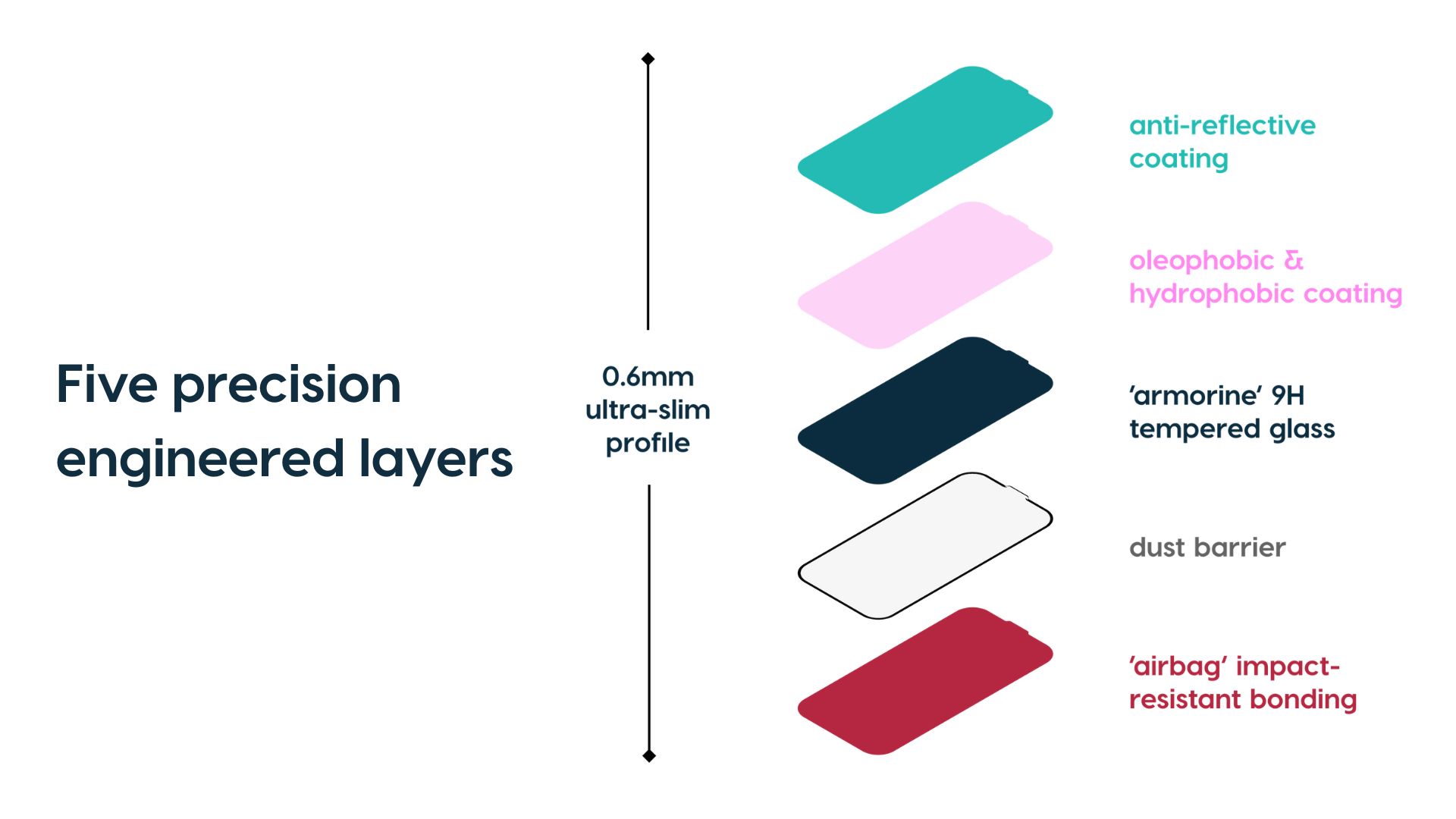
Priced at $30, Fresh Coat is made from a scratch-proof tempered glass that also provides protection for the ‌iPhone‌'s display in addition to cutting down on glare and reflections. It's slim and won't add any bulk to the ‌iPhone‌ even though it has a five-layer design. From the top down, there's an anti-reflective coating, an oleophobic and hydrophobic coating, a layer of tempered glass, a dust barrier, and an impact-resistant "airbag" bonding.


If you have an ‌iPhone 17‌, it comes with a new anti-reflective coating added by Apple. What you might not know, though, is that you can't use just any screen protector with the ‌iPhone 17‌. If you put a regular screen protector without an anti-reflective coating on, it entirely nullifies the anti-reflective properties of that added coating.


Since Fresh Coat has its own anti-reflective coating, it actually improves upon Apple's included anti-reflective layer, reducing glare even further. With Fresh Coat, the ‌iPhone‌'s screen is easy to see in any lighting conditions, there's less eye strain, and if you use Dark Mode, it looks even darker.


If you don't have an ‌iPhone 17‌, Fresh Coat can provide an ‌iPhone‌ 17-style display upgrade, mirroring Apple's own reflection-reducing display coating. Fresh Coat is available for all ‌iPhone 17‌ models, the iPhone 16 Pro and Pro Max, and the ‌iPhone‌ 15 Pro and Pro Max.


Astropad even designed an installation process that's impossible to mess up, so you get perfect alignment on your ‌iPhone‌ without hassle.

We have an ‌iPhone 17‌ in white and a Fresh Coat screen protector for one lucky MacRumors reader. To enter to win, use the widget below and enter an email address. Email addresses will be used solely for contact purposes to reach the winner(s) and send the prize(s). You can earn additional entries by subscribing to our weekly newsletter, subscribing to our YouTube channel, following us on Twitter, following us on Instagram, following us on Threads, or visiting the MacRumors Facebook page.

Due to the complexities of international laws regarding giveaways, only U.S. residents who are 18 years or older, UK residents who are 18 years or older, and Canadian residents who have reached the age of majority in their province or territory are eligible to enter. All federal, state, provincial, and/or local taxes, fees, and surcharges are the sole responsibility of the prize winner. To offer feedback or get more information on the giveaway restrictions, please refer to our Site Feedback section, as that is where discussion of the rules will be redirected.The contest will run from today (December 19) at 10:00 a.m. Pacific Time through 10:00 a.m. Pacific Time on December 26. The winner will be chosen randomly on or shortly after December 26 and will be contacted by email. The winner will have 48 hours to respond and provide a shipping address before a new winner is chosen.
This article, "MacRumors Giveaway: Win an iPhone 17 and Fresh Coat Screen Protector From Astropad" first appeared on MacRumors.com

Discuss this article in our forums
  •  

You Can No Longer Downgrade to iOS 26.1

Apple has stopped signing iOS 26.1, meaning that iPhone users can no longer downgrade to that software version via Finder on macOS or the Apple Devices app on Windows. iOS 26.2 is now the minimum version that is still signed by Apple, and the first beta of iOS 26.3 is also available to developers and public beta testers.


iOS 26.2 was released last week. The update adds a Liquid Glass slider for the Lock Screen's clock, offline lyrics in Apple Music, and much more.
Related Roundups: iOS 26, iPadOS 26
Related Forum: iOS 26

This article, "You Can No Longer Downgrade to iOS 26.1" first appeared on MacRumors.com

Discuss this article in our forums
  •  

The MacRumors Show: 2025 Year-in-Review

On this year's final episode of The MacRumors Show, we take a look back at all of Apple's major announcements and new products from 2025.


In February, Apple introduced the iPhone 16e, positioned as a replacement for the iPhone SE as a lower-cost model, starting at $599. It offers the A18 chip and a 48-megapixel camera in an ‌iPhone‌ 13-style design, but with matte back glass, a USB-C port, and no MagSafe. The device debuted Apple's custom C1 5G modem, replacing components from Qualcomm for the first time.

In March, Apple refreshed several iPads and Macs. The standard iPad was updated with the A16 chip, and noticeably still lacks Apple Intelligence support. The 11- and 13-inch iPad Air was refreshed with the M3 chip, and Apple released a redesigned Magic Keyboard for it. Apple also updated the MacBook Air with the M4 chip and introduced a new Mac Studio with M4 Max and M3 Ultra chip options.

At WWDC in June, Apple previewed its major software updates for the year. The biggest announcement was the introduction of Liquid Glass, an all-new design language for all of Apple's software platforms.

iOS 26 redesigned apps such as Phone and Photos, and added Live Translation with AirPods, a host of new features for Messages, and a new Games app. iPadOS 26 introduced a new, Mac-like multitasking system with windows, while macOS 26 Tahoe revamped Spotlight with a clipboard history feature and quick commands.

In September, Apple released its annual ‌iPhone‌ lineup update. The iPhone 17 features a larger display with ProMotion for refresh rates up to 120Hz and a 48-megapixel Fusion ultra-wide camera.

The iPhone 17 Pro and ‌iPhone 17 Pro‌ Max tout a completely new aluminum unibody frame with a large, full-width camera plateau and vapor chamber cooling. The telephoto camera received a major upgrade to 48-megapixels, with options for 4x and 8x optical zoom.

The iPhone Air arrived as a totally new ‌iPhone‌ option, replacing the "Plus" model in the lineup. Sitting between the ‌iPhone 17‌ and the ‌iPhone 17 Pro‌, the ‌iPhone Air‌ has a radically thin design with a polished titanium frame, and uses Apple's custom C1X and N1 connectivity chips. The device only has one rear camera, a single speaker, and supports eSIM only.

All of the new iPhones feature an A19 or A19 Pro chip, Ceramic Shield 2, a 18-megapixel Center Stage front-facing camera with a square sensor, and new color options. Apple also released updated charging and accessory products, including a new ‌MagSafe‌ battery designed specifically for the ‌iPhone Air‌, TechWoven cases, and crossbody straps.

Apple refreshed its wearable and audio lineups in the same month. Apple Watch SE was updated with the S10 chip and an always-on display. The aluminum Apple Watch Series 11 gained stronger front glass and a slightly bigger battery, while the Apple Watch Ultra 3 gains satellite connectivity for the first time. Cellular models of the new Apple Watches feature 5G connectivity.

Apple also released the third generation of AirPods Pro, with improved active noise cancellation, a more refined design with ear tips that include foam, and heart-rate sensing.

In October, Apple updated the iPad Pro, 14-inch MacBook Pro, and Vision Pro with the M5 chip. The new Vision Pro also gained a new dual knit headband, promising improved comfort, along with better battery life, higher-refresh rate displays, more rendered pixels.

The MacRumors Show has its own YouTube channel, so make sure you're subscribed to keep up with new episodes and clips in 2026.


You can also listen to ‌The MacRumors Show‌ on Apple Podcasts, Spotify, Overcast, or your preferred podcasts app. You can also copy our RSS feed directly into your podcast player.


If you haven't already listened to the previous episode of The MacRumors Show, catch up to hear our discussion about Apple's plans to refresh the Studio Display and Pro Display XDR.
cent
Subscribe to ‌The MacRumors Show‌ for new episodes every week, where we discuss some of the topical news breaking here on MacRumors, often joined by interesting guests such as Kayci Lacob, Kevin Nether, John Gruber, Mark Gurman, Jon Prosser, Luke Miani, Matthew Cassinelli, Brian Tong, Quinn Nelson, Jared Nelson, Eli Hodapp, Mike Bell, Sara Dietschy, iJustine, Jon Rettinger, Andru Edwards, Arnold Kim, Ben Sullins, Marcus Kane, Christopher Lawley, Frank McShan, David Lewis, Tyler Stalman, Sam Kohl, Federico Viticci, Thomas Frank, Jonathan Morrison, Ross Young, Ian Zelbo, and Rene Ritchie.

‌The MacRumors Show‌ is on X @MacRumorsShow, so be sure to give us a follow to keep up with the podcast. You can also head over to The MacRumors Show forum thread to engage with us directly. Remember to rate and review the podcast, and let us know what subjects and guests you would like to see in the future.
This article, "The MacRumors Show: 2025 Year-in-Review" first appeared on MacRumors.com

Discuss this article in our forums
  •  

Australia Approves Apple Watch's Hypertension Notifications

Australia has granted approval for Apple to enable its Apple Watch hypertension notification feature in the country, Information Age reports.


The Therapeutic Goods Administration (TGA), Australia's medical device regulator, has approved Apple's hypertension notification feature for use on Apple Watch, formally listing the software as a medical device on the Australian Register of Therapeutic Goods earlier this month.

Apple announced hypertension detection in September. The feature is designed to identify patterns associated with elevated blood pressure rather than directly measuring blood pressure itself. It uses data collected by the optical heart sensor on the back of supported Apple Watch models to analyze how blood vessels respond to heartbeats over rolling 30 day periods. If the system detects consistent indicators associated with possible hypertension, the user receives a notification advising follow-up using conventional blood pressure measurement methods.

The system is intended for adults aged 22 and older who are not pregnant and who have not previously been diagnosed with hypertension. It requires an Apple Watch Series 9 or later or an Apple Watch Ultra 2 or later running watchOS 26, paired with an iPhone 11 or later running the latest version of iOS.

Apple can now legally activate the feature for Australian users, although the company has not yet confirmed when it will become available. In previous cases involving regulated health features, Apple has enabled functionality either through a subsequent software update or by remotely activating the feature once regulatory clearance has been obtained. Hypertension notifications have already rolled out in more than 150 countries.
This article, "Australia Approves Apple Watch's Hypertension Notifications" first appeared on MacRumors.com

Discuss this article in our forums
  •  

Best Apple Deals of the Week: AirPods Pro 3 for $199, Plus Sitewide Sales at Samsung and Sonos

It's the last week before Christmas, which means that the holiday shopping season is quickly wrapping up. With this in mind, we're recapping all of the best last-minute deals you can find online this week, but be warned that guaranteed delivery by December 25th is going to be increasingly difficult to find over the next few days.

Note: MacRumors is an affiliate partner with some of these vendors. When you click a link and make a purchase, we may receive a small payment, which helps us keep the site running.

AirPods Pro 3


  • What's the deal? Take $50 off AirPods Pro 3

  • Where can I get it? Amazon

  • Where can I find the original deal? Right here


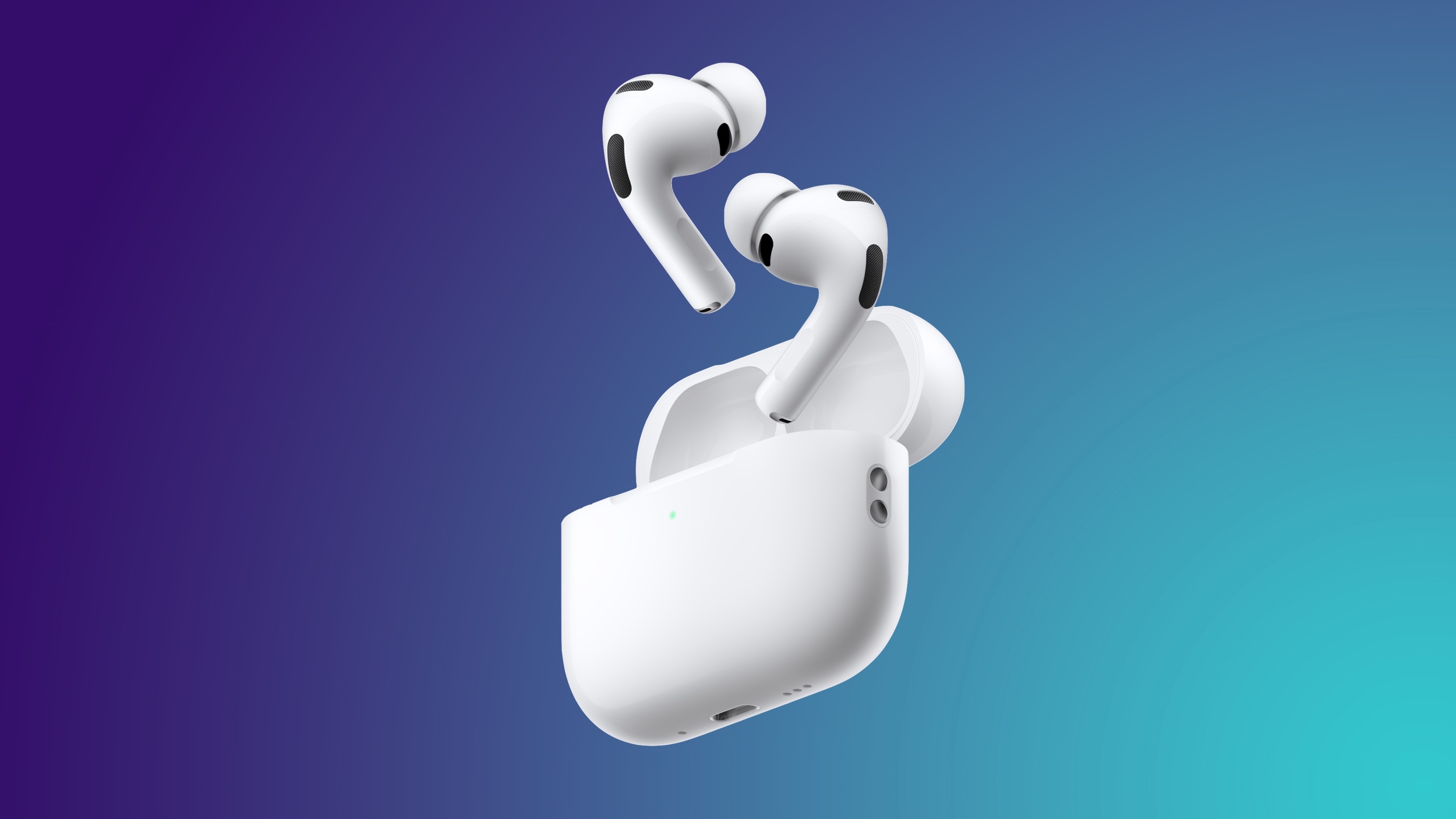
Apple's AirPods Pro 3 hit a record low price of $199.00 this week on Amazon, down from $249.00, and they're still available today. This deal beats the Black Friday price we saw last month by about $20.

Samsung


  • What's the deal? Save sitewide on Samsung TVs, monitors, and more

  • Where can I get it? Samsung

  • Where can I find the original deal? Right here


Samsung expanded its ongoing holiday event this week, introducing great deals on monitors, storage accessories, TVs, Galaxy smartphones, and home appliances. Many of these deals are the exact same all-time low prices we tracked during Black Friday and Cyber Monday.

TVs

Monitors


MacBook Air


  • What's the deal? Take $250 off M4 MacBook Air

  • Where can I get it? Amazon

  • Where can I find the original deal? Right here


You can get the 13-inch M4 MacBook Air (256GB) for $749.00 this week on Amazon, down from $999.00, with Christmas delivery for select colors. This price matches the Amazon all-time low price on the M4 MacBook Air, and there are similar lows on other models with higher storage.

Sonos


  • What's the deal? Get up to 25% off home audio devices

  • Where can I get it? Sonos

  • Where can I find the original deal? Right here


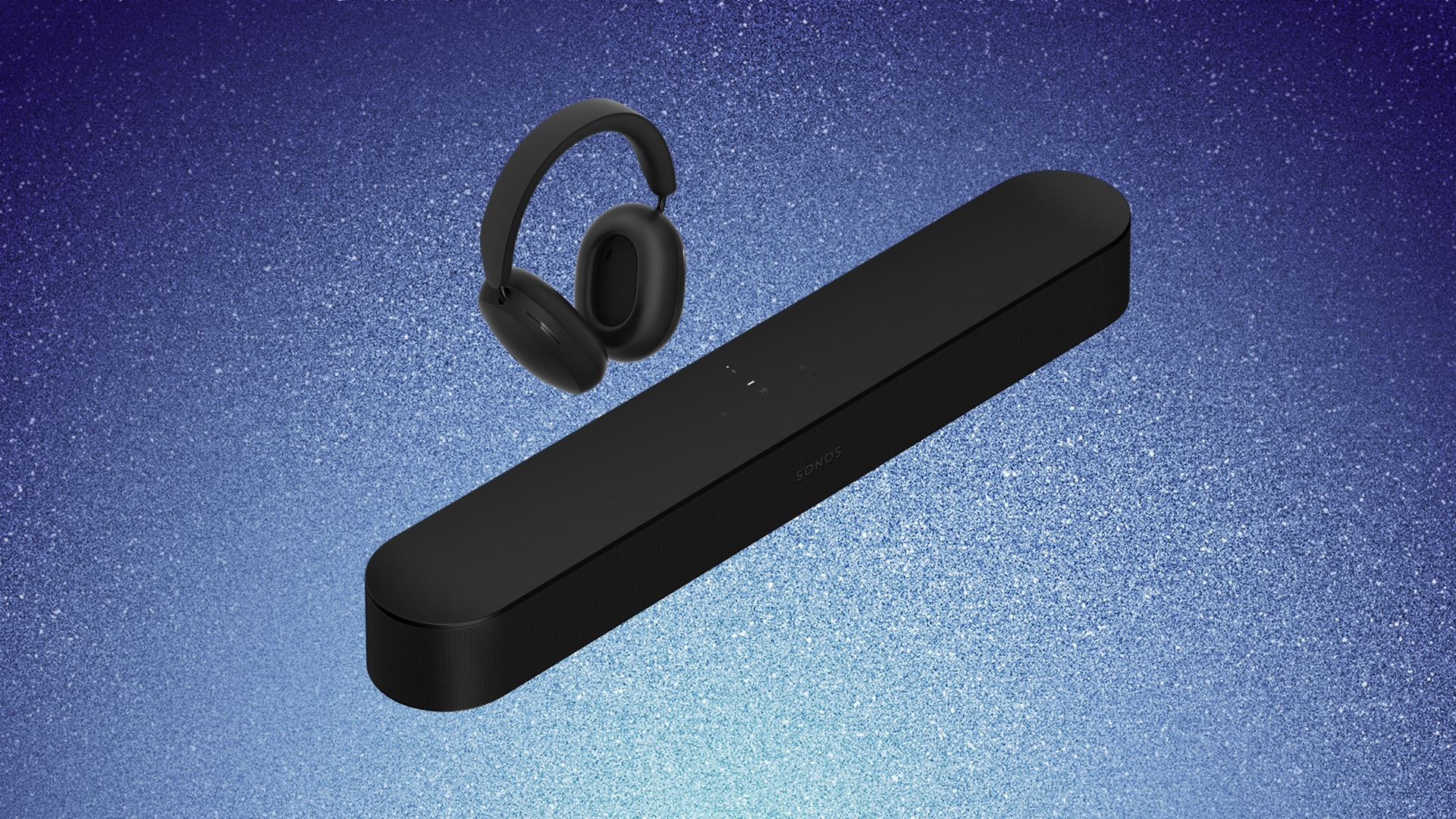
Sonos this week introduced a last-minute holiday sale, offering up to 25 percent off the company's most popular devices. This includes the Sonos Ace headphones, Arc Ultra soundbar, Move 2 speaker, and more, with many prices matching the deals we saw over Black Friday.

Apple Watch


  • What's the deal? Take up to $100 off Apple Watch SE 3 and Series 11

  • Where can I get it? Amazon

  • Where can I find the original deal? Right here


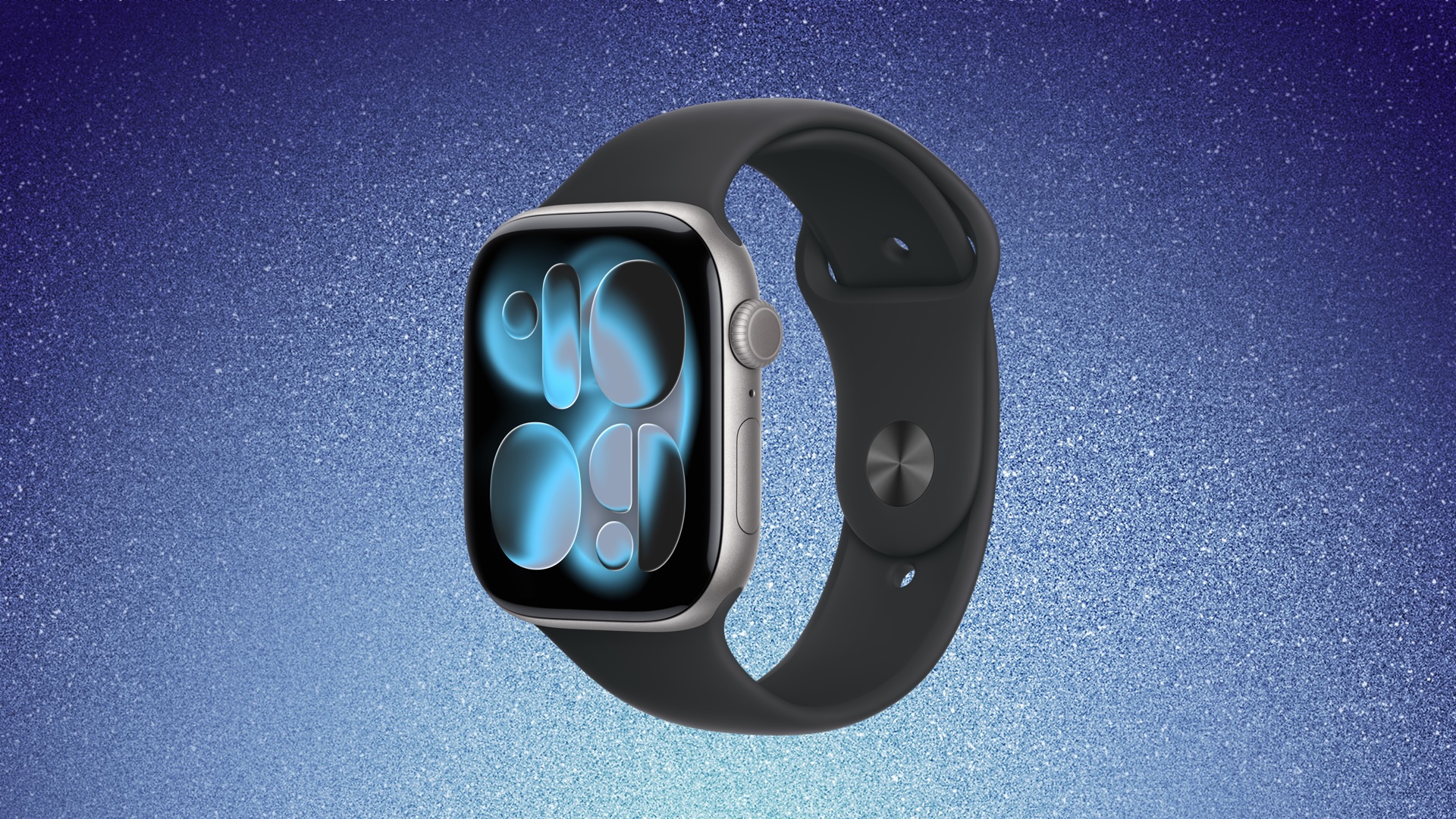
Amazon has a few record low prices on multiple Apple Watch models this week, including the Apple Watch Series 11 and Apple Watch SE 3. These have been some of the most consistent deals to stick around after Black Friday, and they're available in multiple color options and sizes.

If you're on the hunt for more discounts, be sure to visit our Apple Deals roundup where we recap the best Apple-related bargains of the past week.


Deals Newsletter


Interested in hearing more about the best deals you can find this holiday season? Sign up for our Deals Newsletter and we'll keep you updated so you don't miss the biggest deals of the season!


Related Roundup: Apple Deals

This article, "Best Apple Deals of the Week: AirPods Pro 3 for $199, Plus Sitewide Sales at Samsung and Sonos" first appeared on MacRumors.com

Discuss this article in our forums
  •  

Turn Off the User Profiles Screen on Apple TV 4K

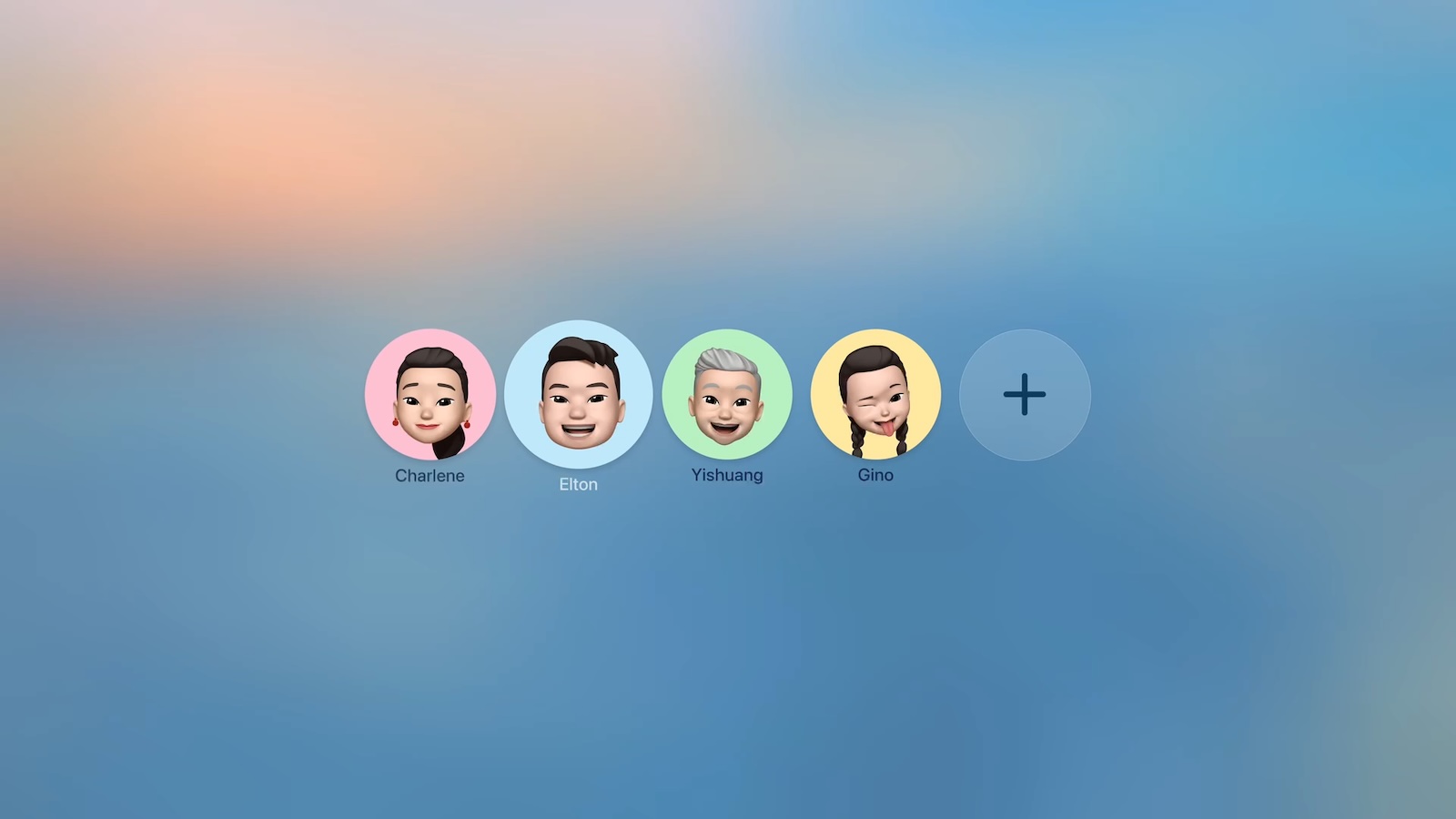
Starting with tvOS 26.2, Apple TVs began displaying a user profile selection screen every time you wake the device from sleep. The feature helps households with multiple users maintain separate viewing histories and recommendations, but it can feel like an unnecessary step if you're the sole user.


Fortunately, Apple lets you disable this prompt entirely. Here's how to turn off the user profiles screen and go straight to your Home screen.

Disable the User Profile Selection Screen


  1. Open Settings on your Apple TV.

  2. Select Profiles and Accounts.

  3. Toggle off Choose Profile on Wake.

With this setting disabled, your Apple TV will skip the profile selection screen and take you directly to the Home Screen when you wake it.

What Happens When You Disable Profile Switching


Turning off the profile switcher doesn't delete your user profiles or their associated watch history and recommendations. It simply removes the prompt that appears each time you turn on your TV or Apple TV.

If you share your Apple TV with others and want to switch profiles manually, you can still access profile options by going to Settings ➝ Users and Accounts and selecting a different user profile from there.

To learn more about how user profiles can be genuinely useful, check out our dedicated hands-on article.
This article, "Turn Off the User Profiles Screen on Apple TV 4K" first appeared on MacRumors.com

Discuss this article in our forums

  •  

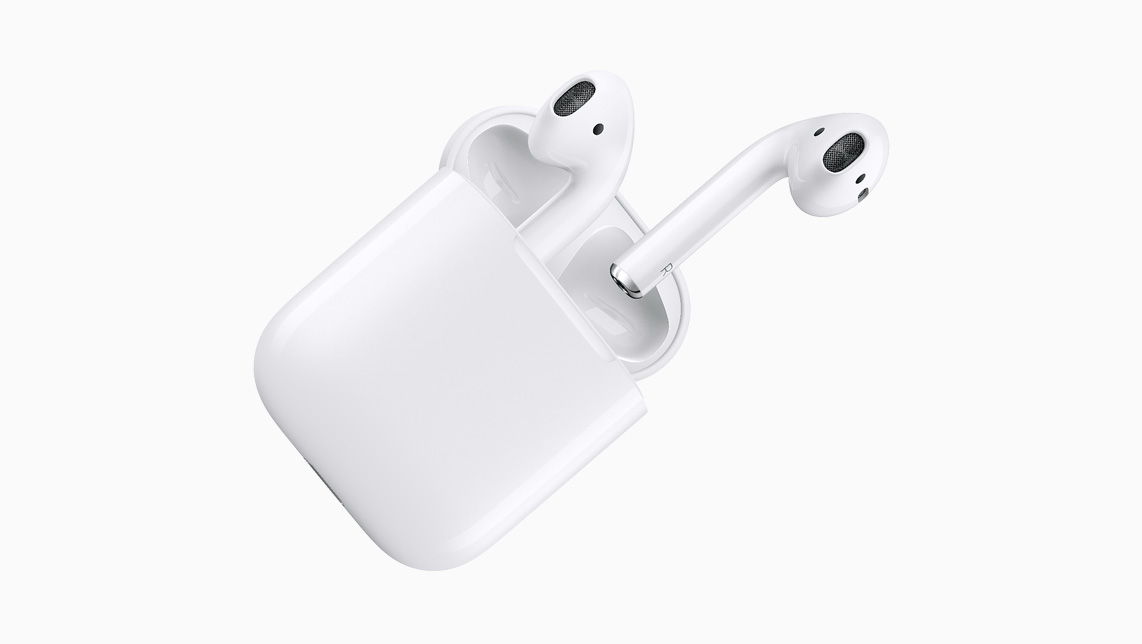
AirPods Now Closing in on a Decade

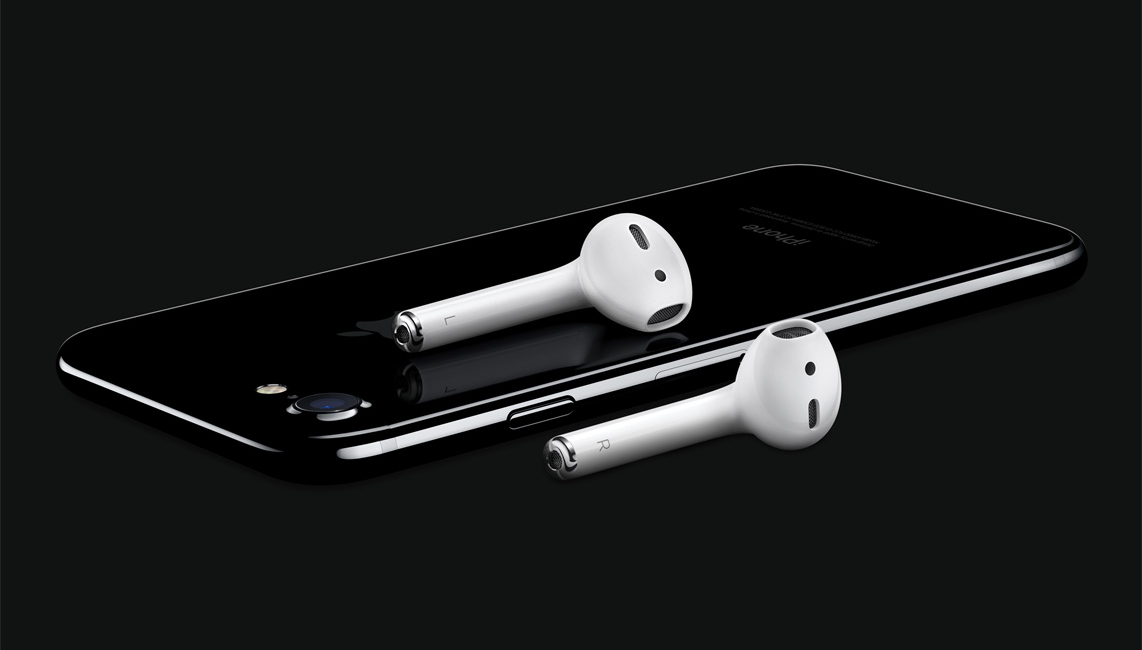
Today marks nine years since Apple launched the original AirPods. Unveiled in September 2016 alongside the iPhone 7, the wireless headphones became available on December 19, 2016, following a slight delay.


At the time, wireless headphones were already on the market but had not yet reached true mass popularity. AirPods helped redefine the category through their convenience and seamless integration with Apple devices. Apple's Phil Schiller at the time:
AirPods are the first headphones to deliver a breakthrough wireless audio experience, and with the new Apple W1 chip they deliver innovative features including high quality sound, great battery life and automatic setup. AirPods are simple and magical to use, with no switches or buttons, automatically connecting to all your Apple devices simply and seamlessly, and letting you access Siri with just a double tap. We can't wait for users to try them with iPhone 7 and Apple Watch Series 2.


Priced at $159, the first-generation AirPods introduced key features such as one-tap pairing with Apple devices and in-ear detection for automatic play-pause functionality. Powered by Apple's custom W1 chip, they delivered enhanced audio quality compared to wired EarPods and set a new standard for battery life in a compact, completely wireless design.


AirPods were initially met with skepticism following their unveiling, with much of the reaction focused on their unconventional stem-based design and the removal of the headphone jack on the ‌iPhone‌ 7. The earbuds were widely mocked online and compared to wired EarPods with the cables cut off, while some critics questioned their practicality and battery life. However, early reviews and real-world use quickly shifted perceptions, as the convenience of automatic pairing, reliable wireless performance, and all-day battery life made AirPods increasingly popular among ‌iPhone‌ users.

AirPods quickly grew into one of Apple's most successful accessories, helping to normalize truly wireless earbuds and accelerating the decline of the traditional headphone jack across the industry. While Apple does not disclose sales figures, analysts estimate that tens of millions of units are sold each year, making AirPods the best-selling wireless earbuds globally and a major contributor to Apple's wearables revenue.


Since their debut, AirPods have evolved with the release of second-, third-, and fourth-generation models in March 2019, October 2021, and September 2024. These updates brought improvements such as better audio quality, longer battery life, hands-free "Hey Siri" functionality, a wireless charging case, and, most recently, active noise cancellation. A fifth-generation is believed to be in the works. The product line has also expanded with the premium AirPods Pro, featuring an in-ear design and active noise cancellation, in October 2019, and the over-ear AirPods Max in December 2020.
Related Roundup: AirPods 4
Buyer's Guide: AirPods (Neutral)
Related Forum: AirPods

This article, "AirPods Now Closing in on a Decade" first appeared on MacRumors.com

Discuss this article in our forums

  •  

Samsung Announces World's First 2nm Mobile Chip Ahead of Apple

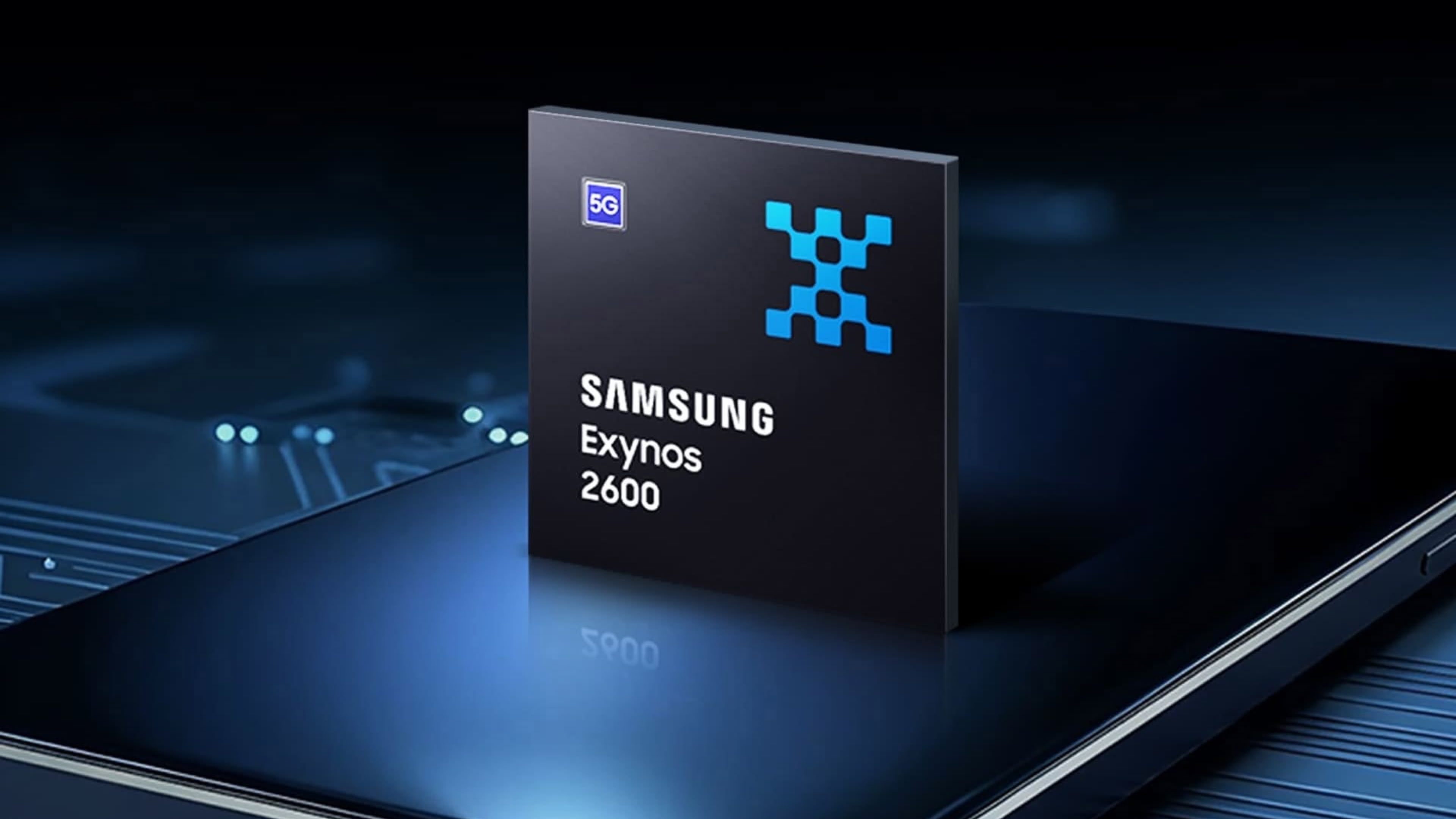
Samsung has officially unveiled the Exynos 2600, the world's first 2 nanometer mobile system-on-a-chip (SoC), built on the company's Gate-All-Around (GAA) process. The 10-core ARM-based design aims to deliver improved performance and efficiency for flagship devices like the upcoming Galaxy S26 series.


The chip uses Arm's latest cores and supports new instructions for improved CPU speed and on-device AI, with Samsung claiming up to a 39 percent boost in CPU performance and 113 percent faster NPU performance, enabling larger and more efficient AI workloads. Its GPU is based on the latest Xclipse design, which Samsung says doubles previous graphics performance and boosts ray tracing by up to 50 percent.

Earlier Exynos processors earned a poor reputation for running hot and throttling performance, particularly when compared with competing chips from Apple. To address those shortcomings, Samsung has introduced a new thermal approach called Heat Path Block (HPB). The technique uses a High-k EMC material to improve heat dissipation, enabling the Exynos 2600 to maintain higher performance levels for longer periods, even under sustained heavy workloads, claims Samsung.

Apple is widely expected to adopt the 2nm process node for several devices in 2026, albeit using TSMC's 2nm (N2) process. Apple has reportedly secured a significant portion of TSMC's initial N2 production capacity, with the A20 and A20 Pro chips for the iPhone 18 lineup expected to be the first Apple silicon built on this node. The N2-based processors would succeed Apple's A17 Pro through A19 Pro chips, fabricated using TSMC's series of 3nm processes.

Compared to current 3nm chips, TSMC's 2nm process promises up to 15 percent higher performance at the same power level, or 25 to 30 percent lower power consumption at the same performance level. The process also achieves approximately 15 percent higher transistor density, allowing more functionality to be packed into the same physical space.

Apple's first 2nm chips are likely to debut in iPhone 18 Pro models and Apple's first foldable iPhone, all of which are expected to launch in late 2026. Beyond iPhones, Apple's M6 series for future Macs could also use TSMC's 2nm process, although we haven't heard any specific rumors that this will be the case.
Tags: 2nm, Samsung

This article, "Samsung Announces World's First 2nm Mobile Chip Ahead of Apple" first appeared on MacRumors.com

Discuss this article in our forums

  •  

TikTok U.S. Sale to Oracle-Led Group Set to Close in January

TikTok has agreed to sell its U.S. operations to an investment group that includes Oracle, Silver Lake, and UAE-based company MGX, reports Axios. The "TikTok USDS Joint Venture LLC" that includes the three companies will own 45 percent of TikTok, while ByteDance will keep close to 20 percent. Existing investors will continue to hold the remaining shares.


The U.S. group will handle U.S. data protection and content moderation, while also maintaining algorithm security. It has been tasked with retraining the content recommendation algorithm on U.S. user data to "ensure the content feed is free from outside manipulation." Oracle will be in charge of auditing and validating compliance with National Security Terms.

The agreement states that the USDS Joint Venture will "operate as an independent entity" that has authority over U.S. data protection, while TikTok's global U.S. entities will manage global product interoperability along with e-commerce, advertising, and marketing.

With the sale, TikTok will be able to continue operating in the United States while complying with the 2024 Protecting Americans From Foreign Adversary Controlled Applications Act. The act required TikTok parent company ByteDance to sell TikTok's U.S. operations to a non-Chinese company or be banned from operating in the United States.

TikTok was briefly banned in January, but Donald Trump signed an executive order granting an extension that brought it back. The ban has been extended multiple times since then to provide additional time for a deal to be established. The agreement is set to go into effect on January 22.
Tag: TikTok

This article, "TikTok U.S. Sale to Oracle-Led Group Set to Close in January" first appeared on MacRumors.com

Discuss this article in our forums

  •  

AirPods Pro 3's Static and Noise Issues Haven't Been Resolved

Since the AirPods Pro 3 launched, there have been complaints from users who have noticed a static-like sound or a crackling issue when using the earbuds, particularly when Active Noise Cancellation is on but no media is playing. Users have also run into strange high-pitched whistling sounds that happen intermittently.


We shared the issues back in late October, and despite two subsequent firmware updates, the problems haven't been solved. Apple released ‌AirPods Pro 3‌ firmware version 8B25 in November, and firmware version 8B30 on December 10.

Feedback from users who have installed the firmware updates indicate that the noise issues have not been addressed. Affected users are hearing static noises with Active Noise Cancellation on, sometimes with media playing and sometimes without. There have also been reports of problems with latency and sound syncing when watching videos.

Some ‌AirPods Pro 3‌ users have had their AirPods replaced by Apple, but replacement earbuds have had the same issue, so it's not clear if there is a hardware fix for the problem.

Apple's latest firmware updates have not provided details on what's included, specifying only "bug fixes and other improvements."
This article, "AirPods Pro 3's Static and Noise Issues Haven't Been Resolved" first appeared on MacRumors.com

Discuss this article in our forums

  •  

Fortnite Not Coming to iOS in Japan as Epic Games CEO Accuses Apple of 'Obstruction and Lawbreaking'

Epic Games is not going to bring Fortnite to iOS in Japan as promised because of the fees imposed by Apple's new App Store rules, ‌Epic Games‌ CEO Tim Sweeney said on social media. Sweeney complained that Apple did not comply with Japan's Mobile Software Competition Act "honestly" and instead "launched another travesty of obstruction and lawbreaking in gross disrespect to the government and people of Japan."


Back in 2024 when the MSCA passed, Sweeney said that Epic would launch Fortnite in Japan in late 2025. He made the announcement before he was aware of how Apple planned to comply with the MSCA.

Sweeney accused Apple of charging "competition-crushing" junk fees, including a five percent fee on revenue from apps distributed through alternate app marketplaces. ‌Epic Games‌ would need to pay Apple a five percent fee on all revenue generated via game purchases made through an ‌Epic Games‌ Store in Japan, or 15 percent on digital purchases through a web link if the Fortnite app were to be distributed through the ‌App Store‌.
Obviously, real competition won't happen, and consumers won't benefit, when Apple abuses its position between users and competitors to obstruct honest dealing between them. This is another sad day in the history of relationships between platform makers, developers, and consumers, and we will be raising our complaints with the Japanese Fair Trade Commission.

Sweeney said that ‌Epic Games‌ plans to raise complaints with the Japanese Fair Trade Commission.

Apple says that it worked with Japanese regulators when establishing its new rules to comply with the MSCA, so it is not clear if ‌Epic Games‌ will be able to persuade Japan to implement more stringent restrictions.

Japan's rules allow Apple to be compensated for its intellectual property, and Japan's interoperability rules allow Apple to refuse requests in situations where privacy and security would be compromised. Along with allowing for alternative app marketplaces, the MSCA adds support for alternate payment methods and allows Japanese users to set new functionality for the iPhone's Side Button.

‌Epic Games‌ was able to bring the ‌Epic Games‌ Store to the European Union, but Apple does have a 0.50 euro Core Technology Fee for marketplaces there, too. The Core Technology Fee will transition to a five percent Core Technology Commission for all developers in the EU starting on January 1, 2026, so the fees will be very similar to the Japan fees.
This article, "Fortnite Not Coming to iOS in Japan as Epic Games CEO Accuses Apple of 'Obstruction and Lawbreaking'" first appeared on MacRumors.com

Discuss this article in our forums

  •  

Apple Quietly Discontinued Flyover City Tours in Apple Maps

Apple Maps no longer offers a Flyover feature that provides users with automated tours of notable landmarks in major cities. The Flyover option appears to have been nixed around when iOS 26 launched, but its removal went largely unnoticed.


Flyover city tours were introduced in 2014 with iOS 8 and OS X Yosemite, using Flyover imagery to generate an aerial tour. Most cities with Flyover imagery supported the tour feature, but it may not have been used often since Apple was able to quietly discontinue it.

Flyover imagery has not been removed and over 350 cities continue to have 3D Flyover imagery that highlights landmarks, parks, important buildings, and more with a bird's-eye view.

Apple uses imagery collected with small military-grade planes that created detailed maps of buildings from above for Flyover. The feature is not available in some areas due to privacy and security concerns.

Flyover city tours used to be accessible by tapping on the Flyover icon when searching for a city, but that option has now been removed.
This article, "Apple Quietly Discontinued Flyover City Tours in Apple Maps" first appeared on MacRumors.com

Discuss this article in our forums

  •  

macOS Tahoe Bug Causes Studio Display Flickering Issues

macOS Tahoe introduced a bug that causes a Studio Display connected to a Mac to flicker every so often, and subsequent updates only seem to have made the issue worse.


Mac users with the Studio Display have been complaining about intermittent flickering since the update launched in September. There are also complaints from users who have other kinds of displays, so it might be a bug that is affecting more than one type of external monitor.

We have experienced this issue with a MacBook Pro running ‌macOS Tahoe‌ connected to a Studio Display, and the ‌macOS Tahoe‌ 26.1 and ‌macOS Tahoe‌ 26.2 updates haven't improved the situation at all. In fact, the flickering seems to be getting worse in recent days.

Flickering happens most often when switching between apps that feature stark white backgrounds, or scrolling through webpages on light backgrounds. Any app can cause the flickering, and sometimes it just seems to be random. When flickering occurs, it's typically a brief flicker, but the display can also flicker several times in a row for a few seconds at a time. Switching from dark content to light content can almost always trigger a flicker on affected machines.

It's not clear what is causing the issue, but given that multiple Studio Display owners are experiencing it, it's likely some kind of software issue that could be addressed with new Studio Display firmware rather than a hardware problem.
Related Roundup: macOS Tahoe
Related Forum: macOS Tahoe

This article, "macOS Tahoe Bug Causes Studio Display Flickering Issues" first appeared on MacRumors.com

Discuss this article in our forums

  •  

AltStore Available in Japan One Day After Apple Enables Alternative App Marketplaces

Just a day after Apple announced alternative app marketplace support for iOS users in Japan, AltStore PAL has launched in the country.


iPhone users in Japan can download the alternative app marketplace from the AltStore website, and then use the AltStore to download apps without having to go through Apple's App Store. Prospective AltStore users need to be physically located in Japan, and have a Japanese ‌App Store‌ account. Devices also need to be running iOS 26.2 or later.

AltStore developer Riley Testut said that Apple did not provide a heads up about the ‌App Store‌ rule changes that went into effect yesterday, but the marketplace was able to launch within a few hours because it has been live in the European Union for months now.

To celebrate AltStore PAL's launch in Japan, users can get a month of free Patreon access with patron-exclusive features. AltStore is free to download, but the AltStore Patreon provides access to beta updates for the popular Delta game emulator.

Along with Delta, AltStore PAL offers several other apps created by independent developers, some of which have functionality that's not allowed in the standard ‌App Store‌. Apps distributed through AltStore PAL are able to monetize through Patreon subscriptions.

Apple is allowing alternative app marketplaces to meet the requirements of the Mobile Software Competition Act (MSCA) that went into effect on December 18. Marketplace apps are required to pay Apple a five percent Core Technology Commission.

Alternative app marketplaces require authorization from Apple to operate, and are able to distribute apps that have also been notarized by Apple. The notarization process checks for basic functionality and ensures that apps do not include malware, but marketplace apps are not subject to the same content requirements, and Apple has little content oversight.
This article, "AltStore Available in Japan One Day After Apple Enables Alternative App Marketplaces" first appeared on MacRumors.com

Discuss this article in our forums

  •  

Apple's New M5 MacBook Pro Hits $1,349.99 on Amazon ($249 Off)

Amazon today has dropped the price of the new M5 MacBook Pro to $1,349.99, down from $1,599.00. This is the 10-Core model with 16GB RAM and 512GB SSD, and it's a match of the all-time low price on the M5 MacBook Pro.

Note: MacRumors is an affiliate partner with some of these vendors. When you click a link and make a purchase, we may receive a small payment, which helps us keep the site running.
Additionally, the 16GB/1TB M5 MacBook Pro has hit $1,549.99 on Amazon, which is another $249 discount on the notebook. Both models have estimated delivery dates that are after Christmas, but if you've been waiting for a return of the best prices we've ever seen on these models, now's definitely a good time to buy.


This version of the MacBook Pro just launched in October and it comes with the newest M5 chip, which offers up to 15% faster CPU performance and up to 45% faster graphics when compared to the M4 chip. If you're on the hunt for more discounts, be sure to visit our Apple Deals roundup where we recap the best Apple-related bargains of the past week.


Deals Newsletter


Interested in hearing more about the best deals you can find this holiday season? Sign up for our Deals Newsletter and we'll keep you updated so you don't miss the biggest deals of the season!


Related Roundup: Apple Deals

This article, "Apple's New M5 MacBook Pro Hits $1,349.99 on Amazon ($249 Off)" first appeared on MacRumors.com

Discuss this article in our forums

  •  

Use Edge Light for Better Video Calls in macOS

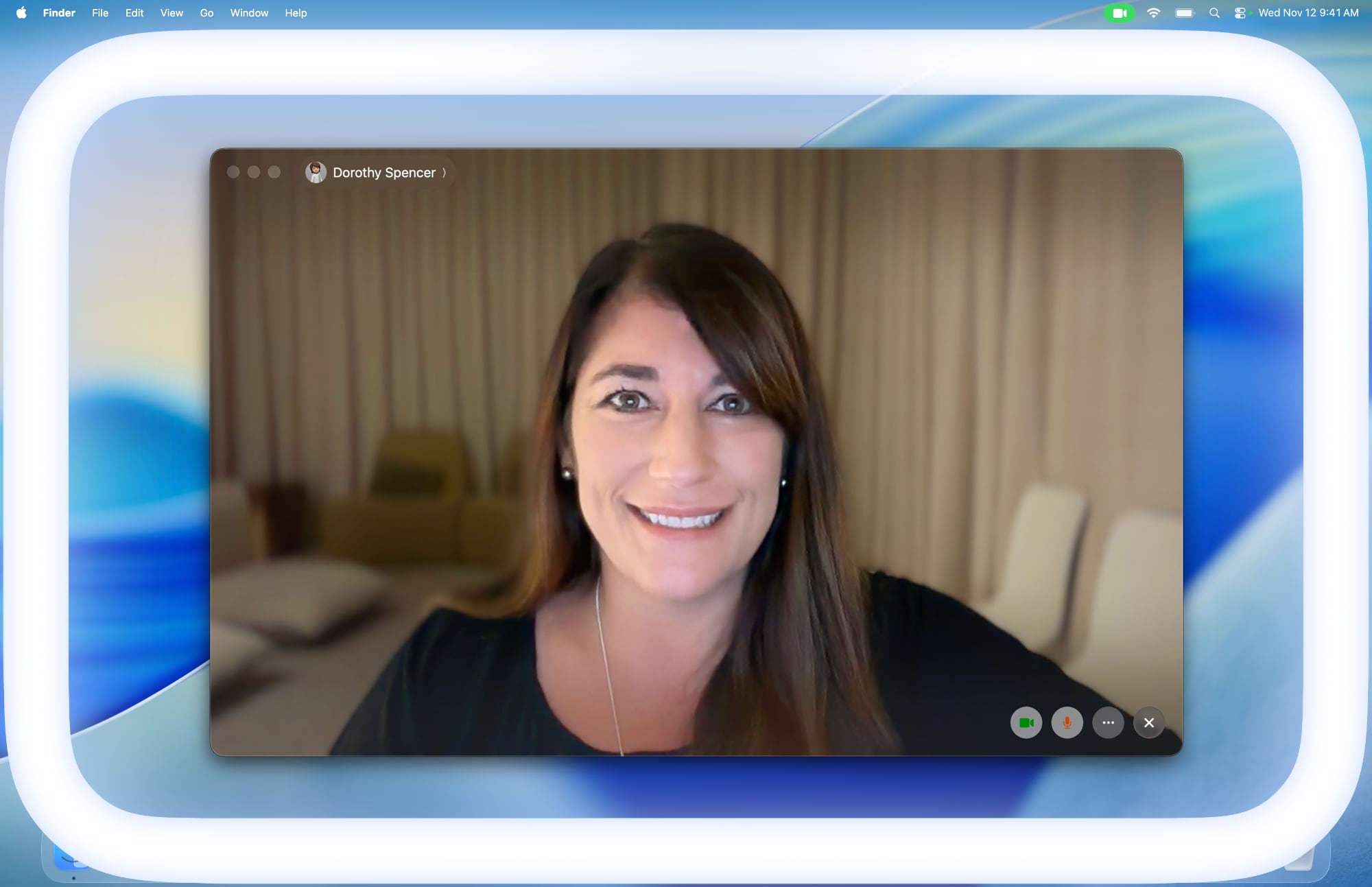
Apple in macOS Tahoe 26.2 introduced Edge Light, a clever new feature that turns your Mac's display into a virtual ring light during video calls. Instead of fumbling with external lighting equipment, your Mac can now illuminate your face automatically when you're sitting in a dark room.


Basically, Edge Light adds a soft glow around the edges of your display to brighten your face during video conferences. But it's far from just a simple screen border effect. Edge Light uses your Mac's Neural Engine to analyze your face, size, and position in the frame to deliver accurate lighting, while the Image Signal Processor fine-tunes brightness to match your environment.

The feature is even aware enough to know when your cursor approaches the display edge. When it does, Edge Light automatically recedes, allowing you to still access on-screen content without it interfering.

What You'll Need


Edge Light works on any Mac with Apple silicon (M1 or later). It's compatible with all video conferencing apps and even extends to external cameras and the Apple Studio Display when connected to an Apple silicon Mac.

How to Turn On Edge Light


Once you've updated to macOS Tahoe 26.2 or later, enabling Edge Light takes just a couple of clicks:
  1. Open a supporting video call app (FaceTime, Zoom, or WebEx, for example).

  2. Click the green video conferencing menu bar item at the top of your screen.

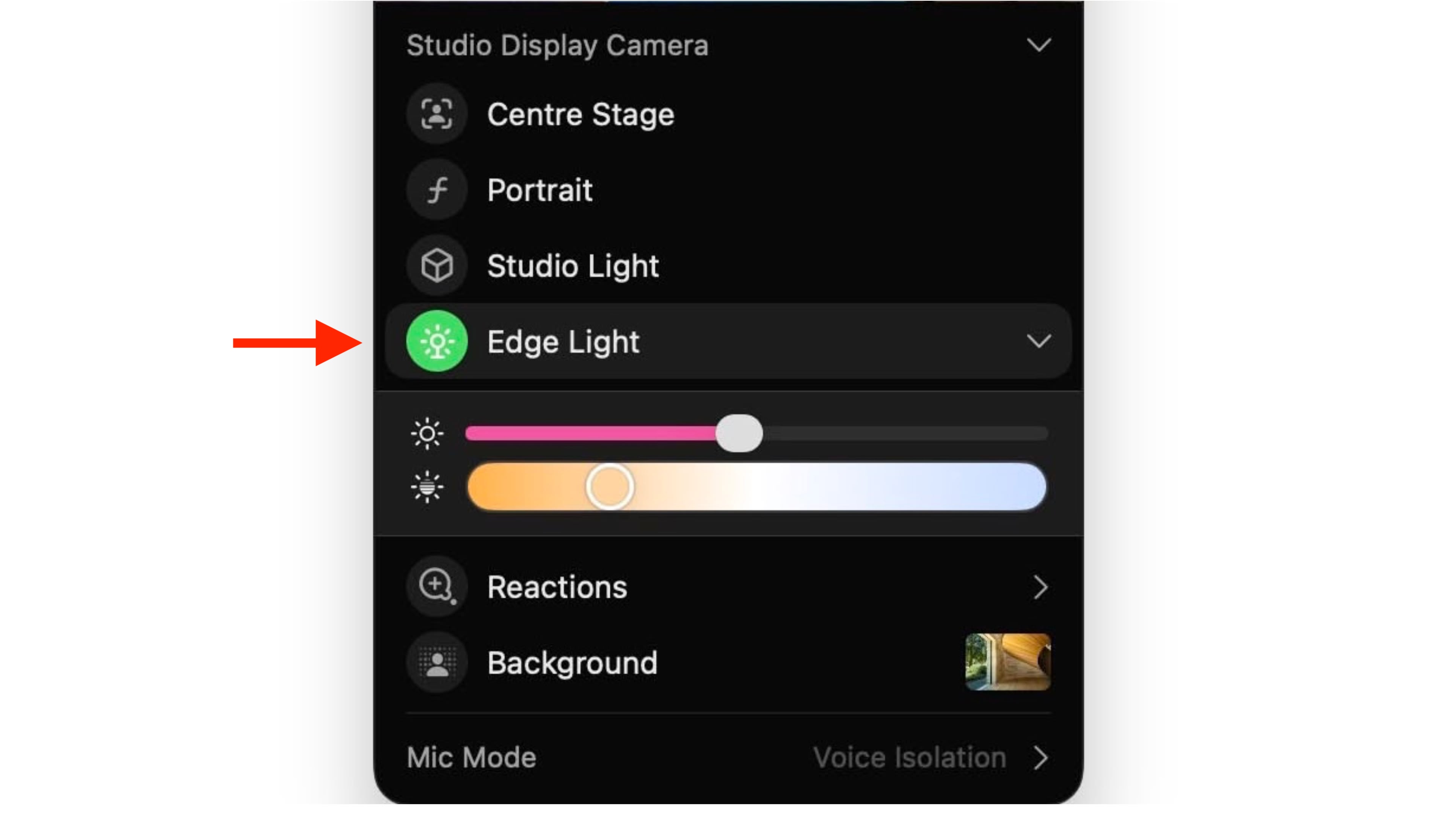
  3. Select Edge Light from the drop-down menu.
edge light

To adjust the lighting intensity and color temperature, click the down chevron next to Edge Light. You'll see two sliders that let you customize the brightness and warmth of the effect to suit your preferences.

If you own a Mac released in 2024 or later, you can turn on automatic Edge Light activation. Once enabled, your Mac will detect when you're in a dimly lit environment and turn the feature on without any manual input. Simply look for the automatic toggle in the video call dropdown menu, immediately below the expanded Edge Light options.
This article, "Use Edge Light for Better Video Calls in macOS" first appeared on MacRumors.com

Discuss this article in our forums

  •  

iMac Rumor Recap: OLED Display, M5 Max, 32-Inch Model, and More

While it appears that the iMac will not be updated in 2025, rumors indicate that Apple is planning some big changes for the all-in-one desktop computer.


Below, we recap what has been rumored for the iMac over the next two to three years.

Current Model: M4 Chip


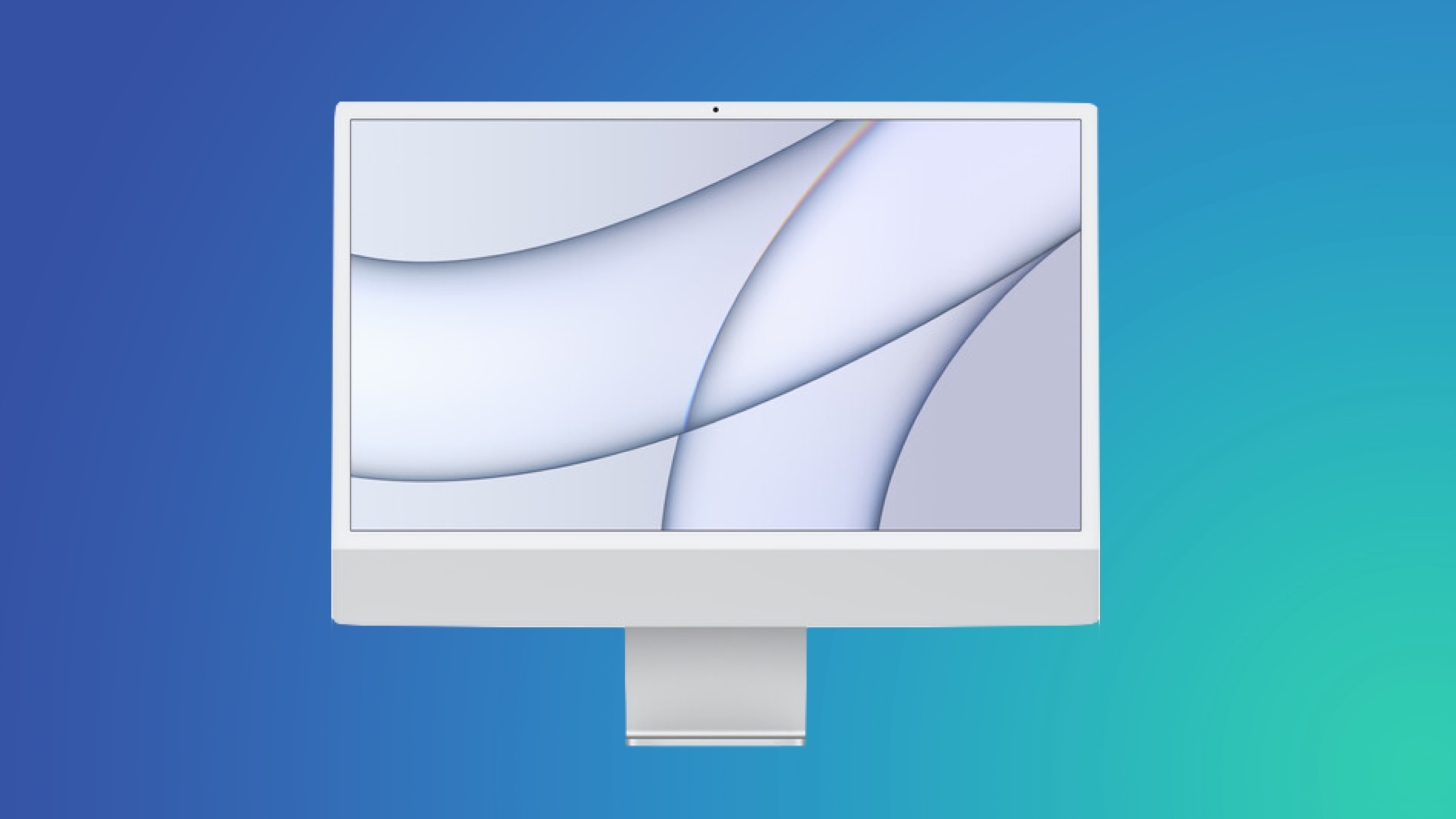
As a refresher, Apple last updated the 24-inch iMac in October 2024. Key upgrades included the M4 chip, up to 32GB of RAM, a 12-megapixel Center Stage camera, a nano-texture display option, Thunderbolt 4 ports, and new color options.

The overall design of the iMac has not changed since April 2021.

Next Model: M5 Chip


Apple will likely update the iMac with an M5 chip next year, but no other changes have been rumored yet, so expect a spec bump for now.

If the iMac receives some of the upgrades that the 14-inch MacBook Pro with the M5 chip did, the next iMac could be available with up to 4TB of storage (up from 2TB), and up to 2× faster SSD performance compared to the previous model.

iMac Pro With M5 Max Chip?


Earlier this year, Apple accidentally released a macOS kernel debug kit that contained internal product codenames, including for what appears to be an iMac with an M5 Max chip. It is unclear if the 24-inch iMac would be updated with M5 and M5 Max chips simultaneously next year, or if Apple plans to re-release a separate, higher-end iMac Pro with the M5 Max. The previous Intel-based iMac Pro was discontinued in March 2021.

32-Inch iMac?


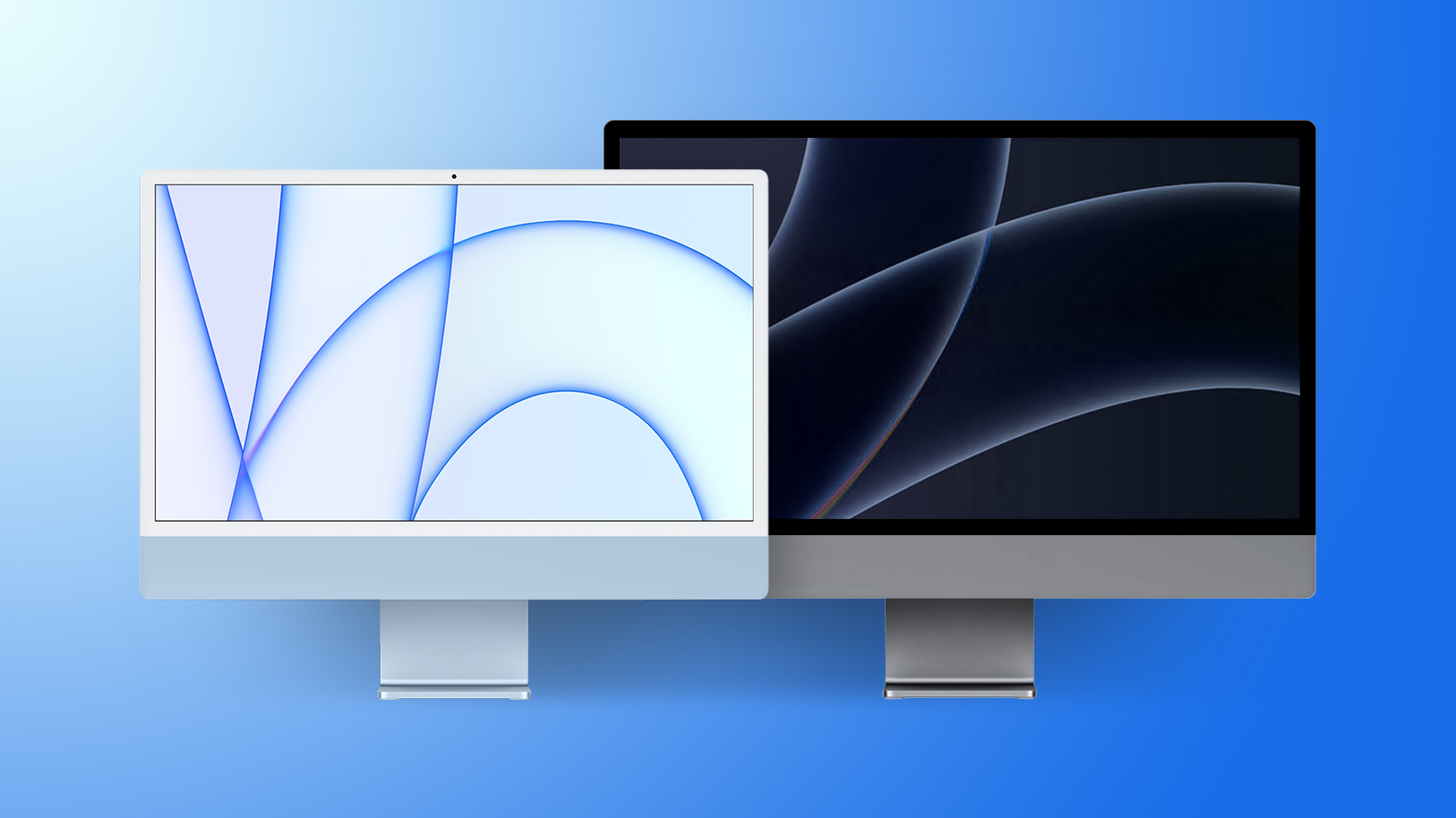
It has been nearly four years since Apple discontinued the 27-inch iMac, as part of its move away from Intel processors. Since then, the 24-inch iMac has been Apple's only all-in-one desktop computer, with no larger model available.

In October 2023, Apple supply chain analyst Ming-Chi Kuo predicted that a higher-end 32-inch iMac with mini-LED backlighting would be released in 2025, but it appears that rumor was wrong given that the year is nearly over. Kuo has not commented on a larger iMac in a long time, so it is unclear if Apple plans to release such a product.

In November 2023, Apple announced that it had no plans to release a new version of the 27-inch iMac with an Apple silicon chip at that time. Instead, Apple recommended pairing its standalone Studio Display with a Mac Studio or Mac mini. Perhaps this was Apple ruling out a larger iMac entirely, but only time will tell, and decisions can change.

Wishful thinking: a 32-inch iMac Pro with an M5 Max chip and mini-LED backlighting.

OLED Display


South Korean publication The Elec this week reported that Apple is planning to release a 24-inch iMac with an OLED display in 2027 or 2028.

The primary benefit of OLED technology compared to the current iMac's LCD is better overall image quality, with higher contrast ratio and deeper blacks.

Like the iPad Pro, the iMac could go from LCD to mini-LED to OLED over the years.

Bookmark our iMac roundup to stay up to date with the latest rumors.
Related Roundup: iMac
Buyer's Guide: iMac (Caution)
Related Forum: iMac

This article, "iMac Rumor Recap: OLED Display, M5 Max, 32-Inch Model, and More" first appeared on MacRumors.com

Discuss this article in our forums

  •  

Get the AirPods Pro 3 for $199 on Amazon [Updated]

Today Amazon has a match of the record low price on the AirPods Pro 3, but delivery for some locations has begun slipping past December 25.

Note: MacRumors is an affiliate partner with some of these vendors. When you click a link and make a purchase, we may receive a small payment, which helps us keep the site running.
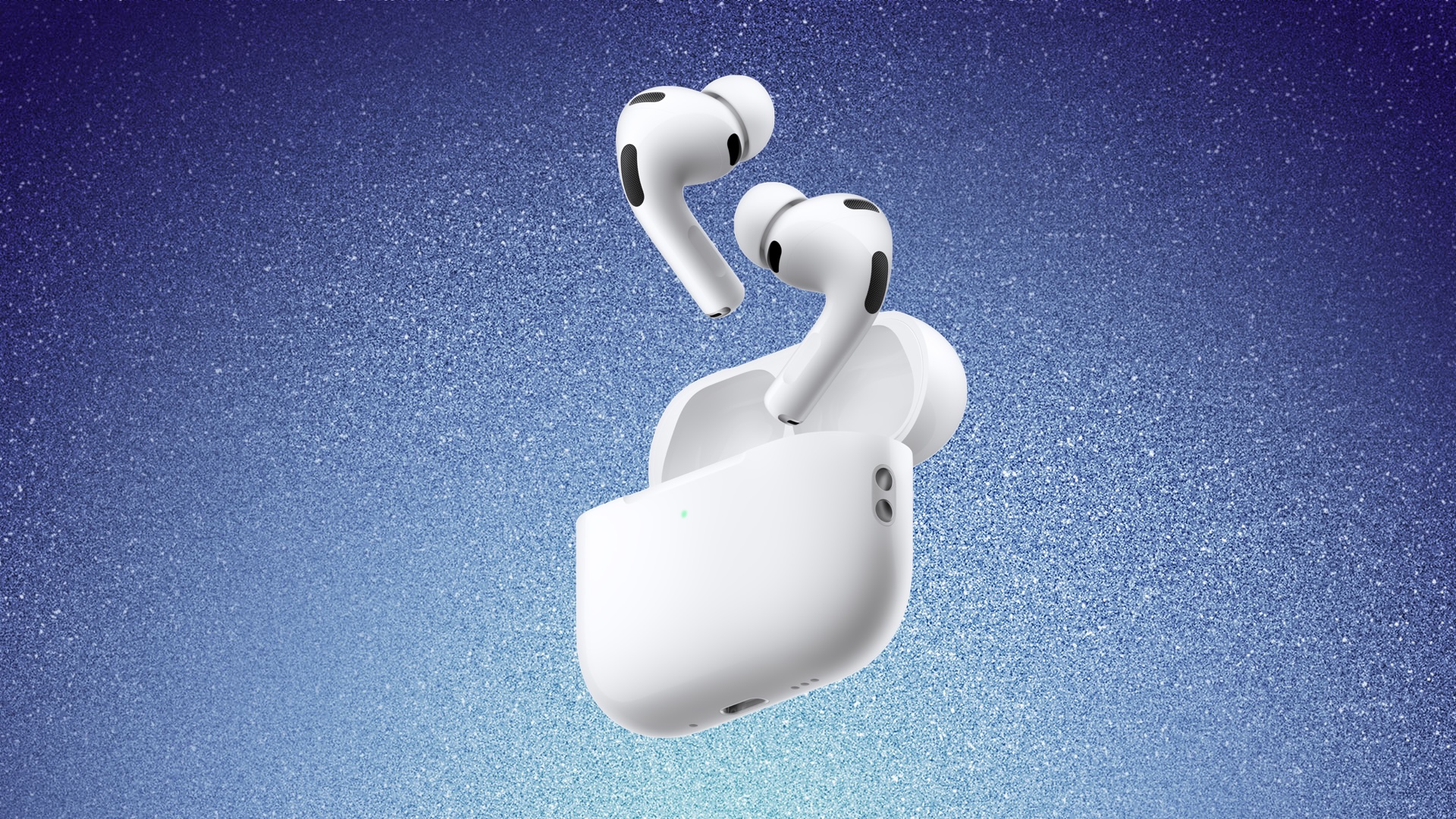
Apple's AirPods Pro 3 have hit $199.00 today on Amazon, down from $249.00. This is a match of the all-time low price on the AirPods Pro 3, and it beats the Black Friday price we saw last month by about $20.


Secondly, you can get the AirPods 4 without ANC for $74.00, down from $129.00. This is a solid second-best price on this model, and just $5 away from the all-time low price we saw during Black Friday.

If you're on the hunt for more discounts, be sure to visit our Apple Deals roundup where we recap the best Apple-related bargains of the past week.

Update #1: Stock on the AirPods 4 has been fluctuating all morning, but the $74.00 discount may return soon. If it does we will update this article again.

Update #2: AirPods Pro 3 delivery estimates have begun slipping past Christmas, but select locations may still be able to get them delivered before the holiday.


Deals Newsletter


Interested in hearing more about the best deals you can find this holiday season? Sign up for our Deals Newsletter and we'll keep you updated so you don't miss the biggest deals of the season!


Related Roundup: Apple Deals

This article, "Get the AirPods Pro 3 for $199 on Amazon [Updated]" first appeared on MacRumors.com

Discuss this article in our forums

  •  

Kuo: iPhone Fold Production Challenges Could Limit Supply Next Year

Apple's highly anticipated foldable iPhone could face supply shortages into 2027 despite a planned launch next year, according to analyst Ming-Chi Kuo.


Kuo said in a new research note:
"Development of the foldable iPhone is behind earlier expectations, but the product is still expected to [sic] announce in 2H26. Due to early-stage yield and ramp-up challenges, smooth shipments may not occur until 2027. With limited supply and expected strong demand, the foldable iPhone could be facing shortages until at least the end of 2026."
The warning suggests Apple's ambitious foldable device will face manufacturing hurdles when it enters mass production. Foxconn was expected to begin limited production of the device before the end of this year, but a dearth of reports on that front could potentially mean that the "iPhone Fold" remains in the design validation stage, where manufacturing consistency issues can still arise.

Kuo's forecast of production challenges is reminiscent of concerns previously raised by Mizuho Securities, which suggested the launch could slip to 2027 if Apple takes longer to finalize design elements like the hinge mechanism. For his part, Kuo appears to be saying that Apple is still on course to announce the device in the fall of 2026, but it could end up shipping the device in large volumes later than planned.

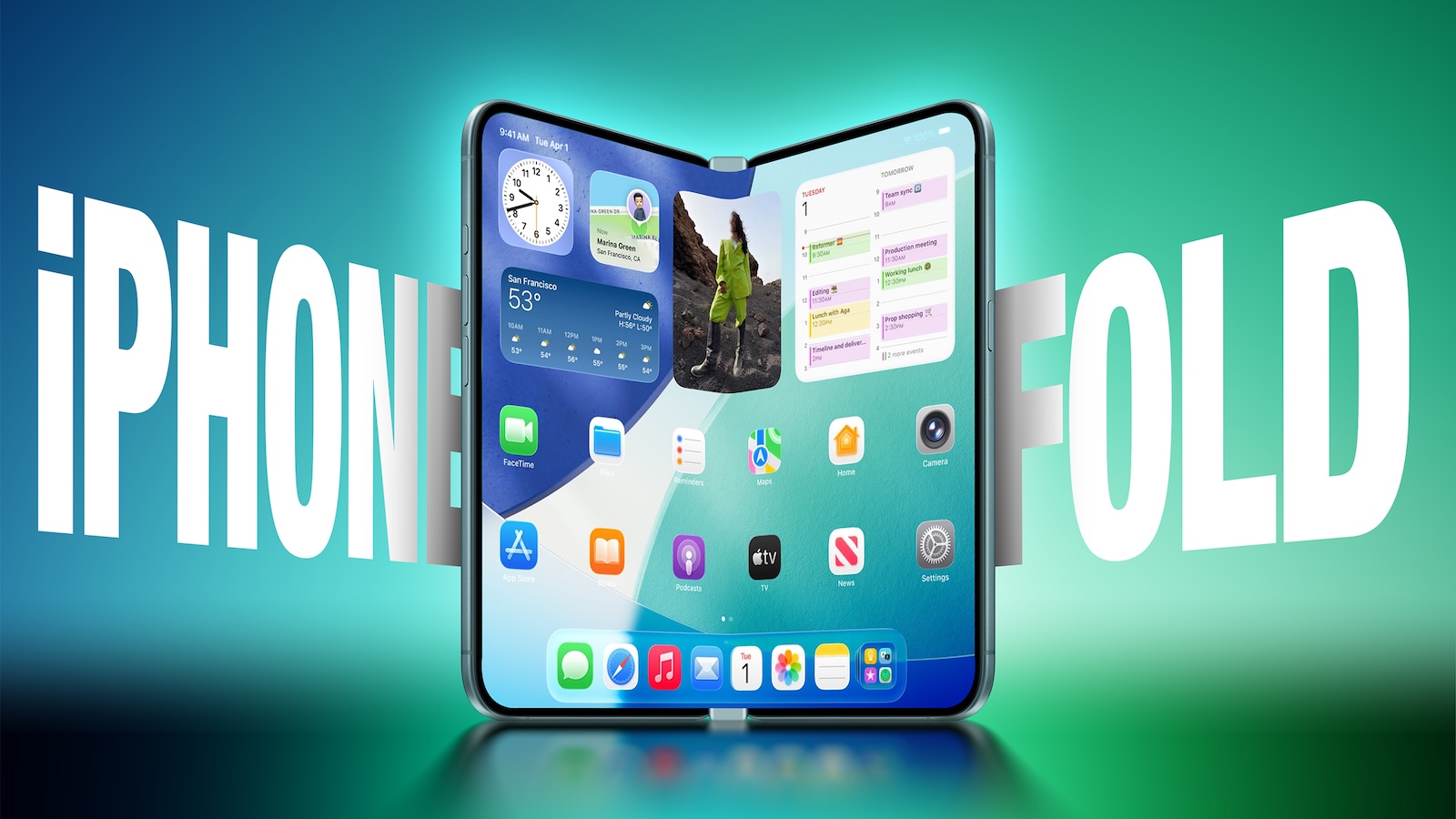
The foldable iPhone is expected to feature a book-style design with an approximately 5.3- to 5.5-inch outer display and a 7.8-inch inner screen. It will reportedly use liquid metal hinges to achieve a virtually crease-free display and is expected to be priced between $2,000 and $2,500, making it Apple's most expensive iPhone ever.
This article, "Kuo: iPhone Fold Production Challenges Could Limit Supply Next Year" first appeared on MacRumors.com

Discuss this article in our forums

  •  

Report: Apple Developing 24-Inch OLED iMac With 600 Nits Brightness

Apple is working on a 24-inch iMac featuring an OLED display, with the aim of completing development as early as 2027, claims a new report out of Korea.


According to The Elec, Apple has sent requests for information to Samsung Display and LG Display regarding development of a 24-inch OLED panel for the iMac. Current 24-inch iMacs use a 4.5K Retina display, which is an LCD panel with LED backlighting.

The specs apparently being discussed include 600 nits of brightness and a pixel density of 218 PPI. If accurate, that would match the current 24-inch iMac's resolution but deliver a 20% brightness boost over the existing 4.5K Retina display's 500-nit maximum, making it equivalent to the brightness of Apple's Studio Display – though that also uses an inferior LCD panel.

OLED display technology benefits from several other advantages beyond brighter screens, such as deeper blacks with higher contrast, improved power efficiency, and other enhancements.

This is the first report we've seen suggesting Apple plans to bring OLED technology to its all-in-one desktop lineup. The company has already committed to OLED displays for future MacBook Pro models, with 14-inch and 16-inch versions expected to enter production next year using Samsung Display's 8th-generation IT OLED manufacturing line. OLED versions of its MacBook Air models are expected to follow.

For the iMac display, both Samsung and LG Display are expected to propose their respective large-format OLED technologies rather than the RGB OLED method Apple traditionally prefers. Samsung would likely pitch its quantum dot (QD-OLED) panels, while LG Display would offer its white (W-OLED) solution. QD-OLED produces color by passing blue light through a QD color conversion layer, while W-OLED produces color by passing white light through RGBW color filters. Both manufacturers are reportedly developing 5-stack configurations that add an extra green layer to improve brightness compared to current 4-stack designs.

The report suggests Apple prefers RGB OLED, where light and color generate at the subpixel level, but this technology apparently hasn't yet scaled reliably to the 20-30 inch range needed for desktop displays. Both panel makers are said to be exploring RGB OLED as a longer-term option.

Apple aims to complete iMac OLED panel development by 2027 or 2028, but the finished product could launch after that timeline. A recent but separate report has claimed Apple is developing a high-end iMac featuring the M5 Max chip, but there is currently no indication that OLED is destined for this rumored model. Apple could refresh the 24-inch iMac with an updated M5 chip at some point next year.
Related Roundup: iMac
Tags: OLED, The Elec
Buyer's Guide: iMac (Caution)
Related Forum: iMac

This article, "Report: Apple Developing 24-Inch OLED iMac With 600 Nits Brightness" first appeared on MacRumors.com

Discuss this article in our forums

  •  

App Store Search Results to Show More Ads Next Year, Says Apple

Apple will next year introduce more ads in the App Store "to increase opportunity" in search results, the company has announced.


According to an update to Apple's Ads website, additional ads will appear across search queries, appearing at the top as well as further down in App Store results, and existing campaigns won't need to do anything to be eligible.
Search is the way most people find and download apps on the App Store, with nearly 65 percent of downloads happening directly after a search. To help give advertisers more opportunities to drive downloads from search results, Apple Ads will introduce additional ads across search queries. You don't need to change your campaign in order to be eligible for any new positions. Your ad will run in either the existing position — at the top of search results — or further down in search results. If you have a search results campaign running, your ad will be automatically eligible for all available positions, but you can't select or bid for a particular one.
Apple explains that the ad format will remain the same – a default or custom product page, and an optional deep link. Advertisers and developers won't see a change in their billing, which will remain based on Apple's cost-per-tap model, so developers only pay when a user taps on an ad. Apple displays ads based on a combination of bid amount and an app's relevance to the search query, with ad matching done automatically.

The new App Store ads will appear on devices running iOS 26.2 and later from the beginning of 2026. For further details, check out Apple's Ads website.

(Via 9to5Mac.)
This article, "App Store Search Results to Show More Ads Next Year, Says Apple" first appeared on MacRumors.com

Discuss this article in our forums

  •  

Japan App Store Gets Alternative Marketplaces, Third-Party Payments and More

Apple today introduced several changes to the App Store in Japan to meet the requirements of the Mobile Software Competition Act (MSCA) that goes into effect on December 18. The MSCA is similar to Europe's Digital Markets Act (DMA) so the Japanese ‌App Store‌ will work a lot like the EU ‌App Store‌, but there are some differences.


Here's a quick rundown of what's changing as of today:

  • Side Button - Users in Japan will be able to change what the side button does, and it will be able to activate third-party voice assistants instead of Siri.

  • Payment options - Developers can offer in-app purchases, accept third-party payments in their apps, or direct users to a website to make a purchase.

  • Alternative app marketplaces - Apps can be distributed through alternative app marketplaces instead of the ‌App Store‌. Users can set an alternative app marketplace as their default marketplace instead of the ‌App Store‌.

  • Fee changes - New fees range from 5% to 26% depending on distribution method and payment method.

  • Browser choice - Users are prompted to select a default browser at setup.

  • Search engine choice - Users are prompted to choose a default Search engine at setup.

  • Navigation apps - Users in Japan can select a different navigation app.


Alternative Payment Options


There is a notable difference between how alternative payment options are implemented in Japan and how they are implemented in the EU. Developers in Japan are required to display third-party digital purchase options alongside in-app purchase options, so customers can choose to use in-app purchase if desired.

Purchase screens can link to a website or use a third-party payment service for end-to-end checkout directly in an app, but those two alternative payment options must be displayed right alongside an in-app purchase option. Developers are required to make the in-app purchase button at least as prominent as other payment options that are displayed.

Japanese developers are able to offer different price points, so a direct payment link can be cheaper than the accompanying in-app purchase option. When a user chooses an alternative payment option or taps a link to a website to make a purchase, an in-app sheet will let them know they are no longer transacting with Apple. It informs users that refund requests and other Apple-provided services will not be available.

Alternative App Marketplaces


App developers in Japan can offer their apps through the ‌App Store‌ or through any alternative app marketplace. Apps and app marketplaces are subject to Apple's Notarization process, and there is no option to distribute apps through a website like there is in the EU.

Any developer is able to build an app marketplace. As in the EU, alternative app marketplaces will be checked for basic functionality, malware, and security threats for user protection purposes, but Apple does not have content oversight.

App marketplaces can establish their own content rules if desired, and must handle fraud prevention, customer support, and refunds. Apple says that app marketplaces will need to be authorized and will have to meet ongoing requirements to serve developers and users.

App developers in Japan can select an ‌App Store‌ or alternative app marketplace when using ‌App Store‌ Connect, and can distribute apps through one marketplace or many.

Users are able to set a default app marketplace that replaces the ‌App Store‌ as the primary app option.

Fees in Japan


Apple has established a new fee structure in Japan, and fees are based on distribution and payment method. Apple says that fees will be the same or lower for 100% of developers in Japan.

Participants in the Small Business Program, Video Partner Program, and Mini Apps Partner Program will pay the reduced rate below. Subscriptions in apps maintained after the first year are also subjected to the lower fee. The Small Business Program includes developers that earn less than 1 million USD annually. Developers that earn more than that have to pay Apple's full commission rates.

  • App Store w/ In-App Purchase - Varies from 15% to 26%. 21% base fee, 5% payment processing fee. Base fee is 10% for program participants, and 5% fee remains the same.

  • App Store w/ Alt Purchase - Varies from 10% to 21%. 21% base fee, no payment processing fee. 10% for program participants.

  • App Store w/ Web Link - Varies from 10% to 15%. 15% Store Services Fee, 10% for program participants.

  • Alternative Marketplace - 5% Core Technology Commission.


To explain it another way, all apps on the ‌App Store‌ will pay a 10% or 21% ‌App Store‌ commission. For purchases made using in-app purchase through the ‌App Store‌, Apple will collect an additional 5%. Purchases made in an app through an alternate payment method will not incur the 5% fee, but developers will need to pay the fee from whatever payment processing service they're using.

Web link fees are lower. Apple will collect 15% from standard users, or 10% from program participants. There is no payment processing fee, but developers will need to pay the fee of the third-party payment processing service.

Non-App Store distribution has the lowest fee, at 5%. The Core Technology Commission applies to the sale of digital goods and services, including paid apps in alternative app marketplaces.

Side Button Changes


Users in Japan can change the function of the Side Button, assigning a voice-based conversational app. There are criteria that apps need to meet to be eligible to operate with the Side Button, and Apple has created an API to allow developers of voice-based conversational apps to request Side Button access.

Apps that offer a conversational experience as their primary purpose are eligible to be used with the Side Button. That includes chatbot apps like ChatGPT, Claude, or Gemini.

The Side Button will be able to activate the voice chat mode in an eligible third-party app, and it will function much like the Action Button does now when launching an app using a Shortcut.

Child Protections


All apps need to provide an install sheet with a clear age rating, regardless of whether an app is distributed through the ‌App Store‌ or an app marketplace.

Apps in the Kids category will not be able to include links to websites to complete transactions at all. Apps outside of the kids category cannot link to websites for transactions for users under 13 years old. Developers are able to include a link to a website for transactions in their app, with that link only displayed to users that are over the age of 13 to meet the MSCA's requirements.

For all users under the age of 18, all ‌App Store‌ apps that use alternative payment processing or link to a website for transactions must include a parental gate that requires younger users to involve their parent before making a purchase.

Apple plans to release APIs in the future to better support the new requirements.

Browser and Search Engine Choice


During the device setup process, iPhone users in Japan are presented with browser and search engine selection screens with options displayed in a randomized order. Safari and Google Search will no longer be the automatic default in Japan.

Developers in Japan can choose alternative web browser engines other than WebKit, as long as those browser engines meet Apple's privacy requirements.

Users can change their defaults in the Defaults section of the Settings app.

Interoperability


Like in the EU, Japan's MSCA requires Apple to accept interoperability requests. Developers can ask Apple to add new features that will allow them expanded access to hardware and software features. There is also a baseline interoperability requirement.

Apple has more control over interoperability in Japan than it does in the EU, and it is able to consider security and privacy risks when deciding whether to implement an interoperability feature.

Interoperability requirements in the EU have led to delayed features like Live Translation, or have prevented Apple from implementing features like Screen Mirroring. Apple does not anticipate that interoperability requirements will lead to delayed features in Japan because Japan's law includes exceptions for privacy and security.

Navigation


‌iPhone‌ users in Japan can select a different app as the default navigation app.

MSCA vs. DMA


Apple worked with Japanese regulators on the MSCA, and sees it as a better solution than the DMA in Europe. Changes mandated by the MSCA expose users to some risk by allowing non-App Store app installations, but it maintains protections for children.

Though the MSCA allows for alternative app distribution, it does not include a provision for downloading apps directly from websites, so Apple is able to maintain some level of security by overseeing app marketplaces. Apple is able to require apps to offer both in-app purchase and alternative payment methods, allowing users in Japan to decide their preference.

The MSCA also allows Apple to deny interoperability requests that would expose users to privacy and security risks, while the DMA does not.

Fee structures and features provided by Apple are not as complicated in Japan as they are in the European Union. Japan's fees are similar to the Store Services Tier 2 fee in the EU (applicable to all apps starting on January 1, 2026), which includes all ‌App Store‌ functionality for a 15 to 20% total fee.

Japan does not have the Store Services Tier 1 option, which cuts down on ‌App Store‌ functionality that Apple delivers but also lowers fees to 10% to 12%.

Availability


Apple is implementing the ‌App Store‌ and iOS changes starting today, with the functionality built into the iOS 26.2 update that came out on December 12. Developers with iOS apps in Japan can start shipping the new features immediately, with more detailed information available on Apple's developer site. The changes are only applicable to iOS apps distributed in Japan.
This article, "Japan App Store Gets Alternative Marketplaces, Third-Party Payments and More" first appeared on MacRumors.com

Discuss this article in our forums

  •  

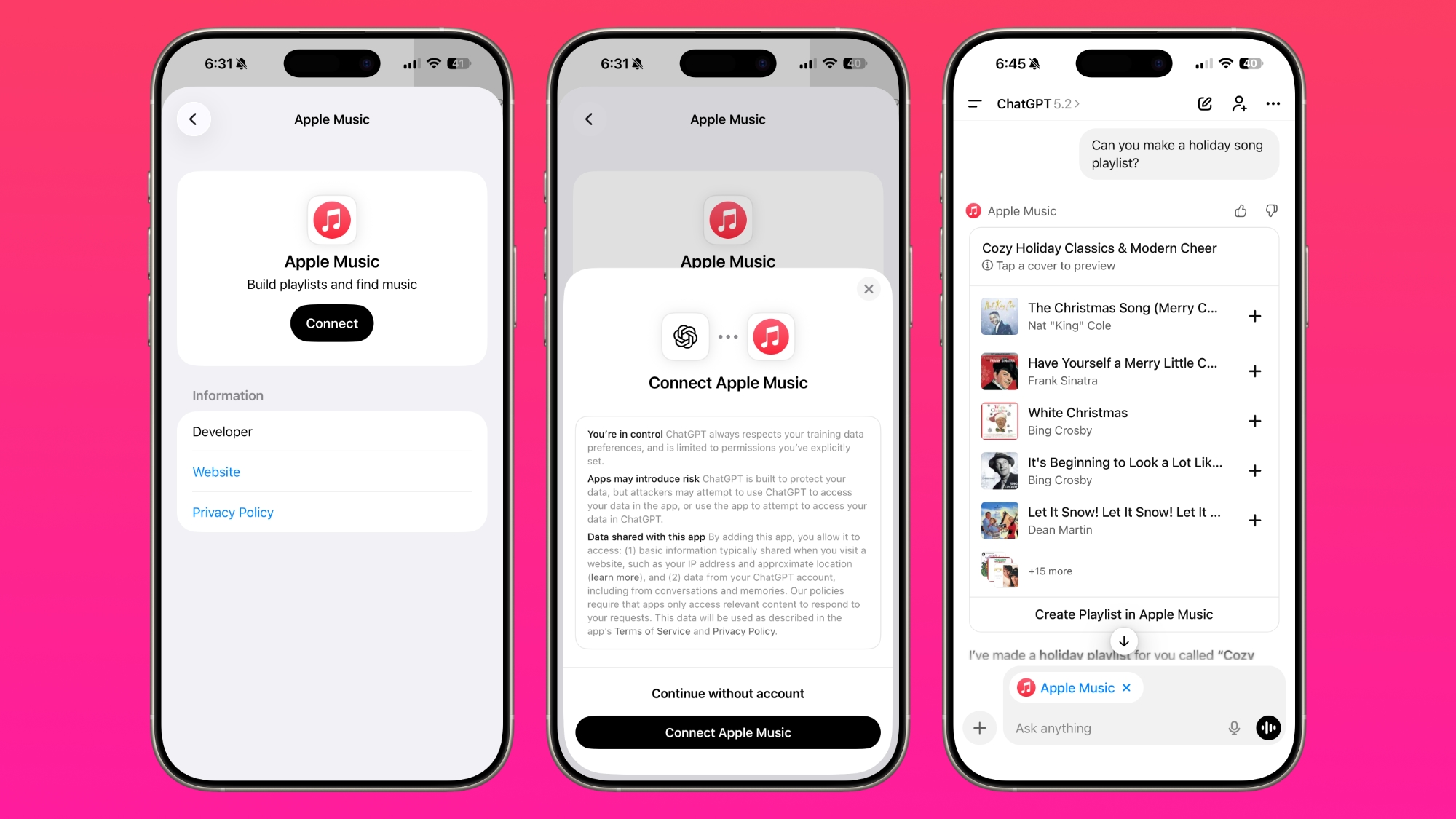
ChatGPT's Apple Music Integration Is Now Live

There's now a dedicated Apple Music app for ChatGPT, which allows ChatGPT to make music recommendations and build playlists.


‌Apple Music‌ can be added to ChatGPT through the Settings section in the Mac app, website, or iOS app. ‌Apple Music‌ is listed under the apps option, and connecting to it requires signing in with your Apple Account for authorization purposes.

ChatGPT can be used to search through the ‌Apple Music‌ catalog for songs, artists, albums, and playlists, even without an ‌Apple Music‌ subscription. OpenAI says that all users are able to discover music, generate playlists, and listen to preview clips in ChatGPT.

‌Apple Music‌ subscribers can add songs, albums, and playlists to their ‌Apple Music‌ Library using ChatGPT. When ‌Apple Music‌ is added to ChatGPT, it can be selected by tapping on the "+" button. Playlists and suggestions generated by ChatGPT can be opened directly in ‌Apple Music‌.

ChatGPT's ‌Apple Music‌ feature was first shared yesterday, but the functionality wasn't live. The app is now available to add to ChatGPT.

Update: This article originally suggested that the app could tap into a user's ‌Apple Music‌ listening history, but it does not have this capability and the user's history and playlists remain private. The app can add to a user's ‌Apple Music‌ library but does not have read access.
This article, "ChatGPT's Apple Music Integration Is Now Live" first appeared on MacRumors.com

Discuss this article in our forums

  •