↩ Accueil

Vue lecture

Tim Cook Faces FTC Warning Over Apple News Curation

Apple has been issued a warning letter from the U.S. Federal Trade Commission, urging it to review its content curation for Apple News so as to ensure that it is not suppressing conservative publications.


In a letter to Apple CEO Tim Cook, seen by the Financial Times, FTC chairman Andrew Ferguson cites recent press coverage of a report from conservative media watchdog Media Research Center (MRC), which claimed that Apple has promoted "leftist outlets" in its content choices.

The report in question by the MRC said that in January, Apple News "refrained from using any right-leaning outlets in the top 20 articles of its morning editions between Jan. 1 and Jan. 31, 2026." The outlets named in the report include Fox News, the New York Post, the Daily Mail, Breitbart, and The Gateway Pundit.

The report went on to claim that Apple News was more favourable to including outlets such as The Washington Post, The Associated Press, Reuters, and The Wall Street Journal – publications that are traditionallly considered either center outlets or nonpartisan.

Ferguson, whom President Trump appointed to lead the U.S. competition and consumer protection watchdog, said Apple should conduct a "comprehensive review" of its terms of service and take corrective action if its content curation does not comply with them.

Ferguson added that the choice of stories on Apple News may violate the FTC Act, arguing that the stifling or promotion of content "based on the perceived ideological or political viewpoint of the article or publication" may be “inconsistent" with Apple's terms of service or the "reasonable expectations of consumers."
"The FTC is not the speech police; we do not have the authority to require Apple or any other firm to take affirmative positions on any political issue, nor to curate news offerings consistent with one ideology or another. But Congress mandated that we protect consumers from material misrepresentations or omissions, including when the product or service offered to consumers is a speech-related product."
The letter came the day after President Donald Trump shared coverage of the MRC report on Truth Social. White House press secretary Karoline Leavitt also shared coverage of the MRC report on X on Wednesday.

Apple has not commented. The letter amounts to a sharp rebuke of Cook and marks an escalation in public tensions between Apple and members of the Trump administration.

Trump has generally refrained from criticizing Apple since Cook tried to repair relations with the administration in August, when he pledged to spend $600 billion in the U.S. over the next four years. Trump, in turn, promised Apple an exemption from planned electronics tariffs. Cook also presented Trump with a glass plaque mounted on a 24-carat gold base, a gesture that prompted an online backlash for its perceived obsequiousness.
This article, "Tim Cook Faces FTC Warning Over Apple News Curation" first appeared on MacRumors.com

Discuss this article in our forums
  •  

Apple Stores See iPhone 16e, iPad Air Shortages as New Models Near

Apple's retail inventory of iPhone 16e and iPad Air models has reportedly dwindled to almost nothing as the company inches towards the release of new versions of both devices. They are expected to launch in the coming weeks.


In a post on X (Twitter), Bloomberg reporter Mark Gurman said that stock of iPhone 16e models has "basically dried out," while the iPad Air is seeing shortages as well, based on what his Apple retail contacts are telling him.

Just this past weekend, Gurman reported that the iPhone 17e is set to launch "imminently" with four new features, including the A19 chip, MagSafe connectivity, Apple's new cellular C1X modem chip, and its N1 chip for Bluetooth, Wi-Fi, and Thread connectivity. The device is expected to retain the same $599 starting price as its predecessor.

Gurman also said Apple is planning to launch a new entry-level iPad 12 and a new iPad Air in the near future. Both devices are not expected to feature design changes or major enhancements, and will instead feature new chips. The 12th-generation ‌iPad‌ is set to feature the A18 chip with Apple Intelligence, while the eighth-generation ‌iPad Air‌ will apparently feature the M4 chip.

We'll have all the details of Apple's product launches as soon as they happen, right here on MacRumors, so stay tuned.
Related Roundups: iPad Air , iPhone 16e
Related Forums: iPad, iPhone

This article, "Apple Stores See iPhone 16e, iPad Air Shortages as New Models Near" first appeared on MacRumors.com

Discuss this article in our forums
  •  

Will Apple Music Get AI Playlists in iOS 27?

AI features are expanding to all kinds of apps, and it's getting difficult to find a service that hasn't embraced AI. Lately, AI playlists in music apps have been growing in popularity, and it's plausible that we'll see Apple adopt the trend in the near future.


YouTube


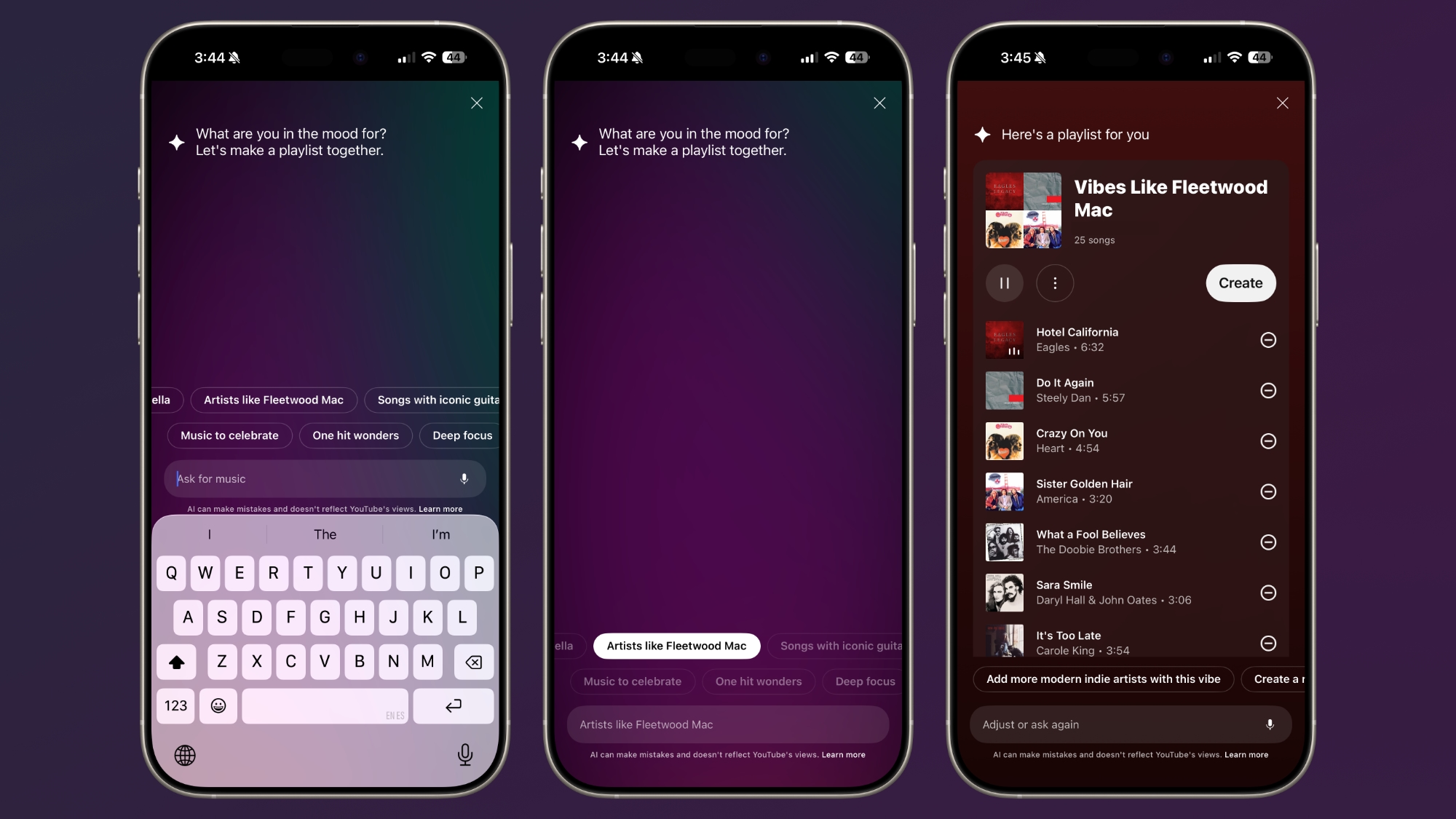
This week, YouTube Music started rolling out a new AI playlist feature. YouTube Premium and YouTube Music Premium subscribers can turn an idea, mood, or genre into a personalized playlist.


There's an option in the Library section of the YouTube Music app to create an AI playlist, where you can ask for or type any genre, artist, feeling, phrase, or other suggestion to get a custom playlist suggestion.

Spotify


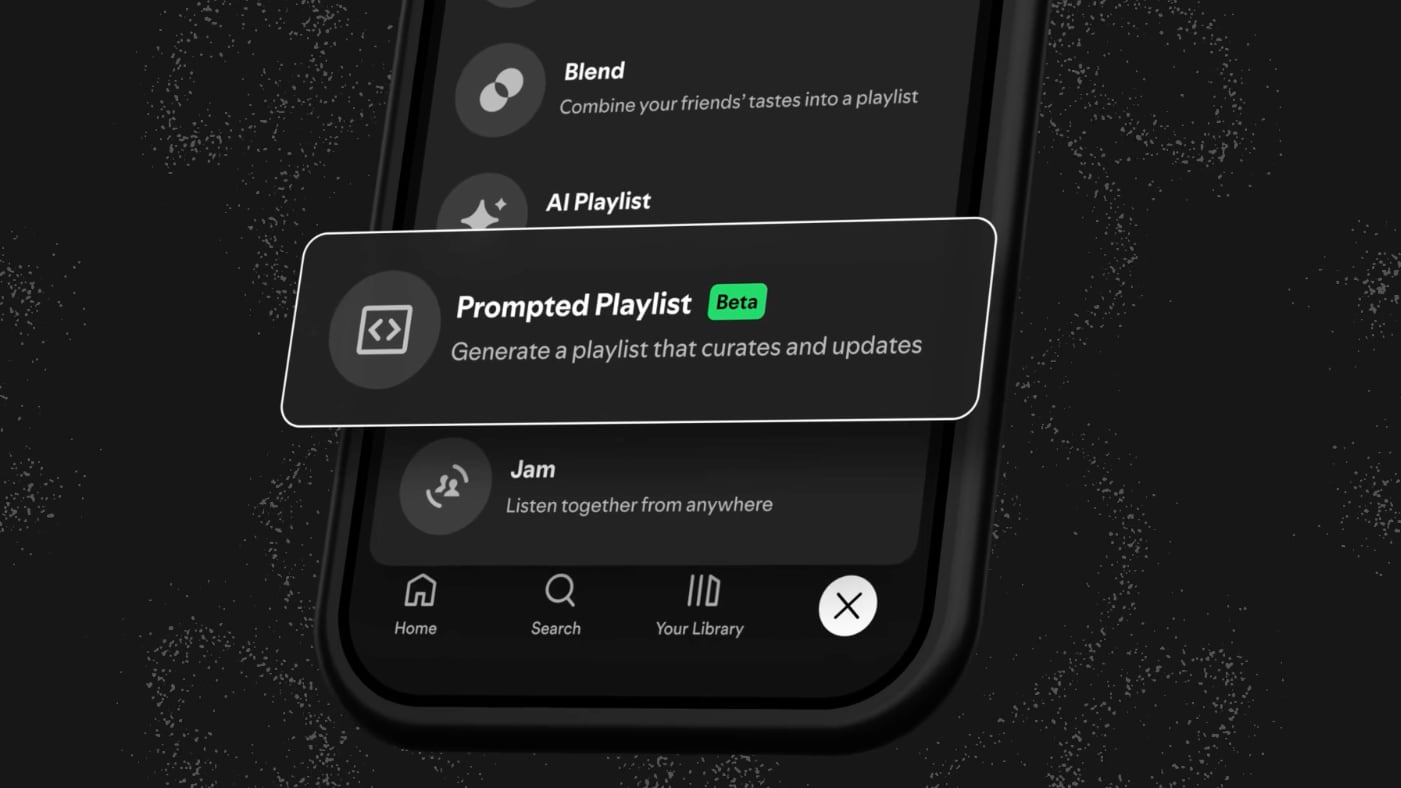
In January, Spotify started an expanded test of a "Prompted Playlist" feature that uses AI to generate music suggestions based on a text-based request.


Spotify Premium users can describe what they want to hear, and the AI looks at listening history, current trends, and charts to create song suggestions that fit the parameters. AI playlists are kept up to date and refreshed as listening patterns change.

Spotify says users can ask for things like "music from my top artists from the last five years," then expand on that with a follow-up request like "and feature deep cuts I haven't heard yet." Requests can also cover specific activities and time periods, such as "high-energy pop and hip-hop for a 30-minute 5K run that keeps a steady pace before easing into relaxing songs for a cool-down."

AI playlists from Spotify can be tweaked with prompt edits, and set to refresh daily or weekly with new music.

Spotify's Prompted Playlists are an expansion of a prior playlist-generating feature that let users ask for songs based on mood and activity. Prompted Playlists can be much more specific and detailed.

Amazon Music


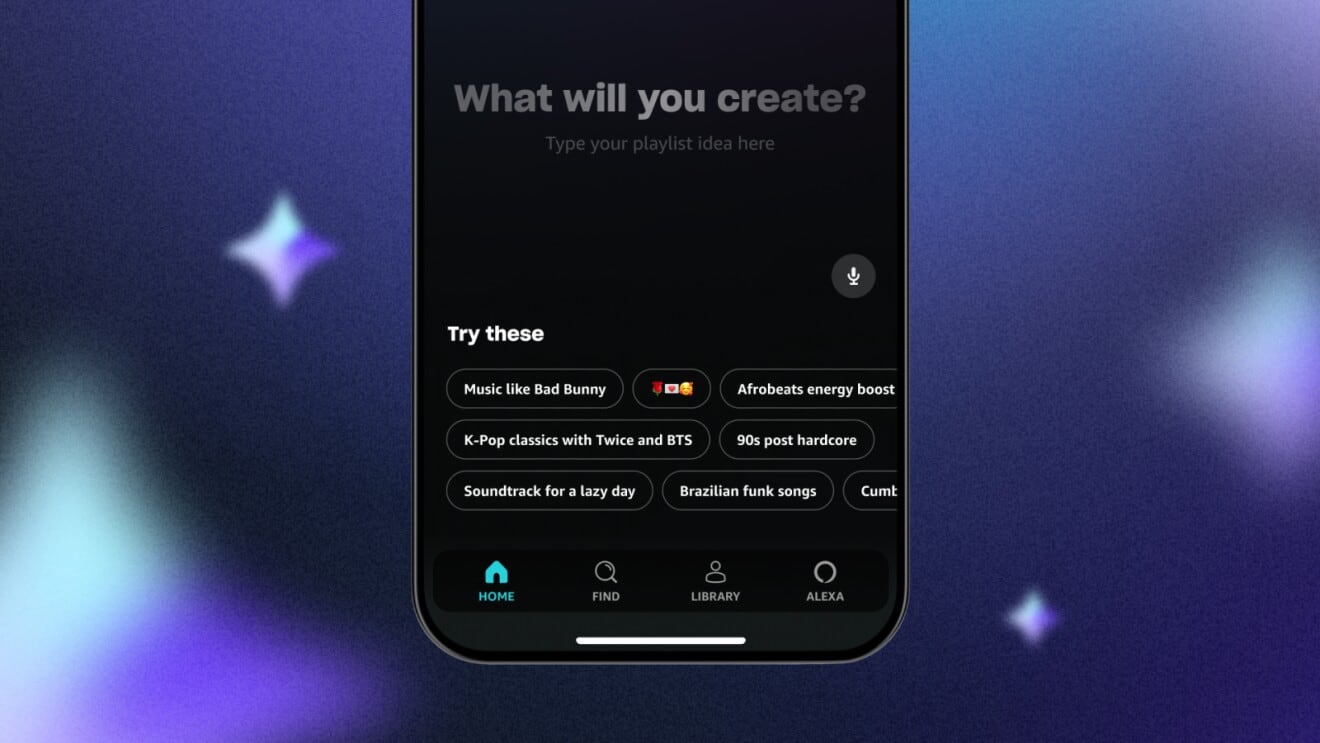
Since 2024, Amazon's music service has offered "Maestro," a feature that lets users build playlists using text-based prompts and emoji characters. It's a lot like the YouTube and Spotify options, with Amazon describing it as a feature that helps users create any playlist they can think of.


Apple Music Rumors


Apple has used AI to generate custom "For You" playlists for Apple Music users for years, but there isn't an option to type in a prompt and get a customized playlist in response.

Last year, Bloomberg's Mark Gurman said that Apple was working on an ‌Apple Music‌ reboot focused around AI. We did get a new AutoMix feature that more seamlessly transitions between songs, and updated lyrics translation features, but no option to generate AI playlists and no specific Apple Intelligence features.

More of Apple's apps are expected to adopt Apple Intelligence features in iOS 27, so it's possible we'll get new AI ‌Apple Music‌ features. Apple is now one of the only major streaming music services that does not offer prompt-based AI playlist creation.

In the meantime, there is an option to generate Apple Music playlists using ChatGPT. ChatGPT is able to integrate with ‌Apple Music‌, so it can make music recommendations and playlists based on user prompts. ChatGPT can search the ‌Apple Music‌ catalog, but it does not have access to listening history, which limits the personalization of any playlist suggestions. Playlists also need to be manually added to ‌Apple Music‌.

A native AI playlist feature in ‌Apple Music‌ would be much more akin to what Spotify and YouTube are offering.
This article, "Will Apple Music Get AI Playlists in iOS 27?" first appeared on MacRumors.com

Discuss this article in our forums
  •  

Anthropic's Claude Gets More Free Features as OpenAI Starts Showing Ads in ChatGPT

Anthropic today said that customers who use Claude without a subscription can create files, use connectors, and access skills, all of which are features that used to require a paid plan.


The announcement comes two days after OpenAI said that it was starting to roll out ads for ChatGPT users who don't have a paid subscription, or who use the most affordable Go plan.

Anthropic last week promised to keep Claude ad-free, potentially luring ChatGPT users to Claude. The new free options appear to be a continuation of its effort to target people who don't want to see ads when using a chatbot.

Free users can create, edit, and work with files directly in a Claude conversation using Sonnet 4.5 (Pro users have access to the more capable Opus model). Claude is able to generate Excel spreadsheets, PowerPoint presentations, Word documents, and PDF files.

The new access to connectors will let Claude users connect to third-party services at no cost. There are connectors for a wide variety of apps and services, including Slack, Asana, Zapier, Stripe, Canva, Notion, Figma, and WordPress.

Skills are repeatable filesystem-based resources that give Claude domain-specific expertise. Anthropic offers PowerPoint, Excel, Word, and PDF skills, but users can create custom skills with their domain expertise and organizational knowledge.

Anthropic says that free users are also able to engage in longer conversations with Claude thanks to the addition of compaction to the free plan. Compaction allows Claude to automatically summarize earlier context so there isn't a need to start a conversation from the beginning. Anthropic does not appear to have increased the free tier cap, however, so free users will still run into usage limitations.
This article, "Anthropic's Claude Gets More Free Features as OpenAI Starts Showing Ads in ChatGPT" first appeared on MacRumors.com

Discuss this article in our forums
  •  

T-Mobile Launches Beta for Free Real-Time Call Translation on Any Phone

T-Mobile today announced a new live translation feature that allows conversations to be translated in real-time when calling someone from any phone on the T-Mobile network.


Live translation does not require any apps, and it is a free service that T-Mobile is offering in a beta capacity. T-Mobile users can sign up to test live translation on the T-Mobile website, with limited spots available.

The feature works with more than 50 languages, and voice conversations are translated for each speaker "almost instantly." T-Mobile says that users can speak how they normally do on calls, with live translation detecting the languages and voices that are speaking for a natural conversation.

Live translation is built into the T-Mobile network, so it works with any phone on T-Mobile, from iPhones to flip phones. T-Mobile users can even call landlines and get translation capabilities because only one phone connected to the call has to be on T-Mobile for translation to work.

To use live translation, T-Mobile users will need to sign up for the beta. From there, when on a call, pressing * 87 * on the keypad will initiate the live translation process.

Apple rolled out a translation feature for phone calls with iOS 26, but T-Mobile's version does not require participants to have an iPhone, and it covers more languages.

While live translation is free during the beta testing process, there could be a fee associated in the future. T-Mobile has not mentioned what it will cost when the beta ends.
This article, "T-Mobile Launches Beta for Free Real-Time Call Translation on Any Phone" first appeared on MacRumors.com

Discuss this article in our forums
  •  

U.S. TikTok Introduces 'Local Feed' to Surface Nearby Events and Content

The U.S. version of TikTok is being updated with a new community-focused "Local Feed," according to a blog post shared by the TikTok USDS Joint Venture.


The Local Feed is designed to let TikTok users "discover and connect with content, businesses, and services" wherever they are. Available from a tab on the TikTok home screen, the feed features content related to travel, events, restaurants, and shopping, plus posts from nearby small businesses and local creators.

TikTok U.S. says that posts are selected based on location, the topic of the content, and when the content was posted. TikTok users who want access to the Local Feed will need to turn on precise location.

"This approach is consistent with how many modern apps use location today and gives people the choice to enable it when they want more relevant, local experiences, while keeping them in control," reads the blog post.

Precise Location is off by default, and the feature is opt-in with location only relayed when the app is in active use. Location data is "protected in the TikTok USDS JV secure environment."

TikTok U.S. says that it wants to "make sure TikTok is useful, locally relevant, and trusted." A similar "Nearby Feeds" feature rolled out for TikTok users in Europe back in December.

TikTok's U.S. operations were transferred to a majority American-owned TikTok USDS venture in late January, and the transition hasn't gone smoothly. TikTok users were unable to upload videos and had posts flagged as ineligible for recommendation, an issue that U.S. TikTok said was due to a power outage at a data center.

TikTok USDS Joint Venture LLC is 80.1 percent owned by U.S. and global investors, including Oracle, Silver Lake, and Abu Dhabi-based MGX. The three companies each own 15 percent as managing investors, and other U.S. stakeholders include the Dell Family Office and affiliates of Susquehanna International Group. TikTok parent company ByteDance continues to hold a 19.9 percent stake.

A seven-member majority-American board of directors is operating the U.S. version of TikTok, with Adam Presser, TikTok's former global head of operations serving as CEO.

Under the agreement, the venture handles U.S. data protection, content moderation, and algorithm security. TikTok's recommendation algorithm is being retrained and updated on U.S. user data, and it has been secured in Oracle's cloud environment.
Tag: TikTok

This article, "U.S. TikTok Introduces 'Local Feed' to Surface Nearby Events and Content" first appeared on MacRumors.com

Discuss this article in our forums

  •  

iOS 26.3 Features: Everything New in iOS 26.3

Apple released iOS 26.3 today, and while it doesn't have as many features as iOS 26.1 or iOS 26.2, there are still a couple of new additions worth knowing about.


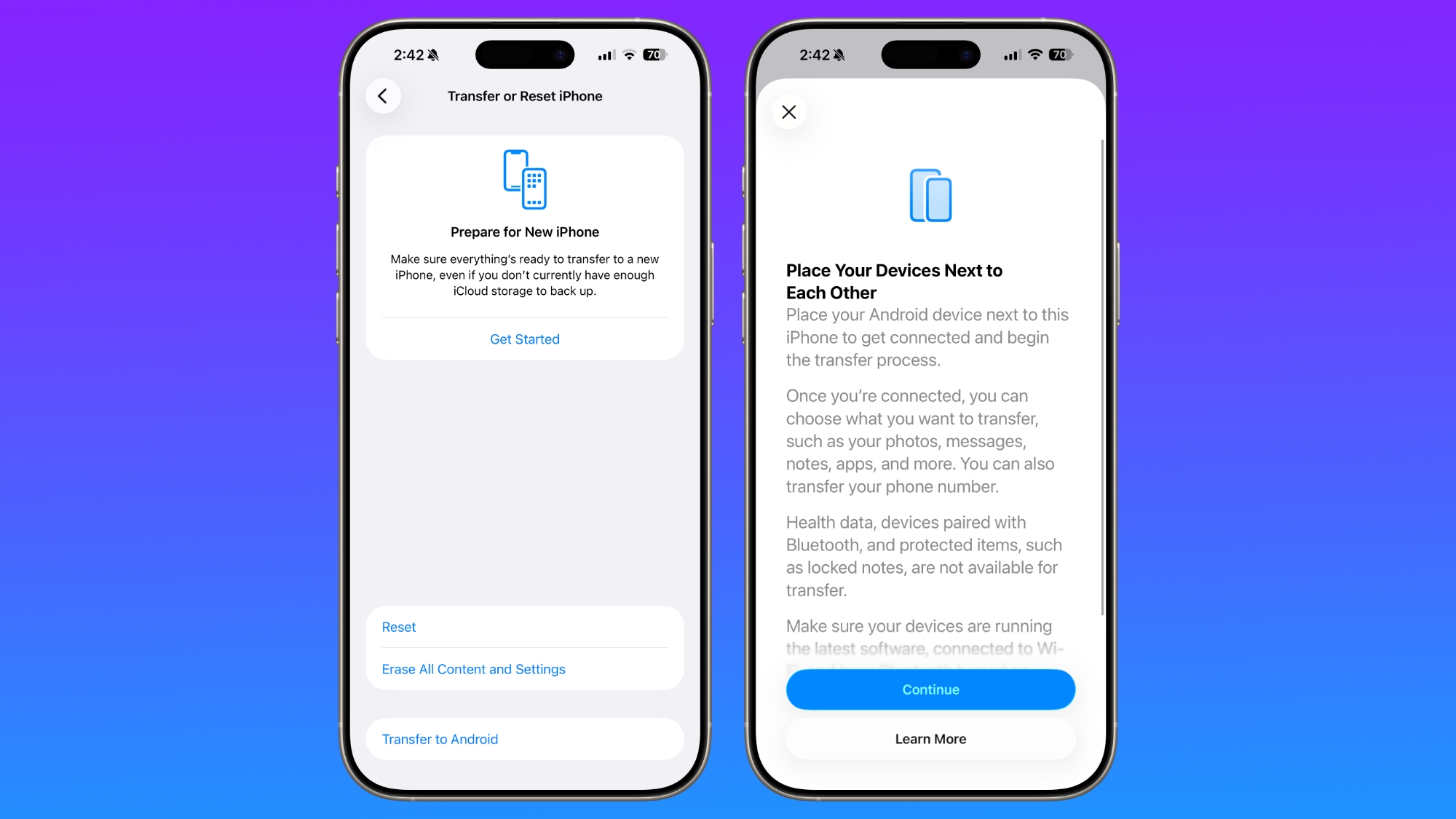
Transfer to Android


Apple is making it easier for iPhone users to transition to an Android smartphone in iOS 26.3, introducing a new transfer tool that lets an ‌iPhone‌ user place their device next to an Android device to initiate a transfer process.


With the two smartphones connected, users can opt to move over photos, messages, notes, apps, passwords, phone number, and more. Data transfers occur with no need to download and use a separate app, making the process simpler.

Health data, devices paired with Bluetooth, and protected items like locked notes are not transferred over to the new device. Google has also implemented a similar feature for transferring data from an Android to an ‌iPhone‌, so it is a two-way process between the two platforms.

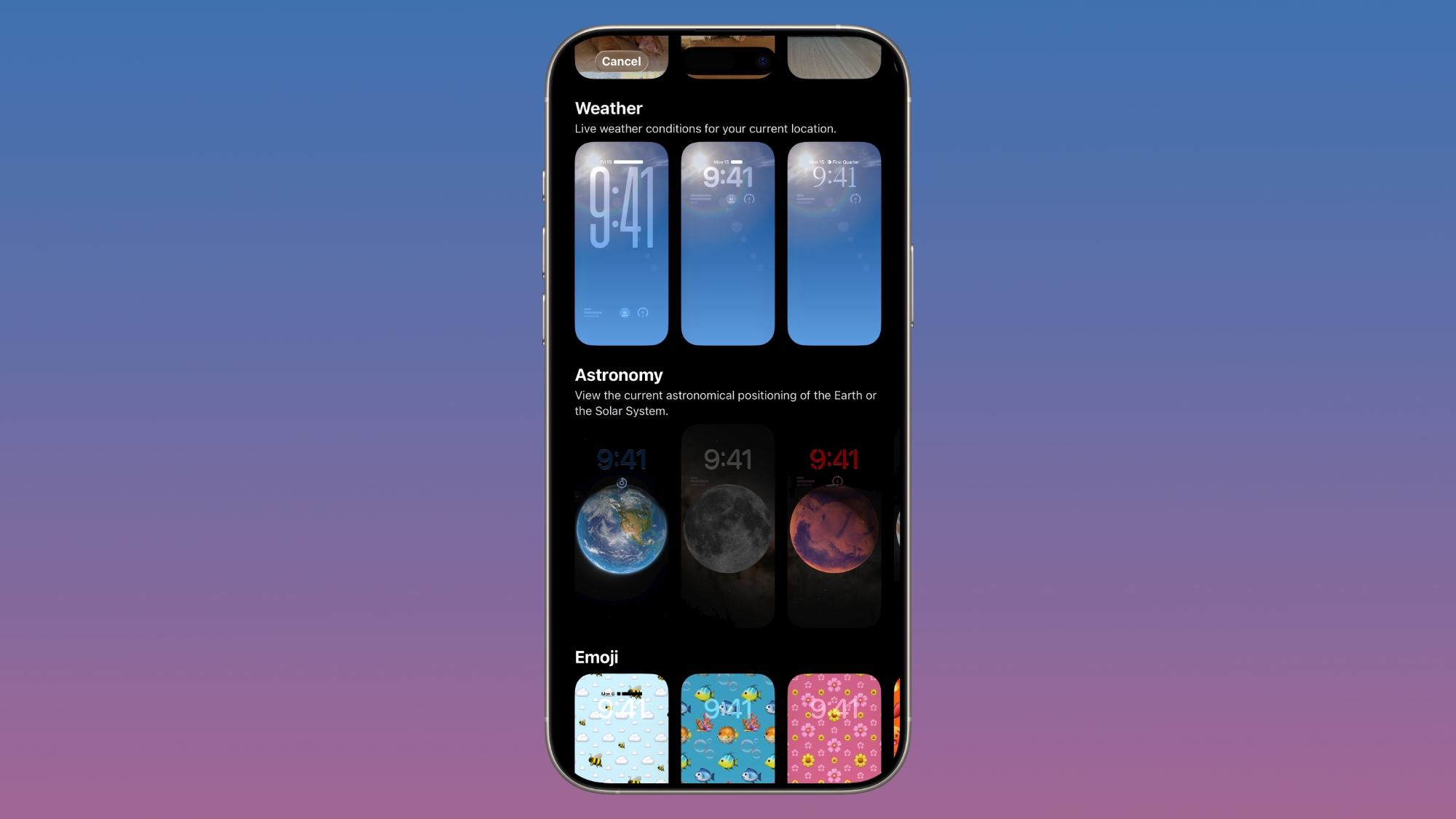
Weather Wallpaper


There is a new Weather wallpaper section in the Lock Screen customization options. Previously, Apple had a combined section for Weather and Astronomy, but Weather was split out into its own category.


There are now three pre-designed Weather wallpapers with different fonts for the time and different weather widgets to give users a better idea of how the Weather wallpaper can be used.

Limit Precise Location


iOS 26.3 includes a setting to limit carrier location tracking for carriers that add support for the feature. It's an option that only works with the C1 and C1X modems, which are in the iPhone 16e and iPhone Air.


Mobile networks determine location based on the cellular towers that a device connects to, but with the setting enabled, some of the data typically made available to mobile networks will be restricted. Rather than being able to see location down to a street address, carriers will instead be limited to the neighborhood where a device is located, for example.

In the United States, only Boost Mobile is supporting the feature as of now. EE and BT in the UK offer it, as does Telekom in Germany and AIS and True in Thailand.

You can enable the setting on a compatible device by opening the Settings app, tapping on your cellular service, tapping on Mobile Data Options, and then toggling on Limit Precise Location. You'll need to restart your device when turning the setting on or off.

Signs of M5 Chips


The iOS 26.3 release candidate featured references to unreleased M5 Max and M5 Ultra chips that could be used in upcoming Macs over the course of the next month or two.

Notification Forwarding - EU Only


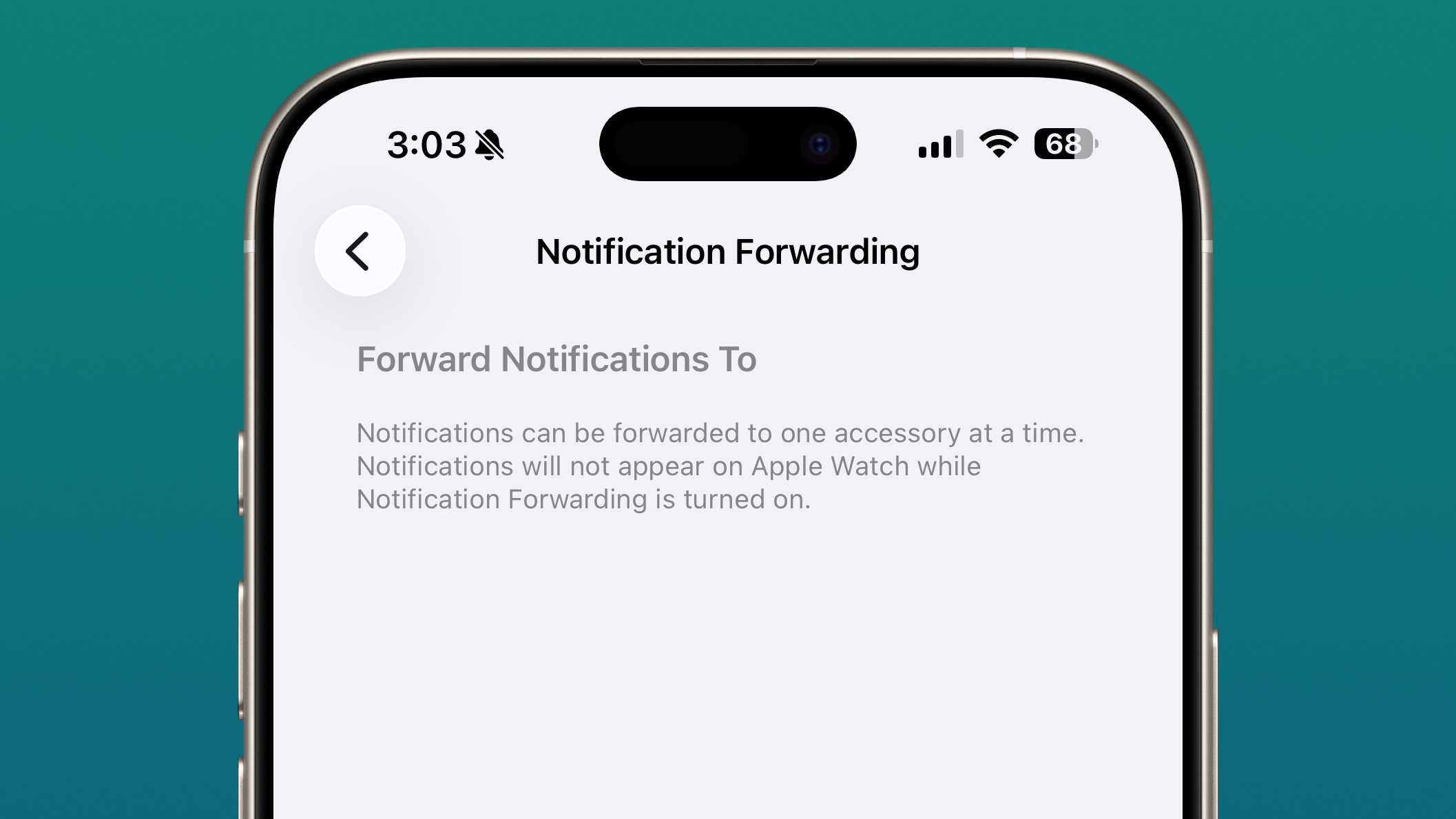
In the iOS 26.3 beta, Apple tested a new "Notification Forwarding" setting that allows incoming notifications on an ‌iPhone‌ to be forwarded to a third-party wearable device like an Android smartwatch. Apple may have decided to delay this functionality until iOS 26.4.


The setting was available in the Notification section of the Settings app under a new "Notification Forwarding" option. Notifications can only be forwarded to a single device at a time, so if Notification Forwarding is enabled with a third-party wearable, the Apple Watch won't be able to receive and display notifications.

Apple is adding this feature to address antitrust complaints suggesting that third-party wearables should have the same access to notifications and other features as the Apple Watch. It is limited to the European Union.

Proximity Pairing - EU Only


In the iOS 26.3 beta, Apple added other Europe-only changes for third-party wearables, which were shared by the European Commission. Devices like headphones and smartwatches are able to use some of the same functionality available to the AirPods and the Apple Watch going forward.

Proximity pairing allows third-party devices to pair with an iOS device in an AirPods-like one-tap way by bringing an accessory close to an ‌iPhone‌ or an iPad.

Security Updates


iOS 26.3 addresses dozens of security vulnerabilities, including one bug that was known to be actively exploited.

Apple says that a vulnerability in the dyld dynamic link editor allowed for the execution of arbitrary code. The bug may have been used in an "extremely sophisticated attack" against targeted individuals in versions of iOS before iOS 26.

There are several other vulnerabilities that were fixed too, across apps and services. A CoreAudio bug could allow a maliciously crafted media file to terminate an app, and a bug with Game Center could allow users to view sensitive information. A vulnerability in Messages could allow a shortcut to bypass sandbox restrictions, and an issue in Photos could allow someone with physical access to an iOS device to get to photos from the Lock Screen.

Now that the vulnerabilities have been publicized by Apple, even those that were not exploited before might be taken advantage of now. Apple recommends all users update their devices to iOS 26.3, iPadOS 26.3, and macOS Tahoe 26.3 as soon as possible.

How to Update


You can install iOS 26.3 by opening up the Settings app, tapping into the General section, and navigating to Software Update.

Compatibility


iOS 26.3 is available on all iPhones that support ‌iOS 26‌, which includes the ‌iPhone‌ 11 and later.

What's Next


Apple is likely to release the first beta of its next update, iOS 26.4, in two weeks.
This article, "iOS 26.3 Features: Everything New in iOS 26.3" first appeared on MacRumors.com

Discuss this article in our forums
  •  

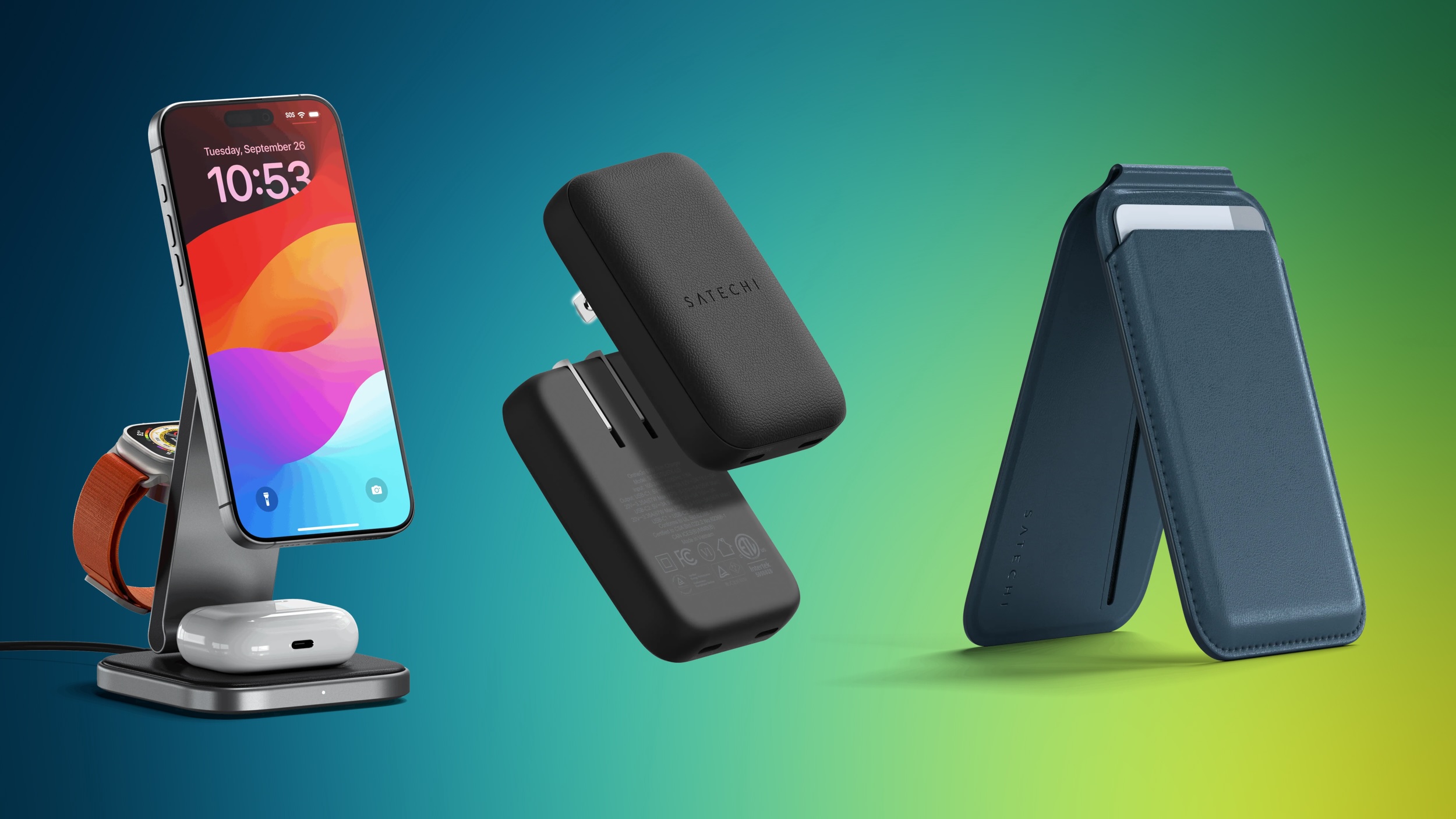
Satechi's Essentials Sale Takes 20% Off Popular Qi2 Chargers, Bluetooth Trackers, and More

Satechi recently kicked off a new sale that has essential accessories at 20 percent off for a limited time. To get this discount, enter the code ESSENTIALS20 at checkout on the accessories found in Satechi's "Essentials Tech Upgrade" collection.

Note: MacRumors is an affiliate partner with Satechi. When you click a link and make a purchase, we may receive a small payment, which helps us keep the site running.

This sale includes products like Qi2 wireless chargers, Bluetooth keyboards, USB-C hubs, Thunderbolt accessories, and more. Satechi provides free shipping on orders with a value that exceeds $20, so many of the products in this sale should automatically net you the free shipping bonus.

Note: Use code ESSENTIALS20 to see this discount.


Some highlights of the event include Satechi's FindAll Bluetooth tracker collection, like the FindAll Keychain for $24.00, down from $29.99, and FindAll Card for $28.00, down from $34.00. If you're shopping for an iPhone charging station, Satechi's 2-in-1 Foldable Qi2 Wireless Charging Stand is on sale for $64.00, down from $79.99.

Additionally, Satechi is hosting a "last chance" sale this week, with up to 30 percent off accessories with a limited supply remaining. In this sale you'll find discounts on MagSafe-compatible wireless charging pads, Thunderbolt docks, and more.

If you're on the hunt for more discounts, be sure to visit our Apple Deals roundup where we recap the best Apple-related bargains of the past week.


Deals Newsletter


Interested in hearing more about the best deals you can find in 2026? Sign up for our Deals Newsletter and we'll keep you updated so you don't miss the biggest deals of the season!


Related Roundup: Apple Deals

This article, "Satechi's Essentials Sale Takes 20% Off Popular Qi2 Chargers, Bluetooth Trackers, and More" first appeared on MacRumors.com

Discuss this article in our forums
  •  

New Siri Runs Into Problems, Features Could Be Pushed to iOS 26.5 and iOS 27

Apple has "run into snags" testing the more personalized, smarter version of Siri that's planned for iOS 26.4, reports Bloomberg. Because of the issues, the upcoming ‌Siri‌ features will be spread across several upcoming iOS releases and won't all come in the spring iOS 26.4 update.


Apple could postpone some or all of the new ‌Siri‌ features until iOS 26.5, an update planned for May, and iOS 27, which will launch this September.

We've been waiting on the Apple Intelligence version of ‌Siri‌ since iOS 18, when Apple debuted the features at the 2024 Worldwide Developers Conference. At the time, rumors suggested a spring 2025 launch. When spring rolled around, Apple announced that the new ‌Siri‌ would take longer than expected, with the functionality delayed for a year.

Since then, Apple has been targeting iOS 26.4, which the company will begin testing later this month. As Apple has been testing the updated version of ‌Siri‌ ahead of the release of the first iOS 26.4 beta, there have been unforeseen problems. ‌Siri‌ sometimes doesn't properly process queries and can take too long to respond to requests.

Apple engineers have been told to use iOS 26.5 for further internal testing, suggesting the new ‌Siri‌ features will be delayed until that update. Internally, iOS 26.5 includes notices describing the ‌Siri‌ features, as well as a "preview" toggle for turning on the ‌Siri‌ personalization feature that lets the personal assistant tap into user data like text messages and emails.

Employees that are testing iOS 26.5 say the update includes all of the features Apple promised, including personalization, onscreen awareness, and the ability for ‌Siri‌ to do more in and between apps, but not all of the features are working reliably and there are problems with accuracy.

‌Siri‌ also apparently sometimes falls back on using ChatGPT for information instead of relying on the Gemini-powered technology that Apple has partnered with Google to use, even when the new version of ‌Siri‌ is capable of handling a user's request.

Apple also planned to include features that haven't been announced, such as options to generate images or search the web. Image generation and web search were tested as part of iOS 26.4, and it's possible they will still be included in the update, so Apple might still be able to announce some of the new ‌Siri‌ functionality. Image generation uses Image Playground, and web search summarizes information from the web.

Bloomberg says the situation is "fluid," though, so Apple's plans could change, and executives are reluctant to further delay the ‌Siri‌ functionality beyond spring 2026.

There are still major changes planned for iOS 27, with Apple aiming to add chatbot functionality to ‌Siri‌ to allow it to better compete with chatbots like Gemini, Claude, and ChatGPT. That version of ‌Siri‌ will have deep integration with Apple's operating systems.
Related Roundups: iOS 26, iPadOS 26
Related Forum: iOS 26

This article, "New Siri Runs Into Problems, Features Could Be Pushed to iOS 26.5 and iOS 27" first appeared on MacRumors.com

Discuss this article in our forums
  •  

10 iPhone Tips and Tricks You Probably Didn't Know About

No matter how well you think you know your iPhone, there are always tons of hidden features and shortcuts that you aren't aware of, or might have forgotten about. We've rounded up 10 useful ‌iPhone‌ features that are worth knowing about to make using your ‌iPhone‌ just a little more pleasant.


Many of these tips require the latest version of iOS, iOS 26, but there are a few that work for older versions of iOS, too.

  1. Alarms in Reminders - You can set an alarm for a reminder, so you get a pop-up that has to be snoozed or dismissed rather than just a notification.

  2. Adaptive Power Mode - Adaptive Power Mode is a setting you should turn on, because it uses AI to learn your ‌iPhone‌ usage habits. If you're using more battery one day, it can adjust background app refresh and other features to preserve battery so you get all-day use. This is limited to newer ‌iPhone‌ models, but you can get some of the same benefit by adjusting which apps are able to use background app refresh on older models.

  3. Link to Specific Text - When you send a link to someone, you can use Safari's Copy Link with Highlight feature to direct them right to the spot on a webpage that you want them to see.

  4. Action Button Menu - You can pick one thing for your Action Button to do by default, but if you set it to a Shortcut, you can create a multi-option pop-up that lets you access multiple quick access buttons. It's entirely customizable, and you're only limited to what Shortcuts can do.

  5. Text Message Search - Search in the Messages app isn't exactly great and it can be hard to find what you're looking for, but there's a Messages Shortcut that lets you add parameters like date and organize results with the latest messages first.

  6. AirPods Camera - You can use the button on your AirPods Pro 2, AirPods Pro 3, and AirPods 4 as a remote for your ‌iPhone‌'s camera, and when paired with the timer feature, it's a great way to get group shots where everyone is in frame and no one has to hold the phone.

  7. Alarm Snooze - With ‌iOS 26‌, you're not limited to a 9-minute snooze duration when an alarm goes off. You can customize your snooze length to be longer or shorter in the Clock app.

  8. Podcast Show Tweaks - For podcast fans, you can use the Podcasts app to create per-show settings for Enhance Dialogue and playback speed, so you don't need to use the same settings for every podcast.

  9. Snooze Notifications - For notifications from apps like Calendar and Reminders, you can long press on the notification on the Lock Screen to snooze it for a few minutes, an hour, or a custom length of time.

  10. Screenshots - Tired of full-screen previews for screenshots? You can turn them off and go back to the prior screenshot method that just saves them right to the Photos app.


To see how to set up all of these features, make sure to check out our full video up above where we walk you through the steps.

Have a useful tip that we didn't list here? Share it in the comments and we might add it to our next video.
This article, "10 iPhone Tips and Tricks You Probably Didn't Know About" first appeared on MacRumors.com

Discuss this article in our forums
  •  

Update Now: iOS 26.3 and macOS Tahoe 26.3 Fix Dozens of Security Vulnerabilities

Apple today released iOS 26.3, iPadOS 26.3, and macOS Tahoe 26.3, all of which largely focus on bug fixes and security improvements. Apple says that the updates address dozens of vulnerabilities, including one that is known to have been actively exploited.


That vulnerability in the dyld dynamic link editor could allow for the execution of arbitrary code, and Apple says the bug may have been exploited in an "extremely sophisticated attack" against targeted individuals on versions of iOS before iOS 26.
An attacker with memory write capability may be able to execute arbitrary code. Apple is aware of a report that this issue may have been exploited in an extremely sophisticated attack against specific targeted individuals on versions of iOS before iOS 26.
Apple says the memory corruption issue was fixed with improved state management.

There are numerous other vulnerabilities that were also fixed across not only iOS, iPadOS, and macOS, but also Apple's other platforms that saw updates released today.

Now that these vulnerabilities have been publicized by Apple, even those that were not exploited before might be taken advantage of now. Apple recommends all users update their devices to iOS 26.3, iPadOS 26.3, and ‌macOS Tahoe‌ 26.3 as soon as possible.
Related Roundups: iOS 26, iPadOS 26, macOS Tahoe
Related Forums: iOS 26, macOS Tahoe

This article, "Update Now: iOS 26.3 and macOS Tahoe 26.3 Fix Dozens of Security Vulnerabilities" first appeared on MacRumors.com

Discuss this article in our forums
  •  

Apple Releases iOS 26.3 and iPadOS 26.3

Apple today released iOS 26.3 and iPadOS 26.3, the latest updates to the iOS 26 and iPadOS 26 operating systems that came out in September. The new software comes almost two months after Apple released iOS 26.2 and iPadOS 26.2.


The new software can be downloaded on eligible iPhones and iPads over-the-air by going to Settings > General > Software Update.

According to Apple's release notes, iOS 26.3 and iPadOS 26.3 include unspecified bug fixes and security updates, but there are a couple features that Apple didn't highlight.

The updates add a tool for transitioning from an Apple device to an Android device. Transfers are able to be started during the device setup process, and moving data from one device to another can be done without having to download apps from Apple and Google.

The transfer process supports moving photos, messages, notes, apps, passwords, phone numbers, and more, and it's not too surprising that Apple isn't advertising it. Data transfers were already possible, though not quite as simple, and Apple likely doesn't want to encourage users to move to a different platform.

In December, the European Union took credit for the new transfer tool, touting it as an example of how the Digital Markets Act (DMA) benefits users and developers. Google and Apple apparently implemented the feature because the DMA requires services to offer interoperability to prevent customers from being locked in to an operating system. The two companies opted to add the functionality worldwide rather than just in the EU.

iOS 26.3 includes a setting to limit carrier location tracking, though it is limited to a few select carriers worldwide. In the United States, only Boost Mobile is supporting the feature as of now. EE and BT in the UK offer it, as does Telekom in Germany and AIS and True in Thailand. It is a feature available only for devices with C1 or C1X modems.

In the iOS 26.3 beta, Apple added other Europe-only changes for third-party wearables, which were shared by the European Commission. Devices like headphones and smartwatches will be able to use some of the same functionality available to the AirPods and the Apple Watch going forward.

Proximity pairing will allow third-party devices to pair with an iOS device in an AirPods-like one-tap way by bringing an accessory close to an iPhone or an iPad. Third-party accessories like smart watches will be able to receive richer notifications from the ‌iPhone‌, which are able to be viewed and interacted with. Apple is allowing notifications to be forwarded to a single connected device, so turning on notifications for a third-party watch disables notifications on the Apple Watch.

While these features have been tested in iOS 26.3, they may have been removed for the release version of the software and could come in a future update.

Most of the beta testing period focused on bug fixes and these EU-specific features, so there isn't a lot that's new in iOS 26.3 and iPadOS 26.3. We are expecting a lot more to be added in iOS 26.4, and the first beta of iOS 26.4 could come this month.
Related Roundups: iOS 26, iPadOS 26
Related Forum: iOS 26

This article, "Apple Releases iOS 26.3 and iPadOS 26.3" first appeared on MacRumors.com

Discuss this article in our forums

  •  

Apple Releases macOS Tahoe 26.3

Apple today released macOS Tahoe 26.3, the third major update to the ‌macOS Tahoe‌ operating system. ‌macOS Tahoe‌ 26.3 comes two months after Apple released macOS Tahoe 26.2.


Mac users can download the new software by opening up the System Settings app and navigating to the Software Update section.

According to Apple's release notes, ‌macOS Tahoe‌ 26.3 focuses on bug fixes and security updates rather than new features, so it is a smaller update than some of the other releases we've had.

In the next couple of weeks, Apple will begin testing ‌macOS Tahoe‌ 26.4, an update that is expected to be much more feature packed. ‌macOS Tahoe‌ 26.4 could include new Siri functionality and new emoji, among other features.
Related Roundup: macOS Tahoe
Related Forum: macOS Tahoe

This article, "Apple Releases macOS Tahoe 26.3" first appeared on MacRumors.com

Discuss this article in our forums
  •  

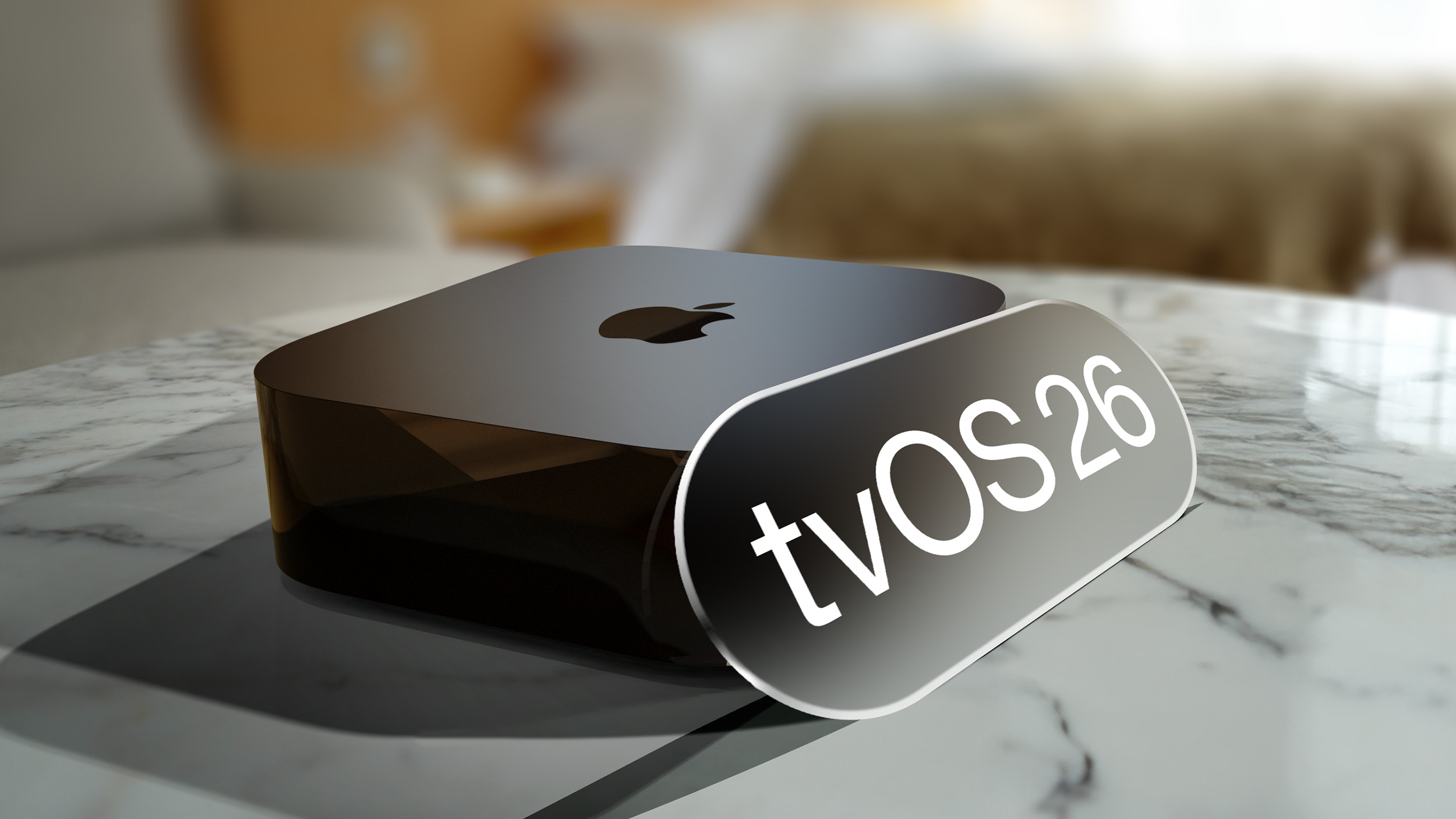
Apple Releases tvOS 26.3

Apple today released tvOS 26.3, the third update to the tvOS operating system that came out last fall. tvOS 26.3 is available for the Apple TV 4K and the ‌Apple TV‌ HD, and it comes two months after Apple released tvOS 26.2.


tvOS 26.3 can be downloaded using the Settings app on the ‌‌‌Apple TV‌‌‌. Open up Settings and go to System > Software Update to get the new software. ‌‌‌Apple TV‌‌‌ owners who have automatic software updates activated will be upgraded to tvOS 26.3 automatically.

The tvOS 26.3 update includes bug fixes and security improvements, with full release notes for tvOS available through Apple's tvOS support document.
Related Roundup: Apple TV
Buyer's Guide: Apple TV (Don't Buy)

This article, "Apple Releases tvOS 26.3" first appeared on MacRumors.com

Discuss this article in our forums
  •  

Apple Releases watchOS 26.3

Apple today released watchOS 26.3, an update to the watchOS 26 operating system that came out in September. watchOS 26.3 comes two months after Apple released watchOS 26.2.


watchOS 26.3 can be downloaded for free on an iPhone running iOS 26.3 by opening up the Apple Watch app and going to General > Software Update, or initiating an update in the Settings app on the watch. To install the new software, the Apple Watch needs to have at least 50 percent battery and it needs to be placed on a charger.

According to Apple's release notes, watchOS 26.3 includes unspecified bug fixes and security updates, and there were no new outward-facing features discovered during the beta testing process.
Related Roundup: watchOS 26
Related Forum: Apple Watch

This article, "Apple Releases watchOS 26.3" first appeared on MacRumors.com

Discuss this article in our forums

  •  

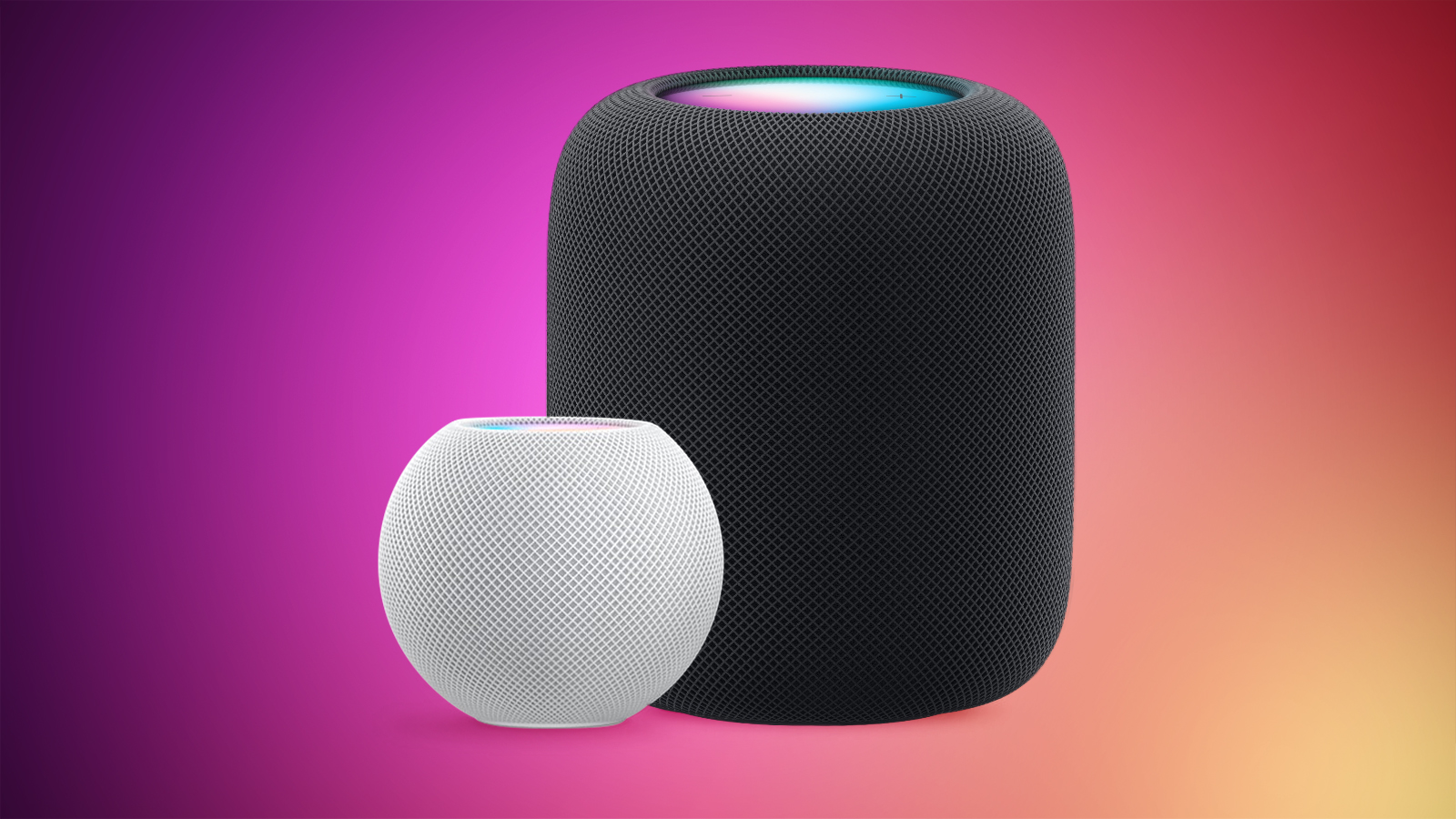
Apple Releases HomePod Software 26.3

Alongside iOS 26.3, iPadOS 26.3, and macOS Tahoe 26.3, Apple has released new HomePod 26.3 software for the ‌HomePod‌ and the HomePod mini. The update comes two months after Apple released ‌HomePod‌ Software 26.2.


According to Apple's release notes, ‌HomePod‌ Software 26.3 includes performance and stability improvements.

‌‌HomePod‌‌‌‌‌‌‌‌ software is installed automatically on the ‌‌‌‌‌‌‌‌HomePod‌‌‌‌ unless the feature is disabled‌‌‌‌, but the ‌‌‌‌‌‌‌‌HomePod‌‌‌‌‌‌‌‌ can also be manually updated in the Home app on iPhone, iPad, or Mac by tapping on the More button, choosing Home Settings, and then selecting the Software Update option.
Related Roundups: HomePod, HomePod mini

This article, "Apple Releases HomePod Software 26.3" first appeared on MacRumors.com

Discuss this article in our forums

  •  

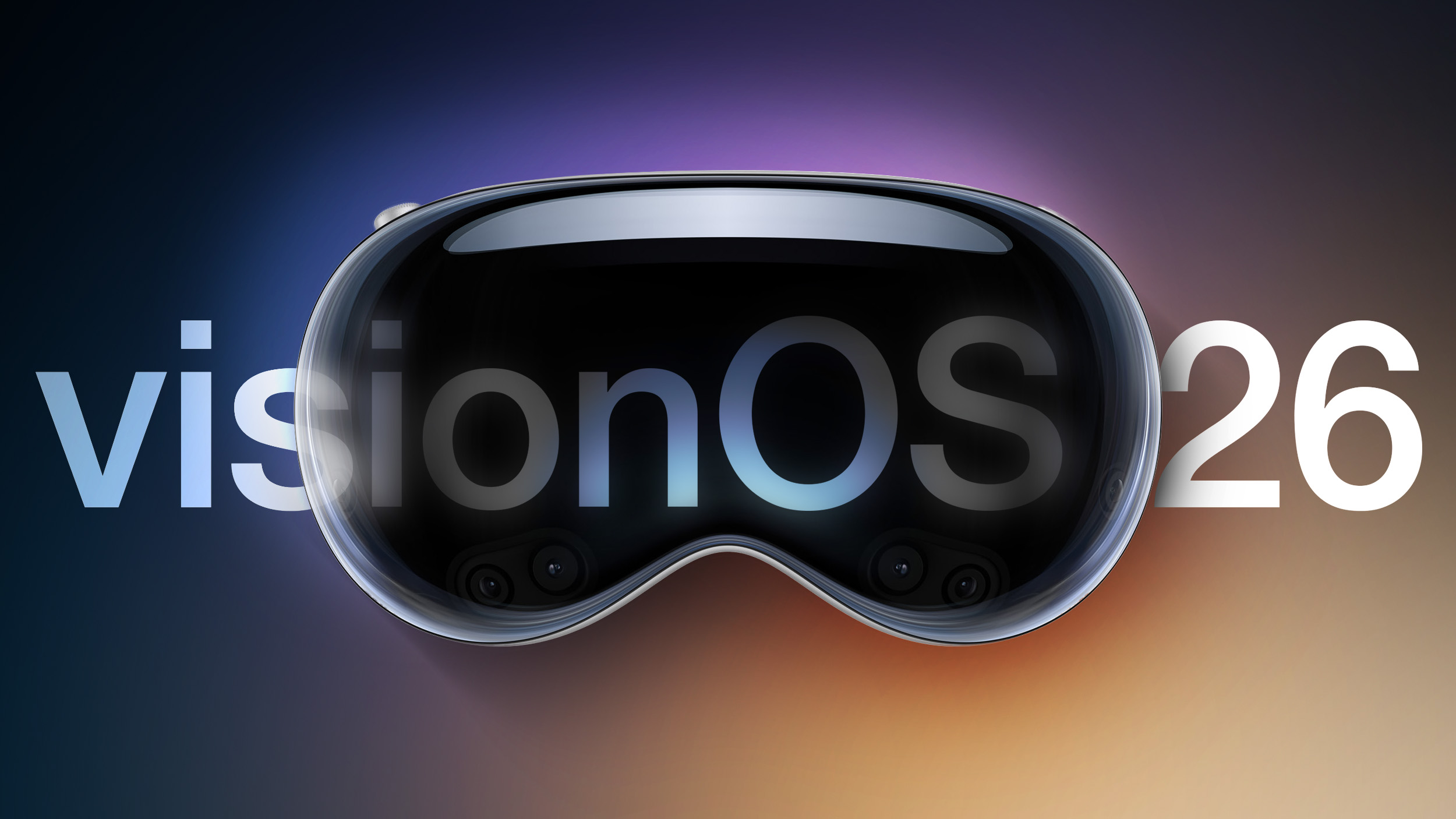
Apple Releases visionOS 26.3

Apple today released visionOS 26.3, the third update to the visionOS 26 operating system that launched in September. visionOS 26.3 comes a month after Apple released visionOS 26.2.


‌visionOS 26‌.3 can be downloaded on all Vision Pro headsets by navigating to the Settings app, selecting the General section, and choosing the Software Update option. To install an update, the Vision Pro headset needs to be removed, and there is a software progress bar available on the exterior EyeSight display.

Apple's release notes say that visionOS 26.3 includes bug fixes and security improvements, and that the software is recommended for all Vision Pro users.
Related Roundup: Apple Vision Pro
Buyer's Guide: Vision Pro (Buy Now)
Related Forum: Apple Vision Pro

This article, "Apple Releases visionOS 26.3" first appeared on MacRumors.com

Discuss this article in our forums

  •  

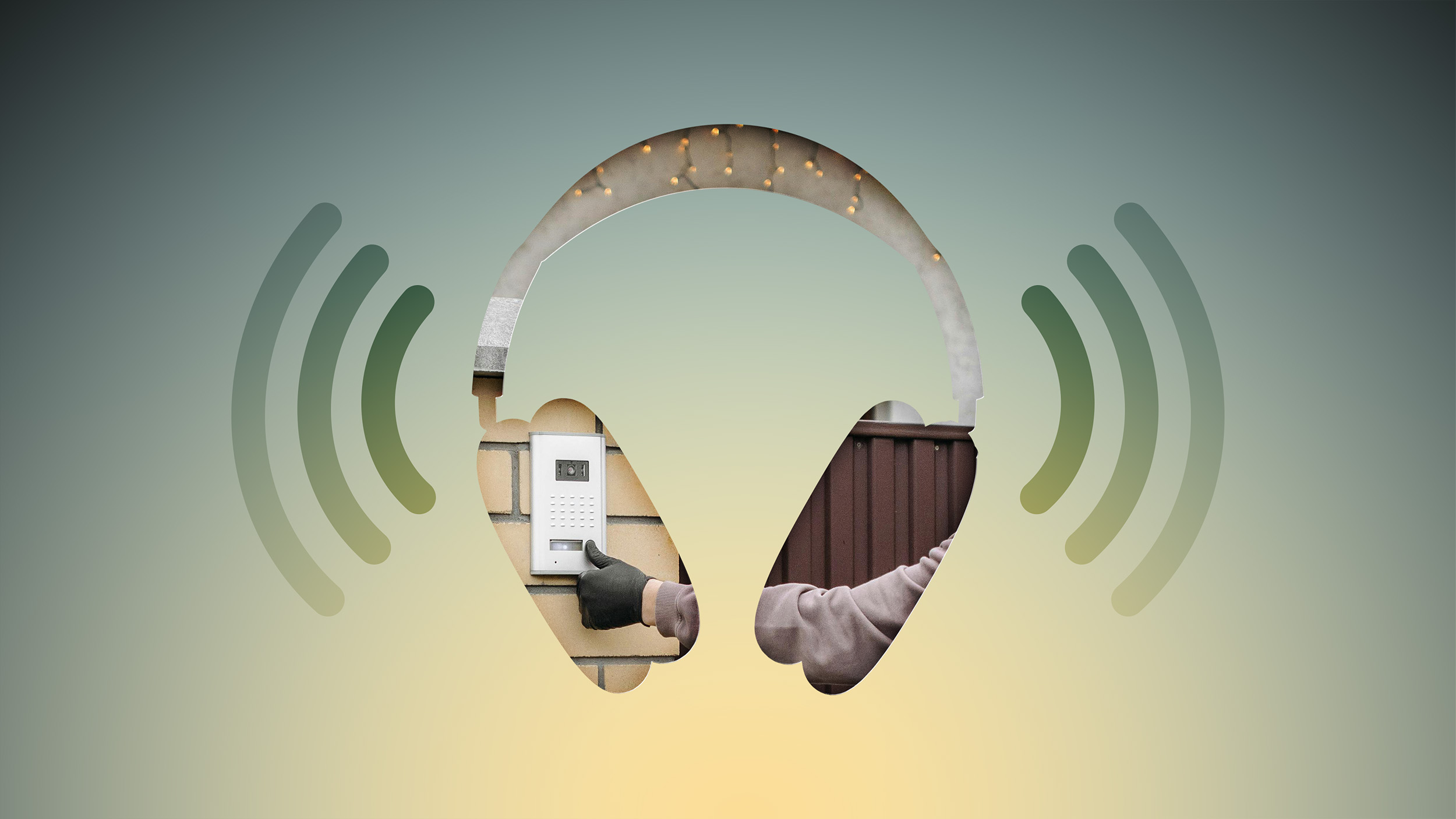
Never Miss Your Doorbell While Wearing Headphones on iPhone

Noise-canceling headphones are great for blocking out distractions, but they can also block out sounds you actually need to hear, like a courier at the front door with your all-important package. Well, thanks to an Apple accessibility feature, your iPhone can do the listening for you and alert you when your doorbell rings.


Meet Sound Recognition, the feature in question that uses your iPhone's microphone to continuously monitor for specific sounds. When it detects one, you'll receive a notification that plays through your connected headphones, along with a vibration on your iPhone (or Apple Watch if you're wearing one).

The feature is primarily designed for people who are deaf or hard of hearing, but it's equally useful for anyone who works from home and regularly wears AirPods or noise-canceling headphones.

How to Enable Doorbell Alerts


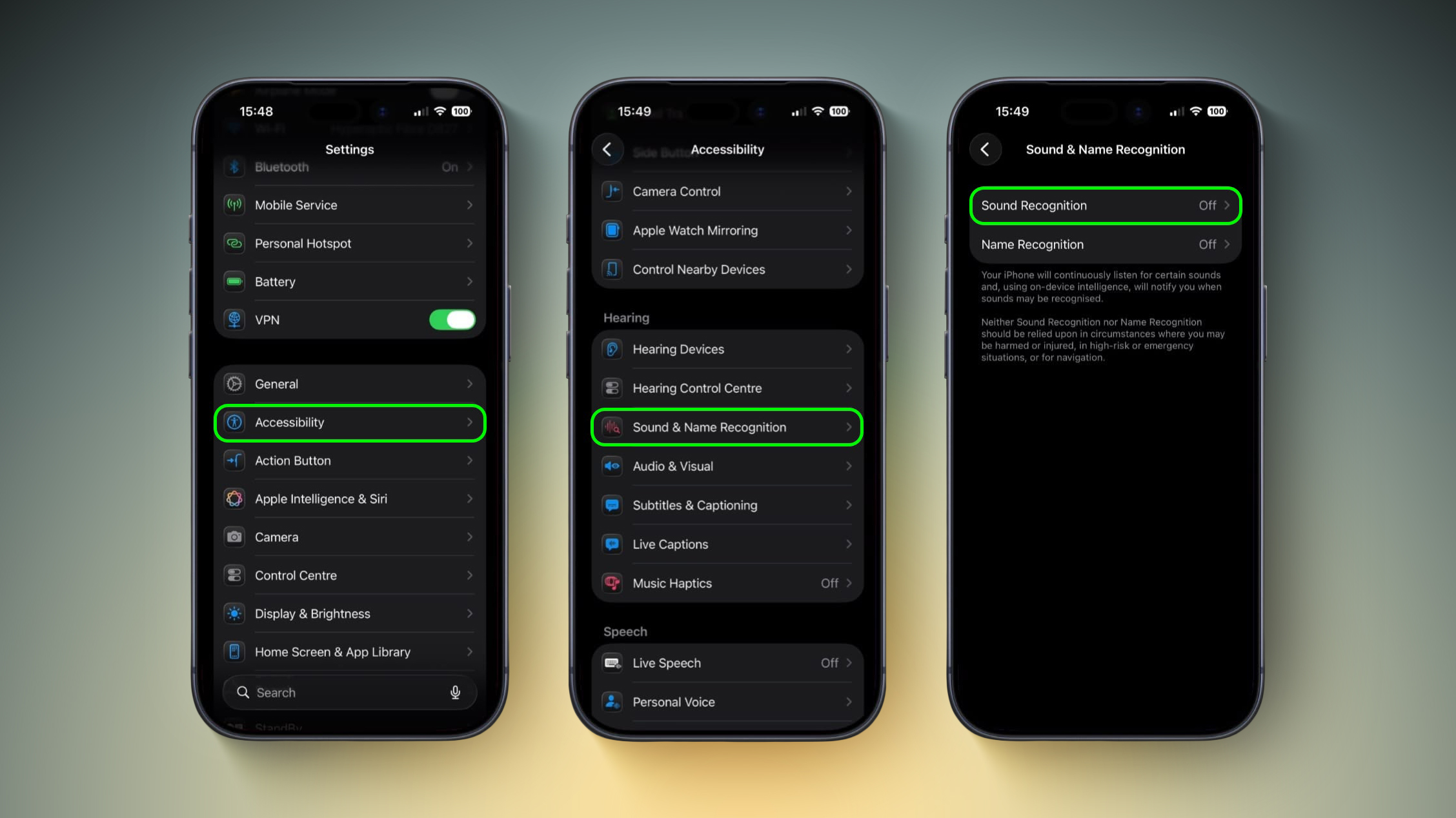
  1. Open Settings on your iPhone.

  2. Tap Accessibility.

  3. Under "Hearing," tap Sound & Name Recognition, then tap through to Sound Recognition.

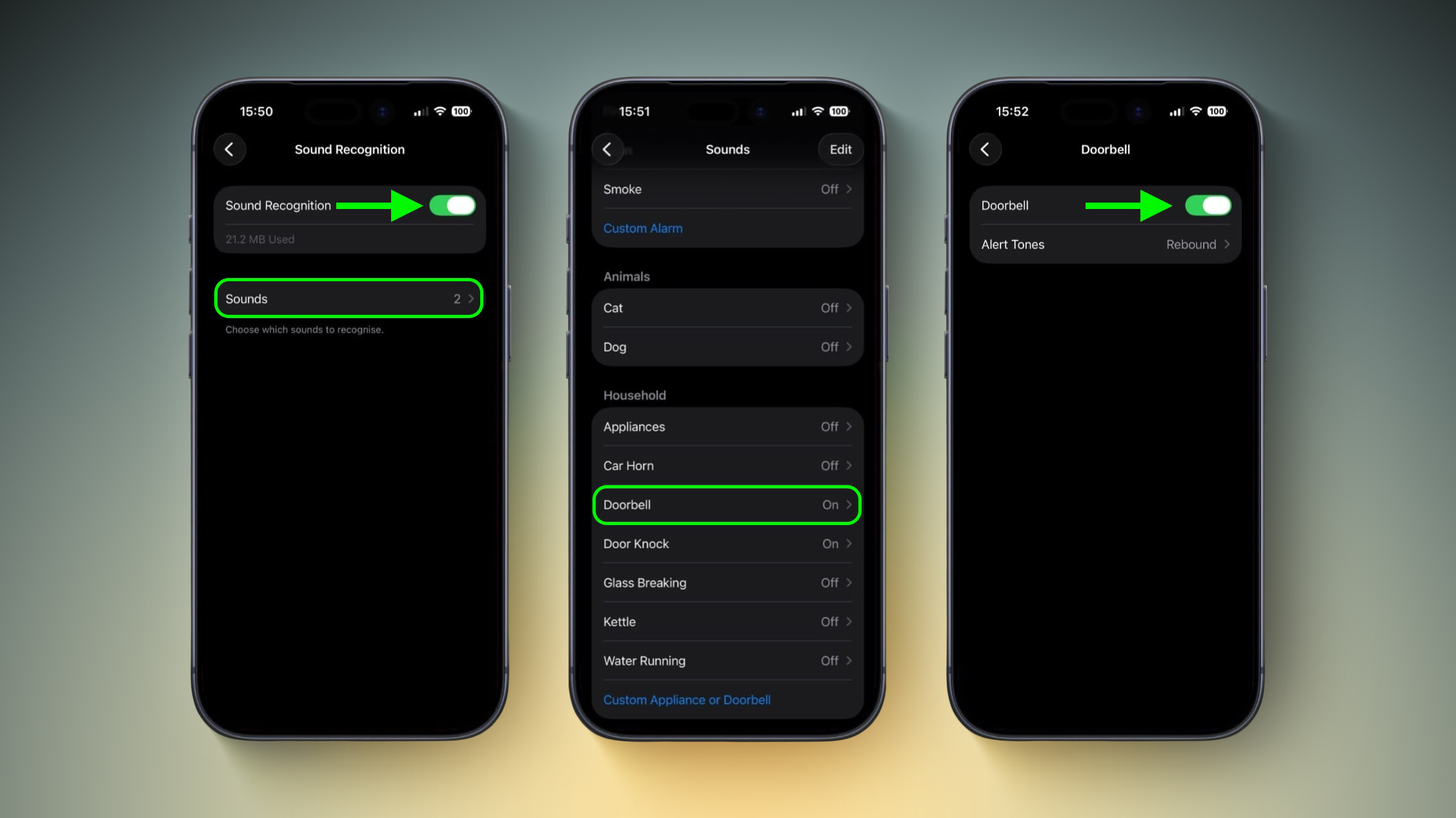
  4. Toggle on Sound Recognition, then tap Sounds.

  5. Under "Household," tap Door Bell and toggle it on in the next screen. You'll also see the option to choose a specific alert tone.
    settings
Note that your iPhone may need to download a small file (around 30MB) before the feature becomes active, so a Wi-Fi or data connection could be needed.

Training Your iPhone to Recognize Your Doorbell


If your iPhone doesn't reliably detect your specific doorbell, you can train it to recognize the sound by following these steps:

  1. Go to SettingsAccessibilitySound & Name RecognitionSound RecognitionSounds.

  2. Tap Custom Appliance or Doorbell, then enter a name.

  3. Place your iPhone near the doorbell and tap Start Listening.

  4. Ring your doorbell. Repeat this five times to complete the training.


Quick Access via Control Center


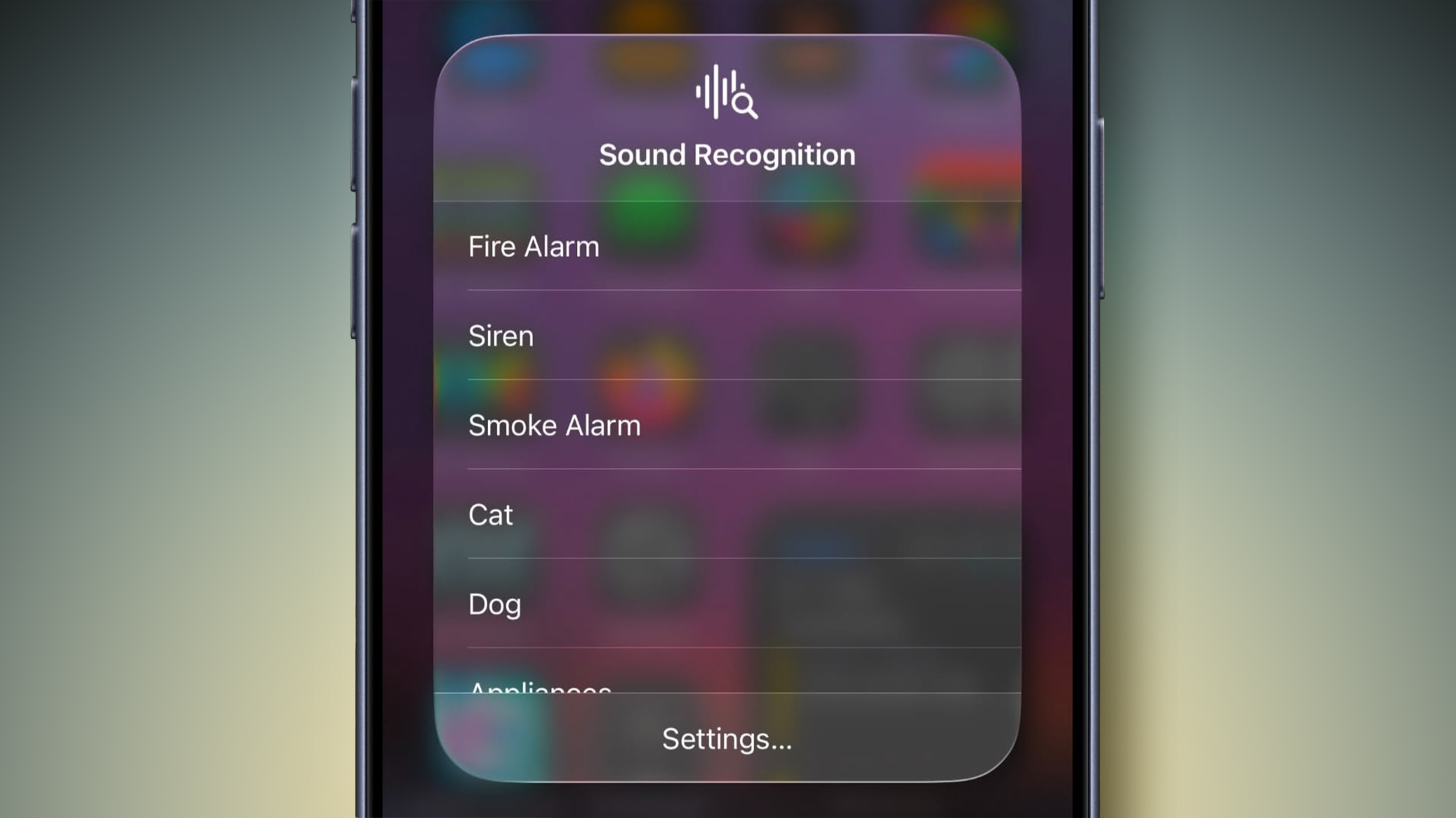
Once Sound Recognition is enabled, iOS automatically adds a toggle to Control Center. From here, you can press and hold the Sound Recognition icon to quickly enable or disable specific sounds without diving into Settings, which is handy if you only want doorbell detection when you're at home wearing headphones.

control center
Sound Recognition can also detect smoke alarms, dog barking, babies crying, water running, and more. Just keep in mind that Apple advises against relying on this feature in high-risk or emergency situations.
This article, "Never Miss Your Doorbell While Wearing Headphones on iPhone" first appeared on MacRumors.com

Discuss this article in our forums

  •  

Samsung Smart Monitor M9 Hits Record Low Price on Amazon at $300 Off, Plus More Monitor Deals

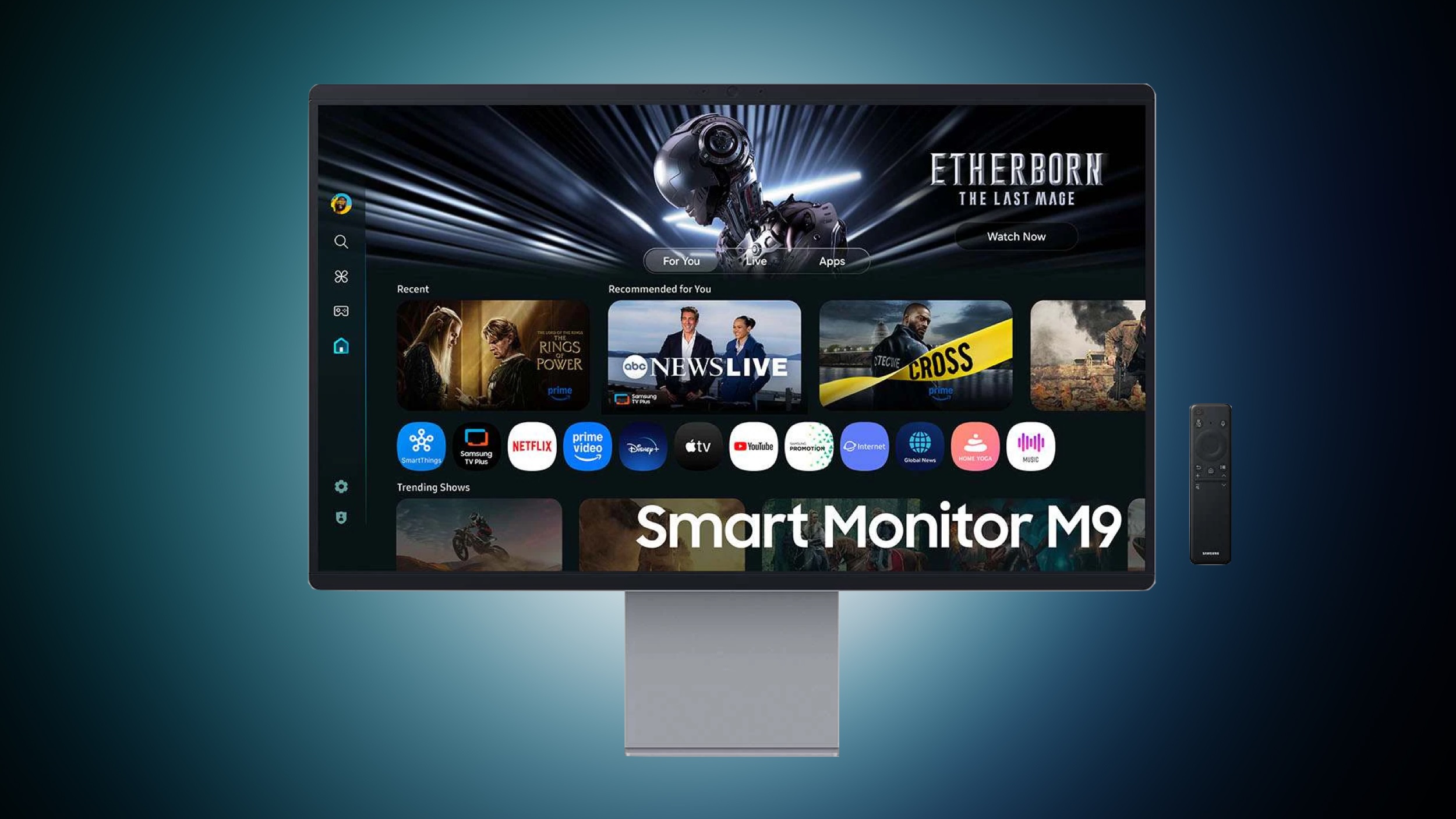
Samsung has introduced a few big discounts on its monitors, TVs, and more this week on Amazon, including the return of the all-time low price on the newest Smart Monitor. You can get the 32-inch Smart Monitor M9 for $1,299.99 on Amazon, down from $1,599.99.

Note: MacRumors is an affiliate partner with Amazon. When you click a link and make a purchase, we may receive a small payment, which helps us keep the site running.

This model of the Smart Monitor launched last summer, and today's sale is a match of the best price we've ever tracked, which is typically at Samsung.com. Today is one of the few times we've seen this low price on Amazon, and it has an estimated delivery date between February 14 and February 16.


In addition to the Smart Monitor M9 sale, Amazon is offering extra savings if you purchase multiple select Samsung products this week. Purchasing two products from this landing page will get you an additional $100 off, three will get you $300 off, four will get you $400 off, and five will get you $500 off your total.


This list includes monitors, TVs, soundbars, and even cordless vacuums. We've gathered a few of the highlights in this sale below, but be sure to check out the full list on Amazon before the sale ends. Shoppers should note that Amazon has discounts on many of these products without the need of the bundle offers, but if you're interested in more than one you can get some extra savings by clicking the on-page coupons.


If you're on the hunt for more discounts, be sure to visit our Apple Deals roundup where we recap the best Apple-related bargains of the past week.


Deals Newsletter


Interested in hearing more about the best deals you can find in 2026? Sign up for our Deals Newsletter and we'll keep you updated so you don't miss the biggest deals of the season!


Related Roundup: Apple Deals

This article, "Samsung Smart Monitor M9 Hits Record Low Price on Amazon at $300 Off, Plus More Monitor Deals" first appeared on MacRumors.com

Discuss this article in our forums

  •  

Where Is AirTag 2's Missing Feature?

Apple just introduced its second-generation AirTag, but one rumored feature failed to arrive with the new accessory.


The second-generation ‌AirTag‌ features 50% farther Precision Finding, upgraded Bluetooth with increased range, a 50% louder speaker, and more.

Back in August 2023, Apple analyst Ming-Chi Kuo reported that the second-generation ‌AirTag‌ would have better integration with Apple's upcoming Vision Pro headset, as part of its spatial computing ecosystem.

He did not provide any additional details at the time, but the functionality was a key part of the rumor cycle around the accessory leading up to its launch. The final, released product has no such feature, but it is possible that Apple could still add deeper ‌AirTag‌ integration with the Vision Pro via visionOS 27.

It is also worth noting that Kuo said another product will have similar Vision Pro integration. Last year, he explained that the next-generation AirPods Pro will feature a "more significant" hardware upgrade in the form of infrared cameras. They are are expected to integrate with Apple's Vision Pro headset to provide enhanced enhanced spatial experiences:

The new AirPods is expected to be used with Vision Pro and future Apple headsets to enhance the user experience of spatial audio and strengthen the spatial computing ecosystem. For example, when a user is watching a video with Vision Pro and wearing this new AirPods, if users turn their heads to look in a specific direction, the sound source in that direction can be emphasized to enhance the spatial audio/computing experience.


While the rumor about infrared cameras is now widely corroborated, the Vision Pro integration is more uncertain. With the second-generation ‌AirTag‌'s rumored Vision Pro integration missing, the AirPods Pro's similar feature may now be in question, not least because Apple now appears to be deprioritizing the Vision Pro with no new headsets in active development.

Related Roundups: AirPods Pro 3, AirTag
Buyer's Guide: AirPods Pro (Buy Now)
Related Forum: AirPods

This article, "Where Is AirTag 2's Missing Feature?" first appeared on MacRumors.com

Discuss this article in our forums

  •  

iPad Deals Include $50 Off 11th Gen Tablet, Available From $299

Amazon this week is taking $50 off Wi-Fi models of Apple's 11th generation iPad. Prices start at $299.00 for the 128GB Wi-Fi iPad, down from $349.00, which is a solid second-best price on this model.

Note: MacRumors is an affiliate partner with Amazon. When you click a link and make a purchase, we may receive a small payment, which helps us keep the site running.

Additionally, Amazon has the 256GB Wi-Fi iPad for $399.00 ($50 off) and the 512GB Wi-Fi iPad for $599.00 ($50 off). Free delivery estimates are placed around February 16 for most of these iPad models, but Prime members should be able to get same-day delivery in many locations.


We saw a few of these iPad model around $20 cheaper over the holiday season last year, but those all-time low prices never reappeared. As of now, Amazon's discounts are the best prices we've tracked so far in 2026. If you're on the hunt for more discounts, be sure to visit our Apple Deals roundup where we recap the best Apple-related bargains of the past week.


Deals Newsletter


Interested in hearing more about the best deals you can find in 2026? Sign up for our Deals Newsletter and we'll keep you updated so you don't miss the biggest deals of the season!


Related Roundup: Apple Deals

This article, "iPad Deals Include $50 Off 11th Gen Tablet, Available From $299" first appeared on MacRumors.com

Discuss this article in our forums

  •  

Apple Supplier's Plans Fall Through, Macs and iPads May Be Impacted

On an earnings call on Tuesday, Japanese company Sharp announced that the planned sale of one of its LCD display factories to its majority owner Foxconn has fell through, according to Nikkei Asia. As a result, the report said Sharp plans to halt production at the facility in August, and this decision may temporarily impact Apple.


If production ceases at Sharp's so-called "K2" factory in Kameyama, Japan, Taiwanese research firm TrendForce said that short-term supply of oxide LCD display panels for some MacBook and iPad models "could face disruption."

Apple is known for having excellent supply chain management, so any potential impact on MacBook and iPad shipping estimates might be limited. TrendForce estimated that Apple's current orders only make up about 16% to 17% of the factory's overall utilization, and Apple still has around six months to prepare.

Sharp has decided to wind down the factory amid increased competition.

"The plant's competitive edge once stemmed from its industry-leading oxide backplane technology, serving as a benchmark for Apple's MacBook and iPad panels," said TrendForce. "However, increasing investments from Korean and Chinese panel makers in oxide capacity steadily eroded Sharp's technological advantage."

Foxconn had initially planned to continue LCD panel production at the factory, and add new production lines to build AI servers, according to Nikkei Asia. However, the report said Foxconn backed away due to "weak LCD prices."

Regardless, Apple is in the process of upgrading its products with OLED displays. All of the latest iPhone models are equipped with OLED displays, and the past two generations of iPad Pro models are too. Over the next one to two years, the iPad mini, iPad Air, MacBook Pro, MacBook Air, and iMac are expected to receive OLED displays too.
This article, "Apple Supplier's Plans Fall Through, Macs and iPads May Be Impacted" first appeared on MacRumors.com

Discuss this article in our forums

  •  

Apple Acquires New Database App

Apple acquired Canadian graph database company Kuzu last year, it has emerged.


The acquisition, spotted by AppleInsider, was completed in October 2025 for an undisclosed sum. The company's website was subsequently taken down and its Github repository was archived, as is commonplace for Apple acquisitions.

Kuzu was "an embedded graph database built for query speed, scalability, and easy of use." It offered Kuzu Explorer, a browser-based database that displayed datapoints as linked nodes. Apple had to inform the European Union of the acquisition owing to its significance, but there are few other details around it.

Apple already owns FileMaker, a cross-platform relational database app, via a subsidiary. It is unclear what Apple plans to use Kuzu's technology for.
This article, "Apple Acquires New Database App" first appeared on MacRumors.com

Discuss this article in our forums

  •  

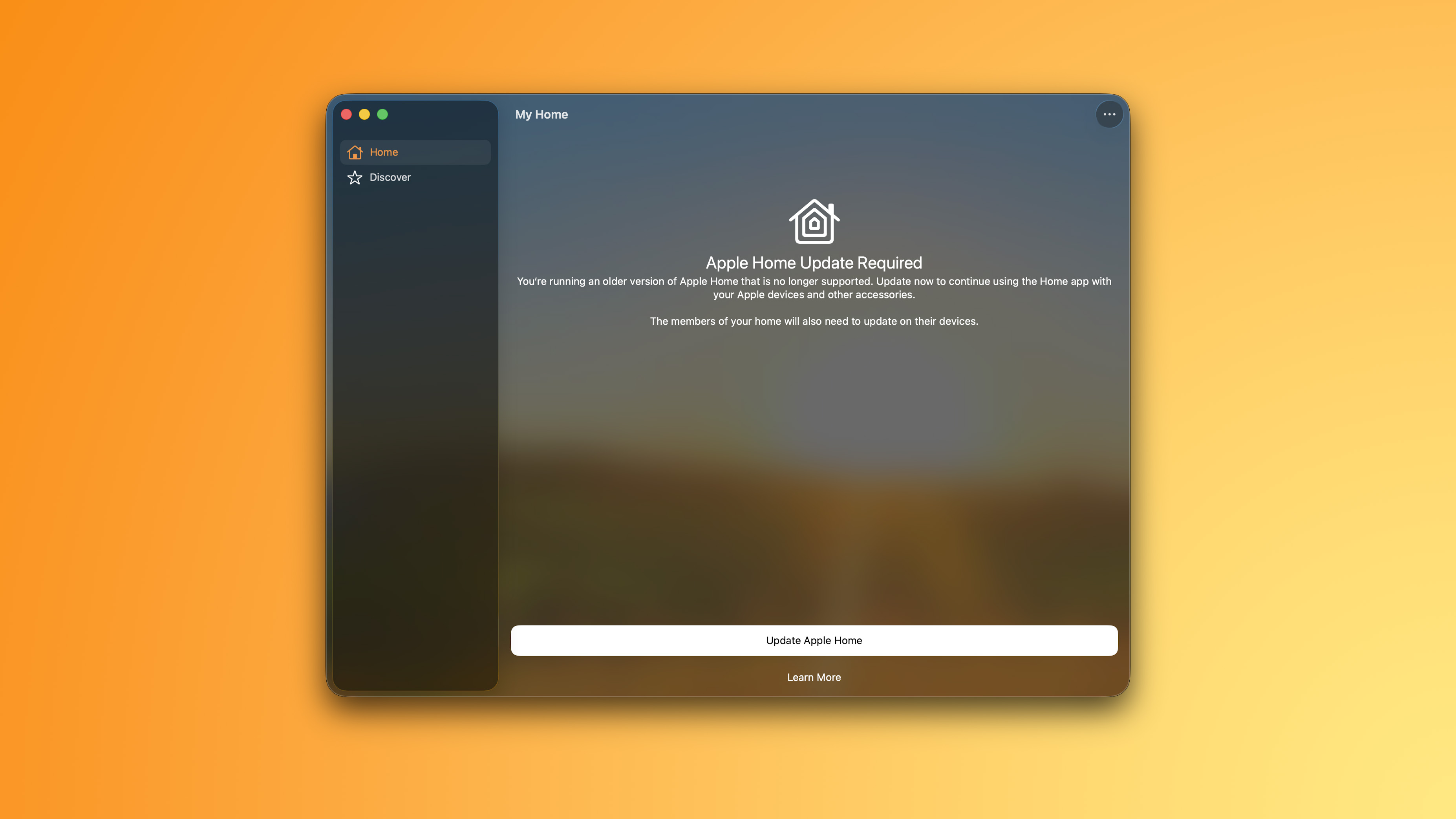
Apple Home App Stops Working for Some Users as Update Now Required

In 2022, Apple introduced a new Apple Home architecture that is "more reliable and efficient," and support for the old architecture has now ended.


As expected, the app is no longer working for some users.

Users who did not update the app by the February 10 deadline now see this message: "You're running an older version of Apple Home that is no longer supported. Update now to continue using the Home app with your Apple devices and other accessories."

"The members of your home will also need to update on their devices," the message adds.


Apple said users who do not upgrade may experience issues with accessories and automations, or lose access to their smart home in the app entirely. In addition, users who do not upgrade will miss out on newer features like robot vacuum cleaner support, and they will not receive important security fixes and performance improvements.

It is still possible to upgrade the app to restore functionality.

Apple explains how to upgrade the Home app on the iPhone, iPad, or Mac:

  • Open the Home app

  • Tap or click on the three dots in the upper-right and navigate to Home Settings

  • Tap or click on Software Update

  • Tap or click Update Now, then follow the prompts. All of the homes that you own are updated at the same time.

If you see "This home and all accessories are up to date," then you are on the current version of the app and no further action is required.

Notably, the newer Apple Home architecture requires a minimum of iOS 16.2, iPadOS 16.2, macOS 13.1, tvOS 16.2, and watchOS 9.2.

More details are available in an Apple support document.
This article, "Apple Home App Stops Working for Some Users as Update Now Required" first appeared on MacRumors.com

Discuss this article in our forums

  •  
❌