↩ Accueil

Vue lecture

iPhone 12 Users in Australia Should Update to iOS 26.2, Here's Why

In a support document published on Friday, Apple said that a "technical failure" in Australia prevented some older mobile phones from being able to make emergency calls by dialing 000, and it said there is a low chance that it could happen again.

"In the rare event that these exceptional circumstances affecting mobile operators' networks were to happen again, some older mobile phones may still encounter the same issue reaching emergency services through an alternate available network," said Apple. The document does not provide many specific details, but there are some recent news reports about what sounds like a related issue affecting Samsung phones.

Apple said the issue "impacted some Australians in regional areas who attempted to make an emergency call when their primary mobile network was unavailable, even though an alternate network was available and should have connected the call." Apple said "mobile operators are taking steps to mitigate future issues."

For iPhone 12 users specifically, Apple vaguely stated that the iOS 26.2 update released last week "provides support for this scenario."

"iPhone XS, iPhone XR, iPhone 11, and all iPhone models from iPhone 13 and newer are not affected," said Apple. "For iPhone 12 users, iOS 26.2 provides support for this scenario. If it is determined that any earlier iPhone models are impacted, customers will receive additional information and guidance directly from their mobile operator."

To update your iPhone, open the Settings app on the device and tap General → Software Update.
Related Roundups: iOS 26, iPadOS 26
Related Forum: iOS 26

This article, "iPhone 12 Users in Australia Should Update to iOS 26.2, Here's Why" first appeared on MacRumors.com

Discuss this article in our forums
  •  

Apple Sports App to Support Golf, Including PGA Tour

The free Apple Sports app shows scores, stats, standings, and more for a variety of sports and leagues, and it should eventually gain support for one more.


The latest version of the Apple Sports app includes images for the men's PGA Tour and the women's LPGA hidden within the app's code, according to MacRumors contributor Aaron Perris. While users cannot yet follow the PGA Tour or LPGA in the app, the addition of the images suggests that support is coming soon.

The app already supports the NFL, MLB, NBA, NHL, Premier League, NASCAR, F1, Premier League, and more, and golf will further expand the selection.

Launched in 2024, the Apple Sports app is available on the iPhone only in the U.S., the U.K., Canada, France, Germany, Ireland, Italy, Portugal, Spain, the Netherlands, Sweden, Norway, Finland, Denmark, and select other European countries.
This article, "Apple Sports App to Support Golf, Including PGA Tour" first appeared on MacRumors.com

Discuss this article in our forums

  •  

AirPods Max 2 Likely to Offer These 10 New Features

Apple released the AirPods Max on December 15, 2020, meaning the over-ear headphones launched five years ago today. While the AirPods Max were updated with a USB-C port and new color options last year, followed by support for lossless audio and ultra-low latency audio this year, the headphones lack some of the features that have been introduced for newer generations of the regular AirPods and the AirPods Pro.


Fortunately, it has been rumored that Apple plans to update the AirPods Max within the next few years, and they will likely receive the following 10 changes.

Earlier this year, Apple supply chain analyst Ming-Chi Kuo said he expected lighter AirPods Max to enter mass production in 2027. However, he did not outline any other planned upgrades beyond the headphones apparently weighing less.

The current AirPods Max weigh 0.85 pounds, excluding the charging case, according to Apple.

AirPods Max still have Apple's H1 chip from 2019, so it is very likely that a second-generation pair would be equipped with the H2 chip or newer. That should unlock at least seven upgrades, including improved sound quality, increased active noise cancellation, longer battery life, Adaptive Audio, Personalized Volume, Conversation Awareness, and the ability to use "Siri" instead of "Hey Siri."

Adaptive Audio adjusts Active Noise Cancellation based on your environment — you can customize the setting to allow more or less ambient noise. Personalized Volume is a similar feature that adjusts your AirPods volume based on both your surroundings and your volume preferences. Conversation Awareness temporarily lowers your volume and enhances voices in front of you while you are talking with someone.

Other likely changes include new color options for the ear cushions and headband, as well as a redesigned carrying case. Hopefully the case gains an Ultra Wideband chip, which would unlock Precision Finding in the Find My app.

In the U.S., AirPods Max remain priced at $549, but they are frequently on sale for less at Amazon and other resellers. Unless you really want AirPods Max now, we are now at a point where waiting for the 2027 model is worthwhile.
Related Roundup: AirPods Max
Buyer's Guide: AirPods Max (Neutral)
Related Forum: AirPods

This article, "AirPods Max 2 Likely to Offer These 10 New Features" first appeared on MacRumors.com

Discuss this article in our forums
  •  

iOS 26.4 and iOS 27 Features Revealed in New Leak

Macworld's Filipe Espósito today revealed a handful of features that Apple is allegedly planning for iOS 26.4, iOS 27, and even iOS 28.


The report said the features are referenced within the code for a leaked internal build of iOS 26 that is not meant to be seen by the public. However, it appears that Espósito and/or his sources managed to gain access to it, providing us with a sneak peek at some of the things that Apple's software engineers are working on.

As always, Apple's plans could change, so there is no guarantee that any or all of these features will end up being released to the general public.

Here is what Apple is planning for iOS 26.4, according to the report:
  • A revamped, more personalized version of Siri powered by Apple Intelligence.

  • A redesigned Health app, with a new layout for categories and simplified metric logging. A previous rumor indicated there will also be an Apple Health+ subscription service with an AI-powered health and fitness assistant.

  • If you have credit card information stored in Apple's Passwords app, you will be able to AutoFill those details in third-party apps.

  • The ability to create folders in the Freeform app.

  • Apple is apparently working on a new "Sports Tier" for the Apple TV app, but the report did not offer any further details about this.

  • There are signs of "a new validation system that will check the integrity of the device before logging into Apple ID and iCloud."

  • New features for AirPods, including "Precise Outdoor Location" in the Find My app.
These features are allegedly planned for iOS 27:
  • Improvements to photo collections in the Photos app.

  • Improvements to the AirPods pairing process.
The report even mentioned a potential iOS 28 feature:
  • New metrics for Apple Watch sleep tracking.
Apple is also planning to expand the Health app to the Mac with macOS 28, the report said.

Based on information from the same internal build of iOS 26, Espósito also shared alleged details about Apple's long-rumored smart home hub, as well as upcoming models of the Studio Display, entry-level iPad, AirTag, and more.
Related Roundups: iOS 26, iPadOS 26
Related Forum: iOS 26

This article, "iOS 26.4 and iOS 27 Features Revealed in New Leak" first appeared on MacRumors.com

Discuss this article in our forums
  •  

iOS 26.2 Coming Soon With These 8 New Features on Your iPhone

Apple seeded the second iOS 26.2 Release Candidate to developers earlier this week, meaning the update will be released to the general public very soon.


Apple confirmed iOS 26.2 would be released in December, but it did not provide a specific date. We expect the update to be released by early next week.

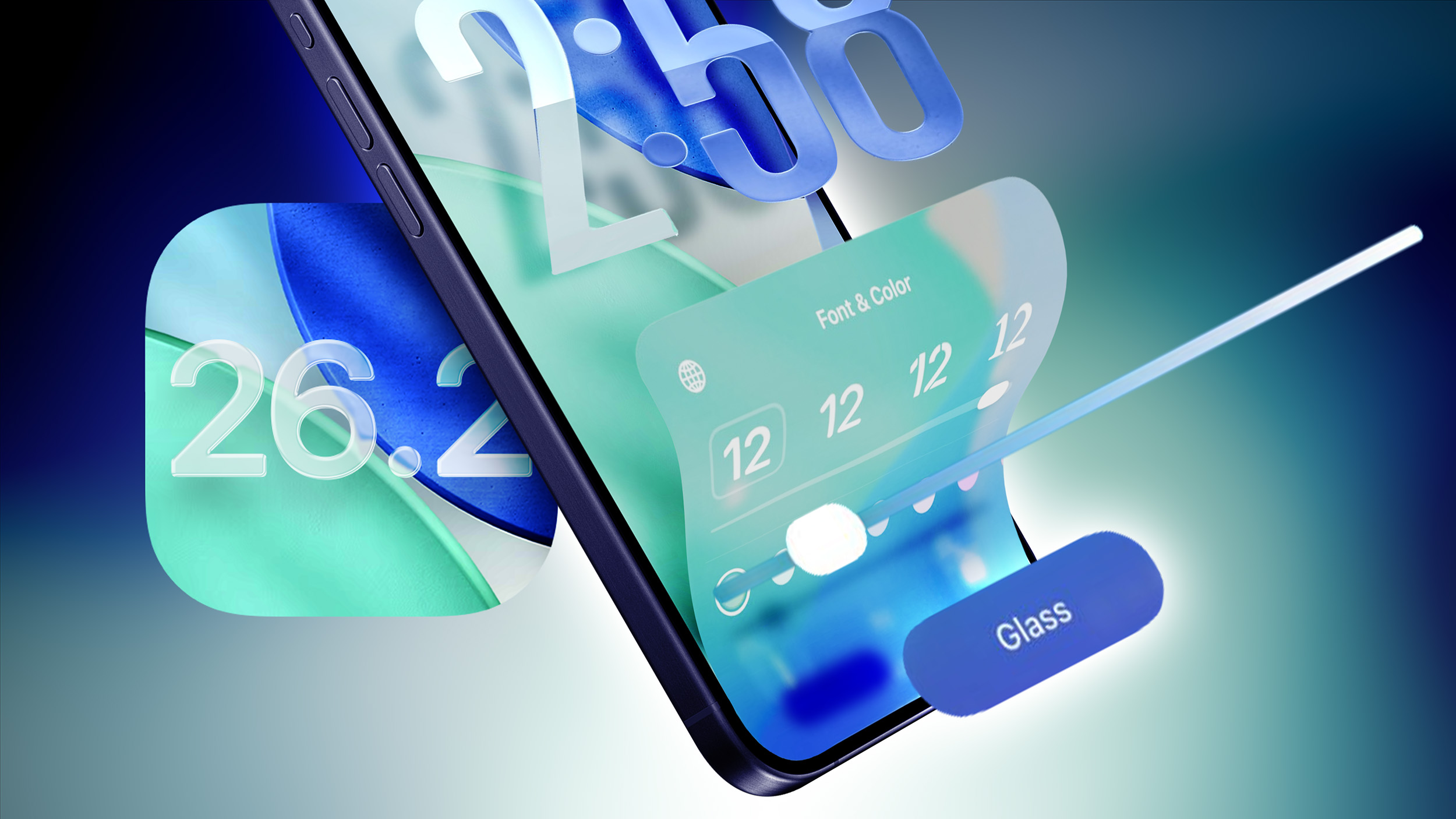
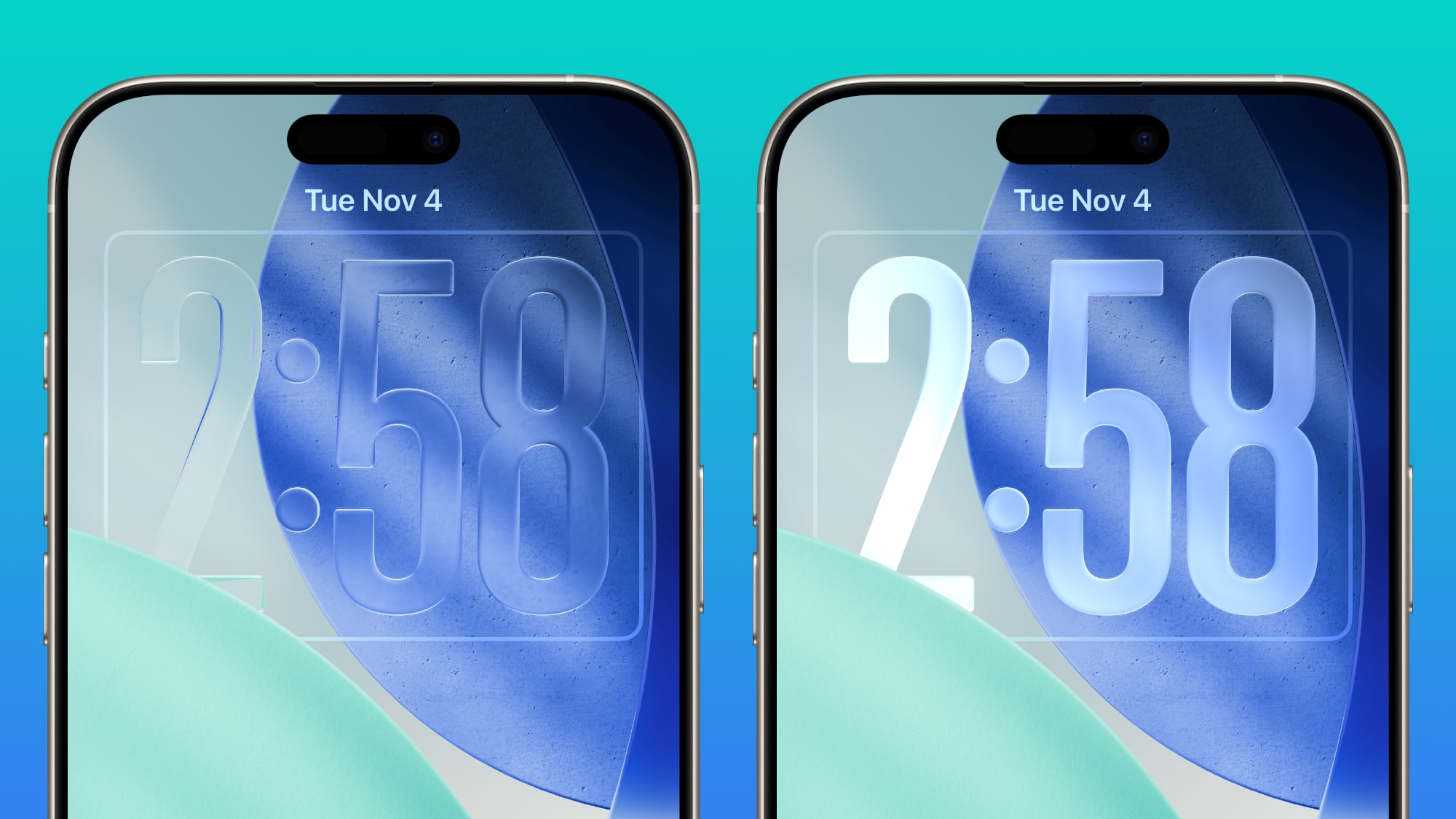
iOS 26.2 includes a handful of new features and changes on the iPhone, such as a new Liquid Glass slider for the Lock Screen's clock, offline lyrics in Apple Music, and more. Below, we have highlighted eight new features in particular.

Liquid Glass Slider on Lock Screen


A new slider in the Lock Screen customization menu lets you adjust the opacity of Liquid Glass for the clock, allowing you to decide how clear or frosted it appears.

This comes after iOS 26.1 added "Clear" and "Tinted" options for Liquid Glass overall.

Offline Lyrics in Apple Music


iOS 26.2 adds offline lyric support to Apple Music, allowing you to view a song's lyrics even when you are not connected to a Wi-Fi or cellular network.

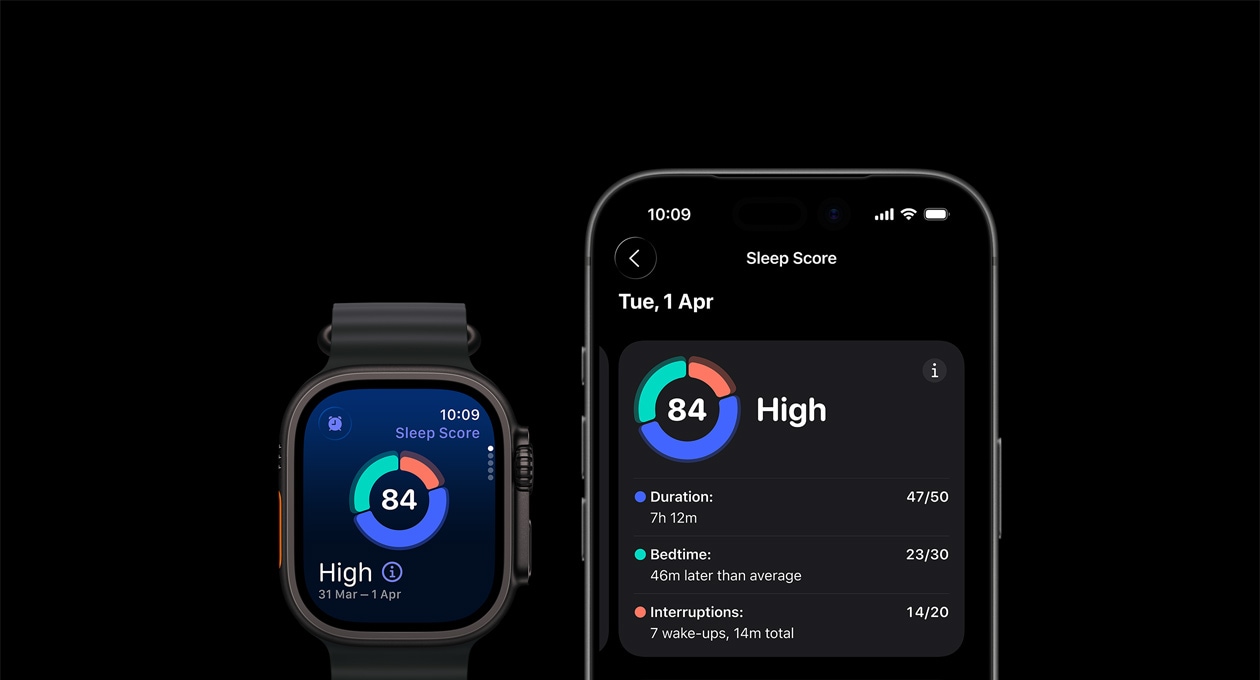
Sleep Score Revisions


iOS 26.2 and watchOS 26.2 have revised Sleep Score ranges:

  • Very Low: 0-40 (previously 0-29)

  • Low: 41-60 (previously 30-49)

  • OK: 61-80 (previously 50-69)

  • High: 81-95 (previously 70-89)

  • Very High: 96-100 (previously 90-100)
Apple says sleep scores are calculated based on how long you slept, the consistency of when you fell asleep, and the frequency and duration of waking up during the night. The feature is available in the Health app on all iPhone models compatible with iOS 26, and in the Sleep app on all Apple Watch models compatible with watchOS 26.

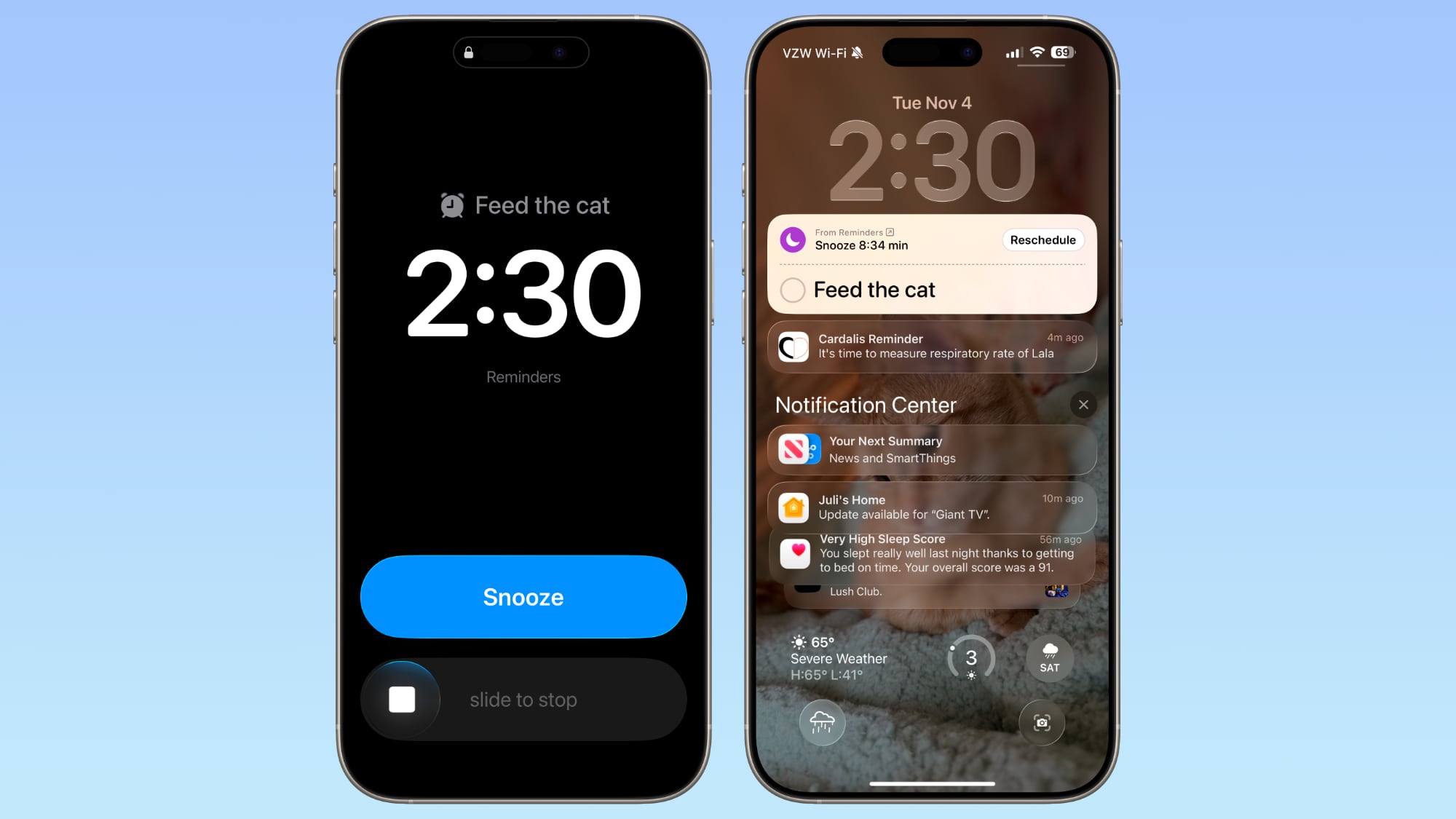
Alarms for Reminders


iOS 26.2 lets you set alarms for reminders in Apple's Reminders app.

When adding a reminder, selecting a time and then toggling on the "Urgent" option will cause an alarm to go off at the designated time.

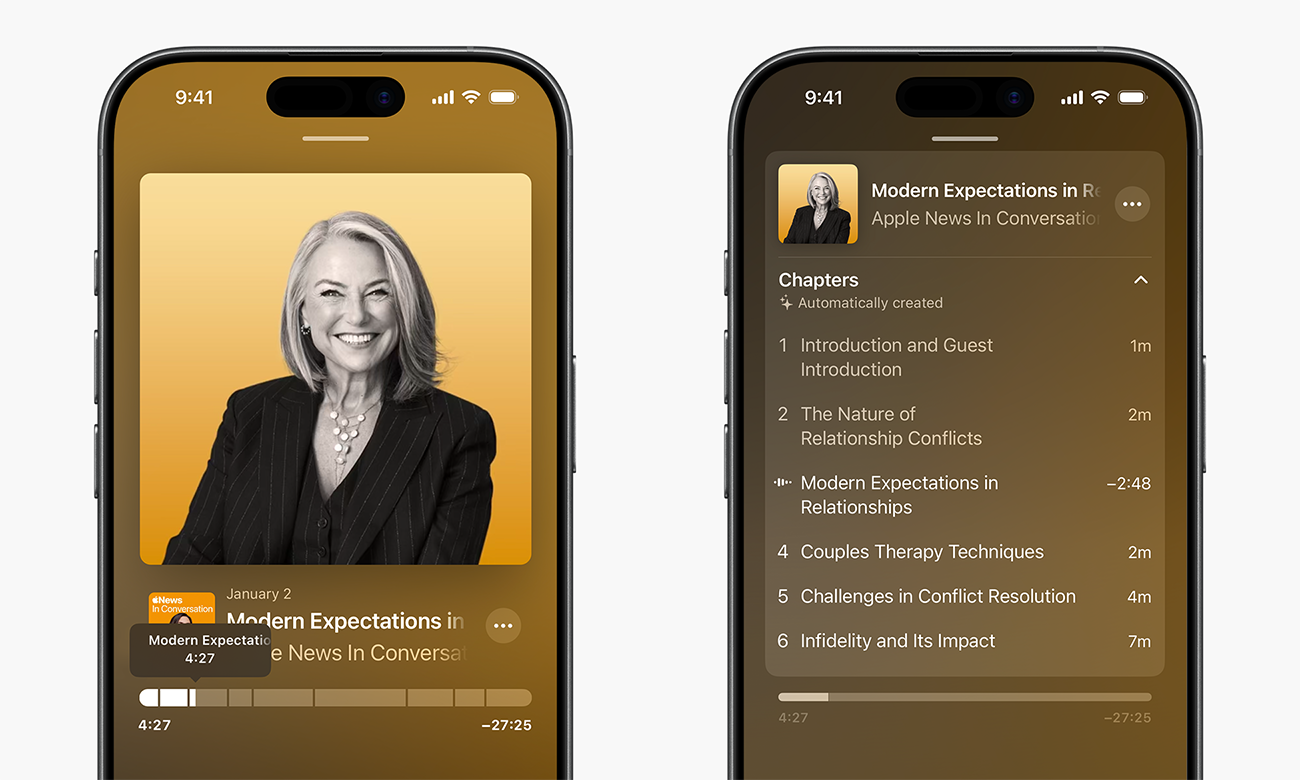
Apple Podcasts Enhancements


Apple's Podcasts app has three new features on iOS 26.2, including automatic chapters for episodes, timed links on the screen, and the ability to view other podcasts that a podcast mentions right from the audio player and the transcript.

Apple News Revamp


In the Apple News app, there is now a dedicated "Following" tab, and buttons for quick access to topics like sports, puzzles, politics, business, and food.

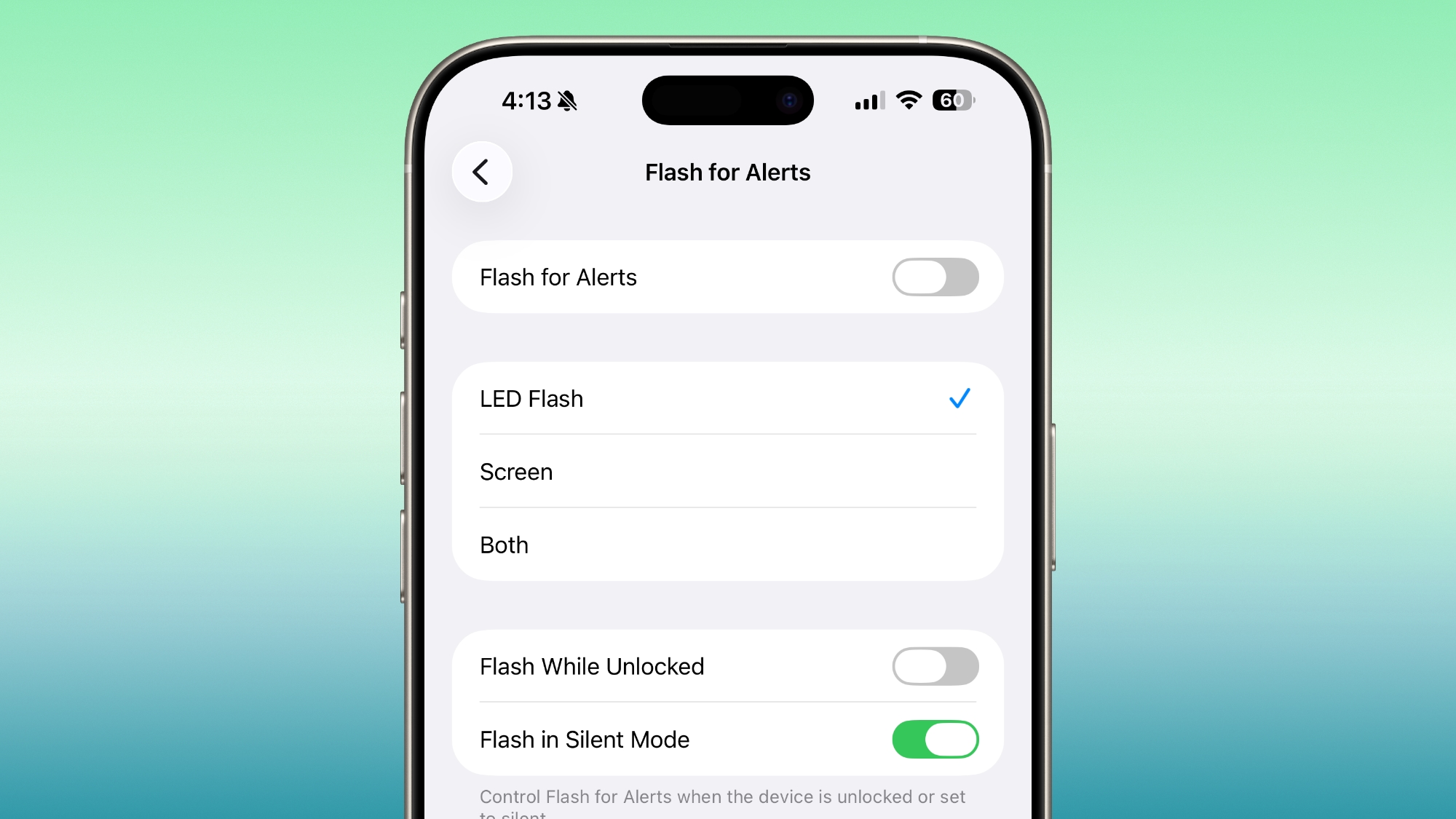
iPhone Screen Flash for Notifications


Starting with iOS 26.2, your iPhone's screen can flash when you receive a notification. Previously, this setting was limited to the LED camera flash on the back of the iPhone.

In the Settings app, under Accessibility → Audio & Visual → Flash for Alerts, there are now options for LED Flash, Screen, and Both. Or, you can keep the setting turned off.

AirPods Live Translation in EU


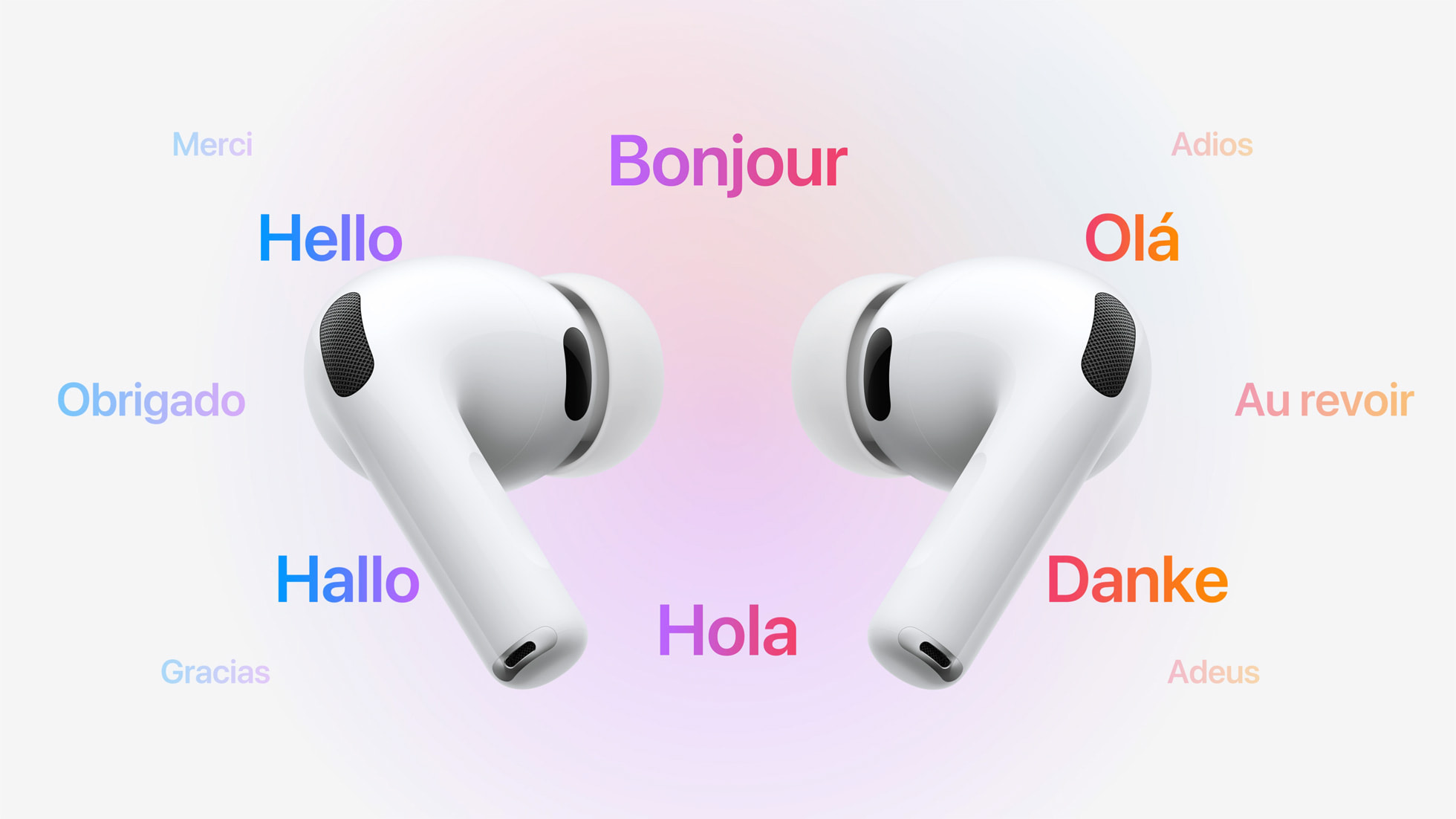
iOS 26.2 makes Live Translation on AirPods available in the EU.

Live Translation allows you to understand someone who is speaking a different language than you. For example, if you speak English, and someone is speaking to you in French, Siri can tell you what they are saying in English through your AirPods.

The feature works best when both participants in a conversation are using Live Translation on AirPods. If you are talking with someone who is not wearing AirPods, you can display a live transcription in the other person's language on your iPhone.

Live Translation is available on the AirPods Pro 3, AirPods Pro 2, and higher-end AirPods 4 with Active Noise Cancellation. The feature launched in the U.S. and select other countries with iOS 26, but it was not available in the EU until iOS 26.2, as Apple said it needed additional time to ensure compliance with the EU's Digital Markets Act.


In addition to compatible AirPods, users need an iPhone 15 Pro or newer with Apple Intelligence turned on and Apple's Translate app installed.

As of iOS 26.1, Live Translation on AirPods supports the following languages:

  • English (U.S.)

  • English (U.K.)

  • French (France)

  • German (Germany)

  • Portuguese (Brazil)

  • Spanish (Spain)

  • Chinese — Simplified (China)

  • Chinese — Traditional (China)

  • Japanese

  • Korean

  • Italian

iOS 26 also has a built-in Live Translation feature in the Messages, Phone, and FaceTime apps, with no AirPods required.
Related Roundups: iOS 26, iPadOS 26
Related Forum: iOS 26

This article, "iOS 26.2 Coming Soon With These 8 New Features on Your iPhone" first appeared on MacRumors.com

Discuss this article in our forums
  •  

New Shazam Feature Will Reveal the Most Popular Moment of a Song

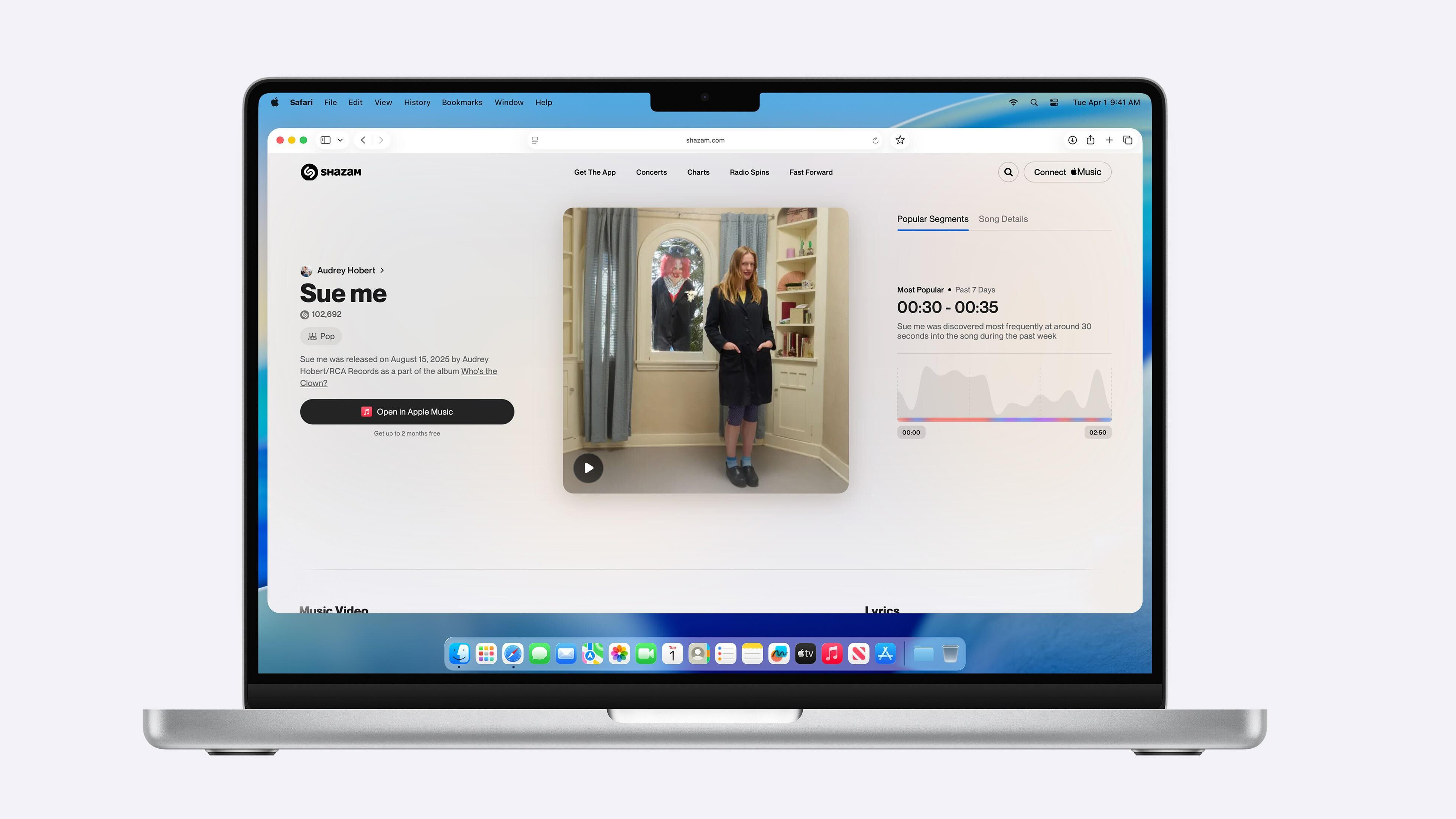
Shazam today announced it is rolling out a new Popular Segments feature that reveals exactly which part of a song is most popular with listeners.


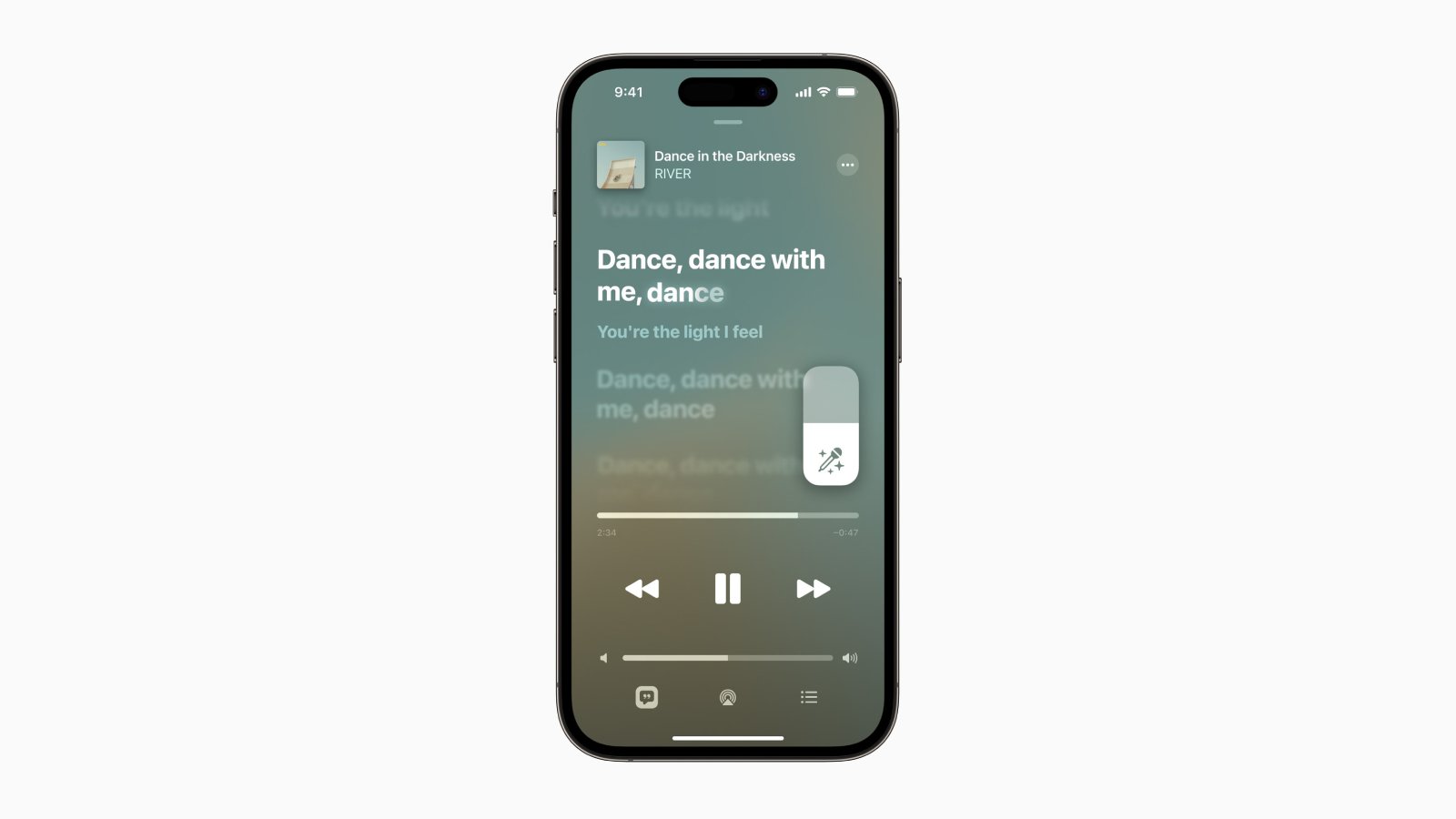
For example, the image above shows that the given song was most discovered around 30 to 35 seconds into the track during the preceding week. This was the moment in the song when the most people asked Shazam to identify the song.

More details about the feature:
Popular Segments spotlights the key moments within a track that drove the most Shazam activity within the past week. Available for top tracks ranking on Shazam's charts and based on Shazam tag volume, this interactive feature displays relative segment popularity throughout a song, allowing users to hover over the graph and reveal precise time markers and corresponding segments.
Shazam says Popular Segments will provide both listeners and artists with helpful insights into what makes songs resonate.

The feature will begin rolling out today on the Shazam.com website across desktop and mobile platforms, according to Apple. The announcement did not indicate if the feature will be coming to the Shazam app on the iPhone and iPad.

Shazam is a popular music identification service that Apple acquired back in 2018, and it has Apple Music integration. In addition to being available on the web and as an app, Shazam powers a Recognize Music control in Control Center on the iPhone, iPad, and Mac. You can also use Shazam via Siri voice commands.

Last month, the Shazam app for iPhone was updated with a Liquid Glass design.
Tag: Shazam

This article, "New Shazam Feature Will Reveal the Most Popular Moment of a Song" first appeared on MacRumors.com

Discuss this article in our forums
  •