↩ Accueil

Vue lecture

Japan App Store Gets Alternative Marketplaces, Third-Party Payments and More

Apple today introduced several changes to the App Store in Japan to meet the requirements of the Mobile Software Competition Act (MSCA) that goes into effect on December 18. The MSCA is similar to Europe's Digital Markets Act (DMA) so the Japanese ‌App Store‌ will work a lot like the EU ‌App Store‌, but there are some differences.


Here's a quick rundown of what's changing as of today:

  • Side Button - Users in Japan will be able to change what the side button does, and it will be able to activate third-party voice assistants instead of Siri.

  • Payment options - Developers can offer in-app purchases, accept third-party payments in their apps, or direct users to a website to make a purchase.

  • Alternative app marketplaces - Apps can be distributed through alternative app marketplaces instead of the ‌App Store‌. Users can set an alternative app marketplace as their default marketplace instead of the ‌App Store‌.

  • Fee changes - New fees range from 5% to 26% depending on distribution method and payment method.

  • Browser choice - Users are prompted to select a default browser at setup.

  • Search engine choice - Users are prompted to choose a default Search engine at setup.

  • Navigation apps - Users in Japan can select a different navigation app.


Alternative Payment Options


There is a notable difference between how alternative payment options are implemented in Japan and how they are implemented in the EU. Developers in Japan are required to display third-party digital purchase options alongside in-app purchase options, so customers can choose to use in-app purchase if desired.

Purchase screens can link to a website or use a third-party payment service for end-to-end checkout directly in an app, but those two alternative payment options must be displayed right alongside an in-app purchase option. Developers are required to make the in-app purchase button at least as prominent as other payment options that are displayed.

Japanese developers are able to offer different price points, so a direct payment link can be cheaper than the accompanying in-app purchase option. When a user chooses an alternative payment option or taps a link to a website to make a purchase, an in-app sheet will let them know they are no longer transacting with Apple. It informs users that refund requests and other Apple-provided services will not be available.

Alternative App Marketplaces


App developers in Japan can offer their apps through the ‌App Store‌ or through any alternative app marketplace. Apps and app marketplaces are subject to Apple's Notarization process, and there is no option to distribute apps through a website like there is in the EU.

Any developer is able to build an app marketplace. As in the EU, alternative app marketplaces will be checked for basic functionality, malware, and security threats for user protection purposes, but Apple does not have content oversight.

App marketplaces can establish their own content rules if desired, and must handle fraud prevention, customer support, and refunds. Apple says that app marketplaces will need to be authorized and will have to meet ongoing requirements to serve developers and users.

App developers in Japan can select an ‌App Store‌ or alternative app marketplace when using ‌App Store‌ Connect, and can distribute apps through one marketplace or many.

Users are able to set a default app marketplace that replaces the ‌App Store‌ as the primary app option.

Fees in Japan


Apple has established a new fee structure in Japan, and fees are based on distribution and payment method. Apple says that fees will be the same or lower for 100% of developers in Japan.

Participants in the Small Business Program, Video Partner Program, and Mini Apps Partner Program will pay the reduced rate below. Subscriptions in apps maintained after the first year are also subjected to the lower fee. The Small Business Program includes developers that earn less than 1 million USD annually. Developers that earn more than that have to pay Apple's full commission rates.

  • App Store w/ In-App Purchase - Varies from 15% to 26%. 21% base fee, 5% payment processing fee. Base fee is 10% for program participants, and 5% fee remains the same.

  • App Store w/ Alt Purchase - Varies from 10% to 21%. 21% base fee, no payment processing fee. 10% for program participants.

  • App Store w/ Web Link - Varies from 10% to 15%. 15% Store Services Fee, 10% for program participants.

  • Alternative Marketplace - 5% Core Technology Commission.


To explain it another way, all apps on the ‌App Store‌ will pay a 10% or 21% ‌App Store‌ commission. For purchases made using in-app purchase through the ‌App Store‌, Apple will collect an additional 5%. Purchases made in an app through an alternate payment method will not incur the 5% fee, but developers will need to pay the fee from whatever payment processing service they're using.

Web link fees are lower. Apple will collect 15% from standard users, or 10% from program participants. There is no payment processing fee, but developers will need to pay the fee of the third-party payment processing service.

Non-App Store distribution has the lowest fee, at 5%. The Core Technology Commission applies to the sale of digital goods and services, including paid apps in alternative app marketplaces.

Side Button Changes


Users in Japan can change the function of the Side Button, assigning a voice-based conversational app. There are criteria that apps need to meet to be eligible to operate with the Side Button, and Apple has created an API to allow developers of voice-based conversational apps to request Side Button access.

Apps that offer a conversational experience as their primary purpose are eligible to be used with the Side Button. That includes chatbot apps like ChatGPT, Claude, or Gemini.

The Side Button will be able to activate the voice chat mode in an eligible third-party app, and it will function much like the Action Button does now when launching an app using a Shortcut.

Child Protections


All apps need to provide an install sheet with a clear age rating, regardless of whether an app is distributed through the ‌App Store‌ or an app marketplace.

Apps in the Kids category will not be able to include links to websites to complete transactions at all. Apps outside of the kids category cannot link to websites for transactions for users under 13 years old. Developers are able to include a link to a website for transactions in their app, with that link only displayed to users that are over the age of 13 to meet the MSCA's requirements.

For all users under the age of 18, all ‌App Store‌ apps that use alternative payment processing or link to a website for transactions must include a parental gate that requires younger users to involve their parent before making a purchase.

Apple plans to release APIs in the future to better support the new requirements.

Browser and Search Engine Choice


During the device setup process, iPhone users in Japan are presented with browser and search engine selection screens with options displayed in a randomized order. Safari and Google Search will no longer be the automatic default in Japan.

Developers in Japan can choose alternative web browser engines other than WebKit, as long as those browser engines meet Apple's privacy requirements.

Users can change their defaults in the Defaults section of the Settings app.

Interoperability


Like in the EU, Japan's MSCA requires Apple to accept interoperability requests. Developers can ask Apple to add new features that will allow them expanded access to hardware and software features. There is also a baseline interoperability requirement.

Apple has more control over interoperability in Japan than it does in the EU, and it is able to consider security and privacy risks when deciding whether to implement an interoperability feature.

Interoperability requirements in the EU have led to delayed features like Live Translation, or have prevented Apple from implementing features like Screen Mirroring. Apple does not anticipate that interoperability requirements will lead to delayed features in Japan because Japan's law includes exceptions for privacy and security.

Navigation


‌iPhone‌ users in Japan can select a different app as the default navigation app.

MSCA vs. DMA


Apple worked with Japanese regulators on the MSCA, and sees it as a better solution than the DMA in Europe. Changes mandated by the MSCA expose users to some risk by allowing non-App Store app installations, but it maintains protections for children.

Though the MSCA allows for alternative app distribution, it does not include a provision for downloading apps directly from websites, so Apple is able to maintain some level of security by overseeing app marketplaces. Apple is able to require apps to offer both in-app purchase and alternative payment methods, allowing users in Japan to decide their preference.

The MSCA also allows Apple to deny interoperability requests that would expose users to privacy and security risks, while the DMA does not.

Fee structures and features provided by Apple are not as complicated in Japan as they are in the European Union. Japan's fees are similar to the Store Services Tier 2 fee in the EU (applicable to all apps starting on January 1, 2026), which includes all ‌App Store‌ functionality for a 15 to 20% total fee.

Japan does not have the Store Services Tier 1 option, which cuts down on ‌App Store‌ functionality that Apple delivers but also lowers fees to 10% to 12%.

Availability


Apple is implementing the ‌App Store‌ and iOS changes starting today, with the functionality built into the iOS 26.2 update that came out on December 12. Developers with iOS apps in Japan can start shipping the new features immediately, with more detailed information available on Apple's developer site. The changes are only applicable to iOS apps distributed in Japan.
This article, "Japan App Store Gets Alternative Marketplaces, Third-Party Payments and More" first appeared on MacRumors.com

Discuss this article in our forums
  •  

ChatGPT's Apple Music Integration Is Now Live

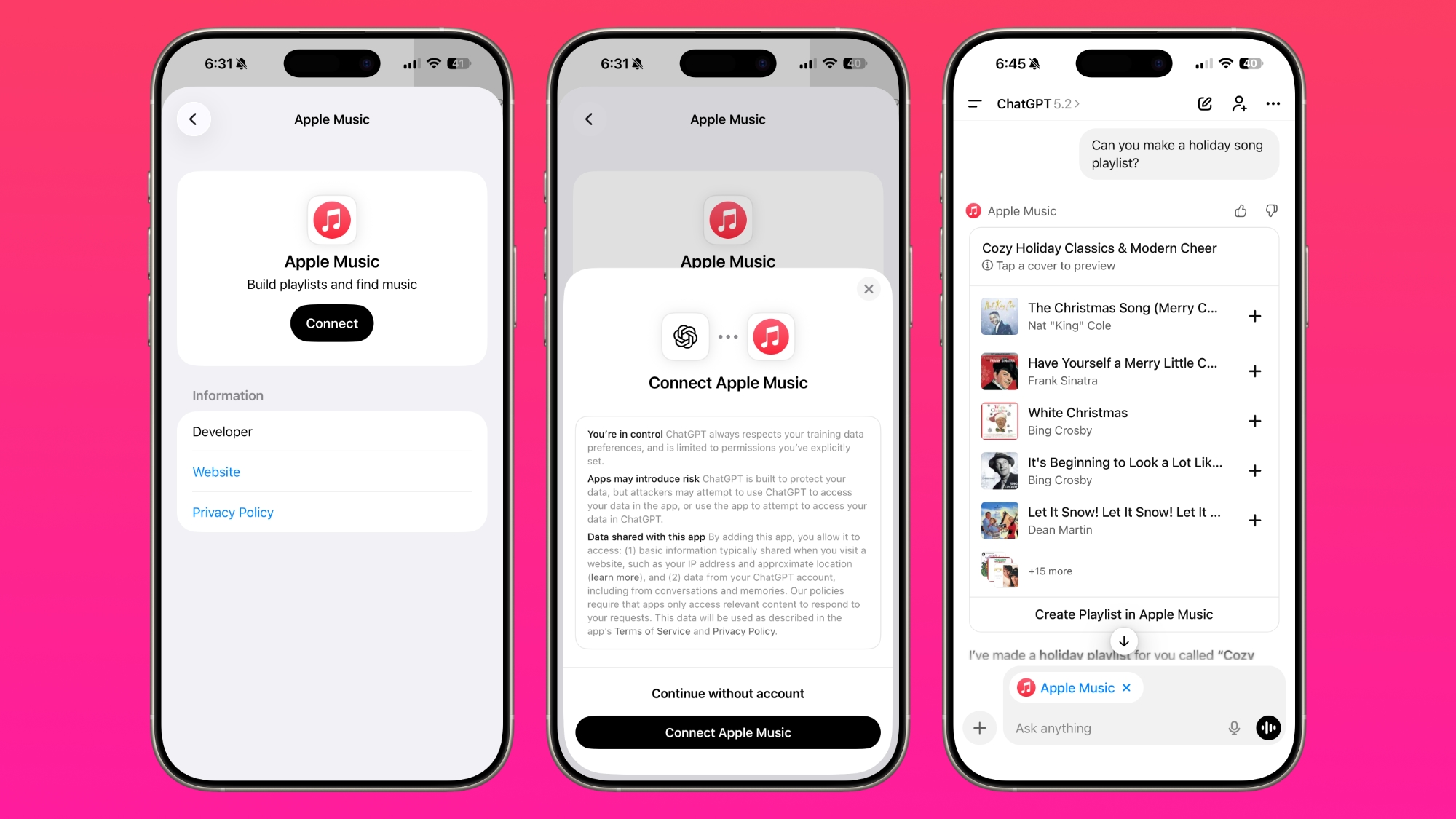
There's now a dedicated Apple Music app for ChatGPT, which allows ChatGPT to make music recommendations and build playlists based on your ‌Apple Music‌ listening history.


‌Apple Music‌ can be added to ChatGPT through the Settings section in the Mac app, website, or iOS app. ‌Apple Music‌ is listed under the apps option, and connecting to it requires signing in with your Apple Account for authorization purposes.

ChatGPT can be used to search through the ‌Apple Music‌ catalog for songs, artists, albums, and playlists, even without an ‌Apple Music‌ subscription. OpenAI says that all users are able to discover music, generate playlists, and listen to preview clips in ChatGPT.

‌Apple Music‌ subscribers can add songs, albums, and playlists to their ‌Apple Music‌ Library using ChatGPT. When ‌Apple Music‌ is added to ChatGPT, it can be selected by tapping on the "+" button. Playlists and suggestions generated by ChatGPT can be opened directly in ‌Apple Music‌.

ChatGPT's ‌Apple Music‌ feature was first shared yesterday, but the functionality wasn't live. The app is now available to add to ChatGPT.
This article, "ChatGPT's Apple Music Integration Is Now Live" first appeared on MacRumors.com

Discuss this article in our forums

  •  

Apple Releases First macOS Tahoe 26.3 Public Beta

Apple today provided public beta testers with the first release of an upcoming macOS Tahoe 26.3 update for testing purposes. The public beta comes two days after Apple provided the beta to developers.


After signing up for beta testing on Apple's beta site, public beta testers can download the updates using the Software Update section in the System Settings app.

We don't know about any new features in macOS Tahoe 26.3 as of yet, but Apple might introduce new capabilities in later beta releases.

The beta is limited to developers and public beta testers at the current time, but we are expecting Apple to release the update at the end of January.
Related Roundup: macOS Tahoe 26
Related Forum: macOS Tahoe

This article, "Apple Releases First macOS Tahoe 26.3 Public Beta" first appeared on MacRumors.com

Discuss this article in our forums
  •  

Apple Releases First iOS 26.3 and iPadOS 26.3 Public Betas

Apple today provided beta testers with the first releases of upcoming iOS 26.3, iPadOS 26.3, tvOS 26.3, and watchOS 26.3 updates for testing purposes. The public betas come a couple of days after Apple provided the betas to developers.


Anyone can download and install public betas, and all that's required is to sign up on Apple's beta site. Once you've opted in, the software can be downloaded through the Software Update section in the Settings app on each device.

iOS 26.3 introduces a simpler way for iPhone users to transfer their data to an Android device when switching platforms, plus it includes a Notification Forwarding feature for third-party wearables in the European Union. It will allow notifications to be forwarded from the ‌iPhone‌ to a third-party device.

No new features have been found in the other beta updates as of yet.

We're expecting iOS 26.3, iPadOS 26.3, and the other software to come out somewhere around the end of January.
Related Roundups: iOS 26, iPadOS 26
Related Forum: iOS 26

This article, "Apple Releases First iOS 26.3 and iPadOS 26.3 Public Betas" first appeared on MacRumors.com

Discuss this article in our forums
  •  

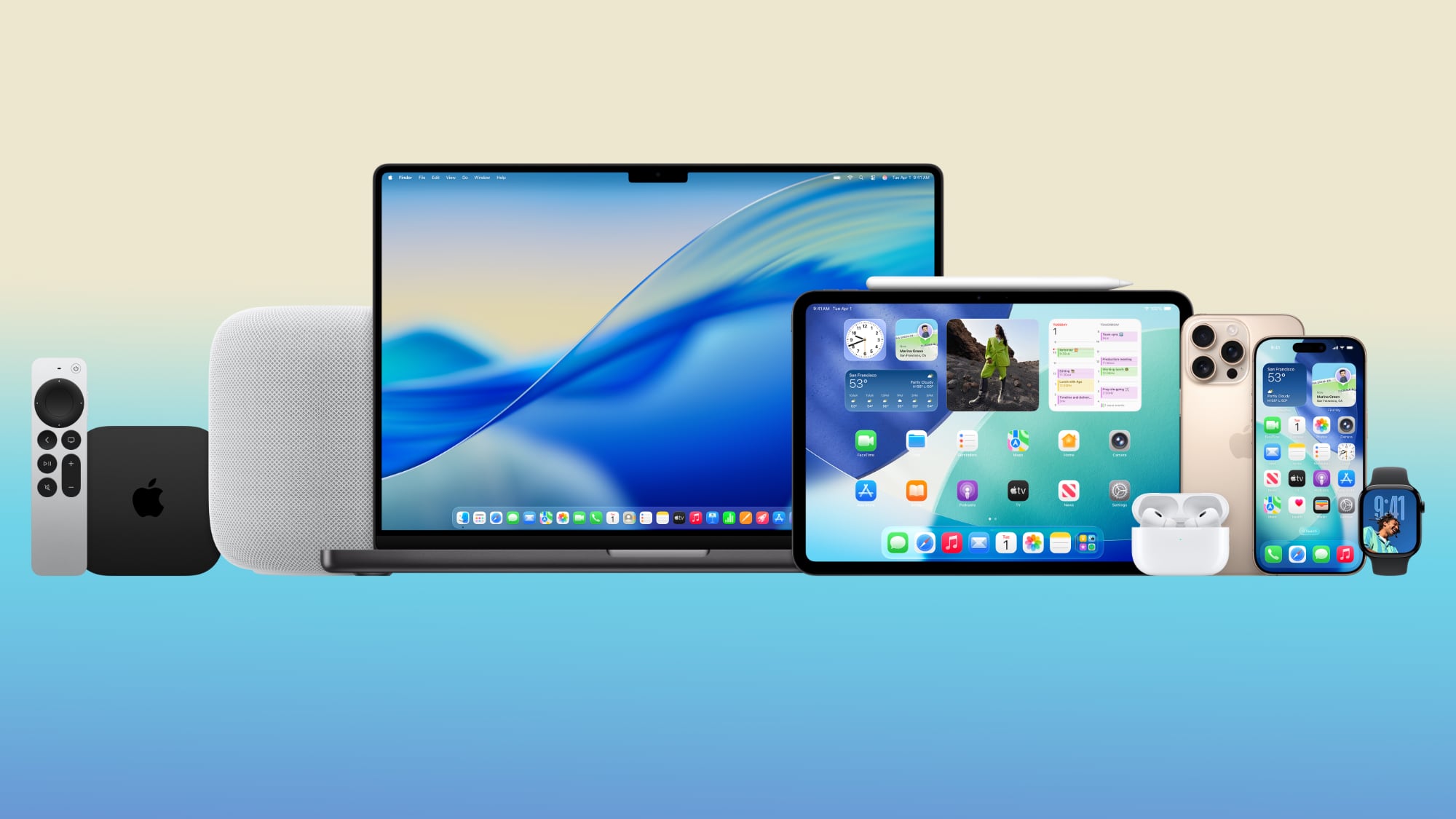
Apple's 2026 and 2027 Product Roadmap: Foldable iPhone, iPhone 18 Pro, M5 Macs, and More

There has been a whirlwind of rumors over the last few days, sourced from leaked internal software designed for the iPhone and the Mac, and news sites like The Information. Below, we have a quick recap of everything we've heard this week, which serves as a guide to Apple's product plans in 2026 and beyond.


We've organized the info by likely release date, though there are some products that we don't have a timeline for. Keep in mind that the list features only rumors that we've heard over the last couple of days, so it's not a complete feature overview for each device.

Early/Spring 2026


  • iPhone 17e (V159) - The ‌iPhone‌ 17e will use Apple's C1X modem instead of the C1, and it will include MagSafe support, which was missing from the iPhone 16e. It may not include an N1 wireless chip.

  • AirTag 2 (B589) - Likely coming in early 2026. Expected to feature improved pairing, more detailed battery level reporting, and improvements to tracking AirTags that are moving and in crowded places.

  • Home hub (J490 and J491) - Apple's home hub is expected to launch in spring 2026, around when iOS 26.4 comes out. Recent rumors suggest it will have a 1080p video camera, Face ID for authentication and to identify different people, profile switching, and support for Apple Intelligence. There are two models, one that's wall mounted and another that has a HomePod-like speaker base.

  • HomePod mini 2 (B525) - A new HomePod mini is ready to launch at any time, so it could come in spring or even earlier in the year. It won't have Apple's N1 networking chip.

  • Apple TV (J355) - A new Apple TV is reportedly ready to go, and it makes the most sense for it to launch alongside other home products slated for the early 2026 timeframe.

  • Unknown home accessory (J229) - We don't know what this is, but it could be a camera, or standalone speaker base that can be added to the wall-mounted home hub after purchase. It could also be something else entirely. There are mentions of sensors in the code for this accessory.

  • iPad 12 (J581 and J582) - The latest information suggests the iPad 12 will use Apple's A19 chip, which is the same chip that's in the iPhone 17. It's an unusual choice because iPads usually get older, more affordable chips. It isn't expected to include the N1 networking chip. It's expected early in 2026.

  • M4 iPad Air (J707, J708, J737, J738) - 11-inch and 13-inch iPad Air models with M4 chips are rumored to be launching in early 2026. No major changes are expected except for the chip update.

  • Low-Cost MacBook (J700) - Apple is working on a MacBook with the A18 Pro chip, and it's expected to launch early in 2026. It will be positioned as Apple's most affordable MacBook, competing with Chromebooks and cheaper Windows laptops.

  • M5 MacBook Air (J813 and J815) - The MacBook Air is going to get updated with M5 chips as soon as early 2026. No other major changes are rumored.

  • M5 Pro/Max MacBook Pro (J714c, J714s, J716c, J716s) - M5 Pro and M5 Max MacBook Pro models are coming soon. They might get a refresh early in 2026, because there are still rumors of another ‌MacBook Pro‌ refresh later in the year.


September 2026


  • Foldable iPhone (V68) - The foldable ‌iPhone‌ will open book style, and will be wider than it is tall. It will look like a small iPad. When open, the display will be around 7.7 inches, and when closed, it will be around 5.3 inches. There will be a single front-facing camera in the top left, and no Dynamic Island. Display sizes could ultimately change, and Apple is reportedly seeing a high failure rate in current display production.

  • iPhone 18 Pro and Pro Max (V63 and V64) - The TrueDepth camera system for ‌Face ID‌ will be under the display, eliminating the ‌Dynamic Island‌. There will be a cutout for the front-facing camera at the top left of the display. At least one rear camera will have a variable aperture that lets users control the amount of light that enters the lens. Overall design will be similar to the iPhone 17 Pro models. The A20 TSMC chip will support Wafer-Level Multi-Chip Module packaging for speed improvements that could bolster AI features and on-device processing capabilities. The iPhone 18 Pro models could have either a C1X modem or a C2 modem.

  • iPad mini 8 (J510 and J511) - The iPad mini 8 could get OLED display technology and the A20 Pro chip, which is the same chip that's slated for the ‌iPhone 18‌ Pro models. That would suggest a fall launch alongside the ‌iPhone 18‌ Pro. There have also been rumors that it will use the A19 Pro that's in the ‌iPhone 17 Pro‌, and if that's the case, it could come earlier.

  • Apple Watch Series 12 (N237 and N238) - The Apple Watch Series 12 is expected in September 2026. No major changes are rumored so far.


Unknown Timing, But Likely 2026


  • Apple Studio Display 2 (J427 and J527) - There are two Apple displays in the works, that are expected to be followups to the Studio Display. These are likely to launch alongside new M5 Mac desktop machines. The two models could be different sizes or different display technology, as there are mini-LED rumors for the next-gen model.

  • M5/M5 Pro Mac mini (J873g and J873s) - The Mac mini is going to get M5 and M5 Pro chips, but timing is unclear. It could be refreshed early in 2026, or it might come later alongside other desktop Mac updates.

  • M5 Max/Ultra Mac Studio (J775c and J775d) - The Mac Studio will use the M5 Max and M5 Ultra chips, and it will likely be refreshed later in 2026 rather than earlier.

  • iMac Pro (J833c) - Apple is working on a high-end iMac with an M5 Max chip, which suggests it will launch alongside other M5 Max models sometime in 2026. Prior rumors have suggested the device could have a display around 30 inches in size.

  • M6 MacBook Pro (J804) - The entry-level ‌MacBook Pro‌ could be updated with an M6 chip toward the end of 2026.

  • M6 Pro/Max MacBook Pro (K114c, K114s, K116c, K116s) - The M6 Pro and M6 Max ‌MacBook Pro‌ models will feature a major redesign with OLED display technology. So far, rumors suggest this could happen as soon as late 2026, though that would mean two ‌MacBook Pro‌ refreshes in 2026. It's not unheard of, but Apple might also opt to hold this update until early 2027.

  • Apple Watch Ultra 4 (N240) - Apple is working on a fourth-generation version of the Apple Watch Ultra. It could come in September 2026 alongside the Series 12, but Apple doesn't update the Apple Watch Ultra on an annual basis.


2027


  • iPhone 18 - The ‌iPhone 18‌ will not launch in fall 2026 as expected, and will instead come in spring 2027. It will be an incremental update, and Apple may remove haptic feedback and touch sensing from the Camera Control button (it could also be removed from the 18 Pro models).

  • iPhone 18e - Also slated for spring 2027, the ‌iPhone‌ 18e could launch alongside the ‌iPhone 18‌. It is expected to feature few changes.

  • iPhone Air 2 (V62) - There is no second-generation iPhone Air planned for fall 2026 because Apple has delayed it. It could instead come in spring 2027. Apple is reportedly looking at adding a second camera to make the device more appealing to consumers. The next ‌iPhone Air‌ might also be more affordable.

  • 20th Anniversary iPhone - The 2027 ‌iPhone‌ will have an "enclosure on the front and back that curves around the device edges," which allows for a bigger screen with no bezels. The Information says that it is not sure if the display itself will curve around the edges, but instead of a full metal frame, it has a "narrow metal band running around the midpoint of the device's edge. The selfie camera will move under the display, and it will be the first ‌iPhone‌ with no display cutouts at all. The 20th anniversary ‌iPhone‌ will launch in September 2027.

  • Tabletop robot (J595) - Apple's tabletop robot with a thin robotic arm and swivel base is expected to be a more powerful version of the home hub. It's rumored to be launching sometime in 2027.

  • AI smart glasses (N50/N401) - Apple paused work on all of its AR/VR headsets to focus instead on AI smart glasses that will compete with the Meta Ray-Bans. The AI smart glasses are expected in 2027, but it's possible Apple will unveil them in late 2026. N50 was the original codename, but Apple is now using N401. N401 covers the AI smart glasses, and a separate set of augmented reality glasses.


Delayed or Canceled


  • Foldable iPad - Apple planned a foldable ‌iPad‌ for release in 2026, but delayed the project and redirected resources to the foldable ‌iPhone‌ to ensure that device launches on time.

  • Vision Air (N100) - The N100 is a lighter and cheaper version of the Vision Pro. It was originally rumored for 2027, but Apple has paused work on headsets to focus on AI smart glasses.

  • AR glasses prototype (N421) - N421 is a prototype set of AR glasses, but Apple apparently canceled work on this product for now. AR glasses are still Apple's ultimate plan.

  • Mac-connected AR glasses (N107) - Apple was working on AR glasses that would connect to a Mac to use the Mac's processor, but the project was scrapped.

  • Cheaper Vision Pro (N109) - Apple was developing a second-generation Vision Pro that's more affordable, and it was a product distinct from the Vision Air. Work is currently paused.


Unknown Products


There are some codenames that were in Apple's leaked information that aren't associated with a known product as of yet.

  • N110 - N110 is close to N109 and other N-series numbers Apple has used for its AR/VR headsets, so this could be a wearable.

  • N209 - N2 numbers have previously been associated with the Apple Watch.

  • N216 - N2 numbers have previously been associated with the Apple Watch.

  • J349 - Possibly a Mac that was scrapped, but could also be an ‌Apple TV‌ or some kind of home device.

  • J190 - The Mac Pro is J180, so this could be another ‌Mac Pro‌, but it's unclear.

  • J226 - J226 is close to J229, the codename for an unknown home device, so it could be some kind of home-related accessory.


Codename Key


For Apple's internal codenames that it uses for Macs, the letter at the end of the number has significance.

  • G - Base model M-series chip

  • S - Pro version of the M-series chip

  • C - Max version of the M-series chip

  • D - Ultra version of the M-series chip


Caveats


Some of this information was pulled from an internal version of iOS 26 that Apple was working on around the late May 2025 timeline, while other information comes from internal kernel debug kit files that Apple accidentally leaked earlier this year.

Apple's plans can always change. Devices can be scrapped, features can be removed, and launches can be pushed back. That's especially true of rumors about products coming in late 2026 or 2027, because production plans haven't been finalized.

Read More


We keep an upcoming products Apple guide that gets regular updates when new timeline information is made available. It's a good resource to bookmark and reference throughout the year to keep tabs on what Apple has planned. We have even more rumors about Apple's products in our device roundups and guides, which are also updated regularly.
This article, "Apple's 2026 and 2027 Product Roadmap: Foldable iPhone, iPhone 18 Pro, M5 Macs, and More" first appeared on MacRumors.com

Discuss this article in our forums

  •  

Trump Administration Threatens Retaliation Over EU's DMA and DSA Enforcement Against U.S. Tech

The Trump administration is pressuring the European Union to cut down on regulations that impact tech companies like Google, Apple, Amazon, and Meta.


The Office of the United States Trade Representative today posted a message to the European Union on social media, threatening retaliation if the EU continues to target U.S. companies. The post says the U.S. will implement fees and restrictions on foreign services, and it specifically names European companies like Accenture, DHL, Mistral, SAP, Spotify, and Siemens.
The European Union and certain EU Member States have persisted in a continuing course of discriminatory and harassing lawsuits, taxes, fines, and directives against U.S. service providers. U.S. services companies provide substantial free services to EU citizens and reliable enterprise services to EU companies, and they support millions of jobs and more than $100 billion in direct investment in Europe. The United States has raised concerns with the EU for years on these matters without meaningful engagement or basic acknowledgement of U.S. concerns.

If the EU and EU Member States insist on continuing to restrict, limit, and deter the competitiveness of U.S. service providers through discriminatory means, the United States will have no choice but to begin using every tool at its disposal to counter these unreasonable measures. Should responsive measures be necessary, U.S. law permits the assessment of fees or restrictions on foreign services, among other actions. The United States will take a similar approach to other countries that pursue an EU-style strategy in this area.

The EU's Digital Markets Act (DMA) and Digital Services Act (DSA) have forced Apple and other tech companies to make major changes to their services in the European Union, and several companies have faced fines. Earlier this year, Apple was fined 500 million euros and Meta was fined 200 million euros. Just this month, social network X was fined 120 million euros for DSA violations, and in September, Google was fined 2.95 billion euros for antitrust violations related to its adtech business.

Separately, the U.S. House Judiciary Committee held a hearing today on the threat that "discriminatory foreign regulations" modeled after the Digital Markets Act pose to American innovation and competition. Witnesses included Competere Ltd. CEO Shanker Singham, Notre Dame Law professor Roger Alford, George Washington Competition and Innovation Lab Founding Director Aurelien Portuese, and Dirk Auer, Director of Competition Policy for the International Center for Law and Economics.

During the hearing, Representative Scott Fitzgerald said the DMA isn't aimed at protecting consumers, but hobbling American companies.
The DMA does not ask whether consumers have been harmed. It does not even ask whether a business has done anything wrong. It asks whether a company is large, successful, and, most importantly, American. If the answer is yes, the rules suddenly change. Common business practices are banned, innovation is treated as a threat, and foreign rivals are handed access to data and technology they could never build or earn on their own. That is not competition policy. That's forced redistribution.

The Computer and Communications Industry Association said the DMA is discriminatory because it only applies to select companies, while NetChoice said the EU has "provided countries around the world with a blueprint" for similar regulatory measures.
Unlike traditional antitrust and competition laws that apply to all companies, however, these DMA prohibitions apply only to designated companies, creating discriminatory treatment between designated and non-designated companies, where undesignated foreign rivals gain an unfair competitive advantage over designated American companies.

President Donald Trump has previously criticized the "very unfair" European Union for fines levied on Apple and Google. In September, he threatened the EU with higher tariffs, which would disrupt trade framework established in July 2025. Trump said Apple should "get their money back" and that the U.S. "cannot let this happen to brilliant and unprecedented American Ingenuity."
This article, "Trump Administration Threatens Retaliation Over EU's DMA and DSA Enforcement Against U.S. Tech" first appeared on MacRumors.com

Discuss this article in our forums
  •  

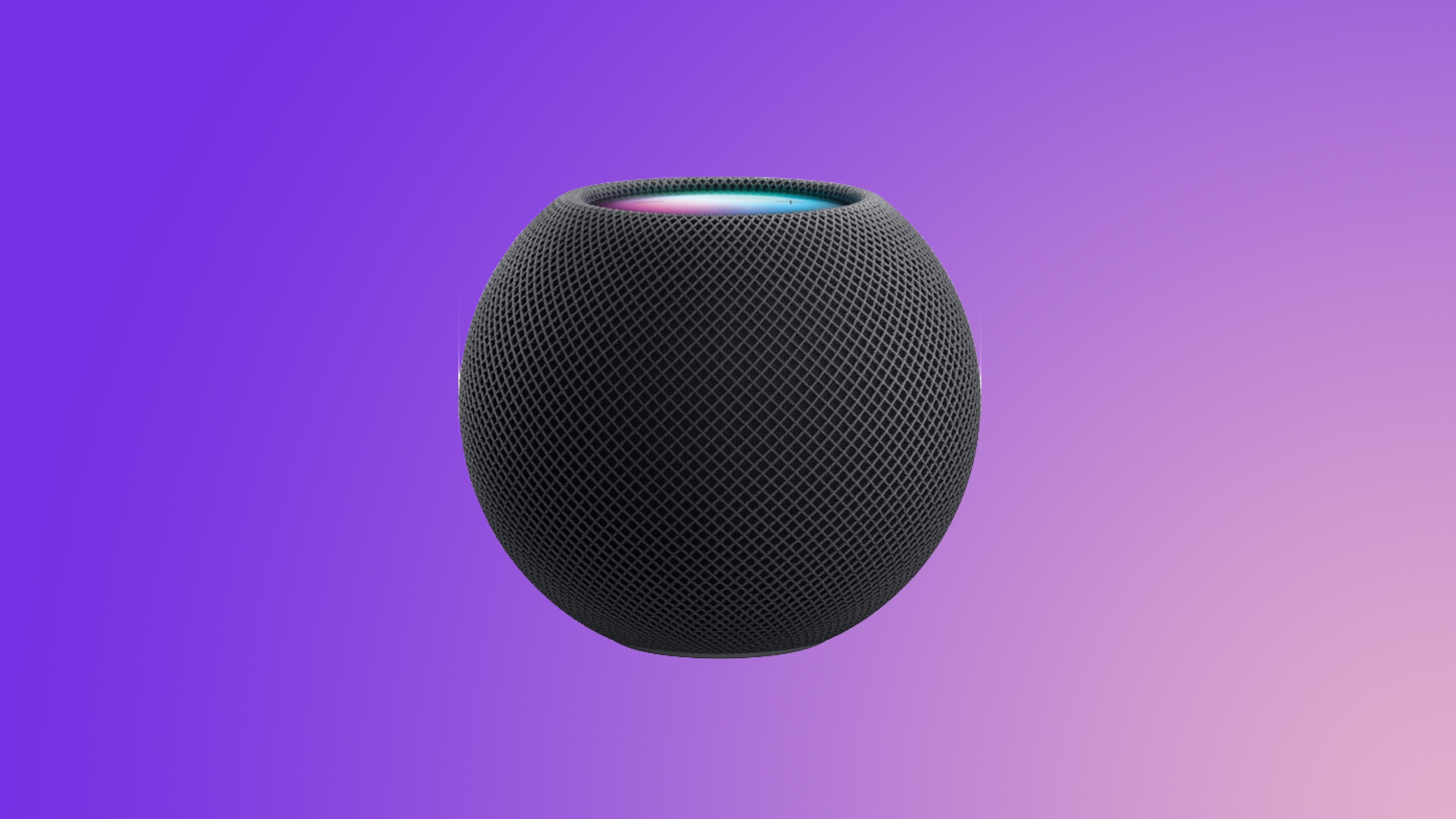
Apple's HomePod Mini 2 Might Not Get This Rumored Feature After All

The next-generation HomePod mini won't include Apple's new N1 networking chip, according to code analysis provided by a MacRumors tipster.


A macOS kernel debug kit distributed by Apple earlier this year included information on a number of upcoming devices, including the ‌HomePod mini‌ 2. Code associated with the ‌HomePod mini‌ 2 mentions the "Sunrise" wireless system, which is what Apple calls Bluetooth/Wi-Fi chips sourced from MediaTek. The N1 is called "Centauri" in Apple's internal systems.

Based on the Sunrise mention, it appears that the ‌HomePod mini‌ 2 won't be upgraded with the N1 networking chip, which contradicts some prior rumors we've heard about it. Bloomberg's Mark Gurman has suggested that both the Apple TV and ‌HomePod mini‌ will use Apple's N1 chip in the past.

It appears that Apple plans to use the N1 chip for premium devices, while entry-level products will stick with cheaper MediaTek hardware for now. The upcoming ‌HomePod mini‌ 2, the iPhone 17e, the iPad 12, and the A18 Pro MacBook are all expected to use MediaTek chips instead of Apple's chip.

The N1 was introduced in the iPhone 17 models, and it is Apple's first in-house networking chip. It supports Bluetooth 6, Wi-Fi 7, and Thread. Because it was designed by Apple, it better integrates with other hardware and software in Apple devices, leading to improved efficiency and reliability.
Related Roundup: HomePod mini

This article, "Apple's HomePod Mini 2 Might Not Get This Rumored Feature After All" first appeared on MacRumors.com

Discuss this article in our forums

  •  

ChatGPT Gets Apple Music Integration and New Image Generator

OpenAI added several new features to its flagship ChatGPT product today, introducing Apple Music support and upgraded image generation capabilities.


ChatGPT has supported app integrations since earlier this year, and it will soon work with Apple Music. With ‌Apple Music‌ integration, ChatGPT will be able to make music recommendations and playlists based on listening history and user suggestions.

Music recommendations made by ChatGPT will be able to be clicked to open the ‌Apple Music‌ app on desktop or on an iOS device. ‌Apple Music‌ is not available as an app integration just yet, but it is coming in the near future.

Along with ‌Apple Music‌ support, ChatGPT now has better image generation capabilities. ChatGPT Images is able to generate images up to 4x faster, and can make precise edits to an image while preserving details. OpenAI says that ChatGPT can tweak only the details you want updated, keeping lighting, composition, and people's appearance consistent across inputs, outputs, and edits.

The new model "excels" at adding, subtracting, combining, blending, and transposing for more realistic image creations using real photographs. It is better at adding text to images and altering layouts, and OpenAI says that it follows instructions more reliably than the prior-generation version.

With the update, the ability to generate some specific art styles like anime has regressed and it is no longer as good at altering images featuring many people, but OpenAI says that using preset filters can help, and the previous version of the image generator remains available to use.

ChatGPT Images, an image editing experience built into ChatGPT, includes dozens of preset styles and prompts that users can try out. It's available in the mobile app and on the web.

The updated Images model is rolling out today for all ChatGPT users, as is the new Images experience built into ChatGPT. ChatGPT's new image functionality will allow it to better compete with Google's Nano Banana image generator.

Update: The ‌Apple Music‌ mention has been removed from the original Substack post that included it, though it is unclear if the mention was incorrect or if OpenAI simply did not yet have authorization from Apple to disclose the upcoming partnership.
This article, "ChatGPT Gets Apple Music Integration and New Image Generator" first appeared on MacRumors.com

Discuss this article in our forums
  •  

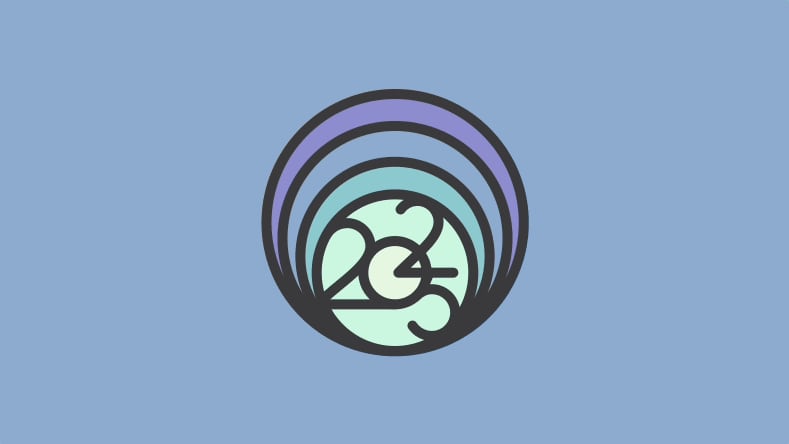
Apple Celebrating World Meditation Day With December 21 Apple Watch Activity Challenge

Apple is hosting an Apple Watch Activity Challenge on Sunday, December 21 to honor World Meditation Day. The challenge will show up for Apple Watch owners starting on December 19.


Apple first did a World Meditation Day Activity Challenge in May 2024, but later in 2024, the date of World Meditation Day was moved to December 21 by the United Nations General Assembly. December 21 coincides with the timing of the winter solstice in the Northern Hemisphere, marking a time when days are short and nights are long.

Before 2024, World Meditation Day was informally observed on May 21, but it had not been officially designated as a UN-recognized international day.

Apple Watch owners can earn the Meditation Day badge by recording five or more mindful minutes with the Mindfulness app or any app that adds mindful minutes to the Health app.
Time to celebrate World Meditation Day! On December 21, record five mindful minutes or more with the Mindfulness app or any app that adds mindful minutes to Health to earn this special badge.

Apple Watch owners who earn the Meditation Day award will unlock a dedicated badge in the Fitness app, and a series of animated stickers that can be used in the Messages app.


Back in October, Apple also did a similar Mindful Month Activity Challenge, bringing awareness to mental health, self care, meditation, and mindfulness.
This article, "Apple Celebrating World Meditation Day With December 21 Apple Watch Activity Challenge" first appeared on MacRumors.com

Discuss this article in our forums

  •  

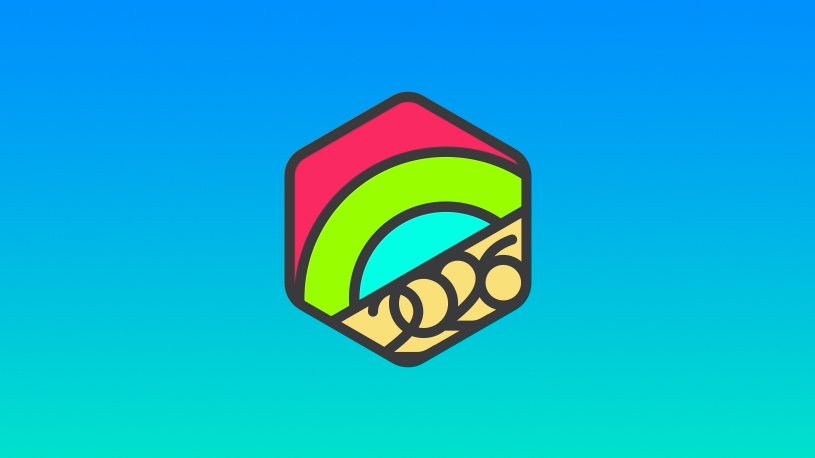
Get Ready to Earn the 2026 New Year Apple Watch Activity Challenge Badge

Apple's next Apple Watch Activity Challenge will begin on Thursday, January 1, with Apple Watch users able to earn an award by closing all three rings for seven days in a row in January.


Start the year strong and stay active! Earn this award by closing all three Activity rings for seven days in a row in January.

Apple Watch owners will need to complete their stand, exercise, and move goals for seven days sequentially at any time during the month of January to get the New Year's award. It will show up for Apple Watch owners starting on December 28, and can be completed between January 7 and January 31.

Like all of Apple's Activity Challenges, the New Year challenge will be accompanied by an award that can be viewed in the Fitness app as well as a series of animated stickers that can be used in the Messages app.


The Ring in the New Year Activity Challenge happens every January, and it is one of many Activity Challenges that Apple offers throughout the year to encourage people to meet their Fitness goals and stay active.
This article, "Get Ready to Earn the 2026 New Year Apple Watch Activity Challenge Badge" first appeared on MacRumors.com

Discuss this article in our forums

  •  

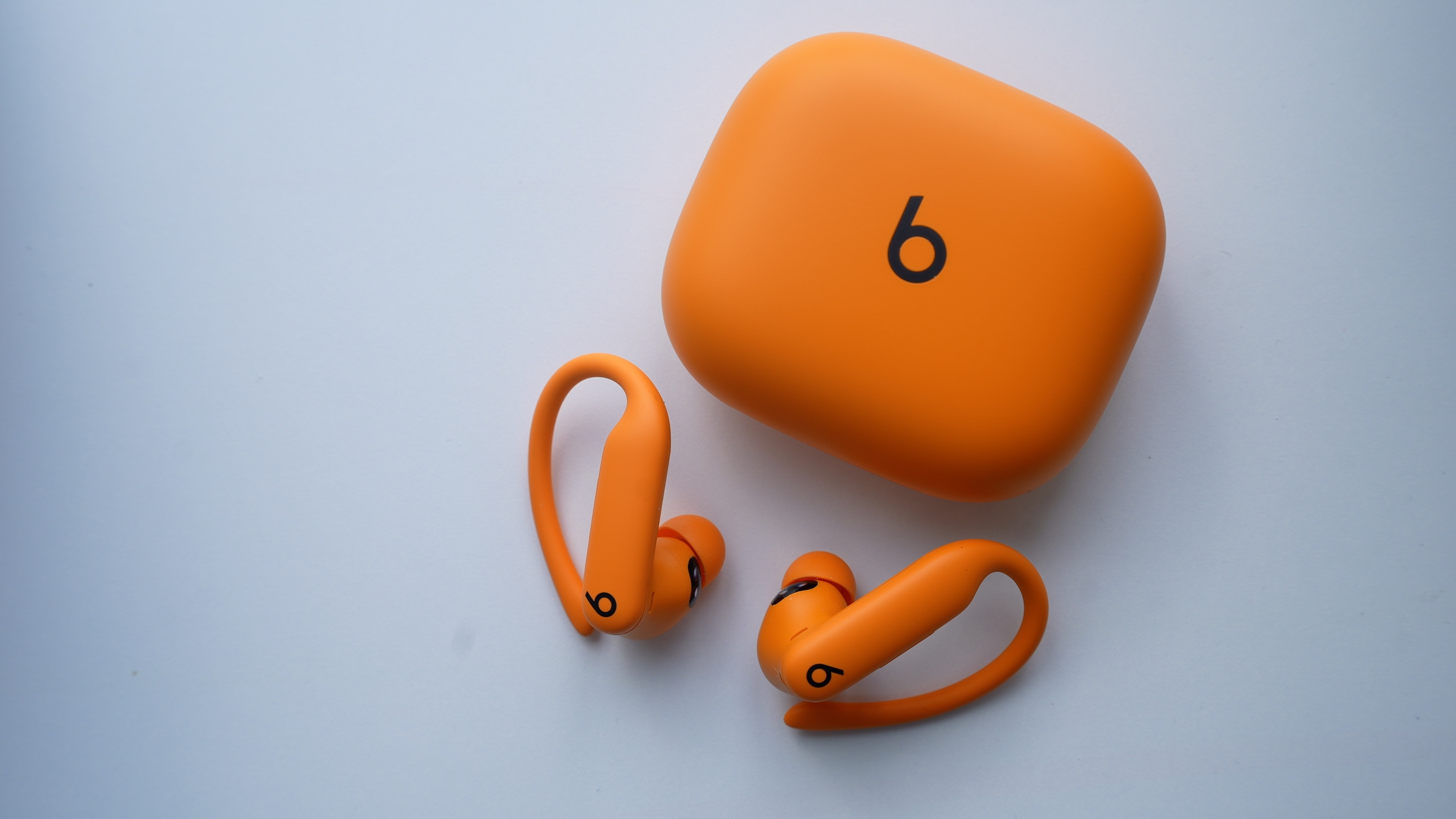
Apple Releases New Powerbeats Pro 2 Firmware

Apple today released new firmware for the Powerbeats Pro 2 earbuds that came out earlier this year. The updated firmware has a version number of 8A359, an update to the prior 8A353 firmware that was released in September.


It's not clear if the updated firmware adds new functionality, but it is likely to be a bug fix and performance improvement update. The prior-generation firmware update added iOS 26 functionality to the ‌Powerbeats Pro‌, introducing compatibility with the Fitness app and support for real-time performance metrics.

The ‌Powerbeats Pro‌ 2 were Apple's first earbuds to offer in-ear heart rate monitoring, but that capability has also now expanded to the AirPods Pro 3.

The updated firmware can be installed on the ‌Powerbeats Pro‌ 2 by connecting them to power and ensuring that they are in Bluetooth range of an iPhone, iPad, or Mac that's connected to Wi-Fi. Firmware can be checked on the ‌iPhone‌ by going to Settings > Bluetooth and tapping the Info button next to the Beats headphones in the list. Android users can download new Beats firmware through the Beats app for Android.
This article, "Apple Releases New Powerbeats Pro 2 Firmware" first appeared on MacRumors.com

Discuss this article in our forums
  •  

iOS 26.3 Beta 1 Features: What's New So Far

Apple is testing iOS 26.3, the next version of iOS 26 that will launch around January. Since iOS 26.3's testing is happening over the holidays, it is a smaller update with fewer features than we've seen in prior betas.


We've rounded up what's new so far, and we'll add to our list with subsequent betas if we come across any other features.

Transfer to Android


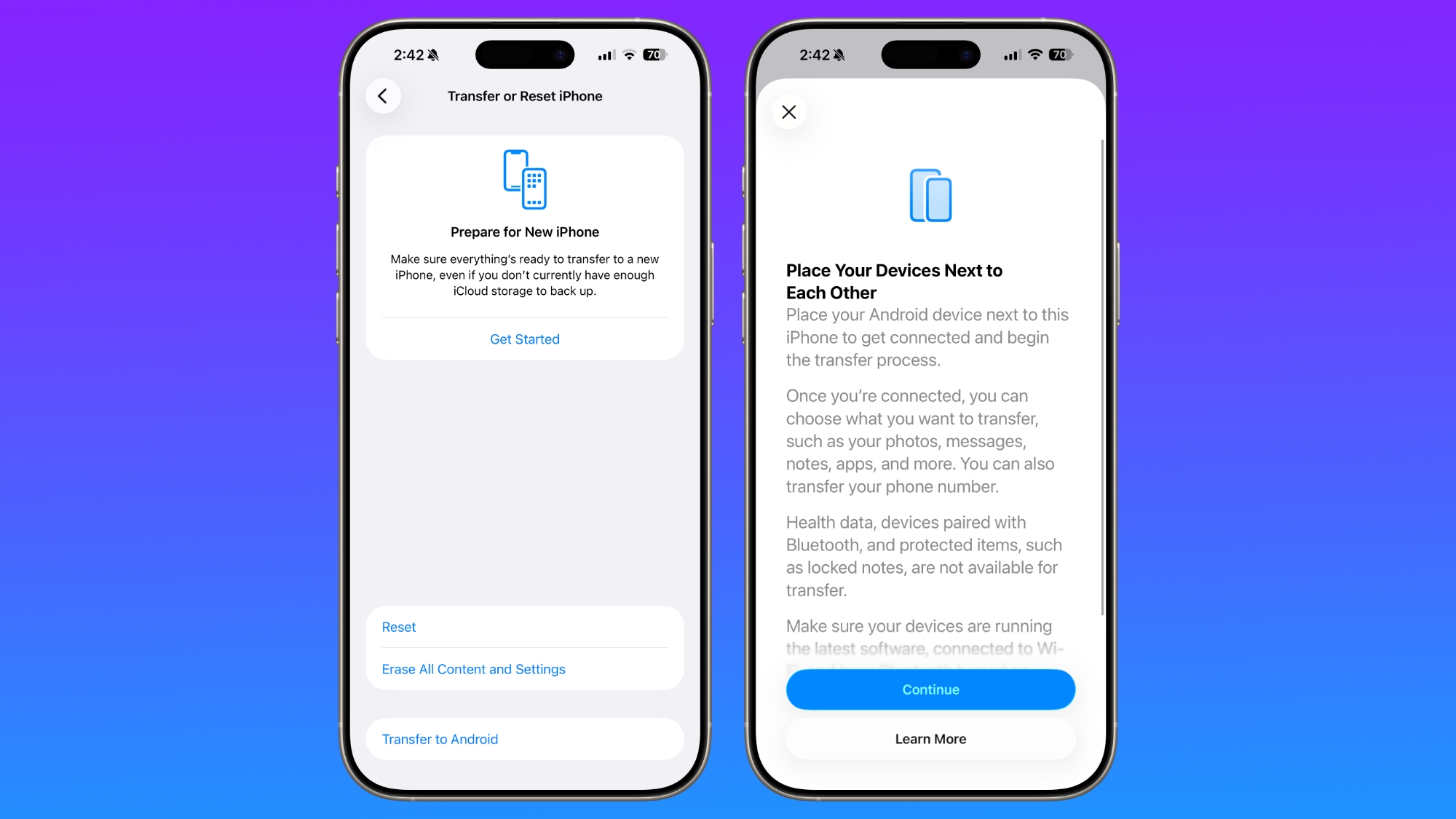
Apple is making it simpler for iPhone users to transition to an Android smartphone in iOS 26.3, introducing a new transfer tool that lets an ‌iPhone‌ user place their device next to an Android device to initiate a transfer process.


With the two smartphones connected, users can opt to move over photos, messages, notes, apps, passwords, phone number, and more. Data transfers occur with no need to download and use a separate app, making the process simpler.

Health data, devices paired with Bluetooth, and protected items like locked notes are not transferred over to the new device. Google has also implemented a similar feature for transferring data from an Android to an ‌iPhone‌, so it is a two-way process between the two platforms.

Notification Forwarding


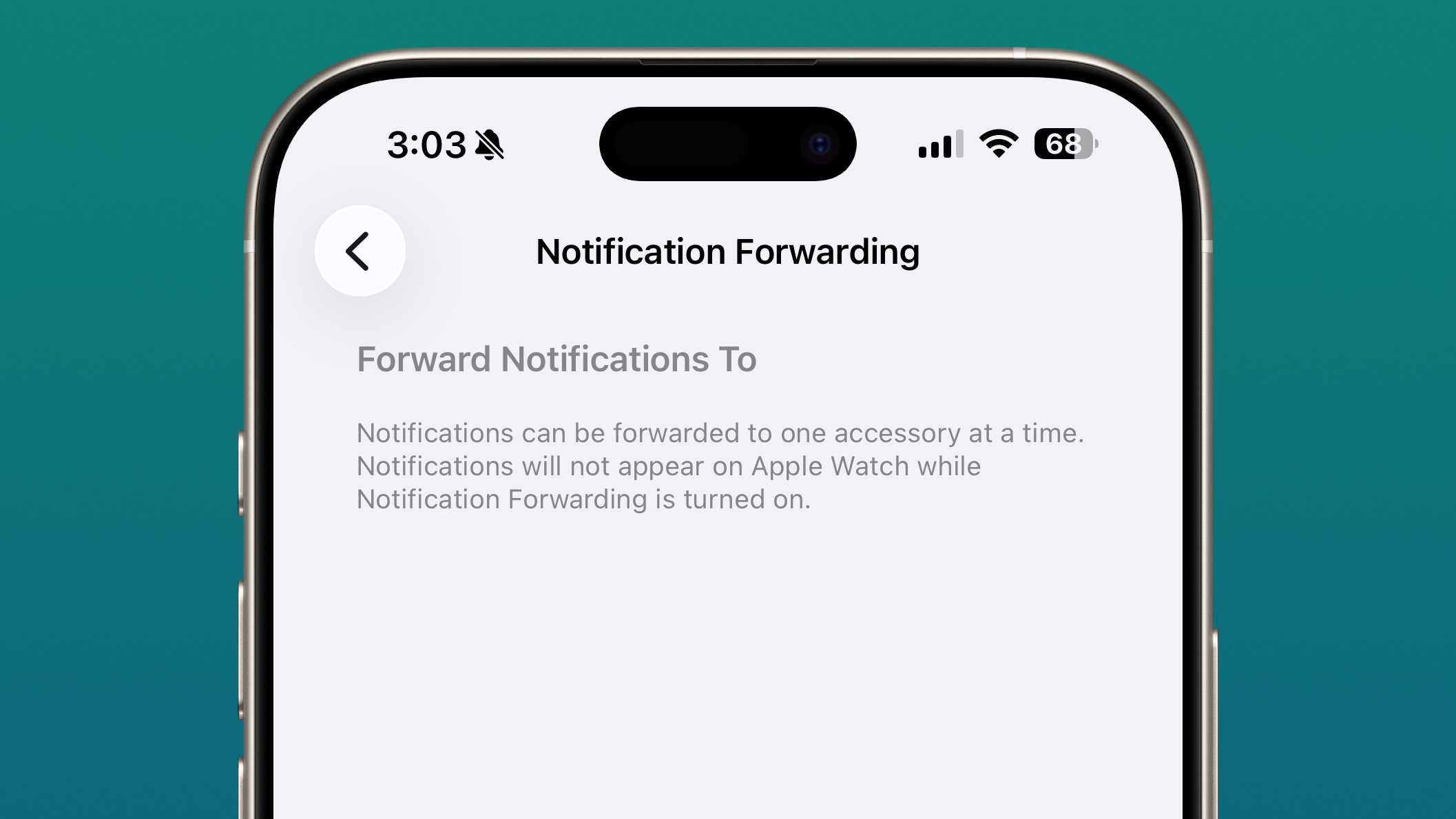
iOS 26.3 has a new "Notification Forwarding" setting that allows incoming notifications on an ‌iPhone‌ to be forwarded to a third-party wearable device like an Android smartwatch.


The setting is located in the Notification section of the Settings app under a new "Notification Forwarding" option. Apple says that notifications can only be forwarded to a single device at a time, so if Notification Forwarding is enabled with a third-party wearable, the Apple Watch won't be able to receive and display notifications.

Apple is adding this feature to address antitrust complaints suggesting that third-party wearables should have the same access to notifications and other features as the Apple Watch. It is only available in the European Union.

Weather Wallpaper


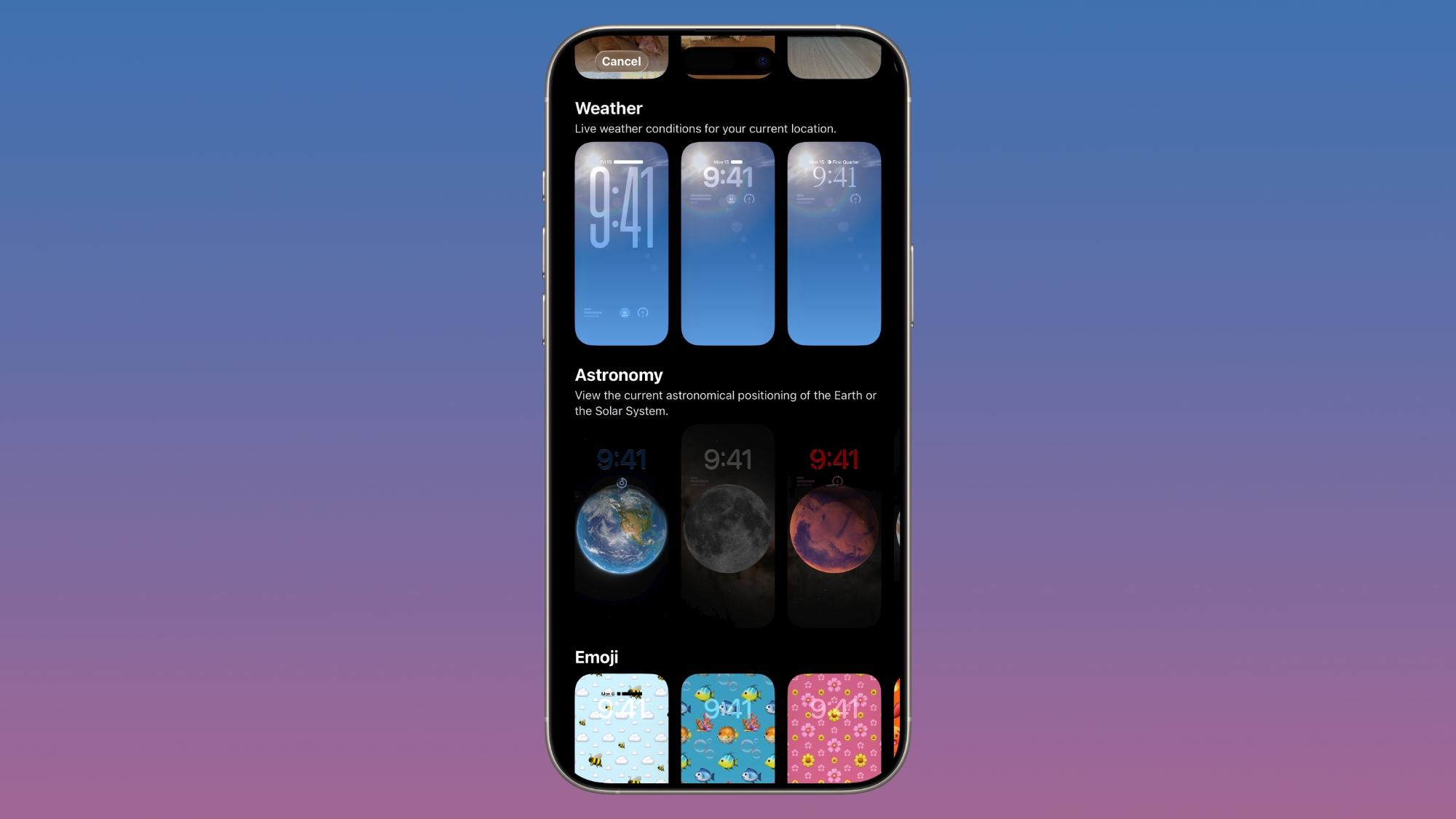
There is a new Weather wallpaper section in the Lock Screen customization options. Previously, Apple had a combined section for Weather and Astronomy, but Weather was split out into its own category.


There are now three pre-designed Weather wallpapers with different fonts for the time and different weather widgets to give people a better idea of how the Weather wallpaper can be used.

More Features


Know of a feature we left out? Let us know in the comments below.

Compatibility


iOS 26.3 is available on all iPhones that support ‌iOS 26‌.

Release Date


We're expecting Apple to release iOS 26.3 in late January.
This article, "iOS 26.3 Beta 1 Features: What's New So Far" first appeared on MacRumors.com

Discuss this article in our forums

  •  

Early iOS 26 Software Leak Uncovers Dozens of Upcoming Apple Features

Software from an iPhone prototype running an early build of iOS 26 leaked last week, giving us a glimpse at future Apple devices and iOS features. We recapped device codenames in our prior article, and now we have a list of some of the most notable feature flags that were found in the software code.


In some cases, it's obvious what the feature flags are referring to, while some are more vague and harder to interpret. We've included the feature flag and a short explanation of what it might reference, but keep in mind that Apple doesn't provide full explanations because this is all internal code. We're working off of titles and internal organization, but there are still hints of what may be coming in the future.

Products


  • Unknown home accessory - There's a reference to J229 architecture. J229 is a home accessory, but we don't know what it is. It might be the camera that Apple is rumored to be working on, but it could also be something simpler like a standalone base for the home hub. Code references a sensor manager and sensing predict models.

  • AirTag 2 - There are several references to future AirTag features, including Bluetooth improvements, low battery state improvements, and crowdsourced location improvements. Unknown references include AirTag2025_Phone_Finding, AirTag2025_Watch_Finding, Distribution, Battery, and Switchover. Note that it mentions 2025, suggesting Apple planned to release the ‌AirTag‌ 2 in 2025 and pushed it back.

  • AirPods - Several AirPods features are listed with a spring 2026 launch: ContextualReminders, ConversationBreakthroughVQA, and Visual Lookup. There are also mentions of "Precise outdoor location understanding" and "Room Aware Connect Controls." There's a second fall 2025 label for "Extended_Precision_Finding_Core_Tech," and a "SRAudioMixing - Mix audio with the active streaming device" mention that could be related to the AirPods.

  • Vision Pro - There's a "Enable AUSM Enhanced Room Spatializer" feature flag, which may be released to the Vision Pro. It has a spring 2026 label.


Software Features


There are mentions of several previously rumored software features that are coming in updates to ‌iOS 26‌ and in iOS 27.

  • Health+ - This is listed with a spring 2026 date. Rumors suggest it's a new AI-powered health-related subscription service. There are references to another health feature called "Gumdrop," but it's unclear what it is, plus a mention of a "Geronimo" feature with a date of 2030.

  • Live Captions - Live Captions will expand to more languages, with this code labeled WWDC 2026.

  • AutoFillUI - Third-party apps will be able to access autofill credit card information in fall 2026. Currently, you can take a picture of card details when checking out or use Apple Pay, but you can't autofill your credit card details when buying something in an app.

  • Siri - There are several mentions of Siri features for the smarter version of ‌Siri‌ Apple is working on. IntelligenceFlow, PlanOverrides, SpotlightPersonalAnswersSiri, SpotlightSearchToolLLMQueryUnderstanding, and SpotlightExtSemanticSearch are some of the strings. The ‌Siri‌ mentions have a spring 2026 label.

  • Freeform - Freeform is getting folders, with a spring 2026 date listed.

  • Journal - Followup prompts are coming to the Journal app, also in spring 2026.

  • Wallet - There are BankConnectUpcomingPaymentNotifications and AppleCardUpcomingPaymentNotifications strings with a WWDC 2026 date.

  • Photos - Apple's code mentions Photos Connections and Shared Collections as features coming in fall 2026.

  • - There's a mention of Dynamic Sports Tier Manager for spring 2026.


2027


There are a handful of health features that have a WWDC 2027 label attached.

  • sleepCloudKitManatee

  • sleepCloudKitSync

  • sleepOnIpad

  • sleepOnMac


Accessibility


There are multiple accessibility features, some of which have WWDC 2026 or fall 2026 dates, and some with no dates.

  • Live Captions - Labeled as LiveCaptionsForAll, unclear what it is.

  • Background Sounds - A Version 2 is coming.

  • macOS Keyboard - Full Keyboard Access VoiceOver Support for macOS. Mac is also getting extended font size range.

  • Magnifier - There are Announce Stairs, Find My Item, and Human Hand Pose mentions.

  • Live Listen - The software references Live Listen controls from watch, Live Mic levels on watch, and a Rewind 30 seconds feature for Live Listen.

  • Tilt to Scroll - There's a mention of a Tilt to Scroll feature.


Other Features


  • CallKit - CallKit mentions a Push-to-Talk option.

  • ConversationKit - There's an "Experimental_CallScreening_LiveActivity" string.

  • FinHealth - This section mentions reverse lookup, habitual spend, and spending summaries. Possibly something Apple Card related.

  • Mail - There's a CatchUpHighlightsV2 string with a winter 2025 date.

  • Podcasts - Podcasts references enabling the Home ‌Siri‌ assistant cell for CarPlay, enabling the Connected Subscriptions Account settings page, adding a button to translate a transcript, and tapping a translated paragraph to hear it spoken.

  • Vision Pro stickers - There are mentions of a sticker creation feature for visionOS. Sticker effects and emoji creation are also mentioned.


Keep in mind that Apple's plans can change, so while this is a glimpse of what Apple was working on around the June 2025 timeline, it may not be accurate any longer. Features can be scrapped, launch dates can be pushed back, and this list definitely doesn't include all of the new features that Apple has in the works for future software updates.
This article, "Early iOS 26 Software Leak Uncovers Dozens of Upcoming Apple Features" first appeared on MacRumors.com

Discuss this article in our forums
  •  

Apple Leak Confirms Work on Foldable iPhone, AirTag 2, and Dozens More Devices

Last week, details about unreleased Apple devices and future iOS features were shared by Macworld. This week, we learned where the information came from, plus we have more findings from the leak.


As it turns out, an Apple prototype device running an early build of iOS 26 was sold, and the person who bought it shared the software. The OS has a version number of 23A5234w, and the first developer beta of ‌iOS 26‌ was 23A5260n, so it dates back to before that initial beta. Apple was still calling it iOS 19 internally at that time, so the software is labeled iOS 19 rather than ‌iOS 26‌.

An anonymous source provided MacRumors with a list of unreleased devices and features that were found in the beta, and we've recapped the device list below. There are references to many upcoming Apple products, which are referred to by codenames internally. Several codenames have been leaked previously in other accidental updates, or by Bloomberg's Mark Gurman. Many of these leaked devices have been previously rumored, but this serves as confirmation that they are in the works and will be coming in the future.

AirTags and Home Devices


  • AirTag 2 - B589

  • Apple Studio Display 2 - J427 and J527

  • Apple TV - J355

  • Home hub variant 1 with base - J490

  • Home hub variant 2, mounted - J491

  • Unknown home accessory - J229. Possibly a standalone base that can be added to the mounted home hub, or another device like the rumored camera Apple is working on.

  • Tabletop robot - J595

  • HomePod mini 2 - B525


iPads


  • iPad 12 - J581 and J582 (Wi-Fi and Cellular)

  • M4 iPad Air - J707, J708, J737, J738 (11 and 13-inch sizes, Wi-Fi and Cellular)


iPhones


  • iPhone 17e - V159

  • iPhone Air 2 - V62 (software predates Apple's decision to delay the launch)

  • iPhone 18 Pro - V63

  • iPhone 18 Pro Max - V64

  • Foldable iPhone - V68


Macs


  • Low-cost MacBook with A18 Pro - J700

  • M5 Pro/Max MacBook Pro - J714c, J714s, J716c, J716s (14-inch and 16-inch models with M5 Pro and Max chip variants)

  • M5 MacBook Air - J813 and J815 (13 and 15-inch size options)

  • M5 Mac Studio - J775c and J775d (M5 Max and M5 Ultra variants)

  • M5 Mac mini - J873g and J873s (M5 and M5 Pro variants)

  • M6 14-inch MacBook Pro - J804

  • M6 Pro/Max MacBook Pro - K114c, K114s, K116c, K116s (14-inch and 16-inch models with M6 Pro and M6 Max chips)


Wearables


  • Vision Air headset - N100 (a lighter and cheaper version of the Vision Pro)

  • AR glasses prototype - N421 (a prototype set of lightweight AR glasses, supposedly scrapped)

  • Mac-connected AR glasses - N107 (AR glasses that connected to a Mac, supposedly scrapped)

  • Cheaper Vision Pro - N109 (also referred to as a second-generation Vision Pro, distinct from Vision Air)

  • AI smart glasses - N50, but Apple now refers to these as N401 (Meta Ray-Bans competitor)

  • Apple Watch Series 12 - N237 and N238 (Wi-Fi and Cellular)

  • Apple Watch Ultra 4 - N240


Chips


There are codenames for several upcoming Apple chips that are in the works for future devices.

  • U3 (Ultra Wideband) - T2034

  • M5 Pro/Max/Ultra - T6050

  • M6 - T8152

  • A20/A20 Pro - T8160

  • S11 - T8320


Unknowns


There are also several unknown codenames that aren't linked to any currently rumored devices.

  • N110

  • N209

  • N216

  • J349

  • J190

  • J226


Several of these devices like the AirTag 2, the iPads, and the home hub are expected earlier in 2026, while others will be coming in late 2026 and beyond. Apple's software does not include release dates associated with codenames, so there are no known dates for when some of these devices are coming.

Update: This article was edited to add the next-generation Apple TV, which was accidentally left off of the initial list.
This article, "Apple Leak Confirms Work on Foldable iPhone, AirTag 2, and Dozens More Devices" first appeared on MacRumors.com

Discuss this article in our forums

  •  

iOS 26.3 Adds Notification Forwarding Option for Third-Party Wearables

iOS 26.3 adds a new "Notification Forwarding" setting that allows incoming notifications on an iPhone to be forwarded to a third-party device.


The setting is located in the Notification section of the Settings app under a new "Notification Forwarding" option. Apple says that notifications can only be forwarded to a single device at a time, so if Notification Forwarding is enabled with a third-party wearable, the Apple Watch won't able to receive and display notifications.

Users can choose to have a device receive notifications only from selected apps rather than all apps, and notifications will include the name of the app and all content contained in the notification. This is a feature that is only available to those living in Europe.

Apple is adding this feature to relieve regulatory pressure that it is facing. The Digital Markets Act in the European Union requires Apple to provide third-party smartwatches and other devices with access to notifications and features that are normally reserved for the Apple Watch.

Update: This article was updated to clarify that Notification Forwarding is only an option in the EU, even though it shows up on iPhones worldwide in iOS 26.3.
Related Roundups: iOS 26, iPadOS 26
Related Forum: iOS 26

This article, "iOS 26.3 Adds Notification Forwarding Option for Third-Party Wearables" first appeared on MacRumors.com

Discuss this article in our forums

  •  

iOS 26.3 Makes It Easier to Switch From iPhone to Android

With iOS 26.3, Apple is making it simpler for iPhone users to transition to an Android smartphone, with new built-in tools for transferring data.


The new transfer tool allows an ‌iPhone‌ user to place their device next to an Android device to initiate a transfer process. With the two smartphones connected, users can opt to move over photos, messages, notes, apps, passwords, phone number, and more. Data transfers occur with no need to download and use a separate app, making the process simpler.

Health data, devices paired with Bluetooth, and protected items like locked notes are not transferred over to the new device.

Transferring data from an ‌iPhone‌ to an Android device wirelessly requires both devices to have the latest software, and to be connected to Wi-Fi with Bluetooth enabled. There will be an option to display a QR code on the Android device that the ‌iPhone‌ can scan to initiate the process, or there is an option to use a session ID and pairing code instead.

Google has also implemented a similar feature for transferring data from an Android to an ‌iPhone‌, so it is a two-way process between the platforms.

Last week, the European Commission said that Apple and Google designed and implemented the new transfer system to comply with the Digital Markets Act in the European Union, but it is not a Europe-only feature. The new setting is available worldwide in the iOS 26.3 beta, and it can be found under Settings > General > Transfer or Reset ‌iPhone‌ > Transfer to Android.
Related Roundups: iOS 26, iPadOS 26
Related Forum: iOS 26

This article, "iOS 26.3 Makes It Easier to Switch From iPhone to Android" first appeared on MacRumors.com

Discuss this article in our forums

  •  

First macOS Tahoe 26.3 Beta Now Available for Developers

Apple today provided the first beta of an upcoming macOS Tahoe 26.3 update to developers for testing purposes, with the update coming three days after the launch of macOS Tahoe 26.2.


Developers can download the macOS Tahoe 26.3 update by opening up the System Settings app, selecting the General category, and then choosing Software Update. Beta Updates will need to be enabled, and a free developer account is required.

There's no word yet on what's included in macOS Tahoe 26.3, but we'll update this article if new Mac features are found.

The beta is available to developers right now, but a public beta is expected later this week. We'll likely see Apple release macOS Tahoe 26.3 at the end of January given past launch timelines.
Related Roundup: macOS Tahoe 26
Related Forum: macOS Tahoe

This article, "First macOS Tahoe 26.3 Beta Now Available for Developers" first appeared on MacRumors.com

Discuss this article in our forums

  •  

Apple Seeds First Betas of iOS 26.3 and iPadOS 26.3 to Developers

Apple today seeded the first betas of upcoming iOS 26.3 and iPadOS 26.3 updates to developers for testing purposes, with the software coming just a few days after Apple released iOS 26.2 and iPadOS 26.2.


Registered developers can download the betas from the Settings app on the iPhone or iPad by going to the General section and selecting Software Update.

We don't yet know what's included in the new beta software, but because that these updates will be tested over the holiday period, Apple may be planning to focus on bug fixes and performance improvements rather than adding major new features.

When we learn what's new in the updates, we'll share details.

iOS 26.3 and iPadOS 26.3 are limited to developers at the current time, but Apple will likely release a public beta in the next couple of days.
Related Roundups: iOS 26, iPadOS 26
Related Forum: iOS 26

This article, "Apple Seeds First Betas of iOS 26.3 and iPadOS 26.3 to Developers" first appeared on MacRumors.com

Discuss this article in our forums

  •  

Apple Releases First watchOS 26.3, tvOS 26.3 and visionOS 26.3 Betas

Apple today provided developers with the first betas of upcoming watchOS 26.3, tvOS 26.3, and visionOS 26.3 betas for testing purposes. The software comes a few days after Apple launched the 26.2 versions of each platform.


The software updates are available through the Settings app on each device, and because these are developer betas, a free developer account is required.

We don't know what new features might be added in watchOS 26.3, visionOS 26.3, and tvOS 26.3. Apple doesn't typically provide release notes for betas, so we might not know what's new until the software updates see a public launch unless there are outward-facing changes.

Apple will likely provide public beta testers with access to the tvOS 26.3 and watchOS 26.3 betas later this week, but visionOS 26.3 will remain limited to developers. The software updates will probably launch right around the end of January based on past release timelines.
This article, "Apple Releases First watchOS 26.3, tvOS 26.3 and visionOS 26.3 Betas" first appeared on MacRumors.com

Discuss this article in our forums
  •